1. Введение
This manual provides essential instructions for the safe operation and maintenance of your VTech Advanced HD Plus 5.5" HD 1 Cam Video Baby Monitor. Please read this manual thoroughly before using the product to ensure proper setup and functionality. Keep this guide for future reference.

Image 1.1: The VTech Advanced HD Plus 5.5" HD 1 Cam Video Baby Monitor, featuring the parent unit and baby unit.
2.Основные характеристики
The VTech Advanced HD Plus Video Baby Monitor is designed to provide reliable monitoring of your baby. Key features include:
- 5.5" HD IPS LCD Screen: Offers clear 720p video resolution with wide viewing angles and enhanced color accuracy.
- Длительный срок службы батареи: Up to 13 hours of continuous video streaming or 19 hours of audio-only streaming on a single charge.
- Pan-Tilt-Zoom Camera: Remote control for 360-degree panoramic view, 122-degree vertical view, and 4x digital zoom.
- Широкоугольный View: A 110-degree wide-angle lens captures more of the nursery.
- Adaptive Night Light: Touch-controlled, dimmable 7-color night light to create a soothing environment.
- Двусторонний разговор: Allows communication with your baby from the parent unit.
- Lullabies & Soothing Sounds: Five calming melodies and five ambient sounds to help soothe your baby.
- Мониторинг температуры: Displays the nursery's ambient temperature on the parent unit.
- Оповещения о движении и звуке: Notifies you of activity in the baby's room.
- Automatic Infrared Night Vision: Provides clear video in low-light conditions.
- Secure 2.4GHz Wireless Connection: Ensures a private and interference-free connection up to 1,000 feet. No Wi-Fi required.

Image 2.1: Visual representation of the monitor's main features.
3. Содержимое упаковки
Убедитесь, что в посылке присутствуют все предметы:
- Родительский блок
- Детский блок (камера)
- 2 AC Adapters (one for Parent Unit, one for Baby Unit)
- Краткое руководство пользователя
4. Инструкции по настройке
4.1. Зарядка родительского блока
- Connect the small end of the parent unit power adapter to the power jack on the side of the parent unit.
- Подключите большой конец адаптера питания к розетке.
- Charge the parent unit for at least 12 hours before initial use. The battery icon will indicate charging status.
4.2. Включение детского блока (камеры)
- Connect the small end of the baby unit power adapter to the power jack on the back of the baby unit.
- Подключите большой конец адаптера питания к розетке.
- The baby unit will power on automatically once connected to power.
4.3. Размещение детского блока
Расположите детский блок в месте, обеспечивающем свободный доступ к view of your baby in their crib or play area. For optimal performance:
- Place the baby unit at least 3 feet (1 meter) away from your baby to avoid potential hazards.
- Ensure the baby unit is on a flat, stable surface or securely mounted to a wall (mounting hardware not included).
- Avoid placing the baby unit near other electronic devices that may cause interference.
- Keep the power cords out of reach of children.
5. Инструкция по эксплуатации
5.1. Элементы управления родительского блока
Familiarize yourself with the buttons on your parent unit:
- МЕНЮ/ВЫБОР: Press to open the menu or confirm a selection.
- Кнопки со стрелками (вверх, вниз, влево, вправо): Navigate menu options and control camera pan/tilt.
- Громкость + / Громкость -: Отрегулируйте громкость прослушивания.
- ГОВОРИТЬ: Нажмите и удерживайте, чтобы поговорить с малышом через детский блок.
- ЖК-дисплей ВКЛ/ВЫКЛ: Press to turn the screen on or off while audio monitoring continues.
- ZOOM: Press to zoom in or out on the video feed.
- Кнопка питания: Нажмите и удерживайте, чтобы включить или выключить родительский блок.
5.2. Video Monitoring
Once both units are powered on and linked, the parent unit will automatically display live video from the baby unit. The 5.5" IPS screen provides a clear view.
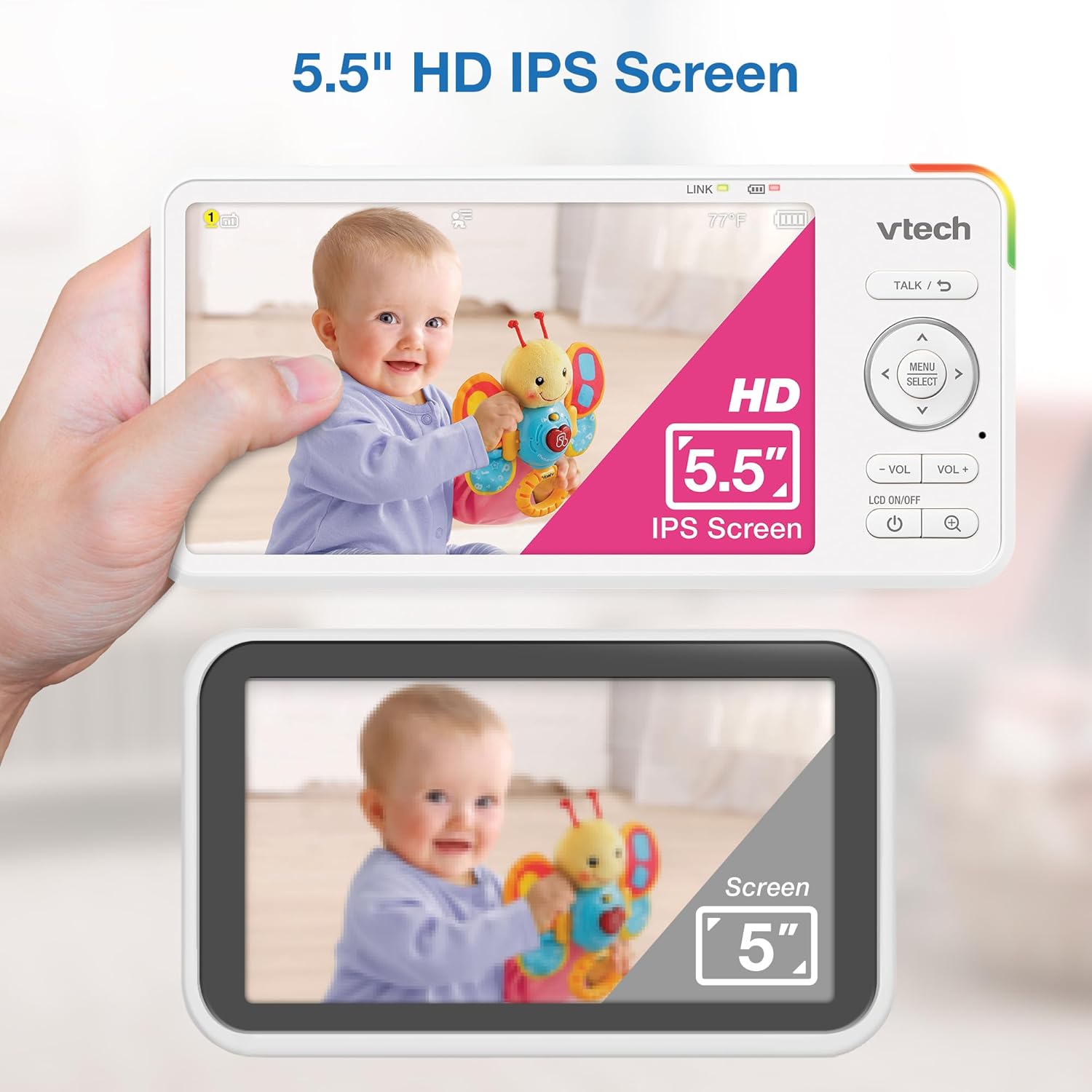
Image 5.1: The 5.5" HD IPS screen offers a larger and clearer view compared to standard screens.
5.3. Pan, Tilt, and Zoom
Use the arrow buttons on the parent unit to remotely adjust the camera's view:
- Нажмите Вверх/Вниз arrows to tilt the camera vertically (122-degree vertical view).
- Нажмите Левый/Правый arrows to pan the camera horizontally (360-degree panoramic view).
- Нажмите УВЕЛИЧИТЬ button to activate the 4x digital zoom for a closer look.

Image 5.2: Remote pan, tilt, and 4x zoom functionality for comprehensive nursery coverage.
5.4. Двусторонний разговор
Чтобы поговорить с малышом, нажмите и удерживайте кнопку. РАЗГОВАРИВАТЬ button on the parent unit. Release the button to stop talking and resume listening.

Image 5.3: Using the two-way talk feature to communicate with your baby.
5.5. Night Light, Lullabies, and Soothing Sounds
Access these features through the parent unit's menu:
- Ночной свет: Select the night light option to choose from 7 colors or adjust brightness. The adaptive feature adjusts to nursery brightness.
- Lullabies & Soothing Sounds: Choose from five melodies and five ambient sounds to play through the baby unit.
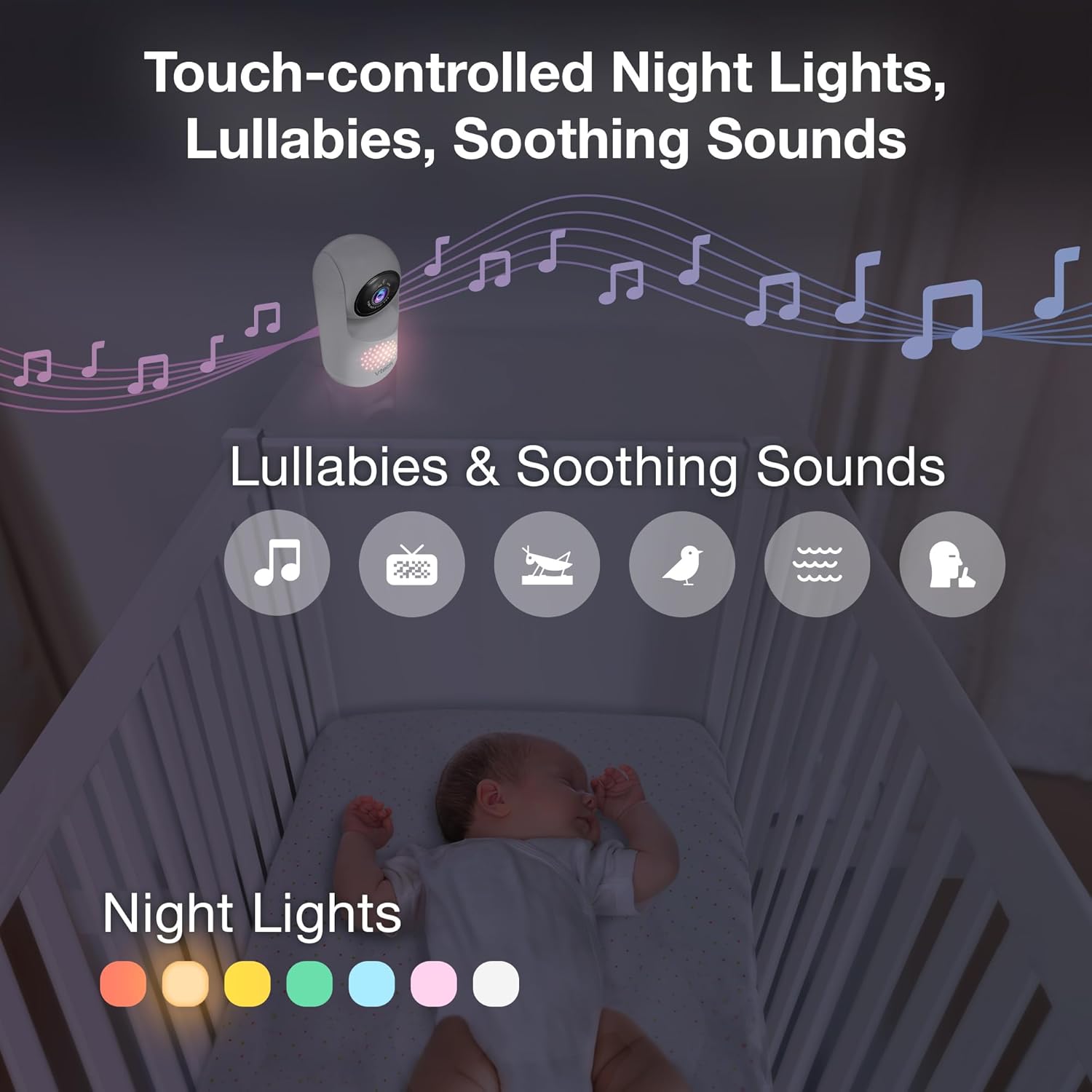
Image 5.4: The camera unit provides touch-controlled night lights, lullabies, and soothing sounds.
5.6. Мониторинг температуры
The parent unit displays the current temperature of the baby's room, measured by the baby unit. This helps ensure a comfortable environment for your baby.
5.7. Motion and Sound Alerts
The monitor is equipped with motion and sound detection. When activity is detected, the parent unit will provide an alert. You can adjust the sensitivity settings in the menu.

Image 5.5: Motion and temperature alerts displayed on the parent unit.
5.8. Ночное видение
В условиях низкой освещенности детский блок автоматически активирует инфракрасное ночное видение, обеспечивая четкое черно-белое изображение на родительском блоке.

Image 5.6: Automatic infrared night vision for clear monitoring in the dark.
6. Техническое обслуживание
6.1. Уборка
- Чистите блоки монитора мягкой тряпкой.amp ткань.
- Не используйте чистящие спреи или жидкие чистящие средства.
- Перед чисткой убедитесь, что устройства отключены от сети.
6.2. Уход за аккумулятором
- Для продления срока службы батареи полностью зарядите основной блок перед первым использованием.
- Избегайте экстремальных температур, которые могут повлиять на производительность аккумулятора.
- If storing the unit for an extended period, charge the battery periodically.

Image 6.1: The 5,000mAh rechargeable battery provides extended monitoring time.
7. Поиск Неисправностей
If you experience issues with your VTech Advanced HD Plus monitor, refer to the following common solutions:
| Проблема | Возможное решение |
|---|---|
| Нет связи / Плохое соединение |
|
| Нет изображения / Черный экран |
|
| Нет звука / Низкая громкость |
|
| Аккумулятор быстро разряжается |
|
Если проблема не устранена после применения этих решений, обратитесь в службу поддержки клиентов VTech.
8. Технические характеристики
| Особенность | Деталь |
|---|---|
| Название модели | Advanced HD Plus |
| Размер экрана | 5.5-дюймовый IPS-ЖК-дисплей |
| Разрешение видео | 720p |
| Технология связи | 2.4G FHSS Wireless (No Wi-Fi) |
| Диапазон | До 1,000 футов (прямая видимость) |
| Емкость аккумулятора | 5000 мАч |
| Срок службы батареи (потоковое видео) | До 13 часов |
| Battery Life (Audio-only) | До 19 часов |
| Пан Угол | 360 degrees panoramic |
| Угол наклона | 122 degrees vertical |
| Увеличить | 4x Digital |
| Широкоугольный View | 110 градусов |
| Ночное Видение | Автоматический инфракрасный |
| Типы оповещений | Аудио и движение |
| Источник питания | Электрический шнур (5 В, 7.5 Вт) |
| Размеры (родительского блока) | 6.58 x 3.23 x 0.71 дюйма |
| Вес товара | 1.6 фунта (0.73 кг) |
| СКП | 735078058157 |
9. Поддержка и гарантия
For technical support, product registration, or warranty information, please visit the official VTech webсайт или обратитесь в службу поддержки клиентов:
- Webсайт: www.vtechbabycare.com
- Электронная почта: support@vtechbabycare.com
Please refer to your product packaging or the VTech website for specific warranty details applicable to your region.