1. Введение
This manual provides comprehensive instructions for the setup, operation, and maintenance of your VTech CS2001 DECT 2 Handset Cordless Telephone system. Please read this manual thoroughly before using your new telephone to ensure proper functionality and to familiarize yourself with all features.

Image: The VTech CS2001 DECT 2 Handset Cordless Telephone system, showing one handset on its main base unit and a second handset on its auxiliary charging cradle. Both handsets feature a digital display and a standard telephone keypad.
2. Настройка
Follow these steps to set up your VTech CS2001 DECT Cordless Telephone system.
2.1 Содержимое упаковки
Убедитесь, что все компоненты присутствуют:
- 1 базовый блок
- 2 адаптера переменного тока
- 2 battery packs (NiMH)
- 2 беспроводных трубок
- 2 chargers (for auxiliary handset)
- Краткое руководство пользователя
- Телефонный шнур
2.2 Установка и зарядка аккумулятора
- Откройте крышку отсека для батареи на задней панели каждого телефона.
- Connect the battery pack connector securely into the socket inside the compartment.
- Поместите аккумуляторную батарею в отсек.
- Закройте крышку батарейного отсека.
- Place each handset onto its respective base unit or charger. Ensure the "Charge" indicator on the base/charger illuminates.
- Перед первым использованием дайте трубке заряжаться в течение не менее 16 часов, чтобы обеспечить оптимальную работу аккумулятора.
2.3 Подключение базового блока
- Подключите один конец телефонного провода к разъему TEL LINE на базовом блоке.
- Подключите другой конец телефонного кабеля к телефонной розетке на стене.
- Connect the AC adaptor to the POWER jack on the base unit.
- Plug the AC adaptor into a standard electrical outlet.
- For the auxiliary charger, connect its AC adaptor to the charger and then to an electrical outlet.
Примечание: Use only the supplied power adaptors and battery packs. Incorrect adaptors may damage the unit.
3. Инструкция по эксплуатации
3.1 Совершение и прием звонков
- Чтобы позвонить: Нажимать РАЗГОВАРИВАТЬ, then dial the number. Alternatively, dial the number first and then press РАЗГОВАРИВАТЬ.
- Чтобы ответить на звонок: Когда телефон зазвонит, нажмите РАЗГОВАРИВАТЬ.
- Чтобы завершить звонок: Нажимать КОНЕЦ или поместите трубку обратно на базу/зарядное устройство.
3.2 Функция громкой связи
The handsfree speakerphone allows you to converse without holding the handset.

Image: A VTech CS2001 handset is shown on a kitchen counter, with a person in the background engaged in an activity, illustrating the convenience of the handsfree speakerphone feature.
- Для активации: Во время разговора нажмите кнопку Громкая связь button (usually marked with a speaker icon).
- Чтобы отключить: Нажмите Громкая связь button again or lift the handset to switch back to normal mode.
3.3 Внутренняя связь и переадресация вызовов
The two handsets can communicate with each other and transfer calls.
- Интерком: Нажмите ИНТ button on one handset to call the other.
- Перевод вызова: Во время внешнего вызова нажмите ИНТ, select the other handset, and once connected, press ПЕРЕДАЧА.
4.Основные характеристики
4.1 DECT Technology and Long Range
The VTech CS2001 utilizes DECT (Digital Enhanced Cordless Telecommunications) technology, ensuring clear sound quality and secure communication. It offers a reliable long operating range of up to 300 meters outdoors.

Image: A woman is shown talking on a VTech cordless phone in a spacious, modern home environment, with graphic elements illustrating the phone's reliable long-range capability.
4.2 Блокировщик назойливых звонков
This feature helps manage unwanted calls. You can block specific numbers or calls from unknown numbers. The system can store up to 30 blacklisted numbers. An option to block all calls during a programmable period is also available.
Примечание: This feature requires a Caller Display service subscription from your network provider, which may be chargeable.

Image: A man is depicted relaxing on a sofa, reading a book, with a VTech CS2001 handset on a table beside him. A graphic overlay signifies the call blocker feature, promoting peace of mind from unwanted calls.
4.3 Телефонная книга
Store up to 30 names and numbers in the phonebook directory. Entries added to one handset are automatically shared with the other.

Image: A VTech CS2001 handset is shown on its charging base, accompanied by a graphic representation of a phonebook list, highlighting the 30 name and number storage capacity.
4.4 Идентификатор вызывающего абонента и ожидание вызова
The system records up to 20 names and numbers for Caller ID. It also supports Call Waiting functionality.
Примечание: These features require a Caller Display service subscription from your network provider, which may be chargeable.
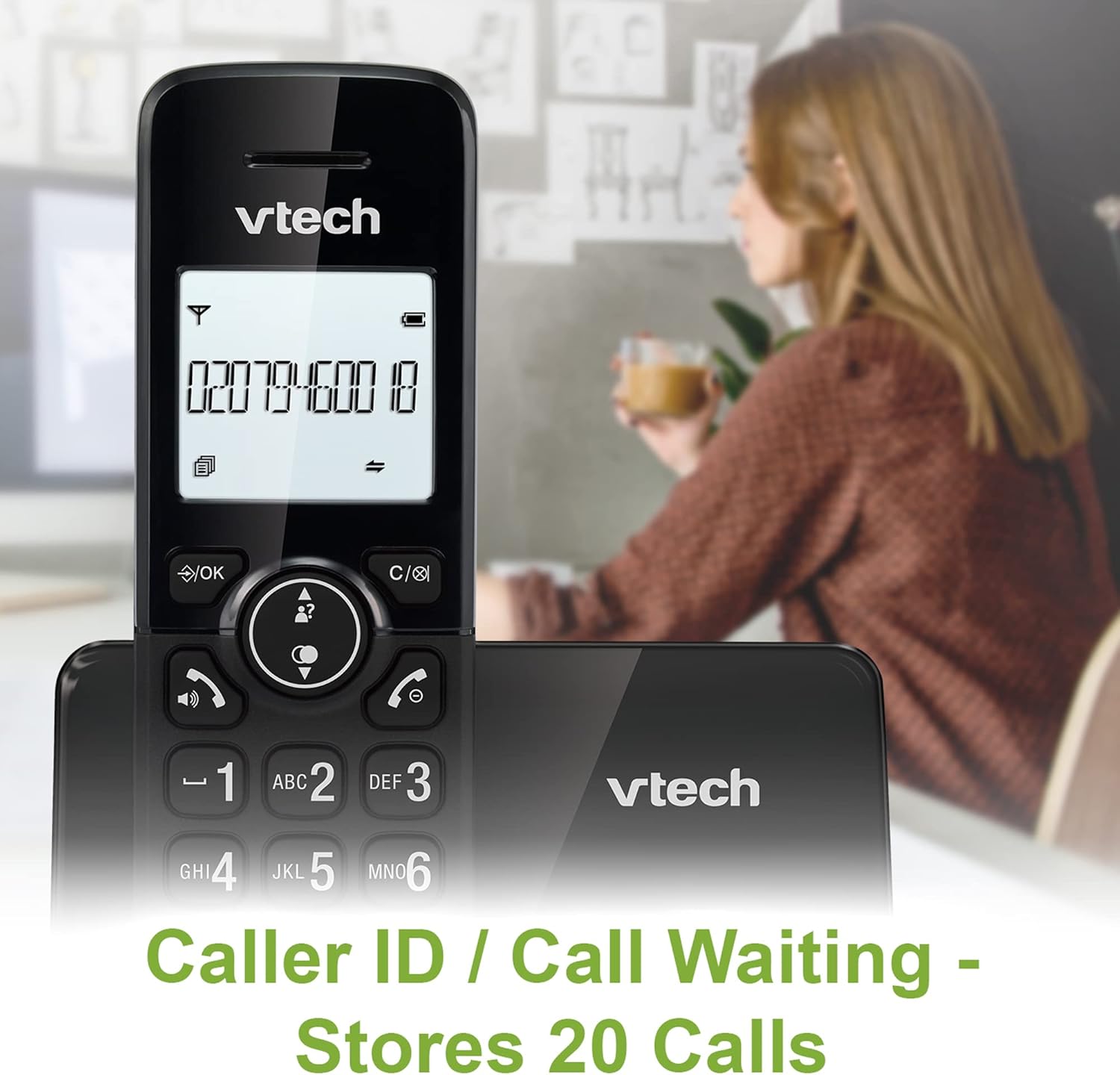
Image: A VTech CS2001 handset is positioned on its base, with its screen clearly displaying a phone number, illustrating the Caller ID feature. A person is visible in the blurred background.
4.5 1.8" Backlit Display
Each handset features a 1.8-inch backlit display, enhancing visibility and readability, especially in low-light conditions.

Изображение: крупный план view of the VTech CS2001 handset's 1.8-inch backlit display, clearly showing the text "HANDSET 1", demonstrating its enhanced visibility.
4.6 Adjustable Ring Volume and Melody
Customize your phone experience by adjusting the ring volume and selecting from various melodies.

Image: A VTech CS2001 handset rests on a wooden table, with a graphic overlay highlighting the adjustable ring volume and melody features, allowing for personalized sound settings.
4.7 ЭКО режим
The handset automatically adjusts the radio frequency strength based on its distance from the base station, optimizing power consumption.
4.8 Функция будильника и отключения звука
The phone includes an alarm function and a mute feature for privacy during calls.

Image: A split image visually represents the alarm and mute functions. One side shows a woman exercising with an alarm clock icon, while the other shows a couple relaxing with a music note icon, symbolizing the phone's versatile features.
5. Техническое обслуживание
- Уборка: Протрите трубки и базовый блок мягкой тряпкой.amp Ткань. Не используйте чистящие спреи или абразивные чистящие средства.
- Уход батареи: Replace batteries when their performance significantly degrades. Use only NiMH battery packs specified for this model.
- Среда: Keep the telephone away from heat sources, direct sunlight, and moisture.
6. Поиск Неисправностей
If you experience issues with your VTech CS2001, refer to the following common problems and solutions:
| Проблема | Решение |
|---|---|
| Нет гудка |
|
| Телефон не заряжается |
|
| Плохое качество звука / Помехи |
|
| Невозможно совершать/принимать звонки |
|
7. Технические характеристики
| Особенность | Деталь |
|---|---|
| Бренд | VTech |
| Модель | CS2001 |
| Тип телефона | Беспроводной (DECT) |
| Количество телефонов | 2 |
| Отображать | 1.8" Backlit |
| Емкость телефонной книги | 30 имен и номеров |
| Записи идентификатора вызывающего абонента | 20 имен и номеров |
| Емкость блокировщика вызовов | До 30 номеров |
| Повторный набор последнего номера | 10 записей |
| Источник питания | Battery Powered (AC adaptors for base/chargers) |
| Тип батареи | NiMH (2 AAA batteries per handset, included) |
| Поддерживаемые радиодиапазоны | 1.9 ГГц (DECT) |
| Наружный диапазон | До 300м |
| Вес товара | 680 г |
| Цвет | Черный |
8. Гарантия и поддержка
Для получения информации о гарантии и технической поддержки обратитесь к документации, прилагаемой к вашему продукту, или посетите официальный сайт VTech. webСохраните чек в качестве подтверждения покупки.


