1. Введение
This manual provides essential information for setting up, operating, and maintaining your XIAOMI Redmi Note 15 Pro+ Plus 5G Ai smartphone. This device features a 6500mAh battery with 100W HyperCharge, a 200MP ultimate-clarity camera, and is powered by the Snapdragon® 7s Gen 4 processor. It boasts a 6.83" 1.5K CrystalRes AMOLED display with Corning® Gorilla® Glass Victus® 2 for enhanced durability. The phone is designed with IP66/IP68/IP69/IP69K dust and water resistance, ensuring reliability in various environments. Please read this manual thoroughly to ensure proper usage and to maximize your device's potential.
2. Что в коробке
Проверьте наличие всех предметов в упаковке вашего продукта:
- XIAOMI Redmi Note 15 Pro+ Plus 5G Ai Smartphone
- Выталкиватель лотка SIM-карты
- USB-кабель
- Сетевой адаптер 100 Вт
3. Настройка
3.1 Установка SIM-карты
The device supports Dual SIM (nano SIM + nano SIM or nano SIM + eSIM). Ensure your SIM card is already activated by your carrier. This device is compatible with T-Mobile, Mint, Tello, and other carriers under the T-Mobile network in the USA. For international use, it works with any GSM carrier SIM.

Image: Compatibility chart for network carriers.
- Найдите лоток для SIM-карты на боковой панели устройства.
- Вставьте инструмент для извлечения лотка SIM-карты в небольшое отверстие рядом с лотком.
- Аккуратно надавите, пока лоток не выдвинется.
- Place your nano SIM card(s) or activate your eSIM as per carrier instructions.
- Аккуратно вставьте лоток с SIM-картой обратно в устройство.
3.2 Первоначальное включение питания
- Нажмите и удерживайте кнопку питания, пока не появится логотип Xiaomi.
- Следуйте инструкциям на экране, чтобы завершить первоначальную настройку, включая выбор языка, подключение к Wi-Fi и настройку учетной записи Google.
4.Основные характеристики
- Отображать: 6.83" 1.5K CrystalRes AMOLED display with up to 120Hz refresh rate, 3200 nits peak brightness, and Corning Gorilla Glass Victus 2 protection.
- Процессор: Snapdragon® 7s Gen 4 (4nm manufacturing process, Octa-core up to 2.7GHz, Adreno GPU).
- Система камер: New 200MP ultimate-clarity main camera with OIS, 1/1.4" sensor size, 8MP ultra-wide camera, and 32MP front camera.
- Зарядка батареи: 6500mAh battery with 100W HyperCharge and up to 22.5W reverse charging.
- Прочность: Ultra-durable smartphone with 2.5-meter certified drop resistance and IP66/IP68/IP69/IP69K dust and water resistance.
- Возможности ИИ: Includes Circle to Search with Google, Google Gemini, AI Interpreter, AI Notes, AI Recorder, AI Subtitles, AI Film, and AI image editing.
- Безопасность: In-screen fingerprint sensor and AI face unlock.
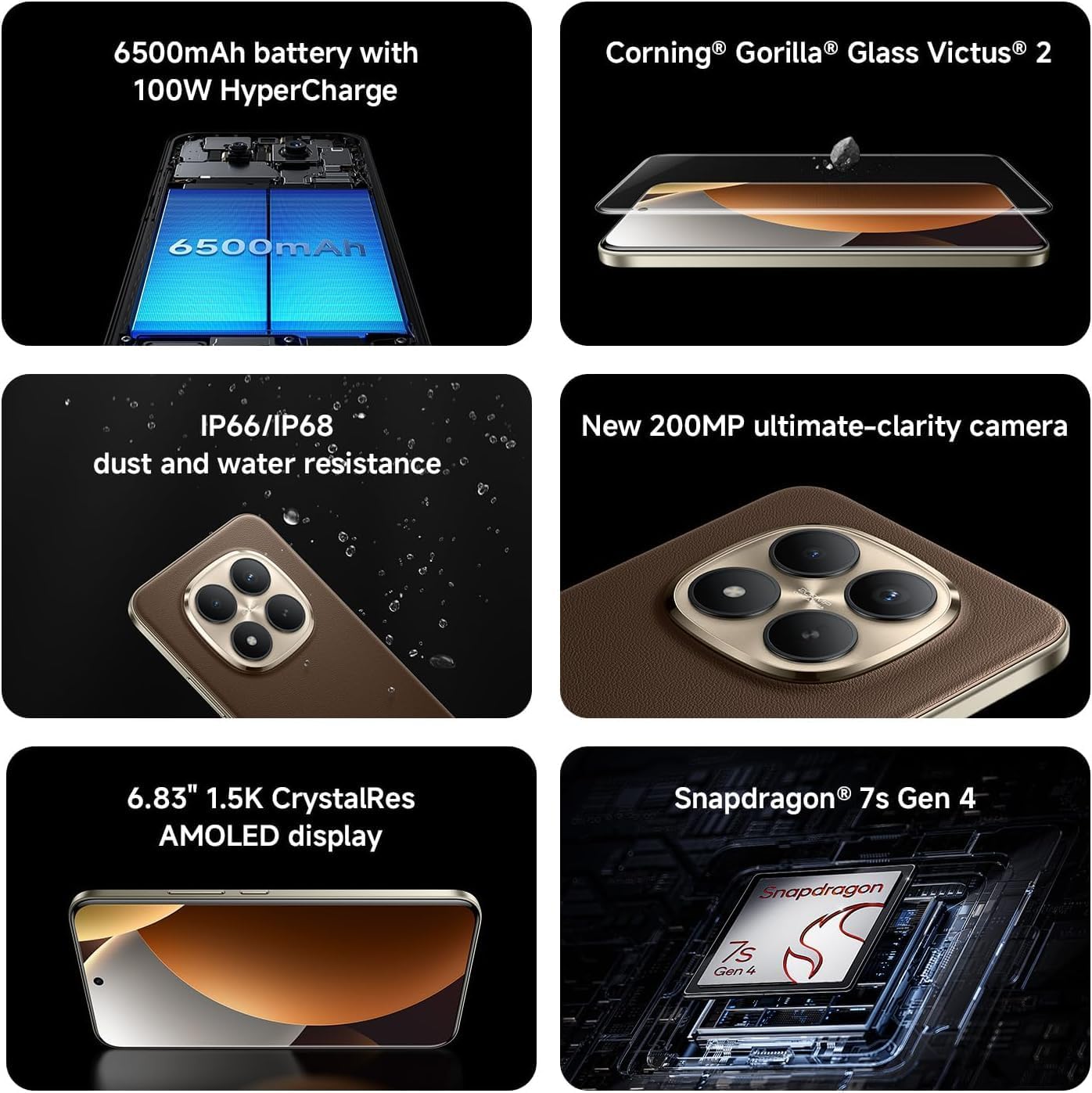
Image: Key features of the Redmi Note 15 Pro+ Plus 5G Ai.
5. Инструкция по эксплуатации
5.1 HyperOS (Based on Android 14)
Your device runs on HyperOS, based on Android 14, offering a feature-rich and customizable user experience. Explore various settings for personalization, security, and productivity. While some third-party applications may be pre-installed, most can be uninstalled if not desired.
5.2 Использование камеры
The 200MP main camera system allows for capturing highly detailed photos and videos. The 32MP front camera is ideal for high-resolution selfies and video calls.
- Режимы фотосъемки: Utilize Ultra HD for 200MP images, Photo mode for standard shots, Portrait mode for bokeh effects, and Pro mode for manual control over imaging parameters.
- Видеозапись: Record 4K videos at 30 fps or 1080p videos at 30/60 fps with the rear camera. The front camera supports 1080p at 30/60 fps.
- Дополнительные возможности: Explore Documents, Slow Motion, Time-lapse, and Panorama modes for creative content creation.
5.3 Аккумулятор и зарядка
The 6500mAh battery supports 100W HyperCharge for rapid charging and 22.5W reverse charging to power other devices. Optimize battery life using features like:
- Защита аккумулятора: Extend battery lifespan by setting the device to stop charging at 80% or charge fully only when scheduled.
- Умная зарядка: The system learns your charging habits to optimize battery health.
- Cold Endurance Mode: Limits device performance in cold environments to extend battery life.
6. Технические характеристики
| Особенность | Деталь |
|---|---|
| Номер модели | 2510ERA8BG |
| Размер дисплея | 6.83 дюйма |
| Разрешение дисплея | 2712 x 1220 (1.5K CrystalRes AMOLED) |
| Частота обновления | До 120 Гц |
| Процессор | Snapdragon® 7s 4-го поколения |
| БАРАН | 12 GB (expandable with Memory Extension) |
| Хранилище | 512 ГБ |
| Задняя камера | Основная камера 200 Мп (оптическая стабилизация изображения) + сверхширокоугольная камера 8 Мп |
| Передняя камера | 32МП |
| Емкость аккумулятора | 6500 мАч |
| Проводная зарядка | 100 Вт Гиперзарядка |
| Операционная система | HyperOS Based on Android 14 |
| Защита от воды и пыли | ИП66/ИП68/ИП69/ИП69К |
| Связность | 5G, 4G, Wi-Fi 6/6E, Bluetooth 5.4, NFC |
| Размеры | 7 x 4 x 2 дюйма (упаковка) |
| Вес товара | 14 унции |
7. Техническое обслуживание и уход
- Уборка: Для чистки экрана и корпуса используйте мягкую ткань без ворса. Избегайте использования абразивных материалов и едких химикатов.
- Температура: Используйте устройство в рекомендуемом диапазоне температур. Избегайте экстремальной жары или холода.
- Обновления программного обеспечения: Регулярно проверяйте и устанавливайте обновления системы, чтобы обеспечить оптимальную производительность, безопасность и доступ к новым функциям.
- Водостойкость: While the device is water-resistant, avoid intentional submersion or exposure to high-pressure water. Ensure all ports are dry before charging.
8. Поиск Неисправностей
- Устройство не включается: Ensure the battery is charged. Connect to the 100W wall adapter and try again.
- Приложение вылетает/зависает: Закройте приложение и откройте его снова. Если проблема не исчезнет, перезагрузите устройство.
- Проблемы с сетевым подключением: Check your SIM card installation. Toggle Airplane Mode on/off. Restart the device.
- Низкая производительность: Clear cache of apps, uninstall unused applications, or perform a factory reset (back up data first).
9. Гарантия и поддержка
For warranty information and customer support, please refer to the warranty card included in your product package or visit the official XIAOMI webСохраните чек о покупке для предъявления гарантийных претензий.