1. Введение
Thank you for choosing the Vieta Pro Party 220 Portable Bluetooth Speaker. This powerful and versatile speaker is designed to deliver high-quality audio for various occasions, including parties, events, and karaoke sessions. This manual provides essential information for setting up, operating, and maintaining your speaker to ensure optimal performance and longevity.
2. Продукт закончилсяview
The Vieta Pro Party 220 is a self-amplified portable speaker featuring advanced audio technology. It boasts 500W of powerful sound, Bluetooth 5.3 connectivity, Auracast technology, and a long-lasting 10-hour battery. Designed for portability, it includes an integrated handle and trolley-style wheels. Key features include:
- Выходная мощность звука: 500 Вт RMS. Delivers robust and clear stereo sound with 2" tweeters and 8" woofers.
- Bluetooth 5.3 with Auracast: Ensures stable and fast wireless connections, allowing multiple Auracast-compatible speakers to connect simultaneously.
- Karaoke Compatibility: Includes a wireless microphone and supports additional microphones. Features LED lights that synchronize with music.
- Срок службы батареи 10 часов: Enjoy extended music playback with the rechargeable battery.
- Несколько вариантов подключения: Mini Jack 3.5mm, AUX, Micro USB, USB MP3 player, and SD card slot.
- Настоящее беспроводное стерео (TWS): Connect two Party 220 speakers for an immersive stereo experience.
- Портативная конструкция: Встроенная ручка и колеса для удобной транспортировки.
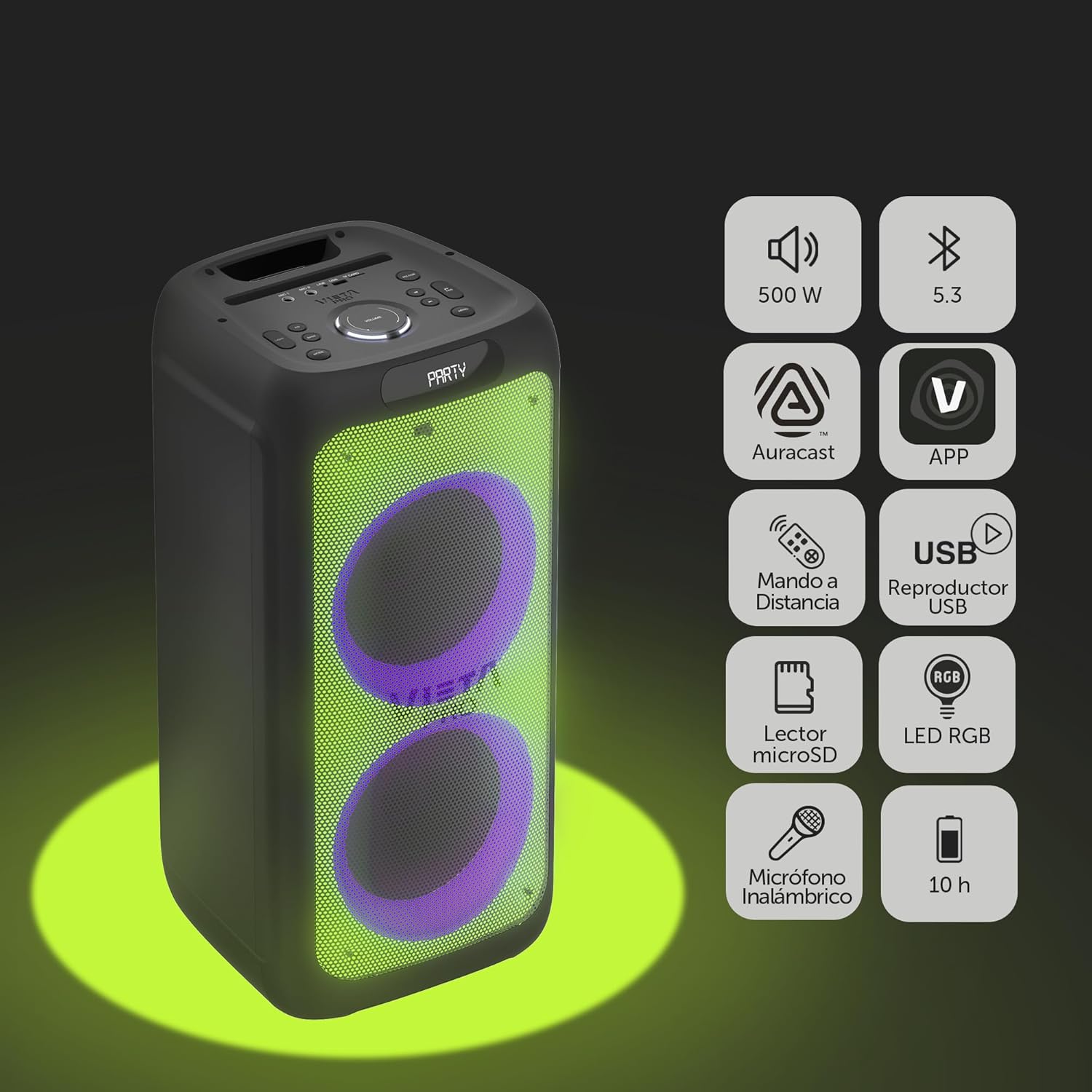
Image 2.1: The Vieta Pro Party 220 speaker highlighting its main features such as 500W power, Bluetooth 5.3, Auracast, app control, remote control, USB player, RGB LED lights, MicroSD reader, wireless microphone, and 10-hour battery life.
3. Что в коробке
При распаковке, пожалуйста, убедитесь, что все предметы на месте и в хорошем состоянии:
- Vieta Pro Party 220 Portable Bluetooth Speaker
- Силовой кабель
- Беспроводной микрофон
- Дистанционное управление
- Руководство пользователя (этот документ)
4. Настройка
4.1. Зарядка динамика
Before first use, fully charge the speaker. Connect the provided power cable to the speaker's power input and then to a suitable power outlet. The charging indicator will illuminate. Once fully charged, the indicator may change color or turn off, depending on the model.
Полной зарядки хватает до 10 часов непрерывного воспроизведения.

Image 4.1: The Vieta Pro Party 220 speaker in a home environment, illustrating its long battery life of up to 10 hours.
4.2. Включение и выключение
Найдите кнопку питания на панели управления динамика. Нажмите и удерживайте кнопку питания несколько секунд, чтобы включить или выключить динамик.
5. Инструкция по эксплуатации
5.1. Сопряжение по Bluetooth
- Turn on the Vieta Pro Party 220 speaker. It will automatically enter Bluetooth pairing mode, indicated by a flashing LED light (usually blue).
- Включите Bluetooth на вашем аудиоустройстве (смартфоне, планшете, компьютере).
- Искать "Vieta Pro Party 220" in the list of available Bluetooth devices.
- Select the speaker to pair. Once connected, the LED indicator will stop flashing and remain solid.
5.2. Auracast Technology
The Party 220 supports Auracast, allowing you to connect multiple compatible speakers (including other Party 220 units or different brands supporting Auracast) for a synchronized audio experience. Refer to the specific instructions for Auracast pairing, usually initiated via a dedicated button or through the Vieta Pro app (if available).
5.3. Сопряжение беспроводных стереонаушников (TWS)
To achieve a true stereo sound experience, you can pair two Vieta Pro Party 220 speakers:
- Ensure both Party 220 speakers are turned on and not connected to any Bluetooth device.
- On one speaker (this will be the primary speaker), press and hold the TWS button (if available) or follow the TWS pairing instructions in the speaker's specific controls.
- The primary speaker will search for the secondary speaker. Once connected, you will hear an audible confirmation, and the LED indicators will reflect the TWS connection status.
- Now, connect your audio device to the primary speaker via Bluetooth as described in section 5.1. Audio will play in stereo across both speakers.
5.4. Wired Connections (AUX, USB, MicroSD)
- Вход AUX: Connect an external audio device using a 3.5mm audio cable to the AUX input port. The speaker will automatically switch to AUX mode or require manual selection via the Mode button.
- Воспроизведение через USB: Вставьте USB-флеш-накопитель с аудиофайлами в формате MP3. fileВставьте его в USB-порт. Динамик автоматически обнаружит и воспроизведет fileДля навигации по трассам используйте панель управления или пульт дистанционного управления.
- MicroSD Card Playback: Insert a MicroSD card with MP3 audio files into the MicroSD slot. The speaker will automatically detect and play the files.
5.5. Karaoke Function and Wireless Microphone
The Party 220 comes with a wireless microphone for karaoke. Simply turn on the microphone, and it should automatically connect to the speaker. Adjust microphone volume using the dedicated controls on the speaker or remote control. The speaker also has inputs for additional wired microphones.

Изображение 5.5: Крупный план view of the wireless microphone included with the Vieta Pro Party 220 speaker, ready for karaoke use.
5.6. LED RGB Lights
The speaker features dynamic RGB LED lights that can enhance your audio experience. Use the dedicated button on the control panel or the remote control to cycle through different light modes, synchronize them with the music, or turn them off.

Image 5.6: The Vieta Pro Party 220 speaker showcasing its vibrant RGB LED lighting feature.
5.7. Дистанционное управление
The included remote control allows for convenient operation of the speaker from a distance. Functions typically include power, volume, track navigation, mode selection, EQ settings, and LED light control.
6. Техническое обслуживание
- Уборка: Для очистки корпуса динамика используйте мягкую сухую ткань. Не используйте абразивные чистящие средства, воск или растворители.
- Хранилище: Храните динамик в прохладном, сухом месте, вдали от прямых солнечных лучей и экстремальных температур.
- Уход батареи: Чтобы продлить срок службы аккумулятора, избегайте его частой полной разрядки. Регулярно заряжайте динамик, даже если он не используется в течение длительного времени.
- Воздействие воды: While the speaker may have some resistance, avoid direct exposure to water or excessive moisture unless explicitly stated as waterproof.
7. Поиск Неисправностей
| Проблема | Возможная причина | Решение |
|---|---|---|
| Нет электричества | Аккумулятор разряжен; Кабель питания подключен неправильно. | Зарядите динамик. Убедитесь, что кабель питания надежно подключен. |
| Нет звука | Слишком низкий уровень громкости; Неправильный режим ввода; Устройство не сопряжено. | Increase volume on speaker and source device; Select correct input mode (Bluetooth, AUX, USB); Re-pair Bluetooth device. |
| Сбой сопряжения Bluetooth | Динамик не находится в режиме сопряжения; Устройство слишком далеко; Помехи. | Убедитесь, что динамик находится в режиме сопряжения; поднесите устройство ближе; выключите другие устройства Bluetooth. |
| Микрофон не работает | Microphone off; Battery low in microphone; Volume too low. | Turn on microphone; Replace microphone batteries; Increase microphone volume. |
| Сопряжение TWS не удается | Колонки не находятся в режиме сопряжения TWS; расположены слишком далеко друг от друга. | Ensure both speakers are in TWS pairing mode; Place speakers closer together. |
8. Технические характеристики
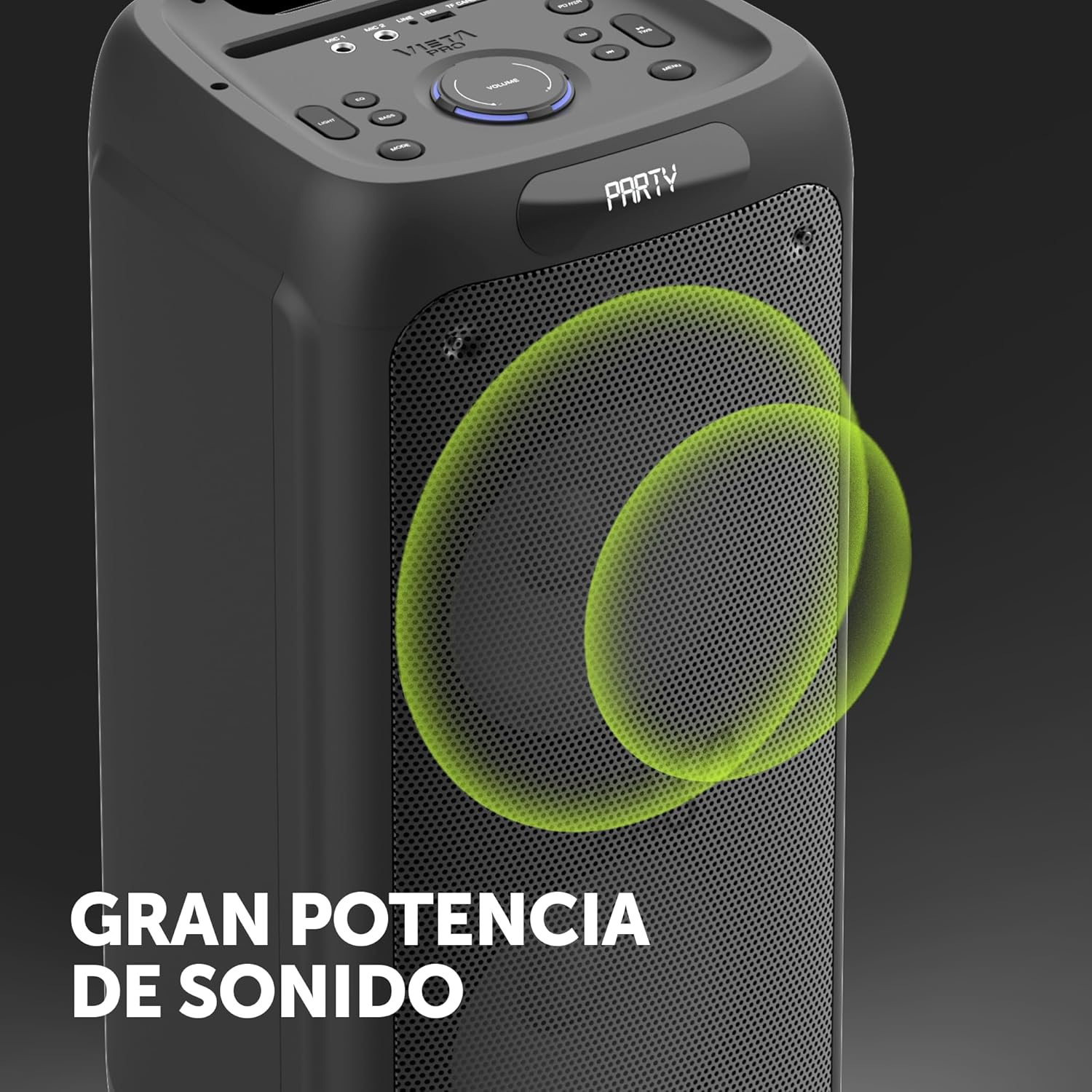
Image 8.1: The Vieta Pro Party 220 speaker, highlighting its powerful sound output.
| Особенность | Деталь |
|---|---|
| Название модели | Вечеринка 220 |
| Номер модели | ВМ-HW455BK |
| Бренд | Виета Про |
| Тип динамика | Outdoor, Portable, Self-ampожил |
| Технология связи | Bluetooth 5.3, AUX, USB, MicroSD |
| Беспроводная связь | Bluetooth |
| Максимальная выходная мощность динамика | 500 Вт (RMS) |
| Режим аудиовыхода | Стерео (с TWS) |
| Частотная характеристика | 20 МГц |
| Источник питания | Питание от батареи |
| Срок службы батареи | До 10 часов |
| Метод контроля | Remote Control, On-device buttons |
| Особые возможности | Anti-shock, USB Port, Shock resistant, Wireless speakers, Auracast, Karaoke, LED RGB lights |
| Совместимые устройства | MP3 Player, Mobile, PC, DJ Mixer, Tablet, Television |
| Размеры продукта | 33.7 см x 30 см x 70.5 см |
| Вес товара | 5 Килограмма |
| Материал | Пластик |
| Цвет | Черный |
9. Гарантия и поддержка
The Vieta Pro Party 220 speaker comes with a limited warranty. Please refer to the warranty card included in your packaging for detailed terms and conditions. For technical support, troubleshooting assistance beyond this manual, or warranty claims, please contact Vieta Pro customer service through their official webсайт или контактную информацию, указанную в документации к вашему продукту.
Сохраните чек о покупке для гарантийных целей.


