Введение
This manual provides comprehensive instructions for the safe and effective use of your Jadfezy 1080P Action Camera. Please read this manual thoroughly before operating the device and retain it for future reference.
Основные характеристики:
- Ultra HD 1080P Video Recording: Capture videos at 1080P / 30fps and 12MP photos.
- 2-дюймовый ЖК-экран: View recorded moments in real-time.
- Многофункциональность: Supports time-lapse video, loop recording, dash cam mode, timed photo, burst photo, self-timer, and long-exposed photo modes.
- Две перезаряжаемые батареи: Equipped with 2x900mAh batteries, each providing over 2 hours of recording.
- 30M/98FT Waterproof: IP68 certified waterproof case for underwater activities.
- Extensive Accessories Kit: Includes mounts for helmets, bicycles, and other uses.
Что в коробке?
Your Jadfezy Action Camera package includes the following items:
- Экшн-камера 1080P
- Водонепроницаемый чехол
- 2 перезаряжаемые батареи емкостью 900 мАч
- Зарядное устройство для аккумулятора
- USB-кабель для зарядки
- Helmet Mounting Kit
- Bicycle Mounting Kit
- Various Mounts and Adapters
- Чистящая салфетка
- Руководство пользователя (Краткое руководство пользователя)

Image: Contents of the Jadfezy Action Camera package, including the camera, waterproof case, batteries, and various mounts.
Настраивать
1 Установка и зарядка аккумулятора
- Откройте крышку батарейного отсека в нижней части камеры.
- Вставьте полностью заряженный литий-ионный аккумулятор емкостью 900 мАч, соблюдая правильную полярность.
- Надежно закройте батарейный отсек.
- To charge, use the provided USB cable and battery charger. Each battery provides over 2 hours of recording time.

Image: Two rechargeable 900mAh batteries for the action camera.
2. Memory Card Installation (Micro SD)
A Micro SD card (not included with all models) is required for storing photos and videos. Insert the Micro SD card into the designated slot until it clicks into place. Ensure the card is formatted before first use via the camera settings.
3. Крепление водонепроницаемого футляра
For underwater use or protection against dust and impact, place the camera inside the waterproof case. Ensure the case is properly sealed before use. The case is rated for depths up to 30 meters (98 feet).
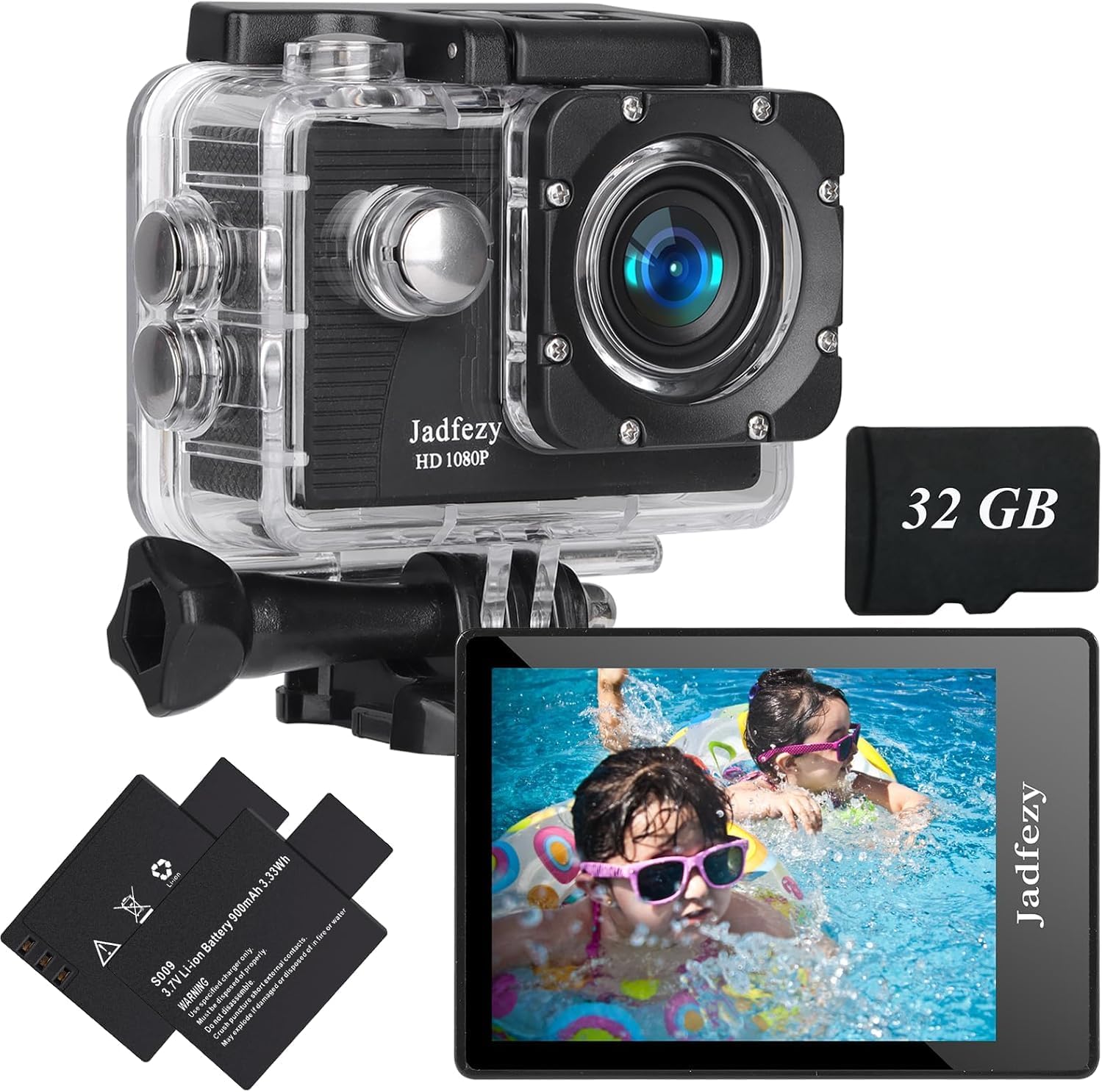
Image: The Jadfezy Action Camera enclosed within its transparent waterproof housing, ready for use.
Инструкция по эксплуатации
1. Включение/выключение питания
Чтобы включить или выключить камеру, нажмите и удерживайте кнопку питания/режима (обычно она находится на передней или верхней панели) в течение нескольких секунд.
2. Переключение режимов
Нажимайте кнопку питания/режима несколько раз, чтобы переключаться между различными режимами (Видео, Фото, Воспроизведение, Настройки).
3. Recording Videos / Taking Photos
In Video mode, press the OK/Shutter button to start recording. Press again to stop. In Photo mode, press the OK/Shutter button to take a picture.
4. Подключение к Wi-Fi и использование приложений
To enable Wi-Fi, power on the camera and press the Up/Wi-Fi button. The Wi-Fi icon will appear on the screen. Download the "Fun DV" app from your device's app store (scan the QR code in the quick start guide for direct link). Connect your phone/tablet to the camera's Wi-Fi network (usually named "Fun DV_XXXX"). The temporary password will be displayed on the camera screen. Once connected, you can control the camera, view жить фуtagе, и передача fileчерез приложение.
Video: Demonstrates how to connect the Jadfezy Action Camera to a mobile device via Wi-Fi and use the companion app for remote control and file перевод.
Видео: Короткое превьюview showing the camera's Wi-Fi connectivity and app interface for remote operation.
5. Расширенные режимы
Explore various shooting modes like time-lapse video, loop recording (for dash cam use), burst photos, and self-timer photos through the camera's settings menu.

Image: Visual representation of various shooting modes including self-timer, dash cam, time-lapse, and burst photo.
Обслуживание
- Уборка: Use the provided cleaning cloth to gently wipe the camera lens and screen. Do not use harsh chemicals.
- Хранилище: Храните камеру в прохладном, сухом месте, вдали от прямых солнечных лучей и экстремальных температур.
- Уход батареи: Извлеките батарейки, если камера не будет использоваться в течение длительного времени.
- Водонепроницаемый чехол: After each use in water, rinse the waterproof case with fresh water and allow it to air dry. Check the rubber seal for any damage regularly.
Поиск неисправностей
- Камера не включается: Убедитесь, что аккумулятор полностью заряжен и правильно вставлен.
- Ошибка карты памяти: Reformat the Micro SD card via the camera settings. If the issue persists, try a different, compatible Micro SD card.
- Проблемы с подключением к Wi-Fi: Ensure Wi-Fi is enabled on the camera and your mobile device. Verify the correct network name and password. Restart both devices if necessary.
- Плохое качество видео/фото: Проверьте выбранные настройки разрешения. Убедитесь, что объектив чистый и на нем нет пятен.
- Короткое время работы от батареи: Ensure batteries are fully charged. Consider carrying spare charged batteries for extended use.
Технические характеристики
| Бренд | Джадфези |
| Номер модели | J-03series |
| Разрешение видео | 1080p / 30fps (Max) |
| Разрешение фото | 12МП |
| Размер экрана | 2-дюймовый ЖК-дисплей |
| Водонепроницаемая глубина | 30m / 98ft (with waterproof case) |
| Емкость аккумулятора | 2 литий-ионных аккумулятора по 900 мАч |
| Тип флэш-памяти | Микро SD-карта |
| Технология связи | HDMI, USB, Wi-Fi |
| Вес товара | 12.3 унции |
Гарантия и поддержка
For warranty information and customer support, please refer to the detailed user manual provided in the package or contact Jadfezy customer service. Keep your purchase receipt as proof of purchase for warranty claims.


