1. Введение
The Dekala Arches Smart Sunrise Alarm Clock (Model SAC) is a versatile 6-in-1 device designed to enhance your sleep and wake-up experience. It combines a gradual sunrise alarm, sunset simulation, white noise sound machine, ambient light, Bluetooth speaker, 15W wireless charger, and weather display. This manual provides detailed instructions for setup, operation, and maintenance to ensure optimal performance.

Image 1.1: The Dekala Arches Smart Sunrise Alarm Clock on a bedside table, showcasing its ambient light and wireless charging feature.
2. Что в коробке
- Dekala Arches Smart Sunrise Alarm Clock Unit
- Адаптер питания
- Руководство пользователя
3. Настройка
3.1 Подключение питания
Connect the provided power adapter to the DC 12V port on the back of the alarm clock and plug it into a wall outlet. The device will power on automatically.

Изображение 3.1: Сзади view of the alarm clock, highlighting the power input and USB-C output ports.
3.2 Подключение приложения и настройка Wi-Fi
For full functionality, download the companion app. The app allows for intuitive control over all features. Ensure your Wi-Fi network is 2.4G (5G Wi-Fi is not supported).
- Download the 'Arches Pro' app from your device's app store.
- Follow the in-app instructions to connect the alarm clock to your 2.4G Wi-Fi network.

Image 3.2: The companion app interface showing various light and sound settings.
4. Инструкция по эксплуатации
4.1 Setting Alarms and Sunrise Simulation
The alarm clock features a gradual sunrise simulation to gently wake you up. You can customize the light color, brightness, and accompanying sounds via the app or physical buttons.
- Через приложение: Use the 'Arches Pro' app to set multiple alarms, choose sunrise duration, light intensity, and select natural wake-up sounds.
- Via Buttons: Use the dedicated alarm buttons on the device to set basic alarms and adjust settings. Voice prompts will guide you.
- Функция повтора: Tap the top of the device to activate snooze for an additional 9 minutes of sleep.
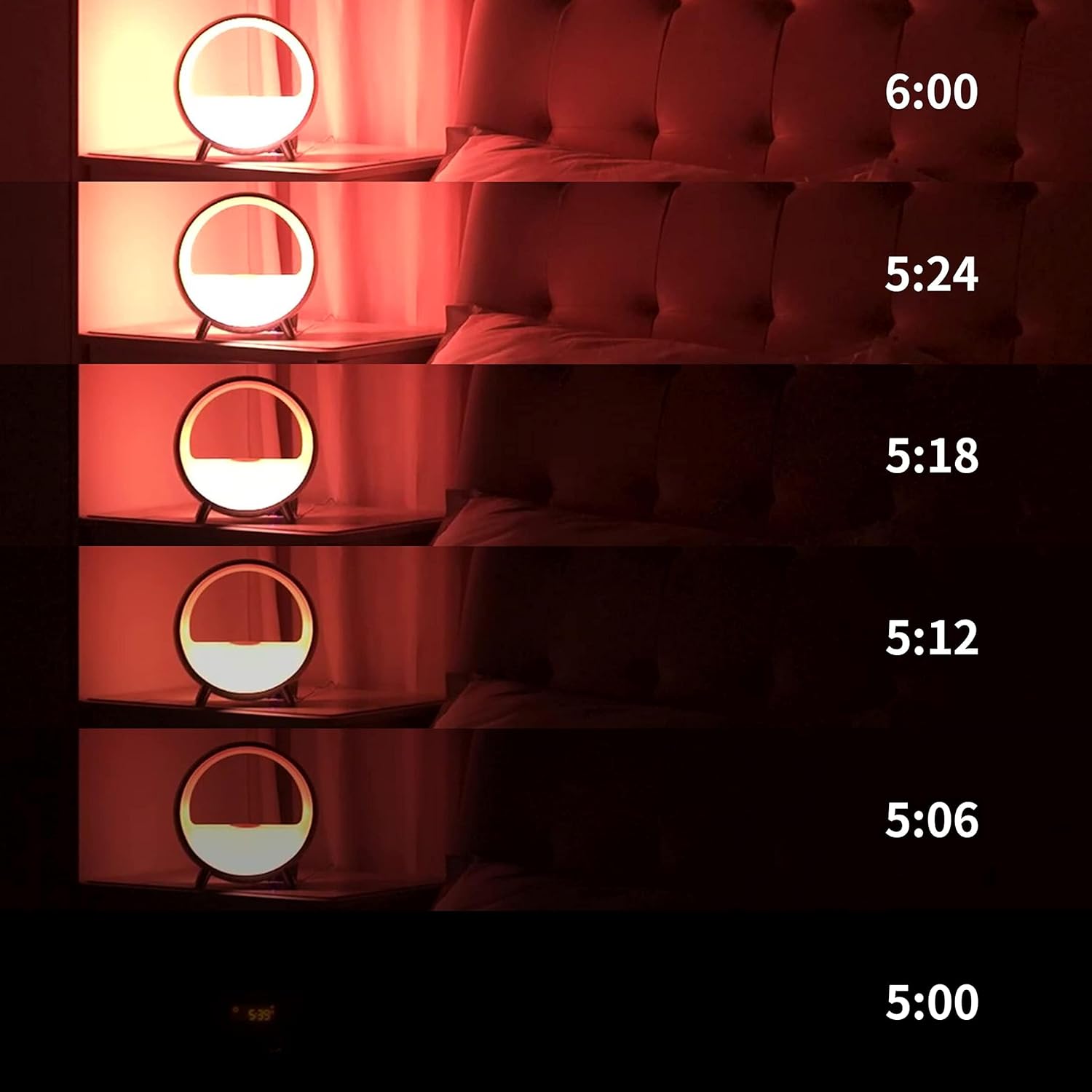
Image 4.1: Visual representation of the gradual sunrise simulation.
4.2 Sound Machine and Bluetooth Speaker
The device offers a variety of soothing sounds for sleep and relaxation, including white noise, brown noise, fan, waves, frog, lullaby, and light music. It also functions as a Bluetooth speaker.
- Выбор звука: Choose from pre-set sounds via the app or device buttons to create a peaceful environment.
- Bluetooth-соединение: Connect your smartphone or other Bluetooth-enabled devices to play audio through the integrated speaker.

Image 4.2: App interface showing diverse sound options for relaxation and sleep.
4.3 Окружающее освещение
The Dekala Arches features 9 dynamic lighting effects and 16 million colors, allowing you to set any mood. Control the lighting via the app, touch, or voice commands.
- Настройка цвета: Select specific colors or dynamic effects through the app.
- Регулировка яркости: Adjust light intensity to suit your preference.

Image 4.3: The alarm clock displaying various ambient light colors.
4.4 Беспроводная зарядка
The device includes a 15W Qi wireless fast-charging pad on top, allowing you to charge compatible smartphones overnight.
- Поместите Qi-совместимое устройство на зарядную площадку.
- Для оптимальной зарядки убедитесь, что устройство расположено по центру.

Image 4.4: A smartphone charging wirelessly on the device's top surface.
4.5 Интеграция голосового управления
The Dekala Arches is compatible with Alexa and Google Home Assistant for convenient voice control.
- Link your Dekala Arches device to your Alexa or Google Home app.
- Use voice commands to control lighting, alarms, and other functions.
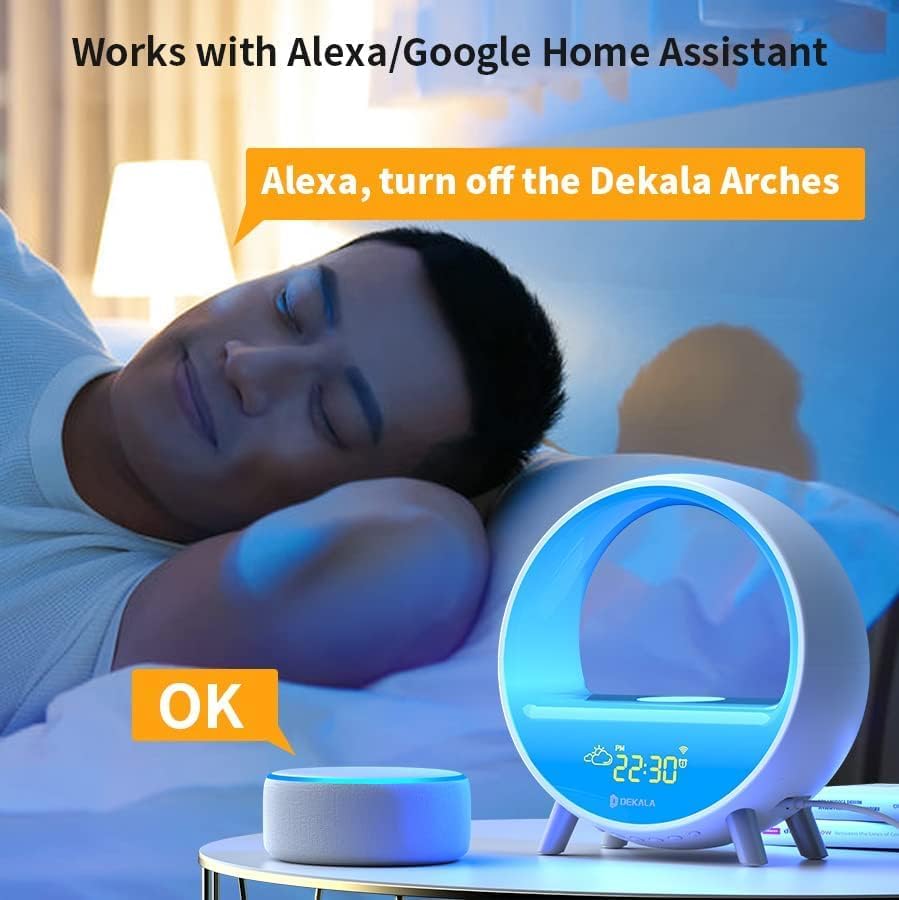
Image 4.5: Voice control functionality with a smart assistant.
4.6 кнопок управления
The device features physical buttons for direct control of various functions, including alarm settings, light modes, and volume adjustments. Voice prompts assist with button operations.
5. Техническое обслуживание
- Уборка: Use a soft, dry cloth to clean the device. Avoid abrasive cleaners or liquids.
- Размещение: Разместите устройство на устойчивой ровной поверхности вдали от прямых солнечных лучей, источников тепла и влаги.
6. Поиск Неисправностей
- Устройство не включается: Убедитесь, что адаптер питания надежно подключен к устройству и к работающей розетке.
- Проблемы с подключением к Wi-Fi: Verify your Wi-Fi network is 2.4G. Restart your router and the alarm clock, then attempt to reconnect via the app.
- Беспроводная зарядка не работает: Ensure your phone is Qi-compatible and properly centered on the charging pad. Remove any thick phone cases that may interfere.
- Будильник не звучит: Check alarm settings in the app or on the device. Ensure volume is not set to zero.
- Проблемы с управлением приложениями: Ensure your phone's Bluetooth is enabled and the app is up to date.
7. Технические характеристики
| Бренд | Декала |
| Номер модели | САК |
| Цвет | Белый |
| Тип дисплея | Цифровой |
| Специальная характеристика | Noise Machine, Ambient Light, Wireless Charger, Bluetooth Speaker, Weather Display |
| Источник питания | Проводной электрический |
| Материал | Акрилонитрилбутадиенстирол (АБС) |
| Вес товара | 2.2 фунта |
| Аккумуляторы | Требуется 1 батарейка типа C (в комплекте) |
8. Гарантия и поддержка
Компания Dekala гарантирует качество своей продукции и предлагает... Гарантия 365 дней. In case of issues, the company prioritizes replacement over repair.
For technical support or warranty claims, please contact:
- Электронная почта: support@dekalastore.com
9. Официальное видео о продукте
Видео 9.1: Краткий обзорview of the Dekala Arches Gradual Sunrise Alarm Clock features.


