1. Введение
This manual provides essential instructions for the safe and effective use of your DNT Optics TNC335R ThermNight Thermal & Night Vision Multispectral Scope, bundled with the QDM150 Quick Detach Mount. The TNC335R is an advanced optical device designed for enhanced observation capabilities in various lighting conditions, offering both thermal and night vision functionalities. Please read this manual thoroughly before operating the device.
2. Информация по технике безопасности
- Безопасность глаз: Never look directly at the sun or other intense light sources through the scope, as this can cause permanent eye damage.
- Безопасность аккумулятора: Use only recommended battery types. Do not mix old and new batteries, or different types of batteries. Dispose of batteries according to local regulations.
- Монтаж: Ensure the scope is securely mounted to your firearm using the QDM150 mount. Improper mounting can lead to injury or damage to the device.
- Условия окружающей среды: Avoid exposing the device to extreme temperatures, direct impact, or corrosive substances.
- Обслуживание: Do not attempt to disassemble or modify the scope. Refer all servicing to authorized DNT Optics personnel.
3. Содержимое упаковки
Проверьте наличие всех предметов в посылке:
- DNT Optics TNC335R ThermNight Multispectral Scope
- QDM150 Quick Detach Mount
- Крышки объектива
- Аккумуляторная батарея
- USB-кабель для зарядки
- Ткань для чистки линз
- Руководство пользователя (этот документ)
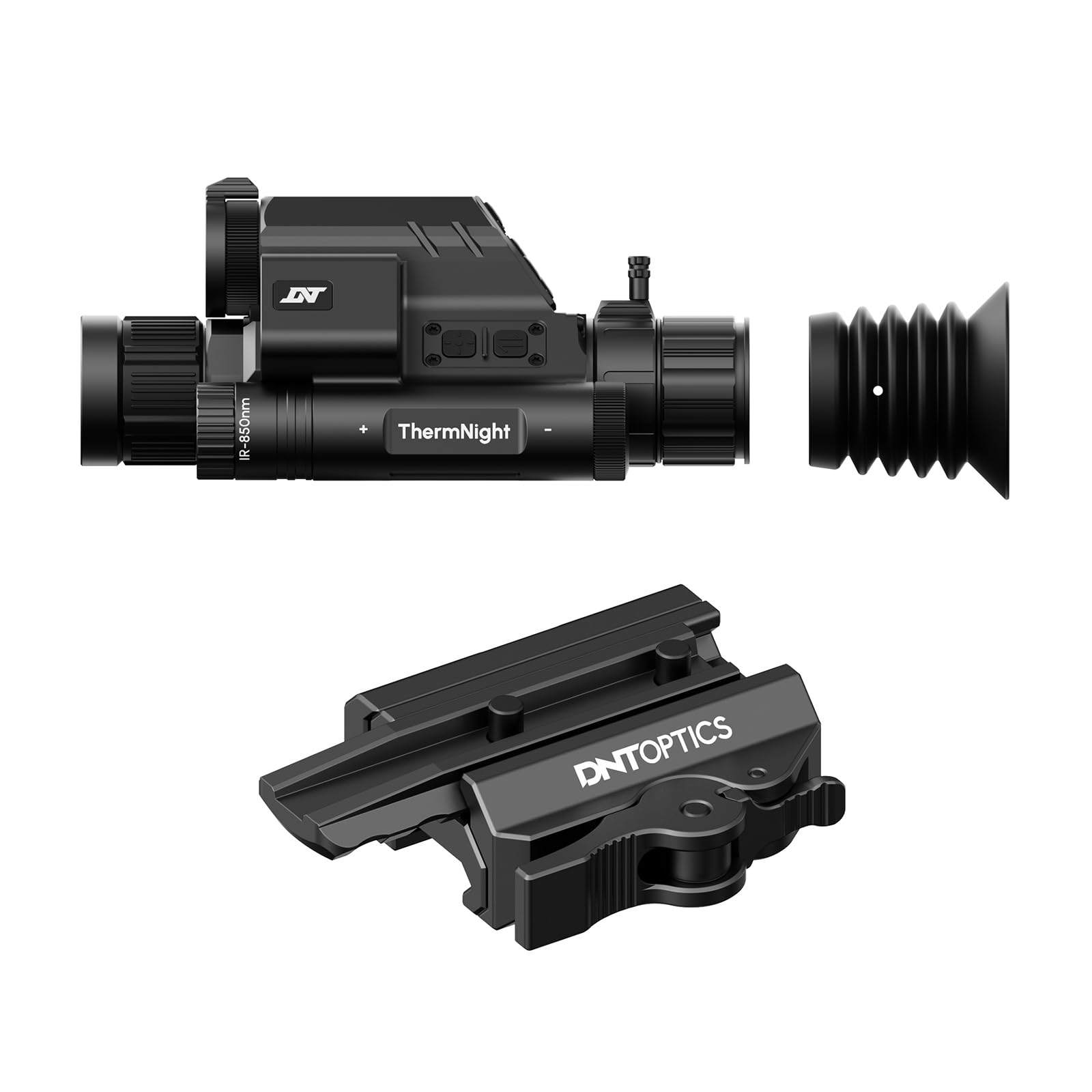
Image 1: DNT Optics TNC335R ThermNight Multispectral Scope with QDM150 mount. This image displays the main scope unit alongside its quick-detach mounting system, providing a visual reference for the product.
4. Настройка
4.1 Установка аккумулятора
- Найдите батарейный отсек на прицеле.
- Отвинтите крышку аккумуляторного отсека.
- Вставьте перезаряжаемую батарею, соблюдая полярность (+/-).
- Плотно закройте крышку батарейного отсека.
- Charge the battery fully before first use using the provided USB cable.
4.2 Mounting the QDM150
- Attach the QDM150 mount to the scope according to the mount's specific instructions, ensuring it is firmly secured.
- Position the scope with the QDM150 mount onto your rifle's Picatinny rail.
- Engage the quick-detach levers to lock the mount onto the rail. Verify that the scope is stable and does not wobble.
4.3 Initial Power-On and Zeroing
- Нажмите и удерживайте кнопку питания, пока не загорится дисплей.
- Perform initial zeroing of the scope according to standard rifle scope zeroing procedures. Refer to the detailed zeroing guide available on the DNT Optics webсайт для подробных инструкций.
5. Операционная
5.1 Включение/выключение питания
- Включение питания: Нажмите и удерживайте кнопку питания примерно 3 секунды.
- Выключение: Press and hold the power button for approximately 5 seconds until the display shuts down.
5.2 Выбор режима
The TNC335R offers multiple observation modes:
- Термальный режим: Detects heat signatures. Ideal for low-light or obscured conditions.
- Режим ночного видения: Amplifies ambient light for clear viewing in near-darkness.
- Дневной режим: Standard optical viewing for daylight conditions.
Press the 'Mode' button to cycle through the available observation modes.
5.3 Регулировка прицельной сетки
Use the directional buttons or rotary dial (depending on model variant) to adjust the reticle's position for precise aiming. Refer to the on-screen menu for specific reticle options and adjustments.
5.4 Яркость и контрастность
Navigate to the 'Display Settings' in the main menu to adjust screen brightness and image contrast for optimal viewв разных средах.
5.5 Цифровой зум
Press the 'Zoom' button to cycle through available digital magnification levels. Note that higher digital zoom levels may reduce image clarity.
6. Техническое обслуживание
6.1 Очистка
- Линзы: Используйте прилагаемую салфетку для чистки линз или мягкую безворсовую ткань, специально предназначенную для оптики. Аккуратно протрите поверхности линз. Для удаления стойких загрязнений используйте небольшое количество жидкости для чистки линз.
- Тело: Протрите корпус прицела мягкой тряпкой.amp Ткань. Избегайте использования абразивных чистящих средств и растворителей.
6.2 Уход за аккумулятором
- Для продления срока службы батареи регулярно заряжайте ее, даже если она не используется часто.
- Store the device with a partially charged battery if storing for extended periods.
6.3 Хранение
Store the scope in a cool, dry place, away from direct sunlight and extreme temperatures. Use the lens caps to protect the optical surfaces.
7. Поиск Неисправностей
| Проблема | Возможная причина | Решение |
|---|---|---|
| Устройство не включается. | Разряженная или разряженная батарея; неправильно установленная батарея. | Charge the battery; ensure battery is installed with correct polarity. |
| Изображение размытое или нечеткое. | Lens caps still on; dirty lenses; focus adjustment needed. | Remove lens caps; clean lenses; adjust the focus ring. |
| Кнопки не реагируют. | Устройство зависло; низкий заряд батареи. | Perform a soft reset (refer to DNT Optics website for specific instructions); charge battery. |
| QDM150 mount feels loose. | Levers not fully engaged; mounting screws loose. | Ensure quick-detach levers are fully locked; tighten any accessible mounting screws. |
8. Технические характеристики
- Бренд: DNT Optics
- Название модели: ТНК335Р
- Вес товара: 29.8 унции
- Материал: Алюминий
- Совместимые устройства: Rifle, Shotgun
- Ночное видение: Да
- Reticle Type: Крест
- Тип темы: 1/2"-28
- Цвет: Черный
9. Гарантия и поддержка
DNT Optics products are covered by a limited warranty. For detailed warranty information, product registration, and technical support, please visit the official DNT Optics webили обратитесь в службу поддержки клиентов. Сохраните чек о покупке в качестве подтверждения покупки для предъявления гарантийных претензий.
Официально Webсайт: DNT Optics Store on Amazon


