Введение
This manual provides detailed instructions for the installation, operation, and maintenance of your Reobiux 2K Outdoor WiFi Surveillance Camera, Model K6Q-1P. Please read this manual thoroughly before using the product to ensure proper functionality and safety.
Содержимое упаковки
Убедитесь, что все перечисленные ниже предметы входят в комплект. Если какие-либо предметы отсутствуют или повреждены, обратитесь в службу поддержки клиентов.
- 1 x Surveillance Camera
- 1 х Адаптер питания
- 1 x набор крепежных винтов
- 1 x Waterproof Cover Kit
- 1 х Руководство пользователя
Продукт болееview
The Reobiux 2K Outdoor WiFi Surveillance Camera (Model K6Q-1P) is an advanced security solution featuring a dual-lens design for comprehensive monitoring. It offers 2K resolution, color night vision, motion detection, two-way audio, and compatibility with Amazon Alexa.
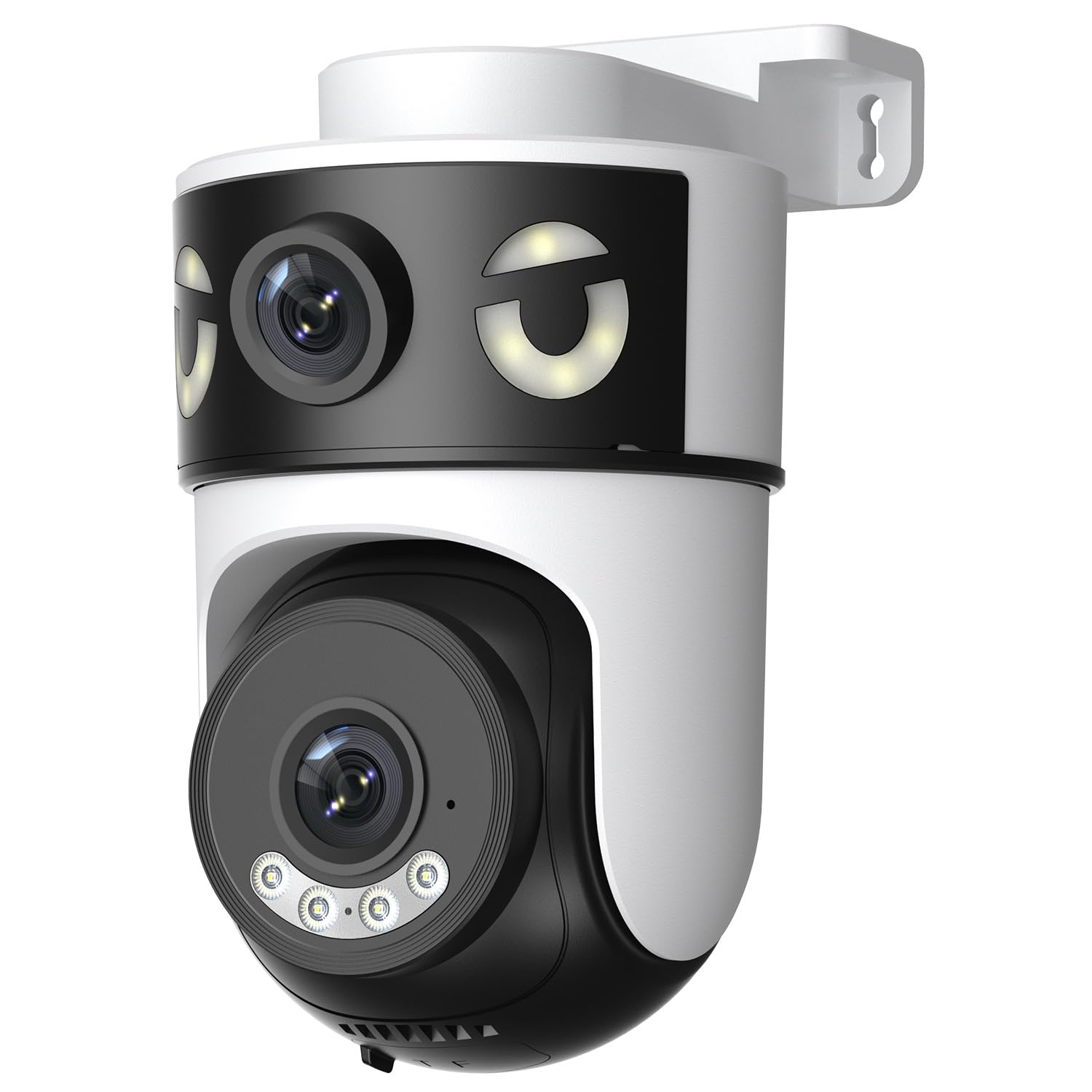
Image: Reobiux 2K Outdoor WiFi Surveillance Camera, Model K6Q-1P. This image shows the camera unit with its dual lenses, two external antennas, and a wall-mount bracket.
Основные характеристики
- Dual Lens & 355° View: Unique 2-in-1 design supporting fixed area surveillance and mobile full-view monitoring. Features two high-resolution lenses; one fixed and one rotatable for wide panoramic views.
- Разрешение 2K и цветное ночное видение: Delivers clear and detailed images and videos. Offers three night vision modes: Infrared, Color, and Smart Night Vision for reliable 24-hour surveillance.
- Motion Detection & Alarm Siren: Advanced motion detection sends real-time alarm notifications to your mobile device upon detecting movement.
- Two-Way Audio & Multi-User Access: Built-in microphone and speaker allow for remote communication. Supports sharing camera access with multiple users.
- SD Card/Cloud Storage & Alexa Compatibility: Supports 24-hour continuous recording to a Micro SD card (max 128GB) or cloud server. Compatible with Amazon Alexa for voice control.
Руководство по настройке
1. Установка камеры
The camera is designed for wall mounting. Choose a suitable location that provides the desired surveillance coverage and is within range of your Wi-Fi network and a power outlet.
- Отметьте точки сверления на стене, используя основание камеры в качестве шаблона.
- При необходимости просверлите отверстия и вставьте дюбели.
- Secure the camera to the wall using the provided mounting screws.
- Ensure the camera is firmly attached and the waterproof cover kit is properly installed to protect connections.
2. Включение
Connect the provided power adapter to the camera's power input and then plug it into a standard electrical outlet. The camera will power on and initiate its startup sequence.
3. Сетевое подключение (Wi-Fi)
The camera connects via 2.4GHz Wi-Fi. Follow these steps to connect your camera to your home network:
- Загрузить O-kam Pro application from the App Store (iOS) or Google Play Store (Android) on your smartphone or tablet.
- Зарегистрируйте новую учетную запись или войдите в систему, если она у вас уже есть.
- Следуйте инструкциям в приложении, чтобы добавить новую камеру. Обычно это включает в себя сканирование QR-кода на камере или ручной ввод её идентификатора.
- Select your 2.4GHz Wi-Fi network and enter the password when prompted.
- Wait for the camera to connect to the network. A voice prompt or indicator light will confirm a successful connection.

Image: Reobiux camera with a smartphone displaying the O-kam Pro app interface, demonstrating remote control and live view возможности.
Инструкция по эксплуатации
Жить View и управление панорамированием/наклоном
Once connected, open the O-kam Pro app to access the live feed from your camera. The dual-lens system provides both a fixed wide view and a movable PTZ (Pan-Tilt-Zoom) view.
- Нажмите на кнопку камеры в приложении, чтобы view прямой эфир.
- Use the on-screen controls to pan (horizontal rotation up to 355°) and tilt (vertical movement) the movable lens to adjust the viewугол наклона.
- Switch between the fixed and movable lens views within the app interface.
Режимы ночного видения
Камера предлагает три режима ночного видения:
- Инфракрасное ночное видение: Provides black and white images in low-light conditions using infrared LEDs.
- Цветное ночное видение: Использует встроенные прожекторы для получения полноцветных изображений в ночное время.
- Умное ночное видение: Автоматически переключается между инфракрасным и цветным ночным видением в зависимости от обнаруженного движения или условий освещения.
- You can select your preferred night vision mode in the O-kam Pro app settings.
Обнаружение движения и оповещения
Configure motion detection settings and receive alerts on your mobile device:
- Navigate to the camera settings in the O-kam Pro app.
- Включите обнаружение движения и при необходимости отрегулируйте уровни чувствительности.
- Set up alert notifications to be sent to your smartphone.
- You can also enable the alarm siren to deter intruders.
Двусторонняя аудиосвязь
Use the two-way audio feature to communicate through the camera:
- В прямом эфире view interface of the O-kam Pro app, tap the microphone icon to speak. Your voice will be transmitted through the camera's speaker.
- Нажмите на значок динамика, чтобы прослушать звук из окружения камеры.
Видеозапись и хранение
The camera supports continuous 24-hour recording. You have two storage options:
- Микро SD-карта: Insert a Micro SD card (up to 128GB, not included) into the designated slot on the camera. The camera will automatically begin recording to the card.
- Облачное хранилище: Subscribe to a cloud storage plan through the O-kam Pro app for secure off-site video storage.
- Доступ к записанному footage via the O-kam Pro app.
Интеграция с Amazon Alexa
Integrate your Reobiux camera with Amazon Alexa for voice control:
- Откройте приложение Amazon Alexa на своем мобильном устройстве.
- Go to "Skills & Games" and search for the "O-kam Pro" skill.
- Enable the skill and link your O-kam Pro account.
- Discover devices. You can now use voice commands like "Alexa, show me the front door camera" to view Прямая трансляция на совместимых устройствах Alexa.
Обслуживание
- Уборка: Регулярно протирайте объектив и корпус камеры мягкой тряпкой.amp Протрите поверхность тканью для удаления пыли и грязи. Не используйте едкие химикаты или абразивные чистящие средства.
- Защита от непогоды: The camera is waterproof, but ensure all connections are sealed properly, especially the power cable and any SD card slots, to maintain its weather resistance.
- Обновления прошивки: Check the O-kam Pro app periodically for firmware updates to ensure optimal performance and security.
Поиск неисправностей
- Камера не включается:
- Ensure the power adapter is securely connected to both the camera and a working electrical outlet. Verify the outlet has power.
- Не удаётся подключиться к Wi-Fi:
- Ensure your Wi-Fi network is 2.4GHz. Check your Wi-Fi password for accuracy. Move the camera closer to your Wi-Fi router to improve signal strength. Restart your router and the camera.
- Нет живой view или запись:
- Check your internet connection. Ensure the camera is connected to Wi-Fi. Verify that the Micro SD card is inserted correctly and not full, or that your cloud storage subscription is active.
- Оповещения об обнаружении движения не получены:
- Check app notification settings on your phone and within the O-kam Pro app. Ensure motion detection is enabled and sensitivity is set appropriately. Verify your phone has an active internet connection.
- Двусторонняя аудиосвязь не работает:
- Ensure your phone's microphone and speaker are enabled for the O-kam Pro app. Check the volume settings on your phone and within the app. Ensure there are no obstructions blocking the camera's microphone or speaker.
Технические характеристики
| Особенность | Спецификация |
|---|---|
| Бренд | Реобьюкс |
| Название модели | K6Q-1P |
| Номер модели | REO-K6Q-1P |
| Тип крепления | Настенное крепление |
| Разрешение видеозаписи | 2K |
| Количество предметов | 1 |
| Технология беспроводной связи | Wi-Fi (2.4 ГГц) |
| Viewугол наклона | 355 градусов (панорамирование) |
| Тип установки | Ввинчивание |
| Материал | Пластик |
| Томtage | 5 Вольт (постоянный ток) |
| Власть | 5 Вт |
| Уровень водонепроницаемости | Водонепроницаемый |
| Особые возможности | Two-Way Audio, Local Recording, HD Resolution, PTZ Technology |
| Рекомендуемое использование | Безопасность на открытом воздухе |
| Совместимые устройства | Ноутбук, смартфон, планшет, телевизор |
| Источник питания | Электрический кабель |
| Протокол подключения | РТСП |
| Тип контроллера | O-kam Pro App |
Гарантия и поддержка
For warranty information and technical support, please refer to the official Reobiux website or contact Reobiux customer service directly. Keep your purchase receipt as proof of purchase for warranty claims.
Manufacturer: Reobiux


