1. Введение
The Marstek Venus E GEN 3.0 is a powerful and flexible AC energy storage system designed for residential and small commercial applications. This manual provides essential information for the safe and efficient operation of your device. Please read it thoroughly before installation and use.
Key features include a compact design, integrated Plug & Play technology for quick setup, dedicated LAN port for stable communication, and expandability up to 7.5 kW power and 15.36 kWh storage capacity. It also offers an integrated backup power output of up to 2,500 W during outages and is 100% compatible with existing PV installations.

Рисунок 1: Надview of Marstek Venus E GEN 3.0 key features, including new design, PV system compatibility, stable LAN connection, expandability, MARSTEK Intelligence, 2500W on-grid input/output, 6000+ life cycles, 10-year warranty, grid feed-in with smart meter, and potential annual savings.
2. Инструкции по технике безопасности
Во избежание травм, повреждения устройства или материального ущерба всегда соблюдайте следующие правила техники безопасности:
- Перед началом работы с устройством прочтите все инструкции.
- Не пытайтесь разбирать, ремонтировать или модифицировать устройство. Все работы по техническому обслуживанию должны выполняться квалифицированным персоналом.
- Обеспечьте достаточную вентиляцию вокруг устройства. Не закрывайте вентиляционные отверстия.
- Держите устройство вдали от воды, влаги и легковоспламеняющихся материалов.
- Используйте только предоставленные или одобренные аксессуары.
- Do not operate the device if it has been damaged in any way.
- Ensure the unit is installed on a stable, level surface.
- This device contains a LiFePO4 battery. Handle with care and dispose of according to local regulations.
3. Содержимое упаковки
Проверьте наличие всех предметов в упаковке:
- Marstek Venus-E GEN 3.0 Unit
- Кабель питания переменного тока
- Wi-Fi Антенна
- Монтажные принадлежности
- Руководство пользователя (этот документ)
4. Настройка
4.1 Распаковка и размещение
Carefully remove the Venus E GEN 3.0 from its packaging. Place the unit on a flat, stable surface in a well-ventilated area, away from direct sunlight, heat sources, and moisture. Ensure sufficient clearance for air circulation around the unit.
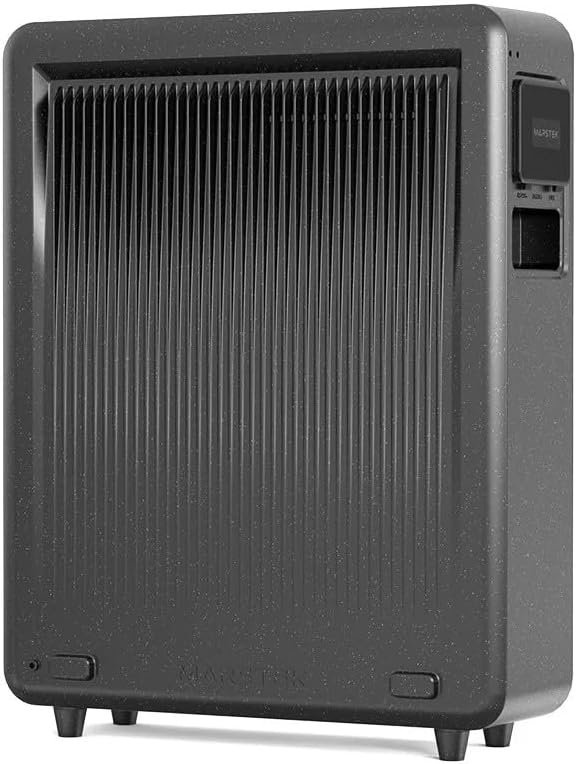
Рисунок 2: Задний view of the Marstek Venus E GEN 3.0, highlighting the ventilation fins for optimal heat dissipation.
4.2 Подключение к источнику питания
- Connect the provided AC power cable to the AC input port on the Venus E GEN 3.0.
- Plug the other end of the AC power cable into a grounded wall outlet.
- The unit will automatically begin charging or enter standby mode.

Рисунок 3: Side panel of the Marstek Venus E GEN 3.0, showing the protective cover open to reveal the AC input and output ports for connecting to the grid and appliances.
4.3 Network Connection (LAN/Wi-Fi)
For optimal performance and smart features, connect the device to your home network.
- Подключение по локальной сети: For a stable and faster connection, use an Ethernet cable to connect the dedicated LAN port on the Venus E GEN 3.0 to your router.
- Wi-Fi-соединение: Attach the provided Wi-Fi antenna to the designated port. Follow the instructions in the MARSTEK app to configure the Wi-Fi connection.
4.4 Первоначальное включение питания
Press and hold the power button on the unit for a few seconds until the indicators light up. The unit will perform a self-check. Refer to the display indicators for status.
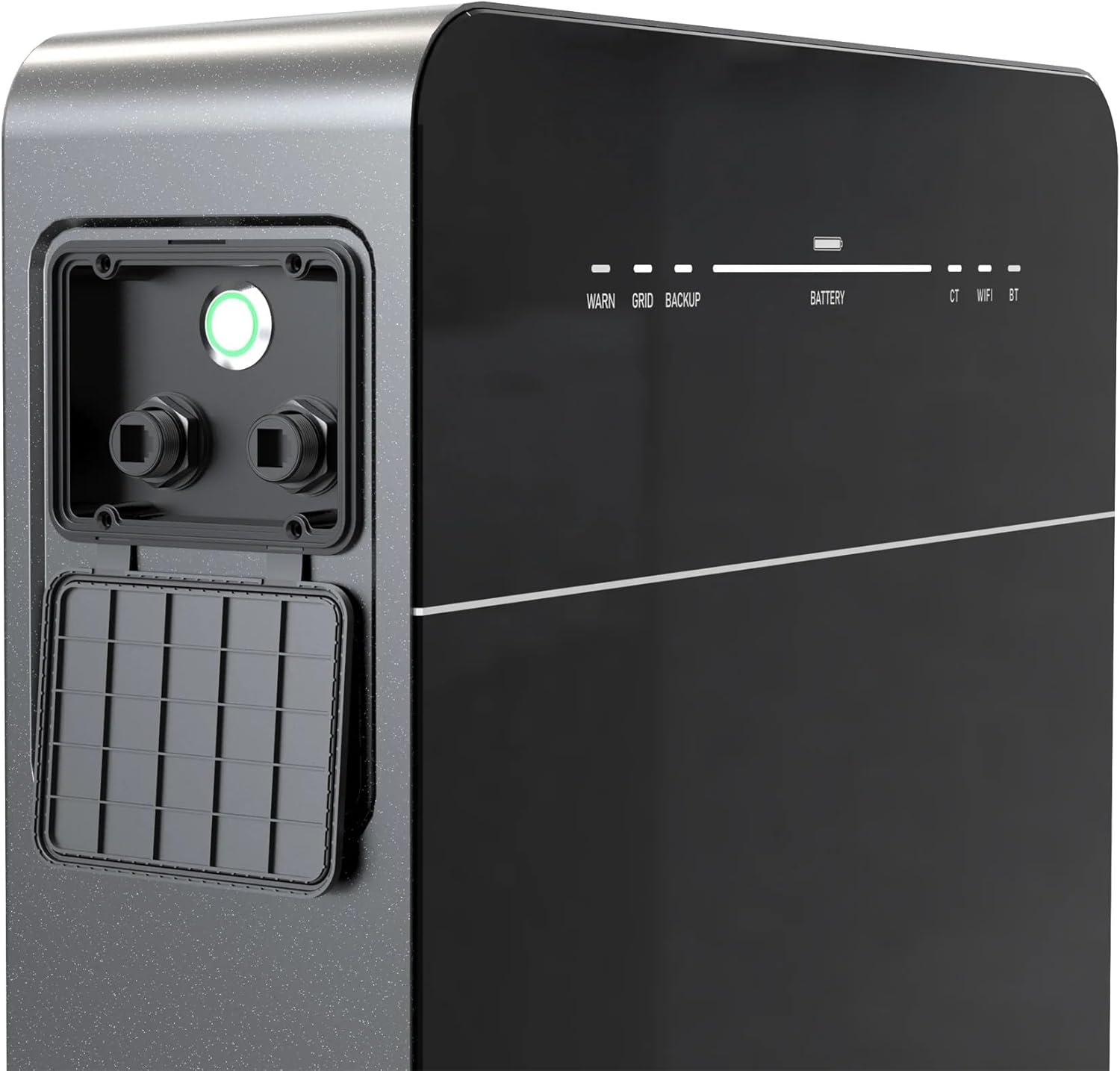
Рисунок 4: Front panel of the Marstek Venus E GEN 3.0, displaying LED indicators for WARN, GRID, BACKUP, BATTERY level, CT, WIFI, and BT status.
5. Инструкция по эксплуатации
5.1 MARSTEK App Control
The Venus E GEN 3.0 is primarily controlled via the MARSTEK mobile application. Download the app from your device's app store.
- Install the MARSTEK app on your smartphone.
- Зарегистрируйте учетную запись и войдите в систему.
- Follow the in-app instructions to add your Venus E GEN 3.0 device.
- Through the app, you can monitor energy flow, battery status, and select operating modes.
Режимы работы 5.2
The MARSTEK app offers various operating modes to optimize energy usage:
- Режим самопотребления: Prioritizes using stored energy from the battery or solar panels before drawing from the grid.
- Режим ручного управления: Allows direct control over charging and discharging times.
- AI Optimized Mode: Utilizes dynamic electricity tariffs, consumption habits, and weather forecasts to automatically optimize charge/discharge cycles for maximum savings.
5.3 Функция резервного питания
В случае отключения электроэнергииtage, the integrated backup output provides up to 2,500 W of power to essential appliances. For full home backup (single-phase or three-phase), additional equipment may be required.
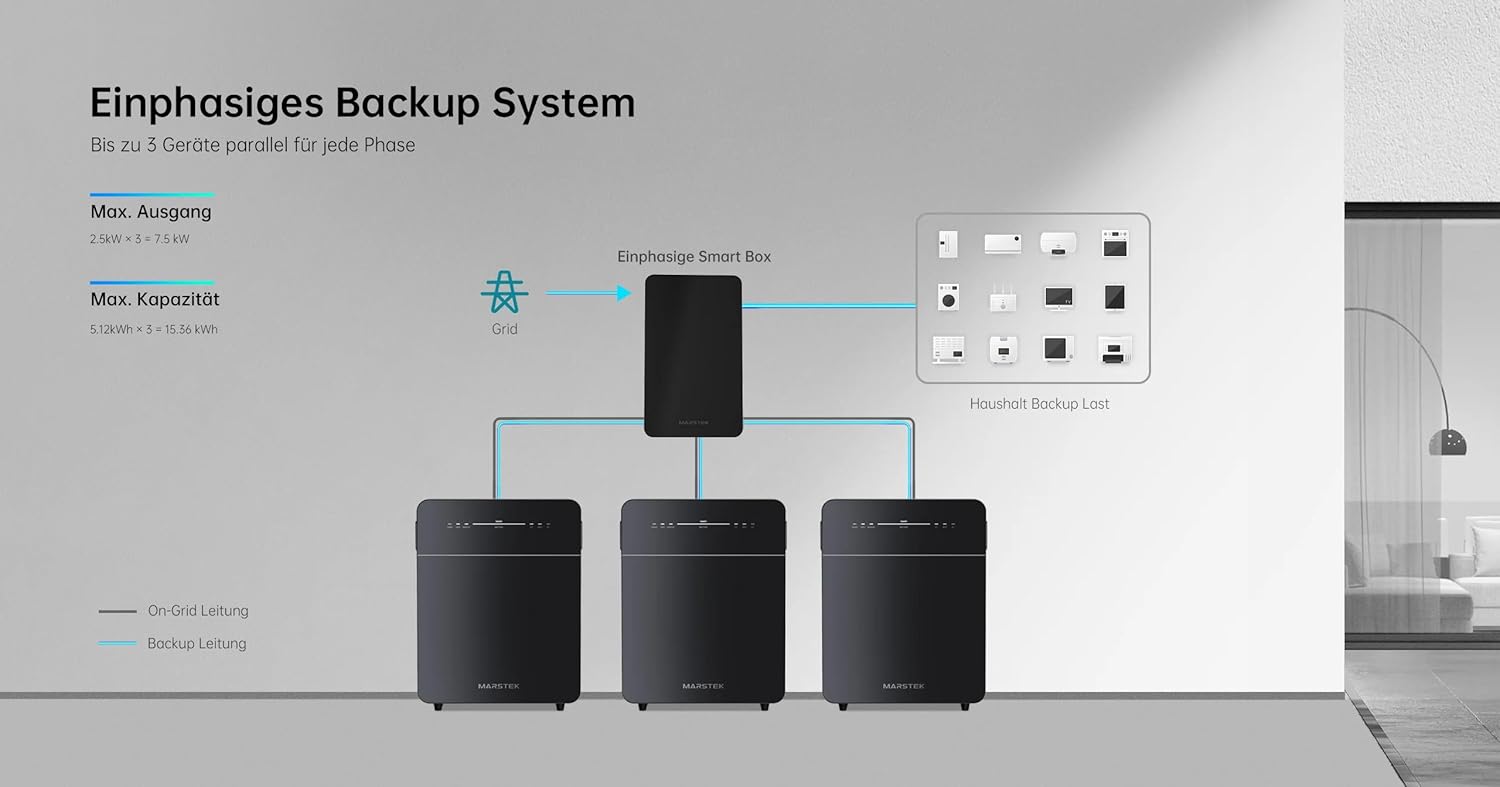
Рисунок 5: Schematic illustrating a single-phase backup system configuration, showing how multiple Marstek Venus E GEN 3.0 units can be integrated with a Smart Box and the grid to provide backup power to household loads.

Рисунок 6: Schematic illustrating a three-phase backup system configuration, detailing the connection of multiple Marstek Venus E GEN 3.0 units, a Smart Box, PV inverters, and micro-inverters to the grid and household backup loads.
6. Техническое обслуживание
Regular maintenance ensures the longevity and optimal performance of your Venus E GEN 3.0.
- Уборка: Для очистки внешней поверхности устройства используйте мягкую сухую ткань. Не используйте жидкие чистящие средства или растворители.
- Вентиляция: Периодически проверяйте, чтобы вентиляционные отверстия были свободны от пыли и мусора.
- Обновления прошивки: Ensure the MARSTEK app and device firmware are kept up-to-date for new features and performance improvements.
- Состояние аккумулятора: The LiFePO4 battery is designed for over 6,000 charge cycles. Monitor its health via the MARSTEK app.
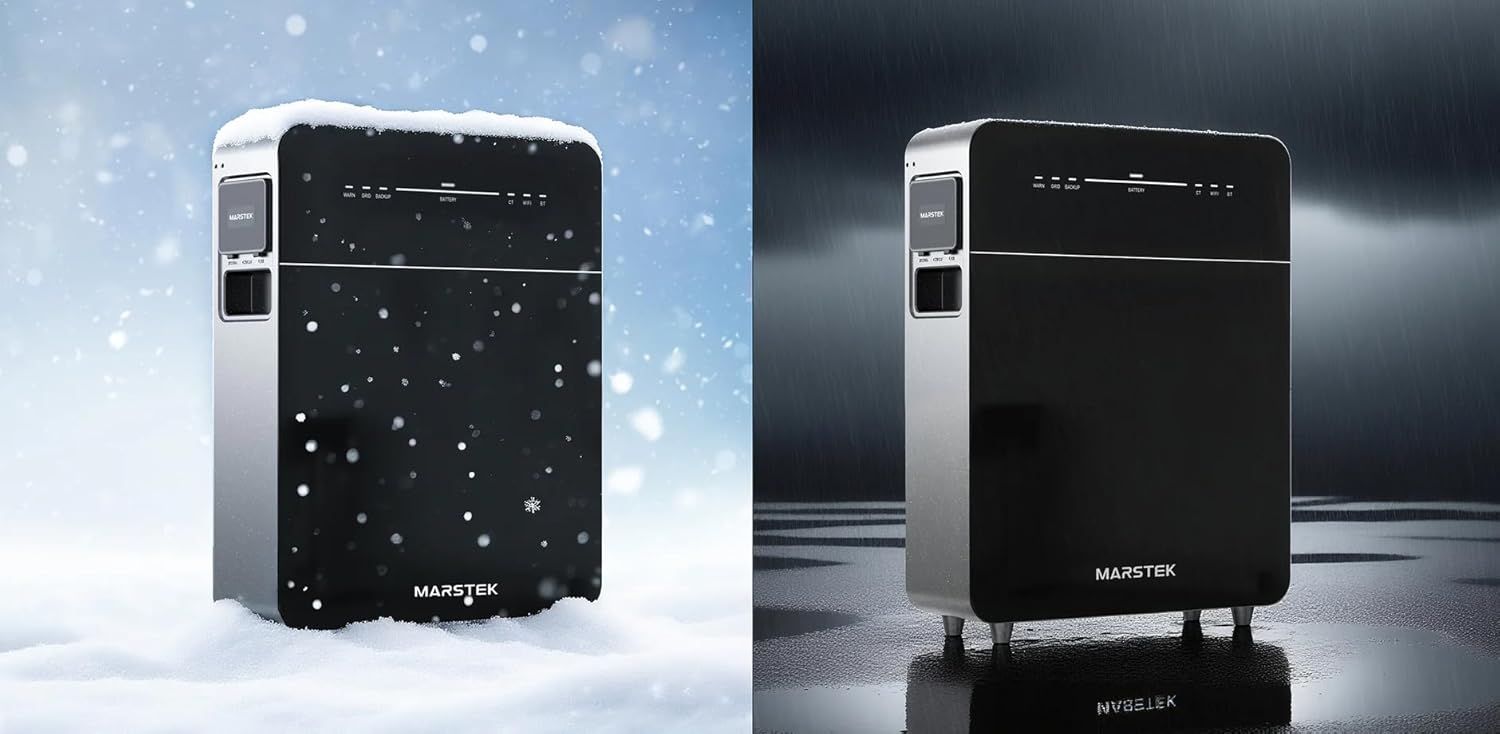
Рисунок 7: The Marstek Venus E GEN 3.0 demonstrating its robust design and IP65 protection, suitable for operation in various environmental conditions, including snow and rain.
7. Поиск Неисправностей
Если у вас возникли проблемы, ознакомьтесь со следующими распространенными проблемами и решениями:
| Проблема | Возможная причина | Решение |
|---|---|---|
| Блок не включается. | No power from AC outlet; power cable not connected; unit fault. | Check AC power connection; ensure outlet is functional; contact support if problem persists. |
| Нет подключения к сети. | Wi-Fi antenna not attached; incorrect Wi-Fi password; LAN cable disconnected; router issue. | Ensure Wi-Fi antenna is attached; re-enter Wi-Fi password in app; check LAN cable connection; restart router. |
| Аккумулятор не заряжается. | AC input issue; charging mode not active; temperature outside operating range. | Verify AC input; check app for charging mode; ensure ambient temperature is within -20°C to 50°C. |
| Backup power not activating. | Backup function not enabled; battery low; overload. | Ensure backup mode is enabled in app; check battery level; reduce load on backup output. |
For issues not listed here, please contact Marstek customer support.
8. Технические характеристики
| Особенность | Деталь |
|---|---|
| Модель | МВЕ3 |
| Размеры (Д x Ш x В) | 62.4 х 48 х 15.3 см |
| Тип батареи | LiFePO4 |
| Емкость | 5120 Wh (extensible up to 15.36 kWh) |
| Входное/выходное напряжение переменного тока | Up to 2500 W (800 W default) |
| Backup Power Output | До 2500 Вт |
| Связность | LAN (RJ45), Wi-Fi |
| Рабочая температура | Up to -20 °C |
| Уровень шума | Ниже 30 дБ |
| Рейтинг защиты | IP65 |
| PV System Compatibility | 100% совместимый |
9. Гарантия и поддержка
9.1 Информация о гарантии
The Marstek Venus E GEN 3.0 comes with a Гарантия 10 год on the integrated LiFePO4 battery, ensuring long-term reliability with over 6,000 charge cycles while maintaining 80% capacity. Please retain your proof of purchase for warranty claims.
9.2 Поддержка клиентов
For technical assistance, warranty claims, or further inquiries, please contact Marstek customer support through their official website or the MARSTEK app. Ensure you have your model number (MVE3) and purchase details ready.
Официально Webсайт: www.marstek.com (Примечание: это заполнитель. URLДля получения актуальной информации о технической поддержке, пожалуйста, обратитесь к документации к вашему продукту. webсайт.)