1. Введение
This manual provides essential information for setting up, operating, maintaining, and troubleshooting your HP EliteDesk 800 G9 Mini Desktop. Please read these instructions carefully before using your device to ensure optimal performance and longevity.
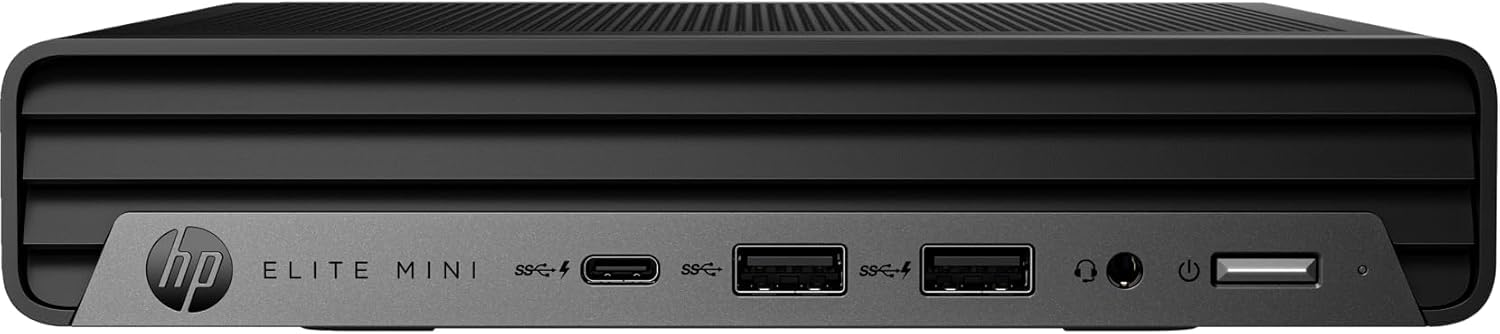
Figure 1: HP EliteDesk 800 G9 Mini Desktop
The HP EliteDesk 800 G9 Mini Desktop is a compact and powerful computing solution designed for efficiency. It features an Intel 12th Generation Core i5-12500T (6-Core) processor, 16GB of RAM, and a 256GB PCIe SSD, running on Windows 11 Pro. Integrated Intel WiFi 6 AX211 and Bluetooth provide robust wireless connectivity.
2. Что в коробке
Upon unboxing your HP EliteDesk 800 G9 Mini Desktop, verify that all the following components are included:
- HP EliteDesk 800 G9 Mini Desktop PC
- HP OEM 90W Power Adapter
- Проводная клавиатура
- Проводная мышь
- Документация (Краткое руководство пользователя, Информация по технике безопасности)
3. Продукт закончилсяview
3.1 Передняя панель

Figure 2: Front Panel Ports and Features
- 1 Разъем для гарнитуры
- 1 порт SuperSpeed USB Type-A со скоростью передачи данных 10 Гбит/с
- 1 порт SuperSpeed USB Type-A со скоростью передачи данных 10 Гбит/с (зарядка)
- 1 SuperSpeed USB Type-C 20Gbps signaling rate
3.2 Задняя панель
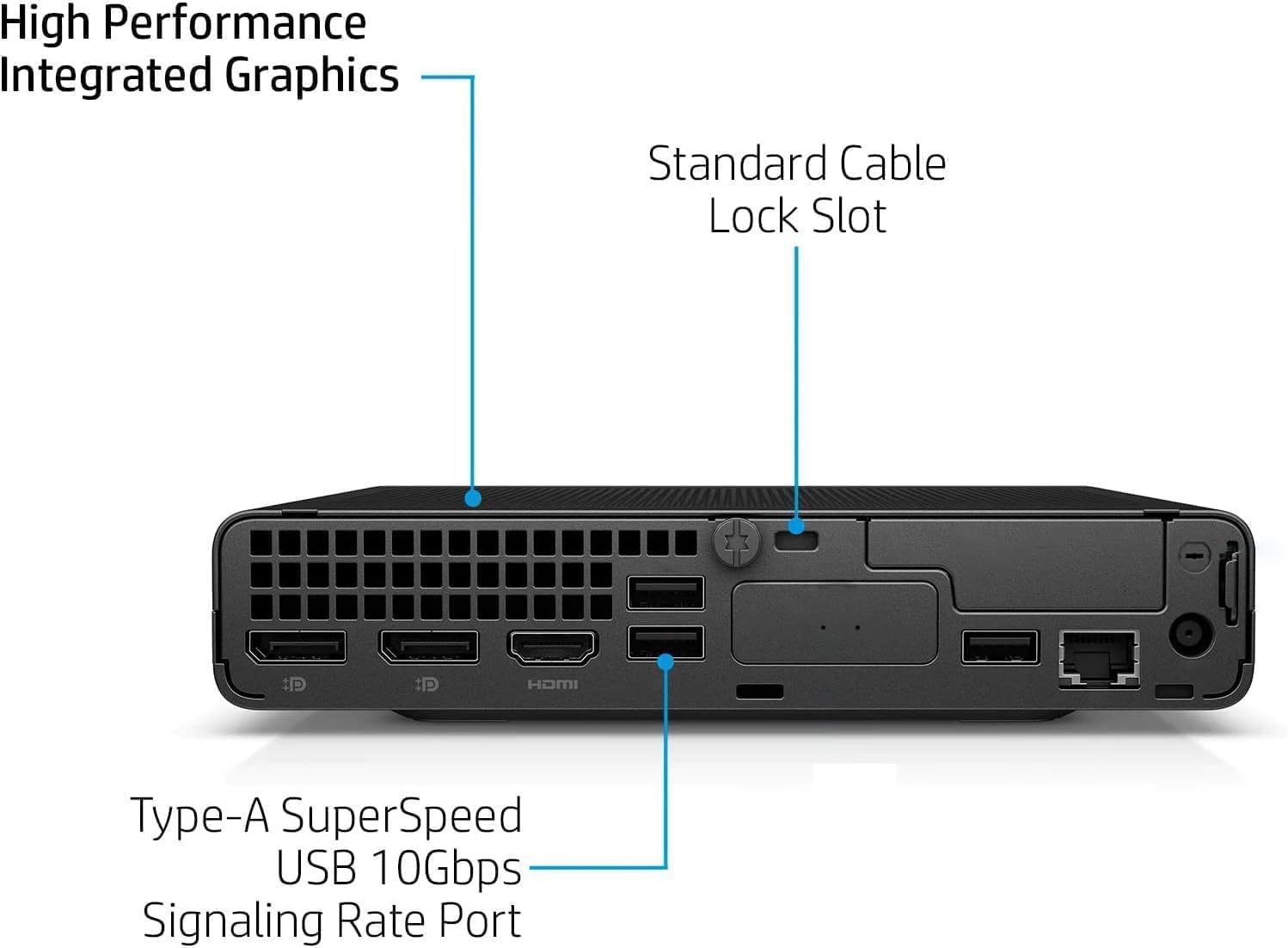
Figure 3: Rear Panel Ports and Features
- 1 External antenna connector
- 1 Разъем питания
- 1 RJ-45 (Ethernet)
- 3 порт SuperSpeed USB Type-A со скоростью передачи данных 10 Гбит/с
- 2 DisplayPort 1.4
- 1 HDMI 2.1
4. Инструкции по настройке
Выполните следующие действия для настройки вашего HP EliteDesk 800 G9 Mini Desktop:
- Подключите периферийные устройства: Connect your monitor(s) to the DisplayPort 1.4 or HDMI 2.1 ports. Connect the wired keyboard and mouse to the available USB Type-A ports.
- Подключение питания: Connect the HP OEM 90W Power Adapter to the power connector on the rear panel, then plug the power adapter into a wall outlet.
- Сетевое подключение (необязательно): For a wired internet connection, connect an Ethernet cable to the RJ-45 port. For wireless, ensure the external antenna is connected (if applicable) and configure Wi-Fi during the initial Windows setup.
- Включение питания: Press the power button on the front panel to turn on the Mini Desktop.
- Первоначальная настройка Windows: Следуйте инструкциям на экране, чтобы завершить настройку Windows 11 Pro, включая выбор языка, региона, сети и создание учетной записи пользователя.
5 Операционная система
Your HP EliteDesk 800 G9 Mini Desktop comes pre-installed with Windows 11 Профессиональная. This operating system offers a modern interface, enhanced security features, and improved productivity tools. For detailed information on Windows 11 Pro features and usage, refer to the official Microsoft documentation or support webсайт.
6. Технические характеристики
Below are the key technical specifications for your HP EliteDesk 800 G9 Mini Desktop:
| Особенность | Спецификация |
|---|---|
| Процессор | Intel 12th Generation Core i5-12500T (6-Core, 18M Cache, Upto 4.0Ghz) |
| БАРАН | 16 ГБ DDR5 SDRAM |
| Хранилище | 256 ГБ PCIe SSD |
| Графический сопроцессор | Intel UHD-графика |
| Операционная система | Windows 11 Профессиональная |
| Беспроводное подключение | Integrated Intel WiFi 6 AX211 + Bluetooth |
| Адаптер питания | 90 W external power adapter, up to 89% efficiency, active PFC |
| Масса | 3.13 фунт (приблизительно 1.42 кг) |
| Максимальное разрешение экрана | 3840x2160 |
| USB-порты (спереди) | 1 Headset connector; 1 SuperSpeed USB Type-A 10Gbps (charging); 1 SuperSpeed USB Type-A 10Gbps; 1 SuperSpeed USB Type-C 20Gbps |
| USB-порты (сзади) | 3 SuperSpeed USB Type-A 10Gbps |
| Video Ports (Rear) | 2 DisplayPort 1.4; 1 HDMI 2.1 |
| Сеть | 1 RJ-45 |
7. Техническое обслуживание
To ensure the longevity and optimal performance of your HP EliteDesk 800 G9 Mini Desktop, regular maintenance is recommended:
- Соблюдайте чистоту: Regularly clean the exterior of the device with a soft, dry cloth. Ensure ventilation openings are free from dust and debris to prevent overheating.
- Обновления программного обеспечения: Keep your Windows 11 Pro operating system and drivers updated to the latest versions. This ensures security patches and performance improvements.
- Резервное копирование данных: Регулярно создавайте резервные копии важных данных на внешнем диске или в облачном хранилище, чтобы предотвратить потерю данных.
- Избегайте экстремальных условий: Не подвергайте устройство воздействию экстремальных температур, влажности или прямых солнечных лучей.
8. Поиск Неисправностей
If you encounter issues with your Mini Desktop, try the following basic troubleshooting steps:
- Нет питания: Убедитесь, что адаптер питания надежно подключен как к устройству, так и к исправной розетке. Проверьте, работает ли розетка.
- Нет дисплея: Verify that your monitor is properly connected to the Mini Desktop and powered on. Try connecting to a different video port or monitor if available.
- Периферийные проблемы: If the keyboard or mouse is not responding, ensure they are correctly plugged into the USB ports. Try different USB ports or restart the system.
- Низкая производительность: Close unnecessary applications, check for malware, and ensure your system has sufficient free storage space. Consider running a disk cleanup.
- Сетевое подключение: For Wi-Fi issues, restart your router and the Mini Desktop. For wired connections, check the Ethernet cable and router status.
For more advanced troubleshooting or persistent issues, refer to the HP support webсайт или свяжитесь со службой поддержки клиентов.
9. Гарантия и поддержка
This HP EliteDesk 800 G9 Mini Desktop is an Amazon Renewed - Certified Refurbished product. It is backed by the Amazon Renewed Guarantee, which provides a replacement or refund within 90 days of receipt if the product does not work as expected. For specific warranty details and support, please refer to the Amazon Renewed program terms and conditions or contact Amazon customer service.