1. Введение
Thank you for choosing the Baseus Nomos 160W 5-in-1 Charging Station. This device is designed to provide a comprehensive and efficient charging solution for multiple electronic devices, including laptops, tablets, and smartphones. Featuring GaN technology, Qi2 certified wireless charging, and a retractable cable, it aims to simplify your charging experience and declutter your workspace.
Please read this manual carefully before using the product to ensure proper operation and to maximize its lifespan. Keep this manual for future reference.
2. Продукт закончилсяview
The Baseus Nomos 160W Charging Station integrates multiple charging technologies into a compact design:
- Общая выходная мощность 160 Вт: Efficiently charges up to five devices simultaneously.
- Qi2 Certified 15W Magnetic Wireless Charger: Provides fast and precise magnetic alignment for compatible iPhones (12-16 series).
- 100W Retractable USB-C Cable: Built-in 80cm (2.6ft) braided cable for convenient and tidy charging.
- Несколько портов: Includes 3 USB-C ports and 1 USB-A port for versatile connectivity.
- Технология GaN: Ensures high efficiency and a compact form factor.
- BPS3.0 Smart Power Allocation: Intelligently distributes power to connected devices for optimal charging speed and safety.
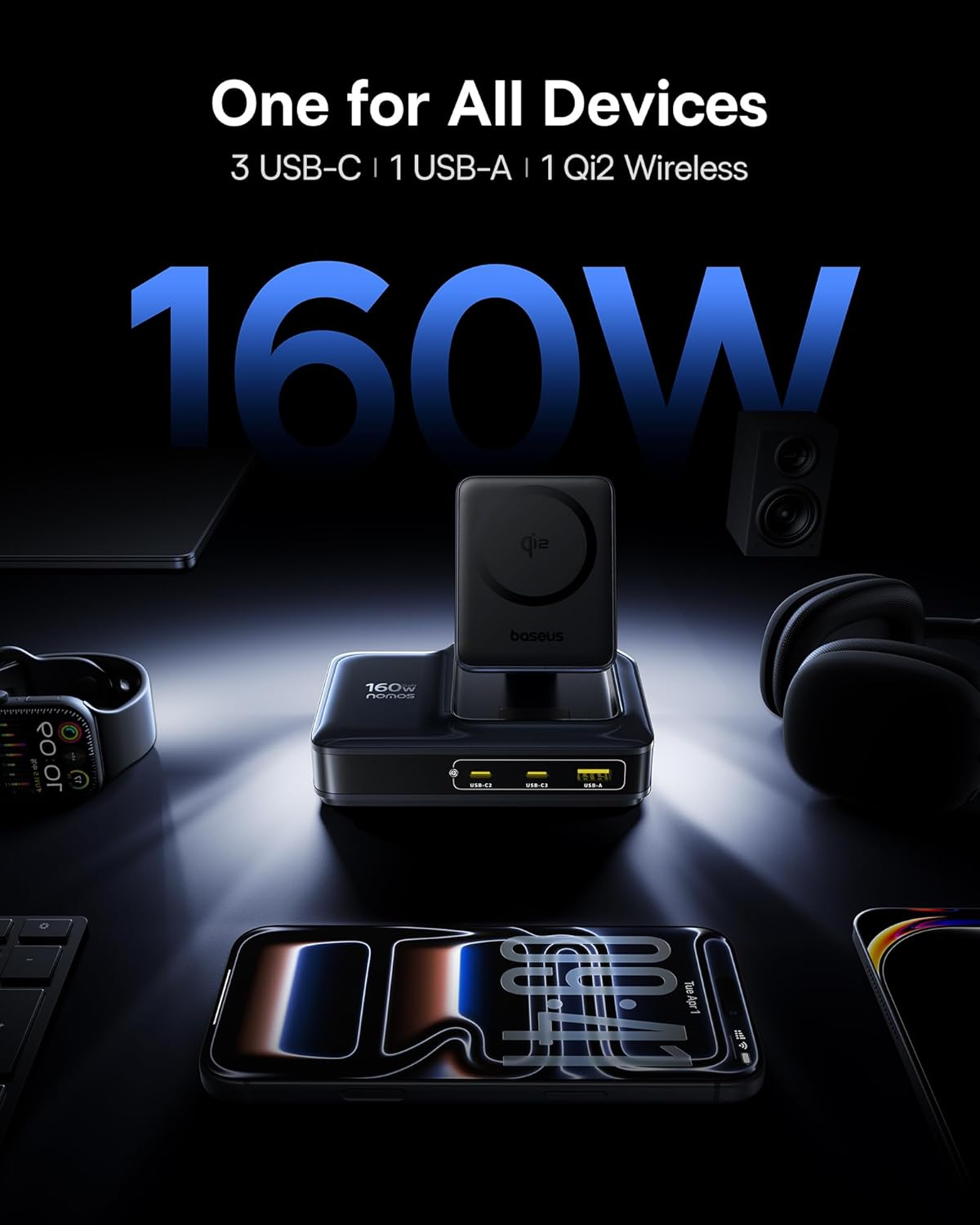
Image: The Baseus Nomos 160W Charging Station shown powering a laptop, tablet, smartphone, and earbuds simultaneously, demonstrating its multi-device charging capability.
3. Инструкции по настройке
- Распакуйте устройство: Carefully remove the charging station and any included accessories from its packaging.
- Подключение к электросети: Plug the provided AC power cord into the charging station's power input, then connect the other end to a standard wall outlet.
- Позиционирование: Place the charging station on a stable, flat surface. Ensure adequate ventilation around the device. The anti-slip silicone pad on the bottom helps secure its position.
- Выдвижной кабель: To use the built-in retractable USB-C cable, gently pull it out to the desired length (up to 80cm / 2.6ft). To retract, pull the cable again slightly, and it will smoothly coil back into the station.
- Подставка для беспроводной зарядки: The Qi2 wireless charging pad can be adjusted for optimal viewing angles. Simply tilt the magnetic pad to your preferred position.

Image: The Baseus Nomos 160W Charging Station showcasing its integrated retractable USB-C cable, extended for use, highlighting its cable management feature.
4. Инструкция по эксплуатации
The Baseus Nomos Charging Station is designed for intuitive use. Simply connect your devices to the appropriate ports or place them on the wireless charging pad.
4.1 Wired Charging (USB-C & USB-A)
- Порты USB-C: Connect your USB-C compatible devices (laptops, tablets, phones) to the USB-C1, USB-C2, or USB-C3 ports. USB-C1 supports up to 100W, while USB-C2/C3 can deliver up to 140W each when used individually.
- Порт USB-A: Connect your USB-A compatible devices to the USB-A port. This port supports up to 18W.
- Выдвижной кабель: Utilize the built-in retractable USB-C cable for convenient charging of compatible devices.
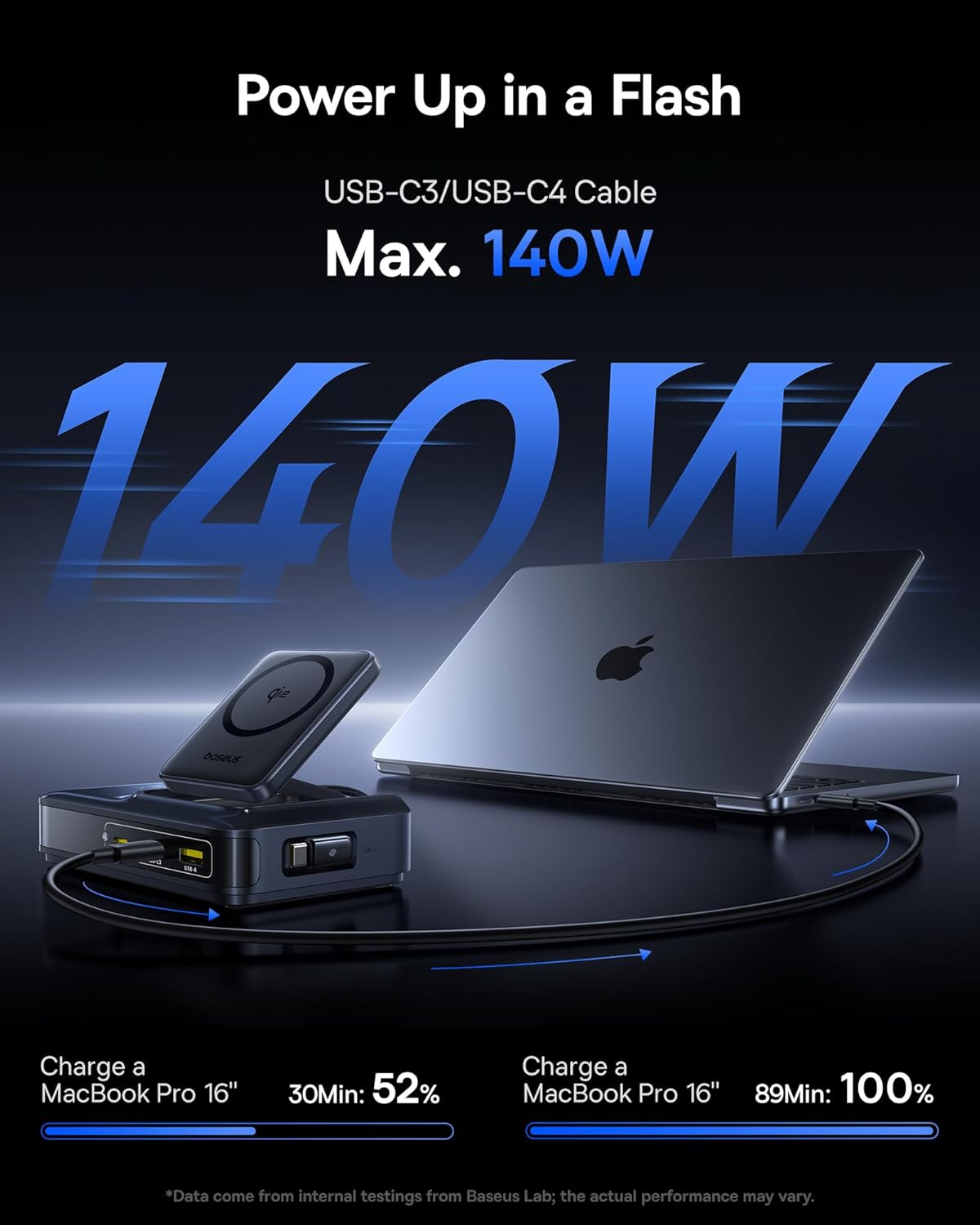
Image: A MacBook Pro 16-inch being charged by the Baseus Nomos 160W Charging Station via a USB-C cable, illustrating its high-power output capability.
4.2 Wireless Charging (Qi2)
- Размещение: Place your Qi2-compatible iPhone (12-16 series) onto the magnetic wireless charging pad. The magnets will automatically align your device for optimal charging.
- Совместимость с корпусом: The wireless charger is compatible with phone cases up to 3mm thick.
- Индикатор зарядки: The device will indicate when wireless charging is active (e.g., via a light indicator or on your phone screen).

Image: An iPhone being wirelessly charged on the magnetic pad of the Baseus Nomos 160W Charging Station, demonstrating the Qi2 fast wireless charging feature.
4.3 Smart Power Allocation (BPS3.0)
The charging station features BPS3.0 technology, which intelligently detects the power requirements of each connected device and allocates the optimal power output. This ensures efficient and safe charging across all ports simultaneously, preventing overcharging or damage.
Video: An official product video from Baseus Brand Store demonstrating the 160W Charging Station's features and capabilities.
5. Функции безопасности
The Baseus Nomos Charging Station incorporates multiple safety mechanisms to protect your devices and the charger itself:
- Защита от сверхтока: Предотвращает повреждения от чрезмерного тока.
- Повышенная громкостьtagЭлектронная защита: Гарантии против томаtagе шипы.
- Защита от короткого замыкания: Автоматически отключает питание в случае короткого замыкания.
- Защита от перегрева: Контролирует и регулирует внутреннюю температуру для предотвращения перегрева.

Изображение: взорванный view of the Baseus Nomos 160W Charging Station, illustrating the GaN chip and various internal components responsible for its efficient and safe operation, including icons for over-current, over-voltagе. защита от короткого замыкания и перегрева.
6. Техническое обслуживание
- Уборка: Disconnect the charging station from the power outlet before cleaning. Use a soft, dry cloth to wipe the surface. Do not use liquid cleaners or aerosols.
- Хранилище: При длительном неиспользовании храните устройство в прохладном, сухом месте, вдали от прямых солнечных лучей и влаги.
- Уход за кабелем: Avoid excessive force when pulling or retracting the built-in cable. Ensure the cable is not kinked or pinched.
- Избегайте препятствий: Do not block the ventilation openings on the charging station, as this can lead to overheating.
7. Поиск Неисправностей
- Устройство не заряжается:
- Убедитесь, что зарядная станция правильно подключена к работающей розетке.
- Убедитесь, что зарядный кабель надежно подключен как к зарядной станции, так и к вашему устройству.
- Verify that your device is compatible with the charging port or wireless charging standard.
- Чтобы исключить неисправность соединения, попробуйте использовать другой кабель или порт.
- Медленная зарядка:
- Confirm your device supports fast charging protocols (e.g., PD3.1, QC4, PPS) and that you are using a compatible cable.
- The charging station intelligently allocates power. If multiple high-power devices are connected, the output to individual ports may be adjusted.
- For wireless charging, ensure proper alignment of your device on the pad and that your phone case is not too thick (max 3mm).
- Перегрев:
- Убедитесь, что зарядная станция имеет достаточную вентиляцию и ничем не накрыта.
- If the device feels excessively hot, disconnect it from power and all devices immediately. Contact support if the issue persists.
- Retractable Cable Not Working:
- Gently pull the cable again to trigger the retraction mechanism.
- Убедитесь, что нет препятствий, мешающих втягиванию кабеля.
8. Технические характеристики
| Особенность | Деталь |
|---|---|
| Номер модели | Е01217 |
| Общий объем производства | 160 Вт |
| Выход USB-C1 | До 100 Вт |
| Выход USB-C2/C3 | Up to 140W (each, when used individually) |
| Выход USB-A | До 18 Вт |
| Беспроводная зарядка Qi2 | 15 Вт |
| Длина выдвижного кабеля | 80 см (2.6 футов) |
| Vol входtage | 240 Вольт |
| Размеры | 8.43 x 6.69 x 2.44 дюйма |
| Вес товара | 1.87 фунта |
| Совместимые устройства | iPhone 12-17 series, Galaxy S20-24, OnePlus 8 Pro, Google Pixel 6-8, Sony Xperia 5, iPad, Air Pods 2-3, MacBook Pro 2023, Lenovo ThinkPad T14, Dell XPS 13, and more. |
9. Гарантия и поддержка
Baseus products are manufactured to high-quality standards. This product is covered by a manufacturer's warranty against defects in materials and workmanship from the date of purchase. The specific warranty period may vary by region and retailer.
For warranty claims, technical support, or product inquiries, please contact the retailer where you purchased the product or visit the official Baseus webсайт с информацией об обслуживании клиентов.
Онлайн поддержка: www.baseus.com
Сохраните чек о покупке для гарантийных целей.