1. Введение
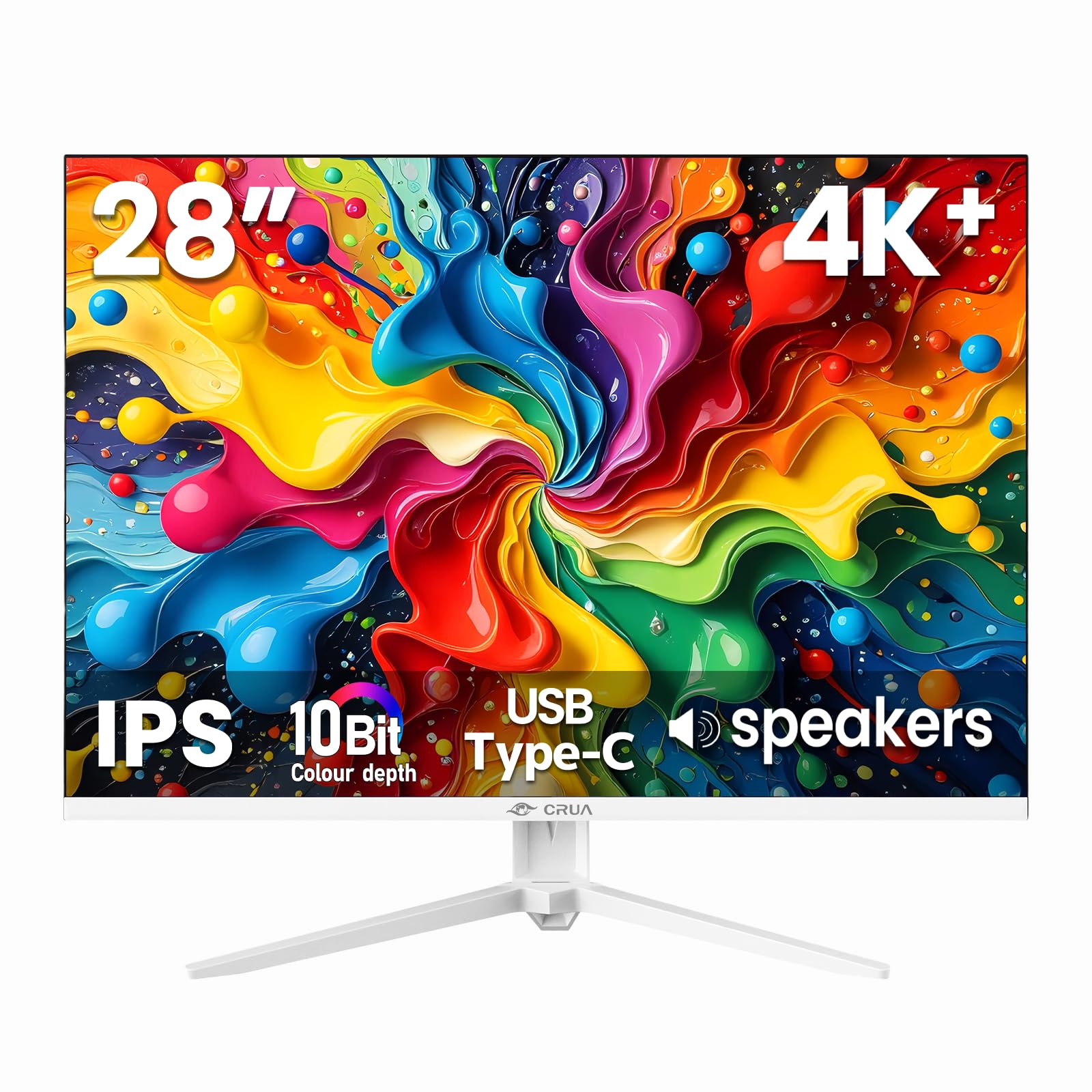
Thank you for choosing the CRUA 28 Inch 4K UHD+ IPS Monitor. This monitor is designed to deliver stunning visual clarity and vibrant colors for an immersive viewing experience, whether for work, gaming, or creative projects. Featuring a 3840×2560p resolution, 60Hz refresh rate, and extensive connectivity options, it is built to enhance your digital interactions.
Please read this manual carefully before operating your monitor to ensure proper setup and optimal performance. Keep this manual for future reference.
2. Содержимое упаковки
Ensure all items are present in the box before proceeding with the setup:
- 28-inch white monitor
- Base and support
- User instructions (this manual)
- DP cable x1 (4.92 ft)
- Type-C cable x1 (4.92 ft)
- Power adapter x1 (4.92 ft)
3. Настройка
3.1. Сборка монитора
Чтобы собрать подставку для монитора:
- Аккуратно извлеките монитор из упаковки, положив его экраном вниз на мягкую чистую поверхность, чтобы предотвратить появление царапин.
- Attach the stand support to the back of the monitor.
- Secure the base to the stand support using the provided screws.
Alternatively, the monitor is wall-mountable (75×75mm VESA compatible) for flexible ergonomic setups.
3.2. Подключение монитора
The CRUA monitor offers versatile connectivity options:
- HDMI 2.0: Connect your computer, gaming console, or other HDMI-enabled devices using one of the two HDMI 2.0 ports.
- DisplayPort 1.4: For high-resolution and refresh rate connections, use the DisplayPort 1.4.
- USB-порт типа C: Connect compatible devices for video, data transfer, and power delivery (charging).
- Аудиоразъем 3.5 мм: Подключите внешние динамики или наушники.
Ensure the power adapter is securely connected to the monitor and a power outlet.

4. Эксплуатация монитора
4.1. Экранное меню (OSD)
The OSD menu allows you to adjust various monitor settings. Buttons are typically located on the back or bottom edge of the monitor. Common controls include:
- Кнопка питания: Включает/выключает монитор.
- Кнопка меню: Осуществляет доступ к экранному меню.
- Кнопки навигации: Used to move through menu options and adjust values (e.g., brightness, contrast, input source).
4.2.Основные характеристики
- Ultra-Sharp 4K Visuals: Enjoy a 3840×2560p resolution on a 28-inch IPS panel with a 15:10 aspect ratio, 1.07 billion colors (8-bit+FRC), 120% sRGB, 270 cd/m² brightness, and 1200:1 contrast ratio for vivid and true-to-life images.
- IPS Panel & Wide ViewУглы входа: Consistent and accurate colors are maintained across a wide 178° viewing angle, ideal for various professional and entertainment uses.
- Smooth Gaming & Eye Protection: AMD FreeSync technology and a 60Hz refresh rate provide tear-free gameplay. A built-in blue light filter helps reduce eye strain during extended use.
- Flexible Ergonomic Setup: Adjust the monitor with tilt support (-5° forward, 15° backward) or mount it on a wall using the 75×75mm VESA standard.
- Встроенные динамики: Integrated speakers deliver clear audio, eliminating the need for external audio devices.


5. Техническое обслуживание
To ensure the longevity and optimal performance of your CRUA monitor, follow these maintenance guidelines:
- Очистка экрана: Аккуратно протрите экран мягкой тканью без ворса. Для удаления стойких загрязнений слегка потрите.ampСмочите ткань водой или чистящим средством для экрана. Избегайте использования агрессивных химикатов и абразивных материалов.
- Очистка Casing: Для очистки корпуса монитора используйте мягкую сухую ткань.asing.
- Вентиляция: Убедитесь, что вентиляционные отверстия монитора свободны и не загромождены, чтобы предотвратить перегрев.
- Выключение: Always power off the monitor and unplug it from the power outlet before cleaning or if it will not be used for an extended period.
6. Поиск Неисправностей
Если у вас возникли проблемы с монитором, выполните следующие общие действия по устранению неполадок:
- Нет изображения/черный экран:
- Убедитесь, что монитор включен и кабель питания надежно подключен.
- Verify that the video cable (HDMI, DisplayPort, or USB-C) is correctly connected to both the monitor and your computer/device.
- Убедитесь, что на мониторе с помощью экранного меню выбран правильный источник входного сигнала.
- Test with a different video cable or device to rule out cable or source issues.
- Flickering/Unstable Image:
- Check the video cable connections for looseness.
- Отрегулируйте частоту обновления в настройках дисплея вашего компьютера.
- Disable AMD FreeSync in the OSD menu if issues persist.
- No Audio from Built-in Speakers:
- Убедитесь, что громкость монитора не отключена и не установлена слишком низко в экранном меню.
- Проверьте настройки вывода звука на вашем компьютере, чтобы убедиться, что монитор выбран в качестве устройства воспроизведения.
- Verify the audio source is working correctly.
- Image Too Dark/Bright/Incorrect Colors:
- Настройте яркость, контрастность и цветопередачу через экранное меню.
- Сбросьте настройки монитора до заводских значений через экранное меню.
If these steps do not resolve the issue, please contact CRUA customer support for further assistance.
7. Технические характеристики
| Особенность | Спецификация |
|---|---|
| Размеры продукта | 18.58 x 24.09 x 19.97 дюйма |
| Вес товара | 11.08 фунта |
| Производитель | КРУА |
| Номер модели товара | CR280HDM |
| Постоянный размер экрана | 28.2 дюйма |
| Соотношение сторон | 3:2 (Note: Marketing materials mention 15:10, which is approximately 1.5:1, while 3:2 is 1.5:1. These are very similar.) |
| Разрешение | 3840x2560 Pixels (4K UHD+) |
| Яркость изображения | 270 кандел (кд/м²) |
| Общее количество портов USB | 1 (USB Type-C) |
| Описание поверхности экрана | Матовый |
| Тип панели | ИПС |
| Частота обновления | 60 Гц |
| Глубина цвета | 10-Bit (8-bit + FRC) |
| Цветовая гамма | 120% sRGB |
| Технология адаптивной синхронизации | AMD FreeSync |
8. Гарантия и поддержка
CRUA provides high-quality computer monitors and premium services. For any questions or issues regarding your CRUA 28 Inch 4K UHD+ IPS Monitor, please contact our customer support team. We are committed to serving you and solving all your problems.
Подробную информацию о гарантии и контактную информацию см. в документации о покупке.


