1. Введение
This manual provides essential information for the setup, operation, maintenance, and troubleshooting of your Razer Blade 14 (2025) Gaming Laptop. This device is engineered for high performance in a portable form factor, suitable for gaming, creative tasks, and professional use.
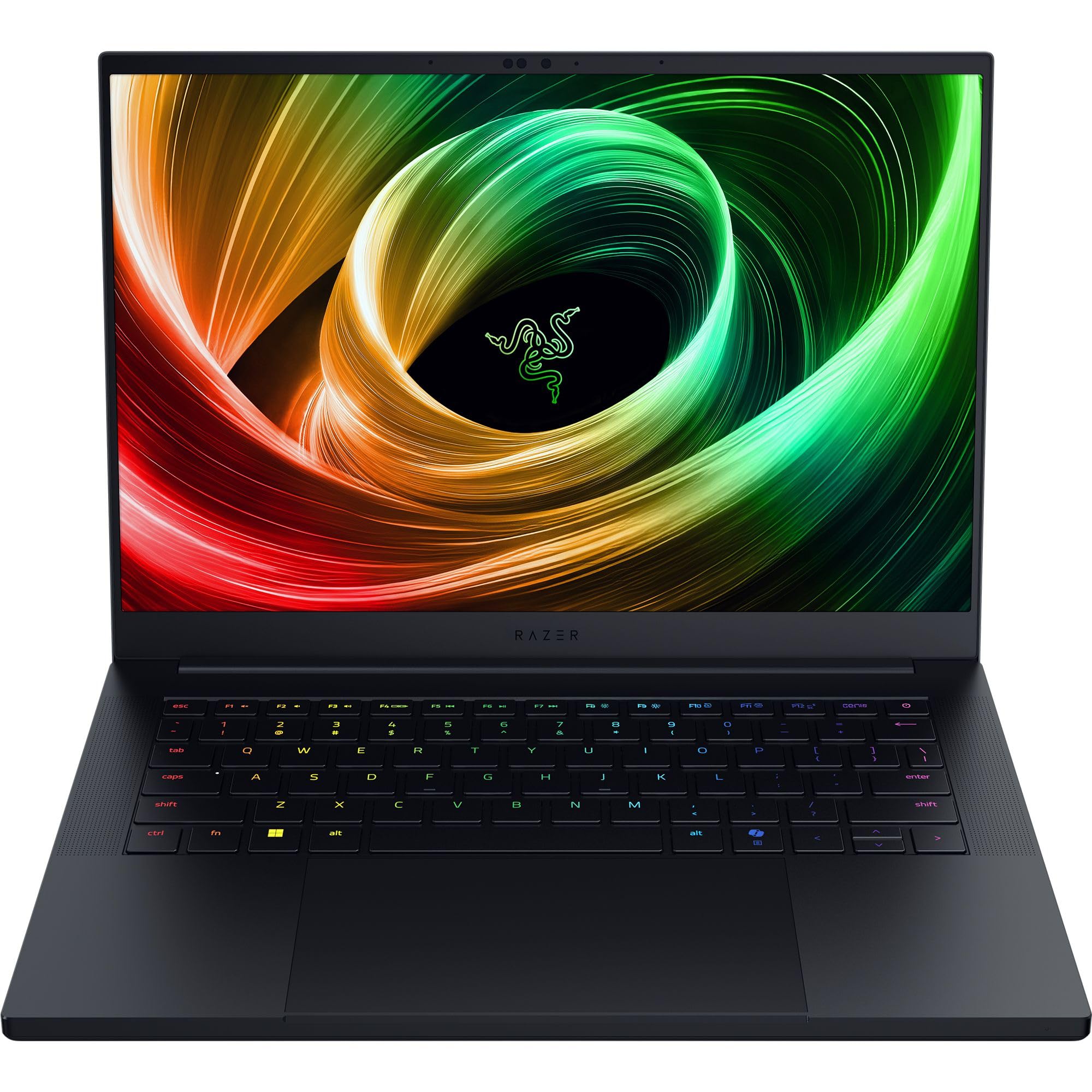
Figure 1: Razer Blade 14 (2025) Gaming Laptop.
2. Что в коробке
Проверьте наличие всех предметов в упаковке:
- Игровой ноутбук Razer Blade 14
- Адаптер питания + региональный шнур питания
- Салфетка из микрофибры
- Важная информация о продукте
Видео 1: Распаковка и инициалыview of the Razer Blade 14. This video provides a visual guide to the contents of the box and the laptop's initial appearance.
3. Настройка
3.1 Первоначальное включение питания
- Unpack the Razer Blade 14 and its power adapter from the box.
- Подключите адаптер питания к порту зарядки ноутбука, а затем к розетке.
- Open the laptop lid. The system may power on automatically or require you to press the power button located on the top-right of the keyboard.
- Следуйте инструкциям на экране, чтобы завершить процесс установки Windows 11 Home. Это включает в себя выбор региона, подключение к сети и создание учетной записи пользователя.
3.2 Подключение периферийных устройств
Razer Blade 14 предлагает множество портов для подключения внешних устройств:
- Порты USB-A: Connect USB accessories such as mice, keyboards, or external storage.
- USB4 Type-C Ports: Use for data transfer, video output, or charging compatible devices.
- Порт HDMI: Connect to external displays or TVs for extended screen real estate.
- Аудиоразъем 3.5 мм: Подключите наушники или внешние динамики.

Figure 2: The thin and lightweight design of the Razer Blade 14, highlighting its portability.
4. Работа с ноутбуком
4.1 Функции дисплея
The Razer Blade 14 features a 14-inch 3K (2880x1800) OLED display with a 120Hz refresh rate and an ultra-fast 0.2ms response time. This display is Calman Verified, ensuring professional-grade color accuracy with support for Rec. 709, DCI-P3, sRGB, and Adobe RGB color profiles.

Figure 3: The vibrant 3K 120Hz OLED display of the Razer Blade 14, showcasing its color accuracy and smooth visuals.
4.2 Производительность вышеview
Your Razer Blade 14 is equipped with:
- Процессор: AMD Ryzen AI 9 365 CPU with up to 50 TOPS of AI processing power.
- Графика: NVIDIA GeForce RTX 5060 Laptop GPU (up to 115W TGP) for immersive graphics and AI-enhanced performance with DLSS 4.
- Память: 16GB LPDDR5X RAM running at 8000 MHz for ultra-fast and efficient multitasking.
- Хранилище: 1TB SSD for ampбыстрое и удобное хранение данных.
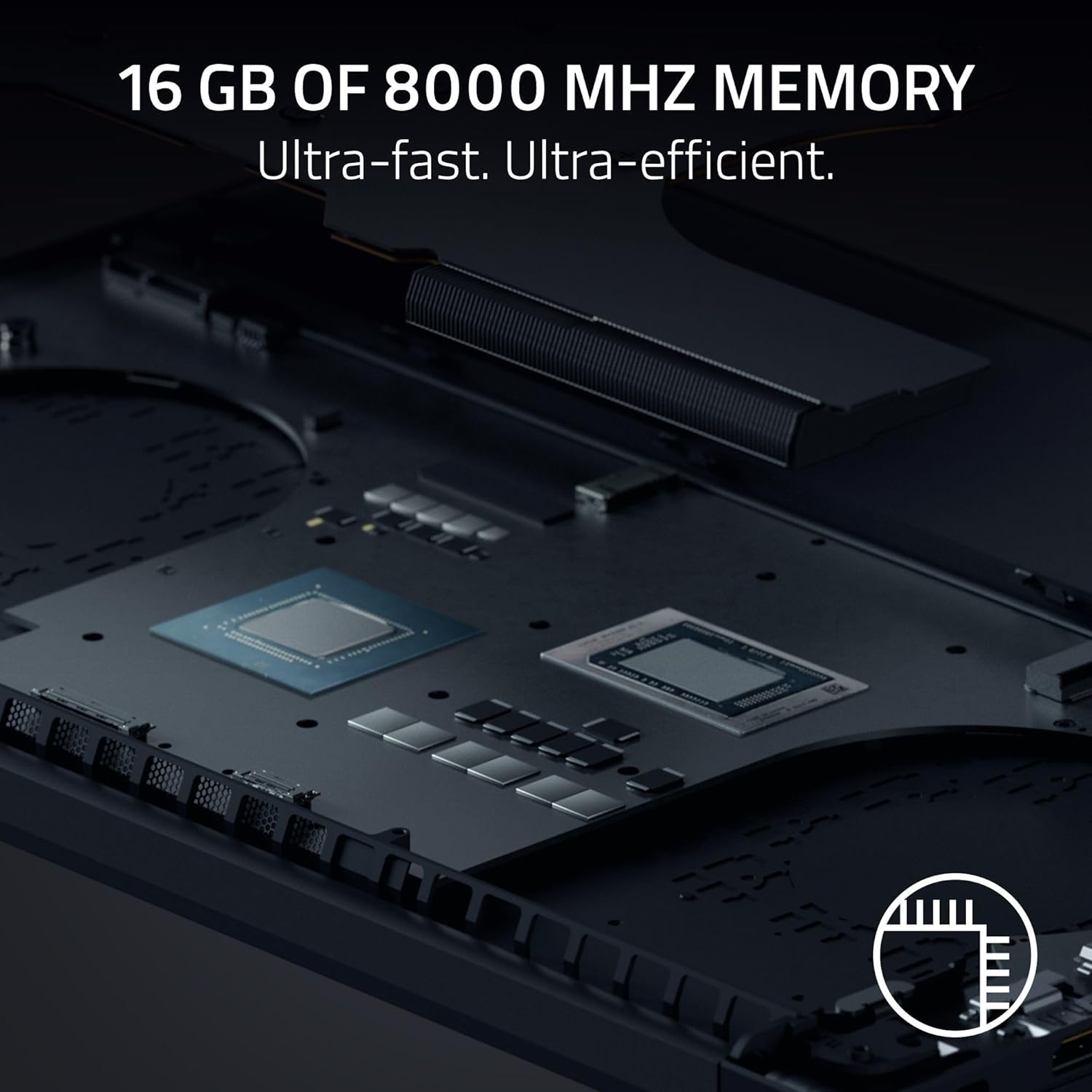
Рисунок 4: Внутренний view of the Razer Blade 14, showing the high-performance CPU and RAM modules.
4.3 Audio and Keyboard
Experience rich, immersive sound with the new six-speaker array featuring THX Spatial Audio. The keyboard includes Razer Chroma RGB lighting, which can be customized through Razer Synapse software.

Рисунок 5: Сверху вниз view of the Razer Blade 14 keyboard, showcasing the customizable Chroma RGB lighting.
4.4 Срок службы аккумулятора и зарядка
The laptop offers up to 11 hours of battery life. For quick charging, the compact 200W adapter can charge the battery up to 50% in just 30 minutes.

Figure 6: A user operating the Razer Blade 14 on a laptop stand, illustrating its portability and extended battery life.
5. Техническое обслуживание
5.1 Общий уход
- Keep the laptop clean using the provided micro-fiber cloth. Avoid abrasive cleaners.
- Handle the laptop with care to prevent physical damage to the aluminum unibody.
- Avoid placing heavy objects on the laptop or exposing it to extreme temperatures.
5.2 Обновления программного обеспечения
Regularly update your Windows 11 Home operating system and NVIDIA graphics drivers to ensure optimal performance and security. Utilize Razer Synapse for managing Chroma RGB lighting and accessing performance profiles, including overclocking options.
5.3 Система охлаждения
The Razer Blade 14 features an advanced cooling design with a vapor chamber and thermal hood. To maintain optimal cooling performance, ensure that the air vents are not obstructed during use.
Video 2: Official Razer Blade 14 Accolade Trailer. This video highlights key features and design aspects of the laptop, including its cooling system.
6. Поиск Неисправностей
6.1 Общие проблемы и решения
- System Unresponsiveness: If the system becomes unresponsive, perform a hard reset by holding down the power button until the laptop shuts off, then restart.
- Проблемы с отображением: Ensure graphics drivers are up to date. If using an external monitor, check cable connections.
- Аккумулятор не заряжается: Verify the power adapter is securely connected to both the laptop and the power outlet. Try a different outlet if necessary.
- Ухудшение производительности: Check for background applications consuming resources. Ensure the cooling vents are clear and the laptop is on a hard, flat surface. Update drivers and operating system.
6.2 Обращение в службу поддержки
If you encounter persistent issues that cannot be resolved with the above steps, please refer to the Important Product Information Guide included in your box or visit the official Razer support webсайт для получения дальнейшей помощи.
7. Технические характеристики
| Особенность | Спецификация |
|---|---|
| Название модели | Лезвие 14 |
| Номер модели товара | RZ09-05305ES3-R3U1 |
| Размер экрана | 14 дюйма |
| Разрешение экрана | 2880 x 1800 пикселей (3K) |
| Максимальное разрешение экрана | 2880x1800 пикселей |
| Частота обновления | 120 Гц |
| Процессор | AMD Ryzen AI 9 365 (2 GHz ryzen_ai) |
| БАРАН | 16 ГБ LPDDR5X (8000 МГц) |
| Жесткий диск | SSD-накопитель 1 ТБ |
| Видеокарта | NVIDIA GeForce RTX 5060 (8 ГБ GDDR7) |
| Операционная система | Windows 11 Домашняя |
| Тип беспроводной связи | 802.11a/g/n/ac (Wi-Fi 7 capable) |
| USB-порты | 2x USB 3.0, Dual USB4 Type-C |
| Средний срок службы батареи | 11 часов |
| Вес товара | 7.79 фунта (приблизительно 3.53 кг) |
| Размеры продукта | 12.24 x 0.64 x 8.83 дюйма |
| Особые возможности | AI-driven productivity tools, Advanced cooling system, Calman Verified display, THX Spatial Audio |
8. Гарантия и поддержка
Your Razer Blade 14 (2025) Gaming Laptop comes with a manufacturer's warranty. Please refer to the 'Important Product Information Guide' included in your product packaging for detailed warranty terms and conditions.
For technical support, driver downloads, and FAQs, visit the official Razer Support webсайт: www.razer.com/support. You can also find additional resources and community forums there.


