1. Введение
Thank you for choosing the SANSUI AI Translation Earbuds W12. These earbuds are designed to provide real-time language translation, high-definition audio, and smart features for various communication needs. This manual provides detailed instructions for setup, operation, maintenance, and troubleshooting to ensure optimal performance and user experience.

Figure 1: SANSUI AI Translation Earbuds W12 highlighting key functionalities.
2. Настройка
2.1. Распаковка и первоначальная оплата
Upon unboxing, ensure all components are present: SANSUI W12 earbuds, charging case, USB-C cable, W12 User Manual, and SANSUI AI Smart App User Guide.

Figure 2: Package contents of the SANSUI AI Translation Earbuds W12.
Before first use, fully charge the earbuds and charging case using the provided USB-C cable. The charging time is approximately 1.5 hours for a full charge.
2.2. Загрузка и установка приложения
The SANSUI AI Smart App is essential for full functionality. You can download the app by scanning the QR code found on the packaging or in the instruction manual. Alternatively, search for "SANSUI" directly in your device's app store (iOS App Store or Google Play Store).
2.2.1. iOS App Download and Connection
Video 1: Tutorial for downloading and connecting the SANSUI AI Smart App on iOS devices.
- Locate the app QR code on the product packaging or manual.
- Use your phone's built-in QR code scanner to scan the code.
- On the page that appears, select the iOS system option.
- You will be redirected to the App Store. Download and open the SANSUI app.
- Убедитесь, что на вашем iPhone включен Bluetooth.
- Извлеките оба наушника из зарядного футляра.
- In your iPhone's Bluetooth settings, search for and connect to "SANSUI W12".
- Open the SANSUI app, click the '+' sign to search for devices, and select "SANSUI W12" to connect within the app.
2.2.2. Android App Download and Connection
Video 2: Tutorial for downloading and connecting the SANSUI AI Smart App on Android devices.
- Locate the app QR code on the product packaging or manual.
- Use your phone's built-in QR code scanner to scan the code.
- On the page that appears, you can switch between Chinese and English. Select the Google Play option.
- You will be redirected to the Google Play Store. Download and open the SANSUI app.
- Убедитесь, что на вашем Android-телефоне включен Bluetooth.
- Извлеките оба наушника из зарядного футляра.
- In your Android phone's Bluetooth settings, search for and connect to "SANSUI W12".
- Open the SANSUI app, click the '+' sign to search for devices, and select "SANSUI W12" to connect within the app.
2.3. Эргономичная посадка
The W12 earbuds feature an open-ear design with TPEE (elastic) ear hooks for a comfortable and secure fit. This design allows for situational awareness while wearing. The earbuds are lightweight at 8.3g per earbud, designed to be comfortable even for glasses wearers.

Figure 3: Earbuds designed for comfort and compatibility with glasses.
3. Инструкция по эксплуатации
3.1. Перевод в реальном времени
The earbuds support over 100 languages for real-time translation. Access the AI function window in the SANSUI app to select your desired translation mode (e.g., Free Conversation, Speech Translation, Text Translation, Simultaneous Interpretation, Dialog Translation) and languages. Begin speaking, and the app will translate and display the conversation.

Figure 4: Earbuds facilitating communication in various scenarios.
3.2. Аудиовозможности
- Immersive 8D Surround Sound: Experience balanced low frequencies and clear audio across a 20Hz-20kHz range.
- Precision Directional Audio: Beamforming sound delivery system concentrates acoustic energy directly into the ear canal for focused sound.
- Adaptive Bass Enhancement: The system automatically adjusts bass based on music genre and listening environment.
- Звонки в высоком разрешении: Dual microphones and advanced noise cancellation ensure clear communication.
- Sound Equalization (EQ Settings): Customize your audio experience through the SANSUI AI Smart App.

Figure 5: SANSUI AI Smart App displaying EQ settings.
3.3. Smart AI App Functions
The SANSUI AI Smart App offers additional features:
- Диалоги с ИИ: Engage with AI for various interactions.
- Настраиваемые звуковые эффекты: Choose from various ambient sound effects.
- Генерация изображения из текста: Utilize AI for creative tasks.
- Обновления программного обеспечения: Keep your earbuds' firmware up-to-date.
- Руководство по звуковому эффекту: Explore different audio profiles.
3.4. Подключение Bluetooth 6.0
The earbuds feature advanced Bluetooth 6.0 technology, offering:
- 2x faster data transfer speeds compared to Bluetooth 5.4.
- 50% wider coverage.
- 40% less power consumption.
- 8 times more device connections.
- 6dB boost in signal-to-noise ratio.

Figure 6: Internal components highlighting Bluetooth 6.0 and dynamic driver.
3.5. Сенсорное управление
The earbuds feature intuitive touch controls for managing calls, music playback, volume, and activating AI functions. Refer to the SANSUI AI Smart App User Guide for detailed touch control configurations.
4. Техническое обслуживание
4.1. Зарядка
The earbuds provide up to 8 hours of playtime per charge, with a total of 42 hours using the charging case. Monitor battery life via the SANSUI AI Smart App. Use the provided USB-C cable for charging. Ensure the charging contacts on both the earbuds and the case are clean and dry before charging.
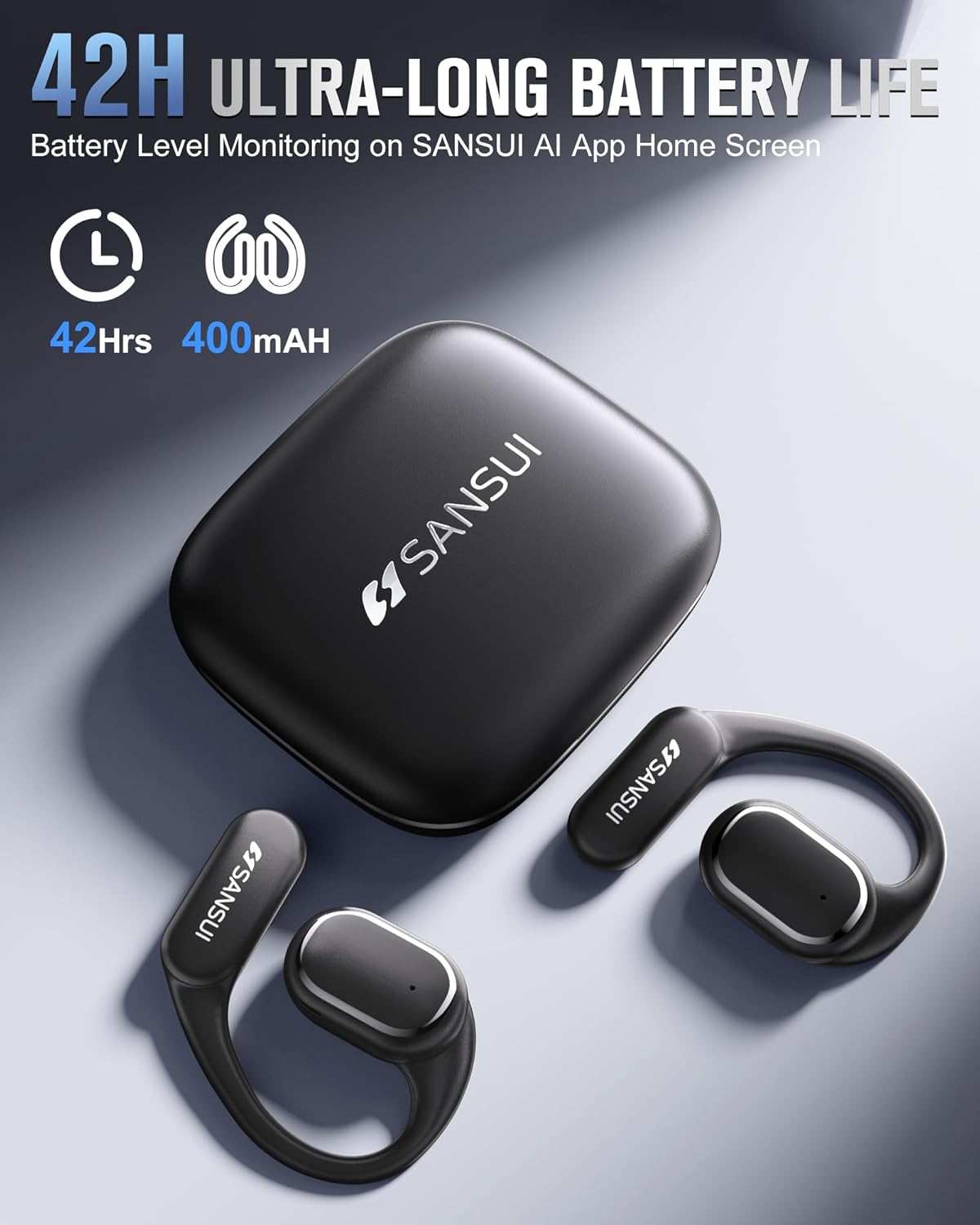
Figure 7: Earbuds and charging case, emphasizing battery life.
4.2. Водостойкость
The earbuds are designed with a nano-coating for water resistance, protecting against sweat and rain. They are suitable for activities like cycling, jogging, gym sessions, and yoga. However, they are not intended for submersion in water.
4.3. Уборка
Regularly clean the earbuds and charging case with a soft, dry cloth. Avoid using abrasive materials or harsh chemicals. Ensure no moisture enters the charging port or speaker grilles.
5. Поиск Неисправностей
- Проблемы с загрузкой приложения: If you encounter problems downloading the SANSUI AI Smart App, ensure your device's app store is up-to-date. Recent compatibility issues with Google Play Store have been resolved.
- Ошибка подключения Bluetooth:
- Ensure both earbuds are removed from the charging case and fully charged.
- Убедитесь, что Bluetooth включен на вашем устройстве.
- Забудьте об устройстве в настройках Bluetooth вашего телефона и попробуйте подключить его еще раз.
- Restart your phone and the earbuds.
- Translation Inaccuracy or Lag:
- Ensure a stable internet connection for optimal translation performance.
- Говорите четко и в умеренном темпе.
- Update the SANSUI AI Smart App to the latest version.
- In very noisy environments, translation accuracy may be affected.
- Нет звука или плохое качество звука:
- Проверьте уровень громкости на вашем устройстве и наушниках.
- Убедитесь, что наушники правильно расположены в ушах.
- Очистите защитные решетки динамиков от любых загрязнений.
- Try resetting the earbuds (refer to the app for factory reset option).
6. Технические характеристики
| Особенность | Спецификация |
|---|---|
| Название модели | В12 |
| Бренд | САНСУИ |
| Технология связи | Беспроводной |
| Технология беспроводной связи | Bluetooth |
| Версия Bluetooth | 6.0 |
| Диапазон Bluetooth | 15 метра |
| Контроль шума | Активное шумоподавление |
| Частотная характеристика | 20 кГц |
| Тип аудиодрайвера | Басовый драйвер |
| Размер аудиодрайвера | 14.2 миллиметра |
| Срок службы батареи (наушники) | До 8 часов |
| Срок службы батареи (с зарядным чехлом) | 42 часов |
| Время зарядки | 1.5 часов |
| аппаратный интерфейс | USB-тип C |
| Тип управления | App Control/Touch Control/Volume Control |
| Вес изделия (наушники) | 8.3 г на наушник |
| Вес товара (общий) | 67.9 грамм (2.4 унции) |
| Размеры продукта | 2.95 x 2.61 x 1.02 дюйма |
| Уровень водонепроницаемости | Водостойкий |
| Форма наушника | Крюк |
| СКП | 198401999525 |
7. Поддержка и гарантия
For any inquiries, technical assistance, or support, please refer to the contact information provided in your product packaging or the SANSUI AI Smart App. SANSUI is committed to providing comprehensive after-sales support.
Please note that protection plans may be available for purchase separately to extend coverage beyond the standard product warranty. Refer to your retailer for details on available protection plans.