1. Введение
Thank you for choosing the DUCO AG01 AI Smart Sunglasses. These innovative glasses integrate advanced technology to enhance your daily experiences, offering features such as a 4K HD camera, AI assistant, real-time translation, and Bluetooth connectivity. This manual provides essential information for the proper setup, operation, and maintenance of your new smart sunglasses.
2. Содержимое упаковки
Убедитесь, что в посылке присутствуют все предметы:
- DUCO AG01 AI Smart Sunglasses
- Футляр для очков
- Микрофибры Ткань для очистки
- Магнитный зарядный кабель
- Руководство пользователя

Figure 2.1: DUCO AG01 Package Contents
3. Особенности продукта
- 8MP 4K HD Camera: Capture high-resolution photos and videos with AI-powered stabilization and an ultra-wide perspective.
- AI Assistant & Translation: Access an AI assistant and real-time translation for 163 languages, breaking language barriers.
- Open-Ear Audio & Stereo Sound: Enjoy immersive audio without blocking ambient sounds, featuring dual microphones with noise reduction for clear calls.
- Bluetooth 5.3 Seamlessly connect to your smartphone for calls, music, and data transfer.
- Интеллектуальное сенсорное управление: Manage calls, music playback, and camera functions with intuitive touch and button controls.
- Длительный срок службы батареи: Powered by a 410mAh high-capacity battery, offering up to 8 hours of active use (translation/calls/music) and 15 days of standby time.
- Защита UV400: Lenses provide essential UV protection for your eyes.
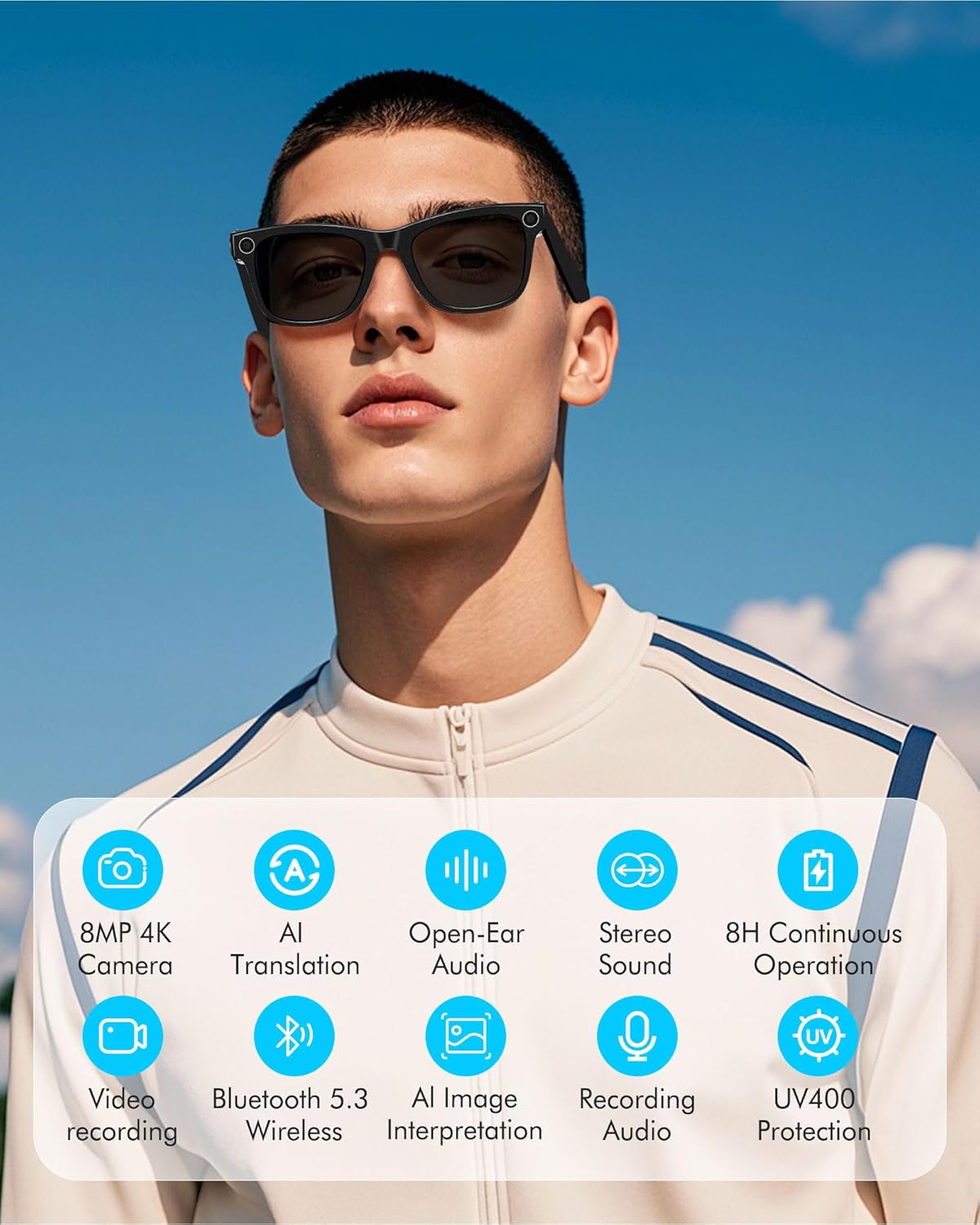
Figure 3.1: Key Features of DUCO AG01 Smart Sunglasses

Figure 3.2: 4K HD 8MP Camera System

Figure 3.3: Open Hi-Fi Sound & ENC Clear Calls

Figure 3.4: 8-Hour Continuous Use Battery
4. Настройка
4.1 Включение/выключение питания
To power on the DUCO AG01 Smart Sunglasses, locate the power switch on the right temple and slide it forward. To power off, slide the switch backward.
4.2 Загрузка и установка приложения
Download the companion app by scanning the QR code provided in the included user manual or searching for "HeyCyan" in your device's app store. Install the app on your smartphone.

Figure 4.1: App Download and Interface
4.3 Сопряжение по Bluetooth
- Ensure your DUCO AG01 Smart Sunglasses are powered on.
- Open the "HeyCyan" app on your smartphone.
- Включите Bluetooth на вашем смартфоне.
- In the app, search for available devices. The glasses should appear as "AG01_A16E".
- Select the device to pair. A successful connection will be indicated in the app.
Video 4.1: Demonstrates powering on the glasses, connecting to the HeyCyan app, and Bluetooth pairing. It also shows how to take photos, start/end video recording, answer/reject calls, control music volume, switch songs, and charge the device.
5. Инструкция по эксплуатации
5.1 Функции камеры и видеосъемки
The DUCO AG01 Smart Sunglasses feature a camera on the right temple for hands-free capture.
- Сфотографировать: Single-click the top-right button on the temple.
- Начать видеозапись: Long-press the top-right button on the temple.
- End Video Recording: Press the top-right button once while recording.

Figure 5.1: Real-Time Translation Feature
5.2 Аудиозапись
To start audio recording, double-click the top-right button on the temple. To end recording, click the button once.
5.3 Управление вызовами
Manage your calls directly from your smart sunglasses:
- Ответить/завершить вызов: Click the top-right button once.
- Отклонить звонок: Long-press the top-right button for 2 seconds.
5.4 Управление воспроизведением музыки
Control your music using the touch panel on the right temple:
- Воспроизведение/Пауза музыки: Double-tap the right touch panel.
- Следующая песня: Triple-tap the right touch panel.
- Увеличить громкость: Swipe forward on the right touch panel.
- Уменьшить громкость: Swipe backward on the right touch panel.

Figure 5.2: Intelligent Touch Control Overview
5.5 Голосовой помощник на основе искусственного интеллекта
Activate your AI voice assistant by saying "HeyCyan" or by long-pressing the designated button (refer to Figure 5.2 for button location). This allows for hands-free commands and information retrieval.
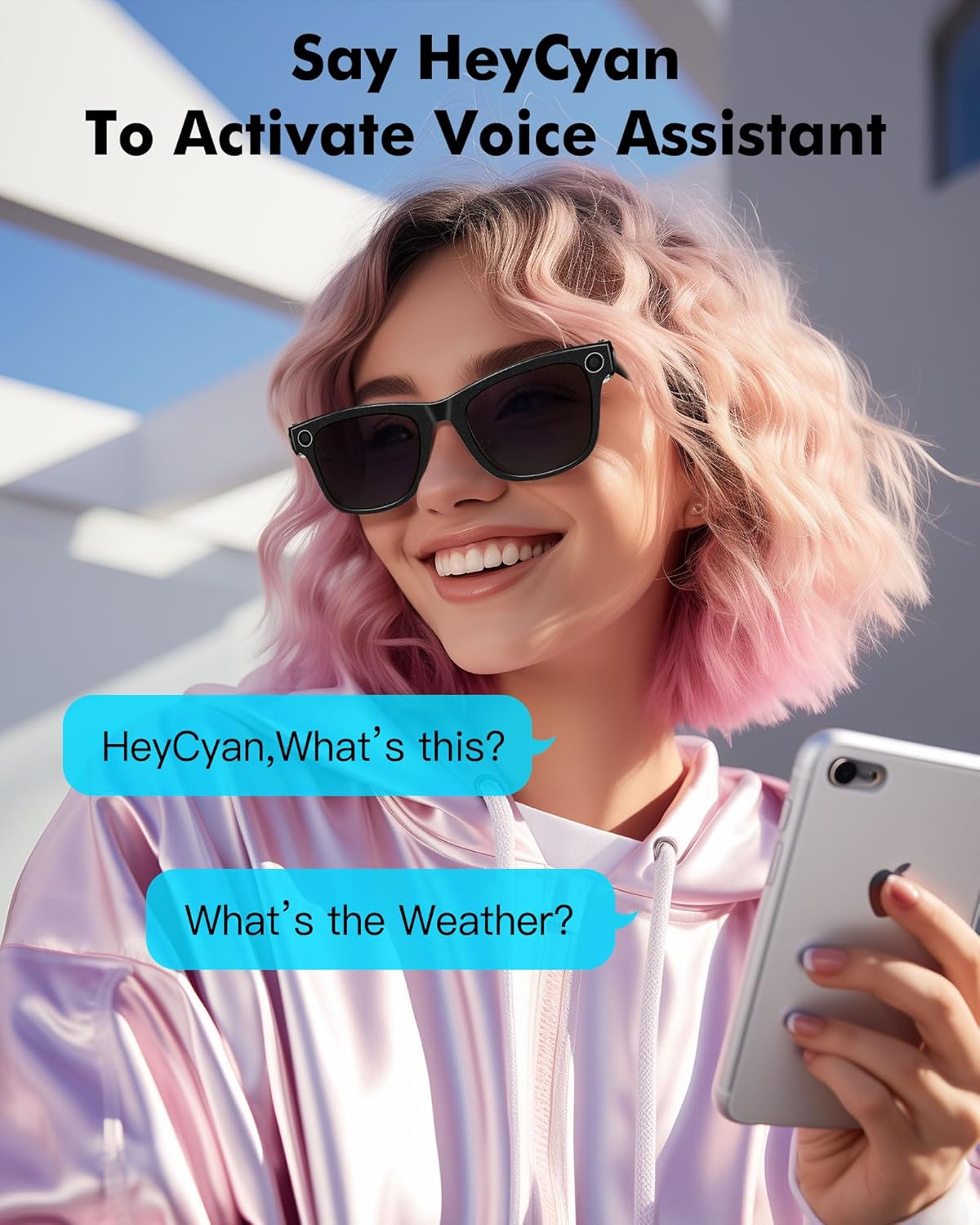
Рисунок 5.3: Активация голосового помощника
6. Зарядка
To charge your DUCO AG01 Smart Sunglasses, connect the magnetic charging cable to the charging port located on the left temple. Connect the other end of the USB cable to a compatible power source (e.g., computer USB port, wall adapter).
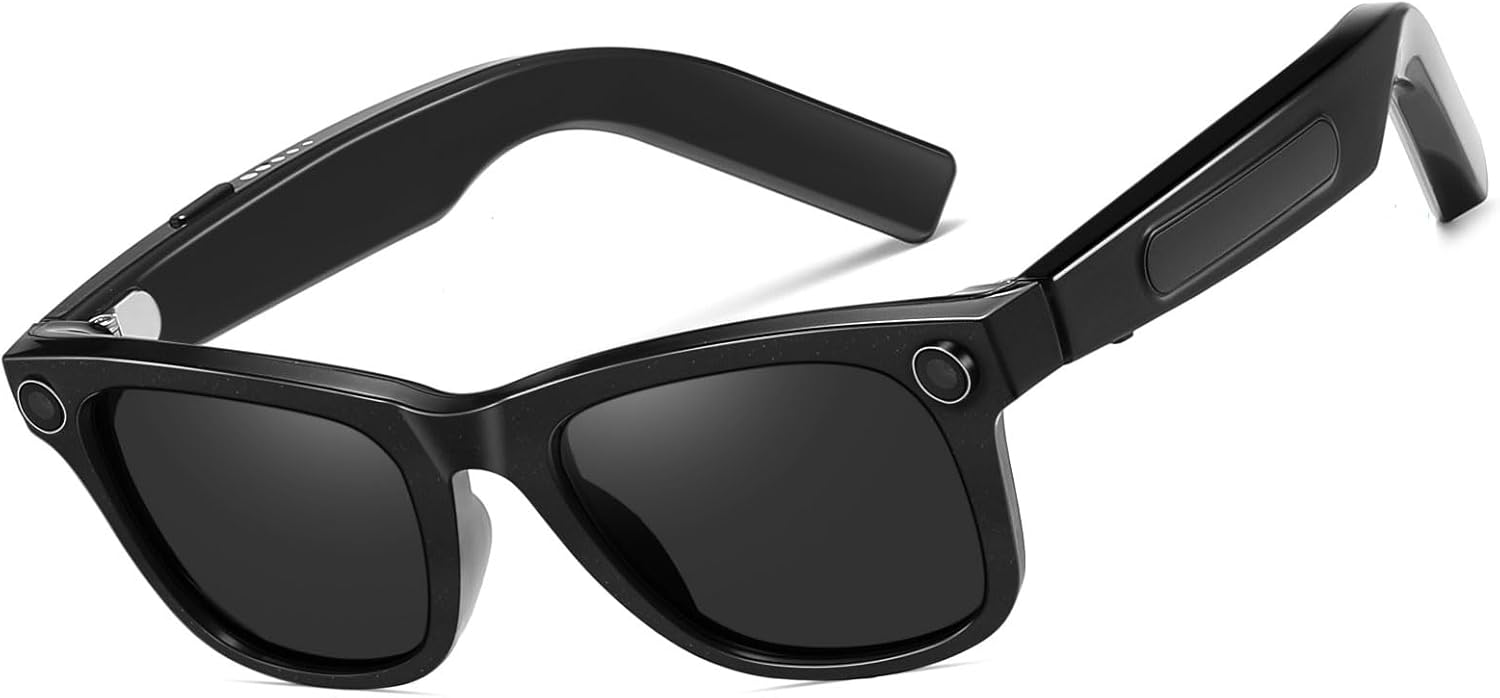
Рисунок 6.1: Расположение зарядного порта
7. Техническое обслуживание
- Уборка: Используйте прилагаемую салфетку из микрофибры для бережной протирки линз и оправы. Избегайте использования агрессивных химикатов или абразивных материалов.
- Хранилище: Когда солнцезащитные очки не используются, храните их в защитном футляре, чтобы предотвратить царапины и повреждения.
- Водостойкость: The glasses are designed for everyday use but are not fully waterproof. Avoid prolonged exposure to water or submersion.
- Температура: Do not expose the sunglasses to extreme temperatures, as this may affect battery life and electronic components.
8. Поиск Неисправностей
If you encounter issues with your DUCO AG01 Smart Sunglasses, please refer to the following common solutions:
- Невозможно включить: Ensure the glasses are fully charged. Connect them to the charging cable and allow sufficient time to charge.
- Проблемы с подключением Bluetooth: Make sure Bluetooth is enabled on your smartphone and the glasses are within range. Try restarting both the glasses and your phone. If issues persist, unpair and re-pair the device.
- Приложение не отвечает: Close and restart the "HeyCyan" app. Ensure the app is updated to the latest version.
- Плохое качество звука: Check the volume settings on both the glasses and your connected device. Ensure the speakers are not obstructed.
- Камера/видео не работает: Verify that the glasses are powered on and connected to the app. Check if there is sufficient storage space for new recordings.
For further assistance, please contact DUCO customer support.
9. Технические характеристики
| Особенность | Спецификация |
|---|---|
| Номер модели | АГ01 |
| Камера | 8MP 4K HD |
| Возможности ИИ | AI Assistant, Real-time Translation (163 languages), AI Image Interpretation |
| Связность | Блютус 5.3 |
| Аудио | Open-Ear Audio, Stereo Sound, Dual Microphones with ENC Noise Reduction |
| Емкость аккумулятора | 410мАч |
| Active Runtime | Up to 8 hours (translation/calls/music) |
| Время в режиме ожидания | До 15 дней |
| Тип объектива | UV Protected, UV400 Protection |
| Тип поляризации | Неполяризованный |
| Материал рамы | Поликарбонат |
| Материал линз | Поликарбонат |
| Длина руки | 150.5 мм |
| Ширина моста | 12.5 мм |

Рисунок 9.1: Размеры продукта
10. Гарантия и поддержка
The DUCO AG01 AI Smart Sunglasses come with a 3-летняя гарантия производителя. For warranty claims, technical support, or any product-related inquiries, please contact DUCO customer service through the official webсайт или платформа для покупок.


