1. Введение
This manual provides comprehensive instructions for the installation, operation, and maintenance of your KERUI 16-Channel 5MP Hybrid 5-in-1 Digital Video Recorder (DVR). This DVR supports various camera types including AHD, TVI, CVI, CVBS, IP, and XVI, offering a versatile solution for your security monitoring needs. Please read this manual carefully before using the product to ensure proper setup and functionality.
2. Продукт закончилсяview
The KERUI 16-Channel DVR is designed for high-definition surveillance, supporting 5MP resolution for clear and detailed image capture. It features advanced functionalities such as human detection, 24/7 recording, and remote access.
Основные характеристики:
- 5-мегапиксельная камера высокой четкости: Captures clear and detailed images with 5-megapixel resolution.
- Суперсовместимость: Supports AHD, TVI, CVI, CVBS, IP, and XVI camera types, allowing connection of up to 16 cameras.
- Умный сигнал: Equipped with motion detection and human detection, sending instant notifications and email alerts to your mobile device.
- Quick Playback Search: Features a pre-installed 2TB hard drive for continuous 24/7 recording and easy review из едыtage.
- Расширенное сжатие видео H.265+: Optimizes storage space and bandwidth by up to 50% compared to H.264.
- Удаленный доступ: Monitor your property anytime, anywhere via a mobile application.
Product Components and Connections:

Изображение 1: Передние и задние view of the KERUI 16-channel DVR, showing control buttons, video input/output ports, and a 2TB hard drive. This image illustrates the physical layout of the device and its included storage.

Изображение 2: Diagram illustrating the hybrid 5-in-1 compatibility of the DVR, supporting CVBS, CVI, TVI, AHD, and XVI camera types, along with various input/output connections like audio, network, HDMI, VGA, USB, and power. This diagram helps visualize how different camera types and peripherals connect to the DVR.
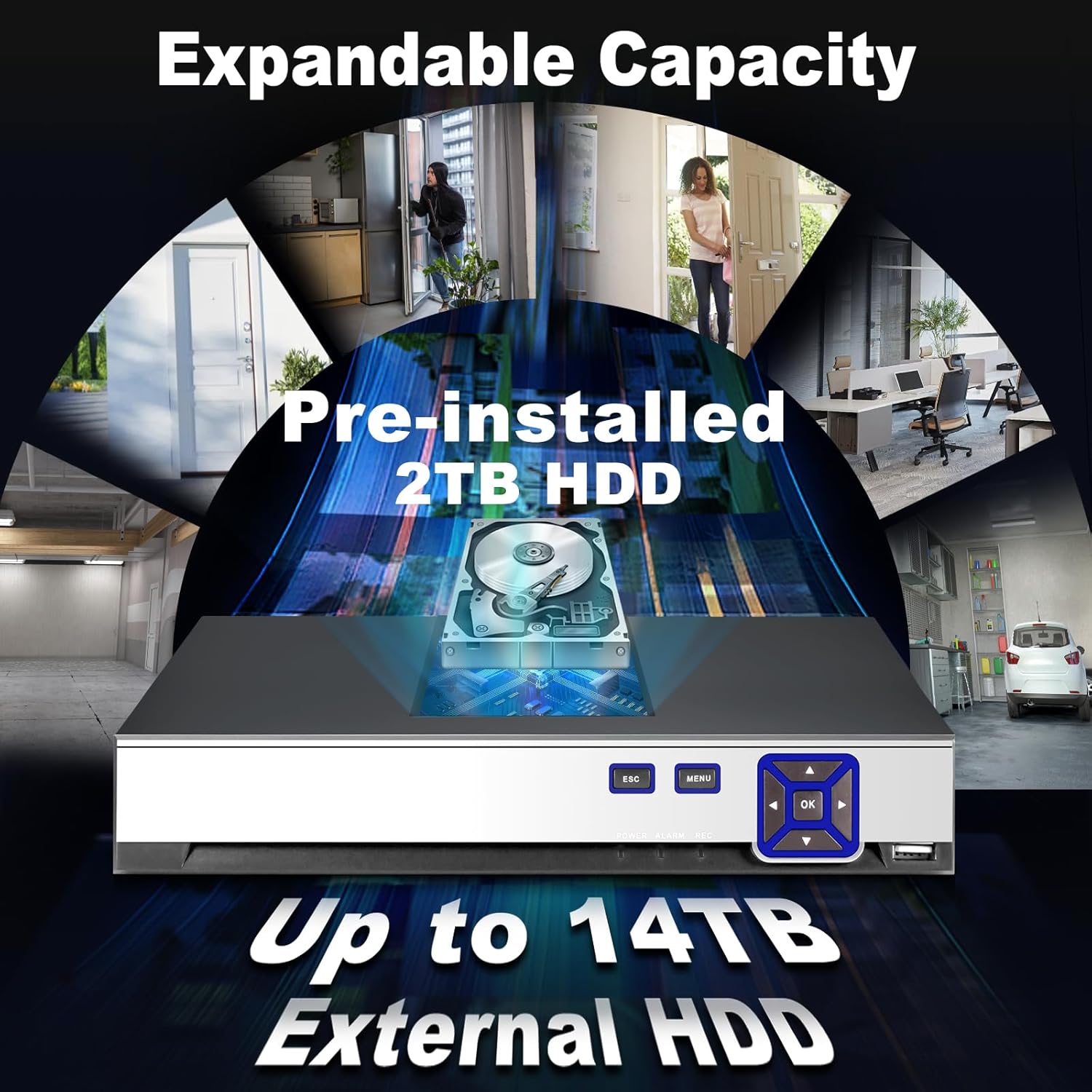
Изображение 3: Image highlighting the expandable storage capacity of the DVR, featuring a pre-installed 2TB HDD and support for up to 14TB external HDD, with various scenarios of property monitoring. This image demonstrates the DVR's capability for extensive video storage.

Изображение 4: Comparison graphic demonstrating the efficiency of H.265+ video compression over H.264, showing up to 50% storage savings and faster downloads for H.265+. This visual explains the benefits of the advanced compression technology used in the DVR.
3. Настройка
Для настройки системы видеорегистратора KERUI выполните следующие действия:
- Распакуйте и осмотрите: Carefully unpack all components. Verify that all items listed in the packing list are present and undamaged.
- Подключить камеры: Connect your AHD, TVI, CVI, CVBS, IP, or XVI cameras to the corresponding BNC video input ports (V1-V16) on the rear panel of the DVR. Ensure secure connections.
- Подключить монитор: Connect a monitor to the DVR using either the HDMI or VGA output port.
- Подключить мышь: Для навигации подключите USB-мышь к одному из USB-портов видеорегистратора.
- Подключить сеть (необязательно): Для удаленного viewing and network features, connect an Ethernet cable from your router to the LAN port on the DVR.
- Подключите питание: Connect the provided power adapter to the DVR's DC 12V power input and then plug it into a power outlet. The DVR will power on automatically.
- Начальная конфигурация: Upon first boot, follow the on-screen wizard to set up basic parameters such as language, date/time, network settings, and password.
4. Инструкция по эксплуатации
This section covers basic operation of your DVR.
Жить View:
After successful setup, the DVR will display live video feeds from connected cameras on your monitor. You can switch between single-camera view и многокамерная сетка view using the on-screen controls or the DVR's front panel buttons.
Запись:

Изображение 5: Visual representation of the 24/7 non-stop recording capability, showing a user monitoring multiple camera feeds on a screen, emphasizing continuous security. This image highlights the DVR's ability to record continuously for maximum security.
- Непрерывная запись: The DVR is configured for 24/7 continuous recording by default, utilizing the pre-installed 2TB HDD.
- Запись, активируемая движением: You can configure specific channels to record only when motion is detected. Access the recording schedule settings in the main menu.
Воспроизведение:

Изображение 6: Sequence of images demonstrating the advanced smart playback function, allowing users to quickly review записано фуtage of events, such as a person approaching a door. This image illustrates the ease of reviewопределенных событий.
- Navigate to the 'Playback' section from the main menu.
- Select the desired date and camera channel.
- Use the timeline to locate and play back recorded events. The smart playback feature allows for quick navigation to events.
Smart Alarm and Human Detection:

Изображение 7: Illustration of the AI motion and human detection feature, showing detected human figures outlined in green, with app push notifications and email alerts for security events. This image demonstrates how the DVR identifies and alerts users to human activity.
- Access 'Alarm Settings' in the main menu.
- Configure motion detection zones and sensitivity for each camera.
- Enable human detection for specific channels to reduce false alarms.
- Set up email alerts and push notifications to your mobile app for immediate alerts.
Удаленный доступ:

Изображение 8: Graphic depicting free and easy remote access to the DVR system via a mobile application (available on App Store and Google Play), showing multiple users monitoring their property from various devices. This image illustrates the convenience of monitoring your security system remotely.
- Download the official KERUI mobile application from the App Store (iOS) or Google Play (Android).
- Register an account and add your DVR device using its unique ID or QR code.
- После подключения вы можете view транслируйте события в режиме реального времени, воспроизводите записи и получайте оповещения из любой точки мира, где есть подключение к Интернету.
5. Техническое обслуживание
Регулярное техническое обслуживание обеспечивает оптимальную производительность и долговечность вашей системы видеорегистратора.
- Чистота: Keep the DVR unit clean and free from dust. Use a soft, dry cloth for cleaning. Do not use liquid cleaners.
- Вентиляция: Убедитесь, что видеорегистратор установлен в хорошо проветриваемом месте, чтобы предотвратить перегрев. Не закрывайте вентиляционные отверстия.
- Обновления прошивки: Периодически проверяйте информацию производителя. webСайт для обновления прошивки. Обновление прошивки может улучшить производительность и добавить новые функции.
- Состояние жесткого диска: Monitor the health of the hard drive through the DVR's system settings. Replace the HDD if any issues are detected to prevent data loss.
- Безопасность пароля: Regularly change your DVR and app passwords to maintain security.
6. Поиск Неисправностей
В этом разделе рассматриваются распространенные проблемы, с которыми вы можете столкнуться.
| Проблема | Возможная причина | Решение |
|---|---|---|
| Нет изображения на мониторе | Ненадежное кабельное соединение, неправильный источник входного сигнала на мониторе, видеорегистратор не включен. | Проверьте подключение кабелей HDMI/VGA. Убедитесь, что монитор настроен на правильный вход. Проверьте питание видеорегистратора. |
| Нет изображения камеры | Camera not powered, video cable loose, camera incompatible, incorrect video format. | Check camera power supply. Secure video cable connections. Verify camera compatibility and video format settings in DVR. |
| Невозможно получить удаленный доступ к DVR | Отключен сетевой кабель, неверные сетевые настройки, проблемы с брандмауэром, приложение не настроено. | Ensure DVR is connected to the network. Check network settings (IP address, gateway). Verify router/firewall settings. Reconfigure mobile app. |
| Обнаружение движения не работает или слишком чувствительно | Detection zone not set, sensitivity too low/high, schedule not configured. | Adjust motion detection zones and sensitivity in settings. Verify alarm schedule. Ensure human detection is enabled if desired. |
| Нет записи | HDD full or faulty, recording schedule incorrect, camera not connected. | Check HDD status and capacity. Verify recording schedule. Ensure cameras are properly connected and functioning. |
7. Технические характеристики
| Особенность | Спецификация |
|---|---|
| Бренд | КЕРУИ |
| Номер модели | 89419555-0419-4cdb-8c1d-f13bbf71a839 |
| Количество каналов | 16 |
| Поддержка разрешения видео | 16 x 5MN@12fps, 16 x 4MN@15fps, 16 x 1080p@15fps (XVI) |
| Совместимость с камерами | AHD/TVI/CVI/CVBS/IP/XVI (6-in-1 Hybrid) |
| Предустановленное хранилище | Жесткий диск 2 ТБ |
| Расширяемое хранилище | Up to 14 TB External HDD |
| Сжатие видео | H.265 + |
| Совместимые устройства | Камера |
| Размеры упаковки | 35.1 х 28.4 х 7.9 см |
| Вес упаковки | 1.92 кг |
| В комплект входят аксессуары | 1 DVR, 1 2TB HDD |
8. Гарантия и поддержка
For warranty information and technical support, please refer to the documentation included with your purchase or contact KERUI customer service directly. Contact details are typically available on the manufacturer's official webсайте или через точку покупки.
If you encounter any quality issues or installation connection problems with your KERUI security DVR system, please do not hesitate to contact us at any time.


