Введение
This manual provides detailed instructions for the assembly, operation, and maintenance of your Wemart Computer Desk. Please read all instructions carefully before beginning assembly and retain this manual for future reference.
Информация по безопасности
Your safety is important. Please observe the following guidelines:
- Всегда собирайте стол в соответствии с прилагаемой инструкцией.
- Не превышайте максимальный предел веса 330 фунта (150 кг) to maintain stability and safety.
- Храните все мелкие детали и упаковочные материалы в недоступном для детей месте.
- Use appropriate tools as specified in the assembly steps.
- Ensure all connections are secure and tightened before using the desk.
- Не вставайте и не забирайтесь на стол.
Содержимое упаковки
Перед сборкой убедитесь, что все перечисленные ниже компоненты присутствуют и не повреждены. Если какие-либо детали отсутствуют или повреждены, обратитесь в службу поддержки клиентов.
- Панель рабочего стола
- Drawer Units (3)
- Desk Legs / Frame Components (U-shaped and plate frame)
- Полки для хранения
- Крепежные элементы для сборки (винты, кулачковые замки, штифты и т. д.)
- Инструменты для сборки (например, шестигранный ключ)
- Руководство по эксплуатации
Инструкция по сборке
It is recommended to assemble the desk on a soft, clean surface to prevent scratches. Two people may be required for certain steps to ensure stability and ease of assembly.
- Распакуйте и идентифицируйте детали: Carefully unpack all components and lay them out. Refer to the parts list to identify each piece.
- Соберите каркас: Begin by attaching the U-shaped frame and plate frame components. Ensure all connections are secure to form a stable base.

Image: Double frame support for enhanced stability.
- Прикрепите полки для хранения: Secure the lower storage shelves to the assembled frame.

Image: Lower storage shelves providing additional space.
- Assemble Drawer Units: Construct the three drawer units according to the instructions provided for the drawer slides and panels.
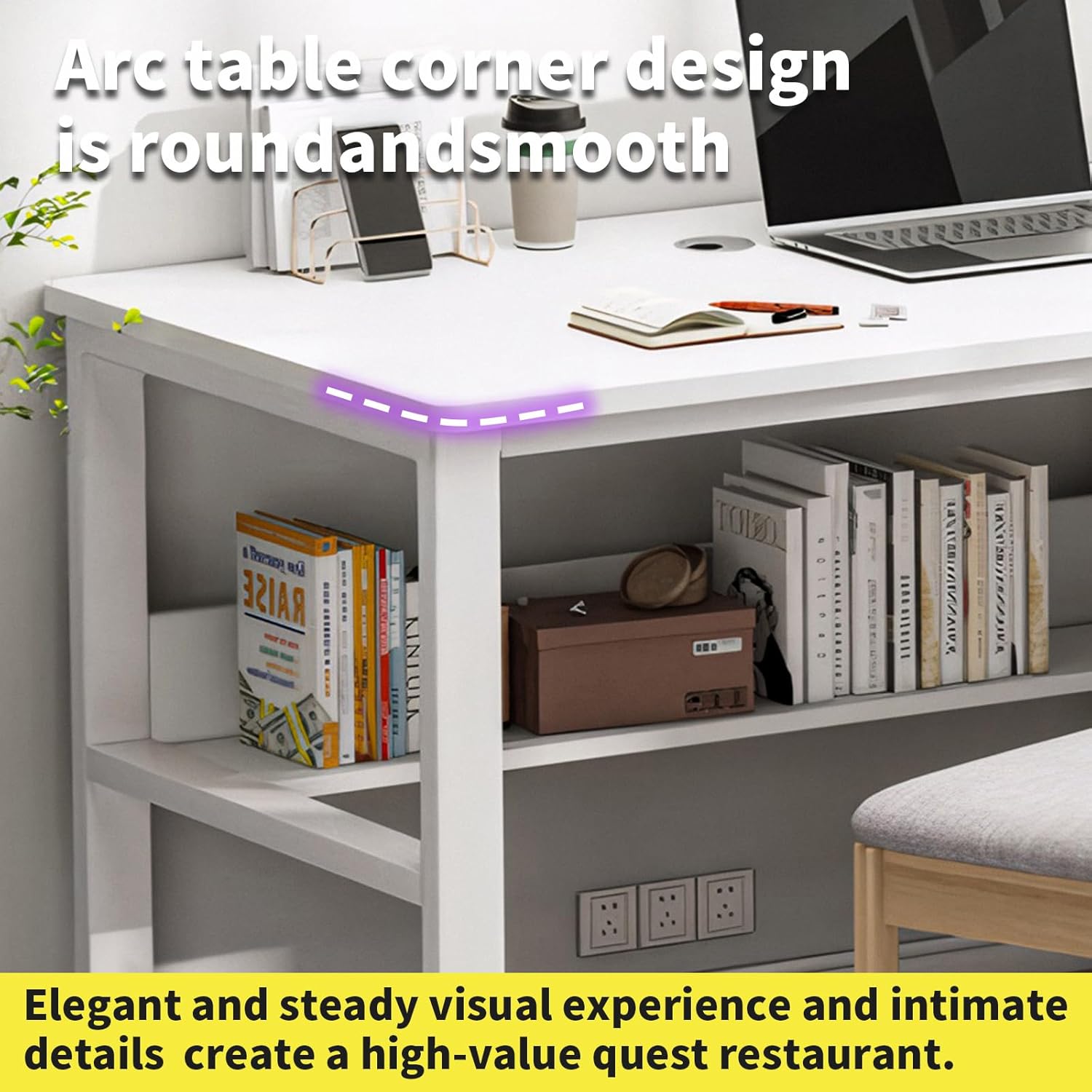
Image: Assembled drawer units with integrated locks.
- Прикрепить панель рабочего стола: Carefully place the desktop panel onto the assembled frame and drawer units. Secure it using the provided hardware.
- Окончательные проверки: Ensure all screws are tightened and the desk is stable and level before placing any items on it.
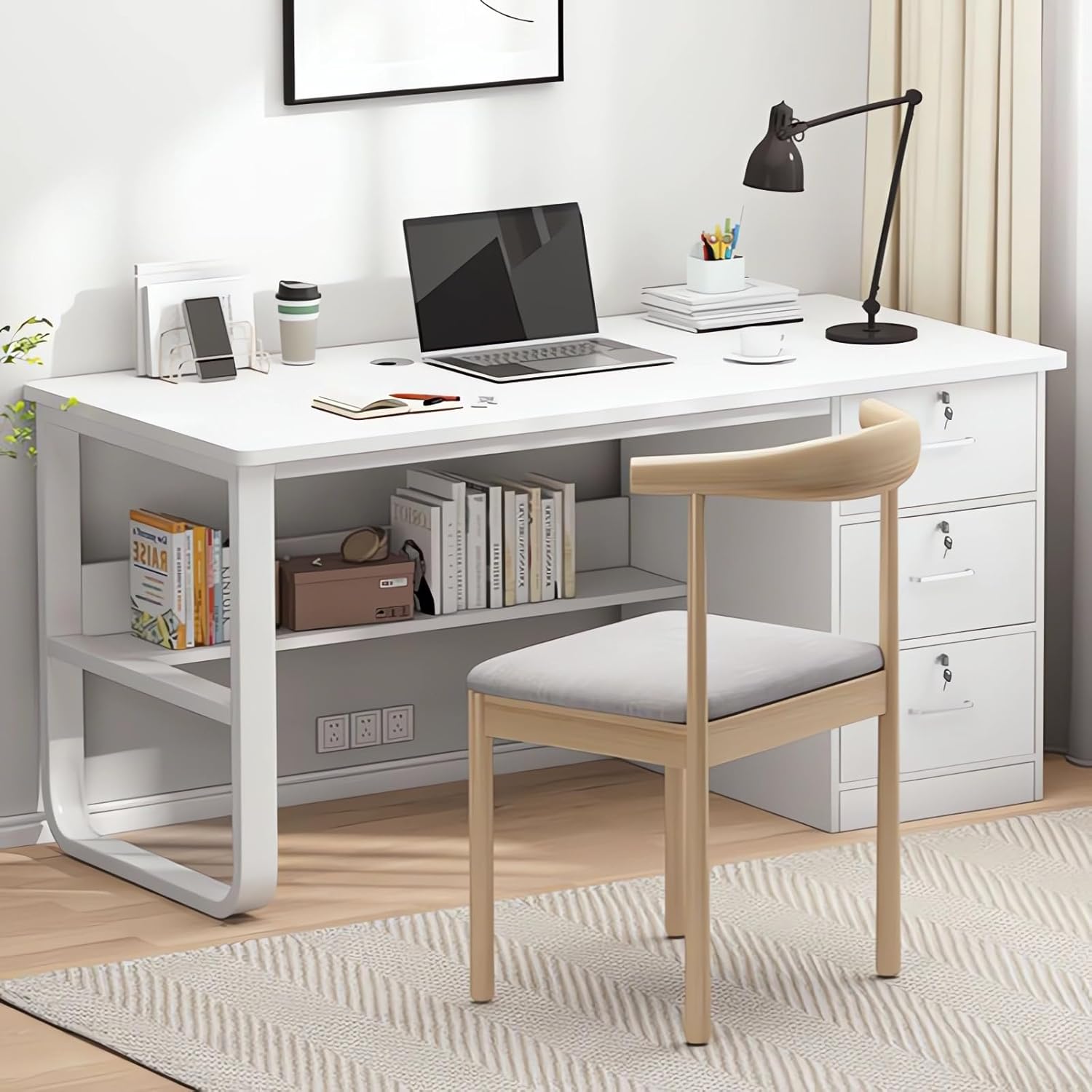
Image: Fully assembled Wemart Computer Desk.
Инструкция по эксплуатации
Your Wemart Computer Desk is designed for efficient use in home office or study environments.
Использование рабочего стола
The 120x50cm desktop provides ample space for a computer, keyboard, mouse, and other work essentials. The integrated threading holes help manage cables for a tidy workspace.

Image: Spacious desktop for work and study.
Использование ящика
The three drawers offer secure storage for documents, office supplies, and personal items. Each drawer is equipped with a lock for privacy. Insert the key and turn to lock or unlock.
Полки для хранения
Utilize the lower storage shelves for books, files, or small electronic devices, keeping your workspace organized and accessible.
Уход и обслуживание
Правильный уход продлит срок службы и сохранит внешний вид вашего стола.
- Уборка: Протрите поверхности мягкой, слегка влажной тряпкой.amp Используйте ткань. Избегайте абразивных чистящих средств, агрессивных химикатов или растворителей, так как они могут повредить покрытие.
- Разливы: Immediately wipe up any spills to prevent moisture damage or staining to the wood finish.
- Нагревать: Do not place hot items directly on the desktop. Always use coasters or protective pads.
- Распределение веса: Distribute weight evenly across the desktop and shelves. Do not exceed the maximum weight capacity.
- Инспекция: Периодически проверяйте все винты и соединения на надёжность и надёжность затяжки. При необходимости подтяните.
Устранение распространенных проблем
Desk is Unstable or Wobbly
If the desk feels unstable, ensure all assembly screws are fully tightened. Check that the desk is placed on a level surface. If your floor is uneven, you may need to use shims or adjust any integrated leg levelers (if present).

Image: Comparison of stable double-frame support versus single U-shaped support.
Drawers Do Not Slide Smoothly
Check for any obstructions in the drawer slides. Ensure the drawer unit is assembled correctly and aligned within the desk frame. Verify that the drawer slides are properly installed and lubricated if necessary.
Недостающие части
Refer to the 'Package Contents' list. If parts are missing, please contact Wemart customer support with your purchase details.
Технические характеристики продукта
| Особенность | Деталь |
|---|---|
| Бренд | Вемарт |
| Номер модели | CT-1027 |
| Цвет | Белый |
| Размеры продукта (Ш x Г x В) | 120 см х 50 см х 75 см |
| Материал | Engineered Wood (Walnut Wood finish) |
| Вес товара | 16 Килограмма |
| Грузоподъемность | До 330 фунтов (150 кг) |
| Особые возможности | 3 Lockable Drawers, Cable Management Hole, Ergonomic Design, Double Frame Support |
Гарантия и поддержка клиентов
Wemart provides a Гарантия 24 месяца covering quality-related issues from the date of purchase. For warranty claims, replacements, or full refunds, please contact Wemart customer support with your purchase details.
For assistance, questions, or suggestions regarding your Wemart Computer Desk, please visit the Wemart Store on Amazon or contact our dedicated support team directly. We are committed to providing the best shopping experience for every customer.


