Введение
Thank you for choosing the GMBACK Wireless Pro Controller. This manual provides detailed instructions for setting up, operating, and maintaining your controller to ensure optimal performance and an enhanced gaming experience. Please read this manual thoroughly before use.
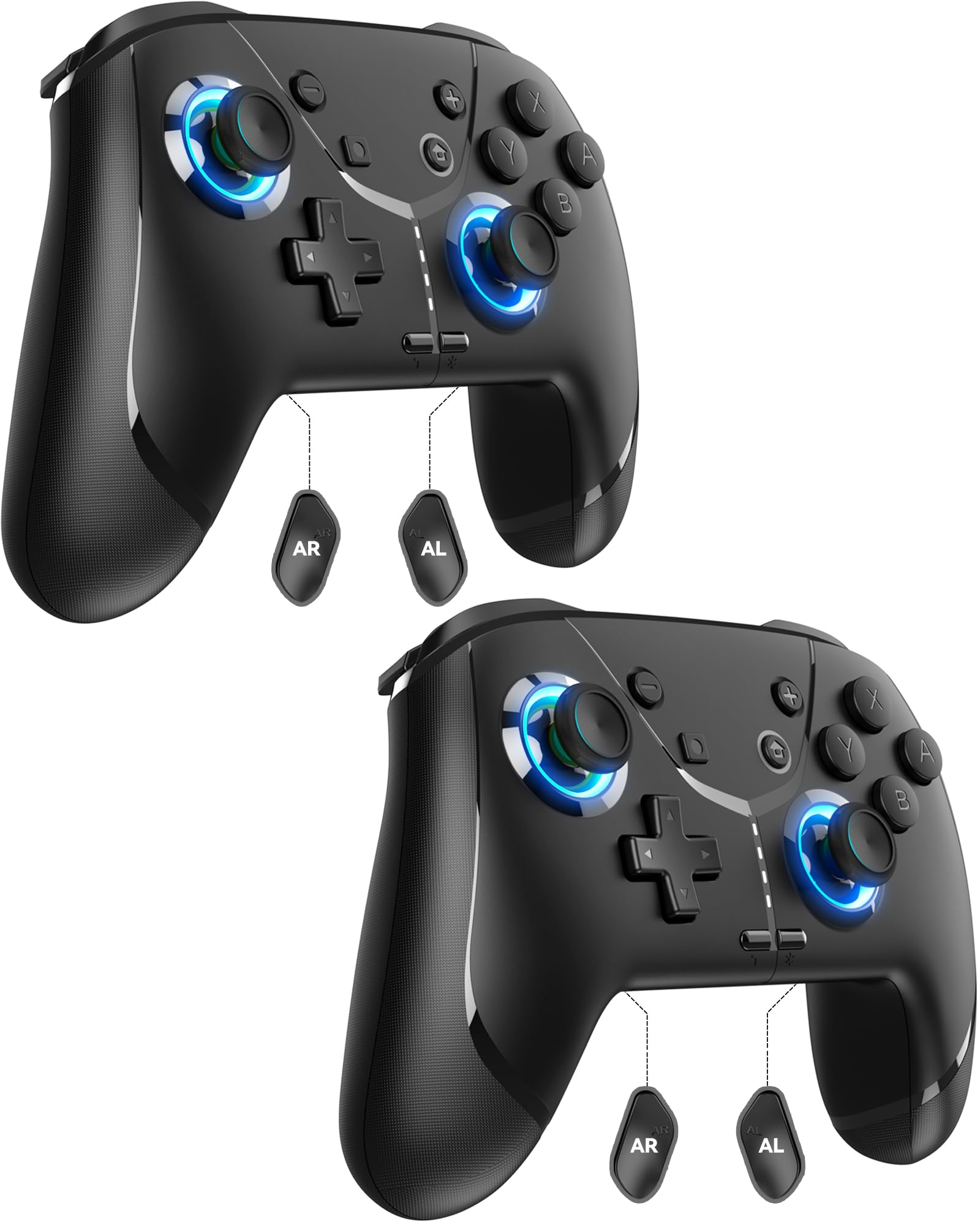
Image: GMBACK Wireless Pro Controller, front view.
Содержимое упаковки
- 2 x GMBACK Wireless Pro Controllers
- 2 зарядных кабеля USB-C
- 1 х Руководство пользователя
Начиная
1. Сопряжение с Nintendo Switch
- Убедитесь, что ваша консоль Nintendo Switch включена и обновлена до последней версии системного программного обеспечения.
- В меню HOME выберите «Контроллеры», затем «Сменить хват/порядок».
- On the GMBACK controller, press and hold the Кнопка синхронизации (located on the top edge near the USB-C port) for 3-5 seconds until the LED indicators begin to flash rapidly.
- The controller will automatically pair with the Switch. Once paired, the player LED(s) on the bottom of the controller will light up solid.

Image: GMBACK Wireless Pro Controller connected to a Nintendo Switch console.
2. Подключение к ПК (проводное)
- Connect the GMBACK controller to your PC using the provided USB-C cable.
- Контроллер будет распознан как стандартный геймпад. Драйверы могут быть установлены автоматически.
- For optimal compatibility, ensure your PC's operating system is up to date.
3. Зарядка контроллера
- Подключите контроллер к источнику питания USB (например, док-станции Switch, ПК, сетевому адаптеру USB) с помощью прилагаемого кабеля USB-C.
- Светодиодные индикаторы будут показывать состояние зарядки. Полная зарядка обычно занимает 2-3 часа.
- The controller features an 800mAh battery, providing approximately 15-20 hours of playtime on a full charge.

Image: Visual representation of the 800mAh battery, 15-20 hours playtime, and 2-3 hours charging time.
Основные характеристики и функции
1. Loop Macro Function
The controller supports a loop macro function, allowing you to record and replay a sequence of up to 30 seconds of button presses and joystick movements. This includes joysticks, triggers, D-pad, ABXY, and +/- buttons.
- Записать: Refer to the detailed instructions in the included user manual for specific recording steps.
- To Start/Stop Loop: Держите Кнопка Turbo и Кнопка макроса simultaneously. The controller will automatically replay your recorded actions in a continuous loop.

Изображение: сзади view of the controller highlighting the AR and AL programmable buttons and the text 'Loop Macro Function'.
2. 6-осевой гироскопический датчик
The integrated 6-axis gyro sensor provides precise motion detection, allowing for intuitive control in compatible games that utilize motion sensing. This enhances immersion and gameplay accuracy.

Image: Controller being used for a racing game, illustrating the 6-Axis Gyro Sensor feature.
3. Customizable Turbo Function
The controller offers three adjustable turbo speeds for rapid-fire actions. This feature can be set to either auto-fire or manual-fire mode.
- Для регулировки скорости турбонаддува: Refer to the included user manual for specific button combinations to cycle through the three turbo speeds.
- To Activate/Deactivate Turbo: Нажмите Кнопка Turbo along with the desired action button.

Image: Controller displaying the 'Auto & Manual Turbo' feature with a gaming background.
4. Dual Vibration Adjustment
Experience immersive feedback with four levels of dual vibration intensity: None, Weak, Medium, and Strong. Adjust the vibration to your preference for different games.
- To Adjust Vibration: Consult the user manual for the specific button combination to cycle through vibration levels.

Image: Controller illustrating the four levels of dual vibration: None, Weak, Medium, Strong.
5. RGB-подсветка
The controller features dynamic RGB lighting around the joysticks, enhancing the visual appeal during gameplay. The lighting can be adjusted or turned off.
- To Adjust RGB Lighting: Refer to the user manual for instructions on changing lighting modes or turning off the lights.

Image: Controller showcasing its RGB lighting feature around the joysticks.
6. Remappable ABXY Buttons
The ABXY buttons can be remapped to switch between Nintendo Switch and Xbox layouts, providing flexibility for different gaming preferences without needing to physically remove any buttons.
- To Remap ABXY: Follow the instructions in the user manual for the specific button sequence to switch layouts.

Image: Controller illustrating the ABXY button function switching between Nintendo Switch and Xbox layouts.
7. Screenshot and Home Wake-up
- The controller includes a dedicated Кнопка снимка экрана for capturing in-game moments.
- The Кнопка «Домой» can be used to wake up your Nintendo Switch console from sleep mode.
Обслуживание
- Уборка: Для чистки контроллера используйте мягкую сухую ткань. Избегайте использования едких химикатов и абразивных материалов.
- Хранилище: Храните контроллер в прохладном, сухом месте, вдали от прямых солнечных лучей и экстремальных температур.
- Уход батареи: Чтобы продлить срок службы батареи, избегайте частой полной разрядки контроллера. Регулярно заряжайте его, даже если он не используется постоянно.
Поиск неисправностей
- Контроллер не подключается:
- Убедитесь, что контроллер заряжен.
- Убедитесь, что Switch находится в режиме «Изменение рукоятки/порядка».
- Try restarting both the Switch and the controller.
- Убедитесь, что никакие другие беспроводные устройства не создают помех.
- Кнопки не реагируют:
- Check if the controller is properly paired.
- Test button functionality in Switch system settings.
- Ensure the controller's firmware is up to date (if applicable, check GMBACK support webсайт).
- Проблемы с зарядкой:
- Use the provided USB-C cable.
- Попробуйте использовать другой источник питания USB.
- Убедитесь, что порт зарядки на контроллере чистый и не засорен.
Технические характеристики
| Особенность | Деталь |
|---|---|
| Модель | HD6900 |
| Совместимость | Nintendo Switch 2, Switch, Switch Lite, Switch OLED, Windows PC (wired) |
| Емкость аккумулятора | 800мАч |
| Время игры | 15-20 часа |
| Время зарядки | 2-3 часа |
| Связность | Беспроводное (Bluetooth), проводное (USB-C) |
| Особые возможности | Loop Macro, 6-Axis Gyro Sensor, Dual Vibration (4 levels), Adjustable Turbo (3 speeds), RGB Lighting, Remappable ABXY, Screenshot, Home Wake-up |
| Вес товара | 8.5 унции |
| Размеры упаковки | 6.54 x 5.31 x 5.28 дюйма |
Официальное видео о продукте
Видео: Оверview of the GMBACK Wireless Switch Controller, demonstrating its features and compatibility with Nintendo Switch, Switch Lite, and Switch OLED consoles.
Гарантия и поддержка
GMBACK products come with a standard manufacturer's warranty. For detailed warranty information, technical support, or any inquiries regarding your controller, please refer to the contact information provided on the product packaging or visit the official GMBACK webсайт.

Image: Icon representing customer support.
