Введение
The Blackstar Beam Solo is a compact and versatile headphone amplifier designed for electric, acoustic, and bass guitars. It provides a premium sound experience with extensive tone customization options through its dedicated mobile application. This manual provides essential information for setting up, operating, maintaining, and troubleshooting your Beam Solo device.
Содержимое упаковки
- Blackstar Beam Solo Headphone Ampпожизненнее
- Зарядный кабель USB-C
- Руководство по эксплуатации (данный документ)
Настраивать
1. Зарядка устройства
Before initial use, ensure your Beam Solo is fully charged. Connect the device to a power source using a standard USB-C cable. The interactive light beam will indicate charging status.

Изображение: сбоку view of the Beam Solo, highlighting the USB-C port for charging and the ON/OFF switch.
2. Connecting to Your Instrument
The Beam Solo features an integrated adjustable 1/4" jack plug. Insert this plug into your guitar's output jack. The adjustable design ensures compatibility with various guitar body styles.
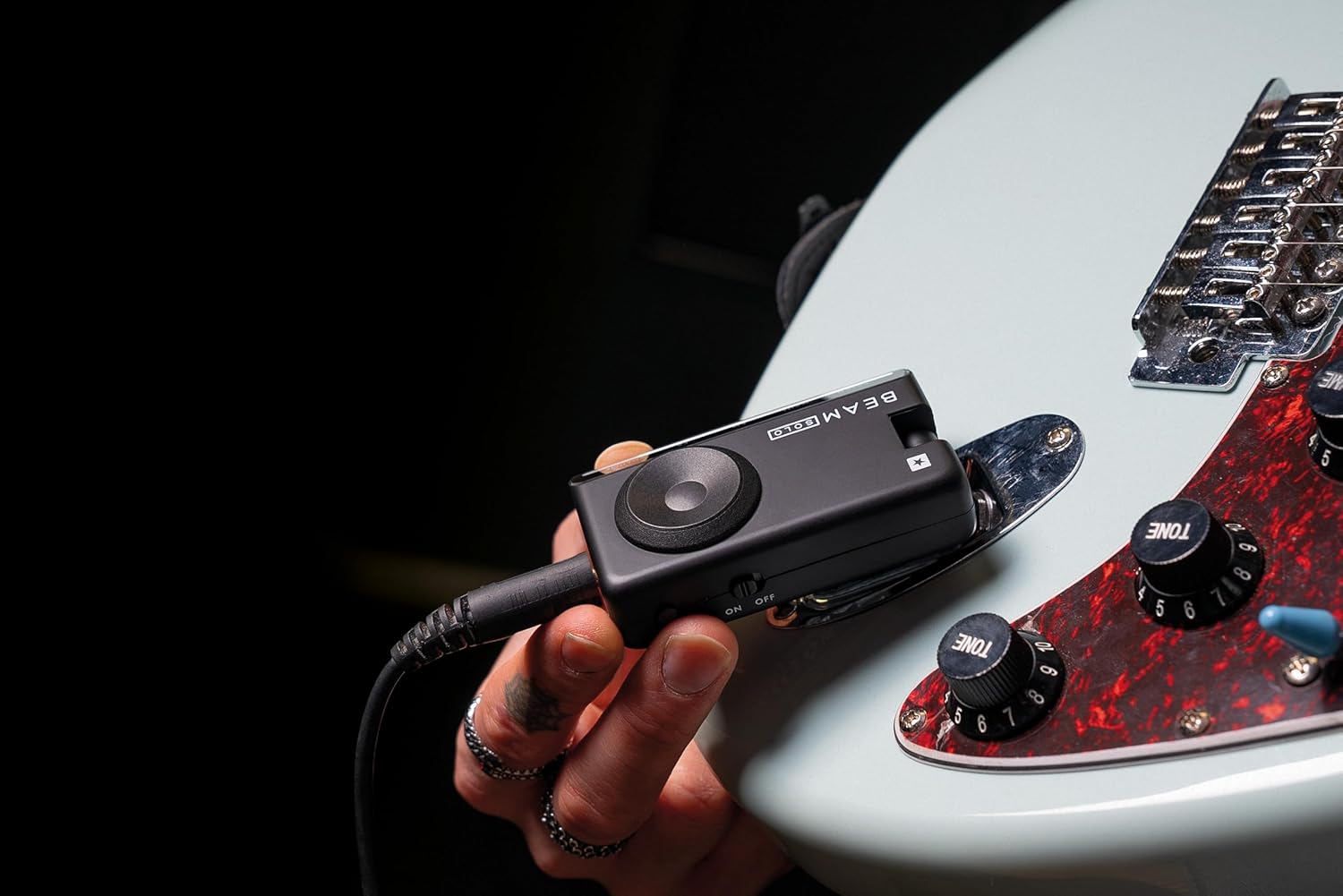
Image: The Blackstar Beam Solo plugged into the output jack of an electric guitar.

Изображение: под углом view of the Beam Solo, illustrating the adjustable 1/4" jack plug for flexible connection to instruments.
3. Подключение наушников
Plug your headphones into the 3.5mm TRRS headphone jack on the Beam Solo. This ensures crystal-clear monitoring of your instrument's sound.

Изображение: сверху view of the Blackstar Beam Solo, showing the headphone socket and SpeedDial control.
4. Включение
Locate the ON/OFF switch on the side of the device and slide it to the 'ON' position. The device is now ready for use.
5. Initial App Connection (Optional)
For advanced tone customization and features, download the Blackstar BEAM App from your device's app store. Enable Bluetooth on your mobile device and pair it with the Beam Solo. The app provides real-time control over various settings.
Операция
Бортовые элементы управления
The Beam Solo features intuitive onboard controls for quick adjustments:
- Патч: Selects different sound presets. Hold to save current settings.
- Прирост: Adjusts the input sensitivity and drive level.
- EQ: Modifies the tonal characteristics (bass, mid, treble).
- Эффекты: Controls the effects parameters. Tap to set tempo for time-based effects.
- Объем: Adjusts the overall output volume. Hold to activate the built-in tuner.
- SpeedDial: A rotary control for quick navigation and parameter adjustment.

Image: Diagram illustrating the various controls and ports on the Blackstar Beam Solo, including Patch, Gain, EQ, FX, Volume, SpeedDial, Headphone Socket, USB-C, and Bluetooth Audio.
Using the Blackstar BEAM App
The Blackstar BEAM App unlocks the full potential of your Beam Solo, offering comprehensive control over your tone. Connect via Bluetooth to access:
- Amp Типы: Choose from over 8 different ampЛифтерные модели.
- Эффекты: Access over 35 effects, including pre-FX (gate, filter/comp, drive/fuzz) and post-FX (modulation, delay, reverb).
- Корпуса и микрофоны: Select from over 24 cabinet and microphone combinations.
- Room Environments: Customize your sound with over 9 room environment combinations.
- Патчи: Create, save, and share custom patches. Explore artist-created patches and a community library.
- Интегрированные инструменты: Utilize the built-in tuner and metronome.
- Backing Tracks: Access integrated lessons and backing tracks for practice.

Image: A visual representation of the Blackstar BEAM App interface on a smartphone, demonstrating its capabilities for tone customization.
Recording Vocals
The Beam Solo can be used as a high-quality audio interface via its USB-C port. When connected to a computer, you can record your instrument and vocals simultaneously using a compatible headset microphone.
Video: An official product video demonstrating the Blackstar Beam Solo's features, including recording vocals with a headset microphone.
Обслуживание
- Уборка: Протирайте устройство мягкой сухой тканью. Избегайте использования абразивных чистящих средств или растворителей.
- Хранилище: Store the Beam Solo in a cool, dry place away from direct sunlight and extreme temperatures.
- Уход батареи: Чтобы продлить срок службы аккумулятора, избегайте частой полной разрядки устройства. Регулярно заряжайте его, особенно при длительном хранении.
- Обновления прошивки: Periodically check the Blackstar BEAM App for available firmware updates to ensure optimal performance and access to new features.
Поиск неисправностей
| Проблема | Возможная причина | Решение |
|---|---|---|
| Нет звука в наушниках. | Device is off, headphones not connected, volume too low, or guitar not connected properly. | Ensure the device is ON, headphones are fully plugged in, volume is adjusted, and the guitar jack is securely inserted. |
| Bluetooth connectivity issues with app. | Bluetooth not enabled, device not paired, or app glitch. | Ensure Bluetooth is enabled on your mobile device. Try unpairing and re-pairing the Beam Solo. Restart the app and/or the Beam Solo. Check for app updates. |
| Low output volume. | Volume control set too low on device or within the app. | Increase the volume using the SpeedDial on the device or the volume control within the Blackstar BEAM App. Check headphone volume. |
| App is glitchy or inconsistent. | Software bug or temporary issue. | Restart the app. Ensure your app and device firmware are up to date. If issues persist, contact Blackstar support. |
Технические характеристики
| Особенность | Деталь |
|---|---|
| Номер модели | BA206010 |
| Размеры продукта | 1.8"Г x 4.33"Ш x 3.75"В (4.57 x 10.99 x 9.52 см) |
| Вес товара | 6 унции (170 грамма) |
| Материал | Пластик |
| Цвет | Черный |
| Совместимые устройства | Электрогитара, акустическая гитара, бас-гитара |
| Связность | 1/4" Instrument Input, 3.5mm TRRS Headphone Output, USB-C (for charging and audio interface), Bluetooth |
| Срок службы батареи | Approximately 5 hours+ (charged via USB-C) |
| Ampмодели лифта | 8+ (via BEAM App) |
| Эффекты | 35+ (via BEAM App) |
| Cabinet & Mic Combos | 24+ (via BEAM App) |
| Room Environments | 9+ (via BEAM App) |

Image: A summary of key specifications and features of the Blackstar Beam Solo, including battery life, number of amplifiers, effects, and cabinet/microphone combinations available through the app.
Информация о гарантии
For detailed warranty information regarding your Blackstar Beam Solo Headphone Amplifier, please refer to the warranty card included with your product or visit the official Blackstar Ampлификация webсайт. Условия гарантии могут различаться в зависимости от региона.
Поддержка клиентов
Should you require technical assistance, have questions about your product, or need to report an issue, please visit the official Blackstar Amplification support page or contact their customer service directly. Contact details can typically be found on the manufacturer's webсайте или в упаковке продукта.
Черная звезда Ampлификация Webсайт: www.блэкстарamps.com