Введение
This manual provides detailed instructions for the setup, operation, and maintenance of your SPYPOINT FORCE-PRO 30 Megapixel 4K Trail Camera. Designed for outdoor monitoring, this camera captures high-resolution photos and videos, making it ideal for wildlife observation and security. Please read this manual thoroughly to ensure proper use and optimal performance of your device.
Содержимое упаковки
Verify that all items listed below are present in your package. If any items are missing or damaged, please contact SPYPOINT customer support.
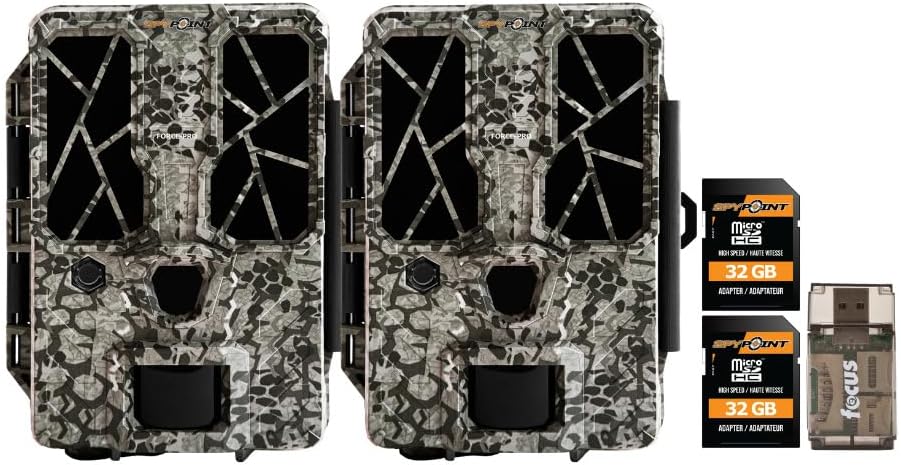
- 2 x SPYPOINT FORCE-PRO 30 Megapixel Trail Camera
- 2 x SPYPOINT MicroSD 32GB Ultra High Speed Class 10 Memory Card
- 1 x Focus All-In-One High Speed Card Reader

Продукт болееview
The SPYPOINT FORCE-PRO is a robust trail camera designed for reliable performance in outdoor environments. It features advanced imaging capabilities and user-friendly controls.
Основные характеристики
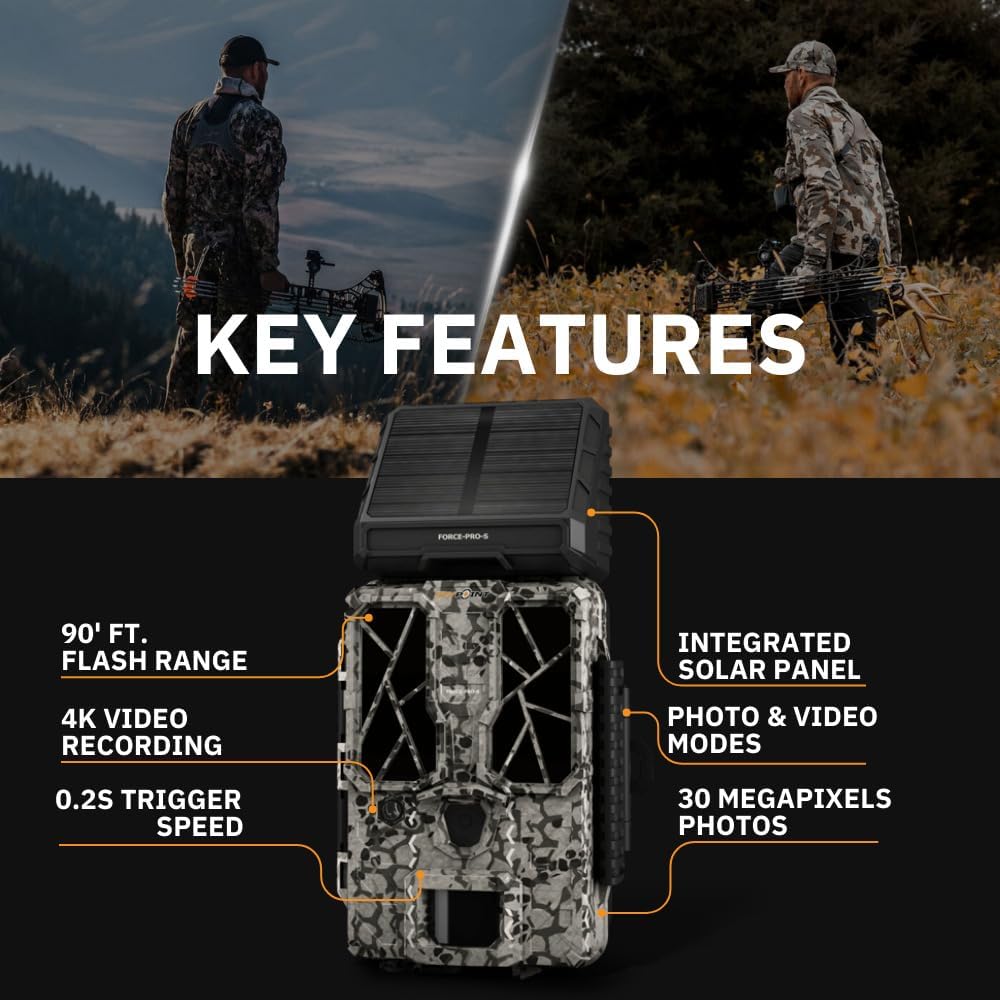
- Высокое разрешение: 30 Megapixel photos and 4K video recording with sound.
- Высокая скорость срабатывания: Ultra-fast 0.2-second trigger speed to capture quick movements.
- Широкий диапазон обнаружения: 110-foot detection range.
- Powerful Flash: 90-foot flash range with 54 LEDs for clear night images.
- Интегрированная солнечная панель: For extended battery life and reduced maintenance.
- Dual-SIM Cellular: Automatically connects to the best available network for reliable transmission (if cellular model).



Настраивать
1. Установка источника питания
The FORCE-PRO camera is equipped with an integrated solar panel for charging its internal battery. For initial setup or extended use without sufficient sunlight, an external power source can be used.
- Внутренняя батарея: Ensure the camera's internal battery is charged. The integrated solar panel will charge it during daylight hours.
- External Power (Optional): If using an external 12V power source (not included), connect it to the camera's 12V jack.
2. Вставка карты MicroSD
A MicroSD card is required to store photos and videos. Two 32GB MicroSD cards are included in this bundle.
- Найдите слот для карты MicroSD на камере.
- Вставьте карту MicroSD золотыми контактами к задней части камеры до щелчка.
- Чтобы вынуть карту, слегка нажмите на нее, пока она не выскочит.
3. Первоначальное включение и базовая настройка
- Turn the camera ON using the power switch.
- Follow the on-screen prompts (if available) or refer to the camera's menu for initial settings such as date, time, and language.
- Format the MicroSD card through the camera's menu for optimal performance.
4. Установка камеры
The camera can be mounted using a strap, tripod, or other compatible mounting accessories. While specifications mention 'Tabletop Mount', for outdoor use, secure mounting is crucial.
- Выберите место, которое обеспечивает четкий обзор. view желаемой зоны мониторинга.
- Ensure the camera is securely fastened to prevent movement from wind or animals.
- Position the camera to avoid direct sunlight into the lens, which can cause overexposure.
Инструкция по эксплуатации
Режимы камеры
- Режим фото: При срабатывании затвора происходит захват неподвижных изображений.
- Видеорежим: Записывает видеоклипы при срабатывании триггера.
- Режим фото + видео: Делает фотографию, а затем записывает видеоклип.
Настройка параметров
Access the camera's menu using the built-in screen and navigation buttons to customize settings:
- Разрешение: Select desired photo (up to 30MP) and video (up to 4K) resolution. Higher resolutions consume more storage.
- Задержка срабатывания: Установите задержку между последовательными срабатываниями.
- Чувствительность: Adjust the motion sensor sensitivity to suit the environment and avoid false triggers.
- Часы работы: Define specific times the camera should be active.
- Дата/Время Св.amp: Enable or disable the date and time overlay on images/videos.
Извлечение данных
- Карта MicroSD: Remove the MicroSD card from the camera and insert it into the included Focus All-In-One High Speed Card Reader. Connect the card reader to a computer to access files.
- SPYPOINT App: For cellular models, use the SPYPOINT mobile application to view and manage captured media remotely. The app also allows for camera settings adjustments and firmware updates.
Обслуживание
- Уборка: Regularly clean the camera lens and housing with a soft, dry cloth. Avoid abrasive materials or harsh chemicals.
- Проверка батареи: Monitor battery levels, especially during periods of low sunlight. The integrated solar panel helps maintain charge, but supplemental charging may be needed.
- Обновления прошивки: Periodically check for and install firmware updates via the SPYPOINT app or webсайт для обеспечения оптимальной производительности и доступа к новым функциям.
- Хранилище: When not in use, store the camera in a cool, dry place away from direct sunlight.
Поиск неисправностей
- Камера не срабатывает: Check motion sensor sensitivity, ensure no obstructions, and verify battery level.
- Плохое качество изображения/видео: Clean the lens, check resolution settings, and ensure proper lighting conditions.
- Проблемы с питанием: Ensure the internal battery is charged or an external power source is properly connected. Check for any damage to power cables.
- Ошибки карты MicroSD: Reformat the MicroSD card (backing up data first) or try a different card. Ensure the card is properly inserted.
- Connectivity Problems (Cellular Models): Verify cellular signal strength in the camera's location. Check your SPYPOINT app for data plan status.
Технические характеристики
| Особенность | Спецификация |
|---|---|
| Модель | ФОРС-ПРО |
| Разрешение фото | 30 мегапикселей |
| Разрешение видео | 4K |
| Скорость триггера | 0.2 секунд |
| Диапазон обнаружения | 110 футов |
| Диапазон вспышки | 90 футов |
| светодиоды | 54 |
| Источник питания | Integrated Solar Panel, Corded Electric (external 12V option) |
| Связность | USB, Wired (for data transfer), Cellular (for remote management) |
| Материал | Пластик |
| Водостойкость | Водостойкий |
| Тип фокусировки | Автофокус |
| СКП | 196271434986 |
Гарантия и поддержка
For warranty information, technical support, or service inquiries, please refer to the official SPYPOINT webПосетите их сайт или свяжитесь напрямую со службой поддержки клиентов. Сохраните чек о покупке для предъявления гарантийных претензий.
ШПИОН Webсайт: www.spypoint.com


