Продукт болееview
The ECHTPower PC Controller is a versatile wireless gaming controller designed for PC, Switch, iOS, and Android platforms. It features Hall Effect joysticks and triggers for precise control, a 1000Hz polling rate for instant response, and an intelligent TFT display for on-screen adjustments of settings like vibration intensity, RGB lighting, and button mapping. The controller is equipped with a 1000mAh battery for extended gameplay.
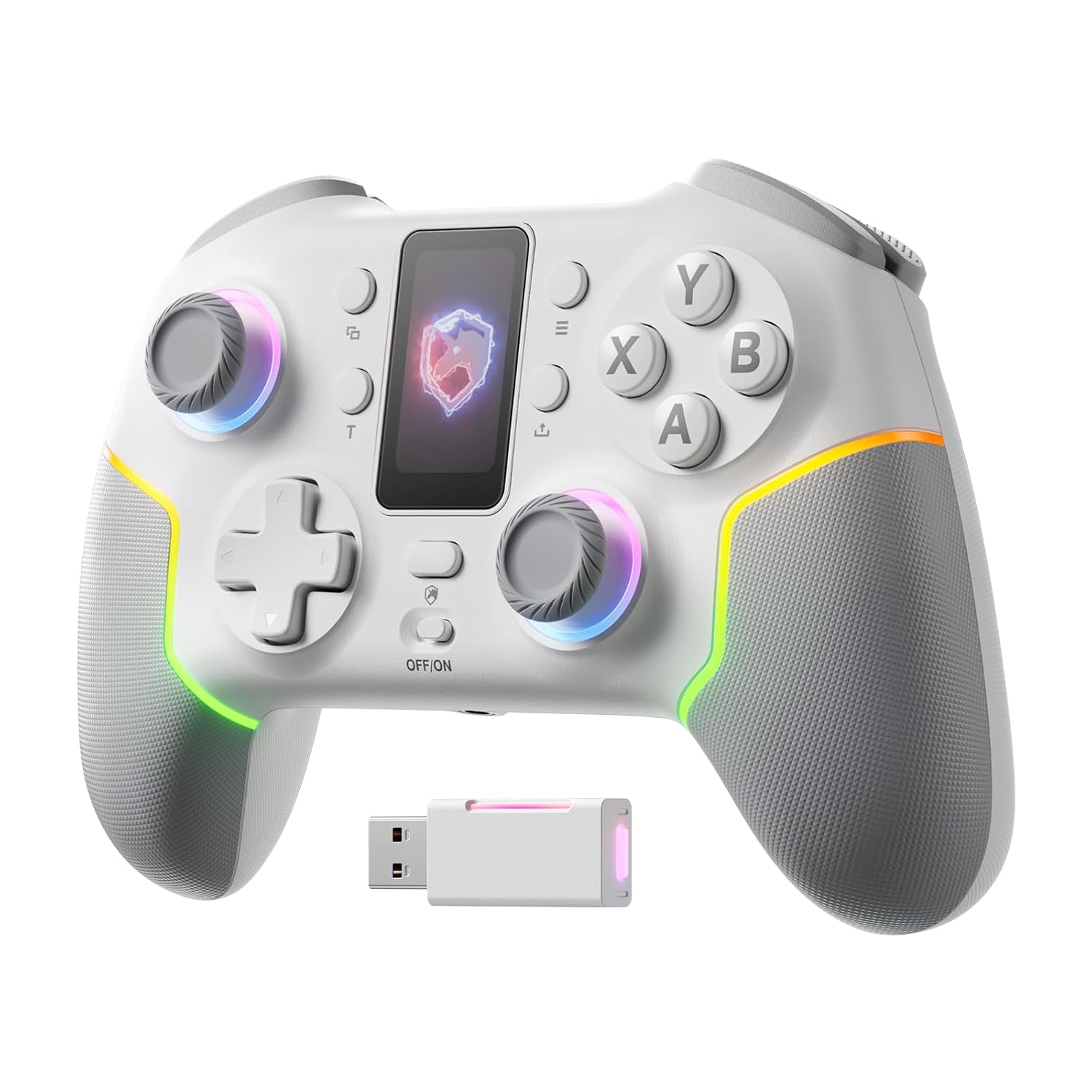
Изображение: Спереди view of the ECHTPower PC Controller, showcasing its intelligent screen, joysticks, and face buttons.
Содержимое упаковки
- ECHTPower PC Controller (White)
- Зарядный кабель USB-C
- Беспроводной адаптер 2.4G
- Руководство пользователя
Настраивать
Зарядка контроллера
Before first use, fully charge the controller using the provided USB-C cable. Connect the USB-C end to the controller and the USB-A end to a power source (e.g., PC USB port, USB wall adapter). The intelligent screen will indicate charging status.
Подключение к устройствам
The ECHTPower PC Controller supports three connection modes: Bluetooth, 2.4G Wireless, and USB-C Wired.
- Bluetooth Connection (iOS/Android/Switch):
- Ensure the mode switch on the back of the controller is set to the appropriate platform (e.g., Switch, iOS, Android).
- Нажмите и удерживайте кнопку сопряжения на контроллере, пока индикаторные лампочки не начнут быстро мигать.
- On your device, go to Bluetooth settings and select "ECHTPower Controller" to pair.
- 2.4G Wireless Connection (PC/Switch):
- Plug the 2.4G wireless dongle into an available USB port on your PC or Switch dock.
- Ensure the mode switch on the back of the controller is set to PC or Switch.
- The controller should automatically connect to the dongle. If not, press the pairing button on the controller.
Image: The ECHTPower PC Controller shown alongside its 2.4G wireless USB dongle, illustrating the wireless connection method.
- USB-C Wired Connection (PC/Switch):
- Connect the controller to your PC or Switch dock using the USB-C cable.
- The controller will be recognized automatically as a wired device.
Note: This controller is not compatible with Xbox or PlayStation consoles.
Инструкция по эксплуатации
Intelligent Screen Functions
The integrated TFT display allows for direct adjustment of various controller settings without external software.

Image: Close-up of the controller's intelligent screen, displaying various menu options for settings like pairing, mode, language, and macro.
- Переключатель режимов: Change between PC, Switch, iOS, and Android modes.
- Интенсивность вибрации: Adjust the haptic feedback level (four settings: 0%, 30%, 60%, 100%).
- RGB-подсветка: Customize the 10 dynamic RGB lighting modes and brightness.
- Сопоставление кнопок: Remap buttons directly on the screen.
- Настройки макроса: Program complex button sequences.
- Язык: Выберите язык отображения.
Джойстики и триггеры на эффекте Холла
The controller features Hall Effect joysticks and dual Hall Effect triggers for enhanced precision and durability, eliminating drift issues.
- Джойстики: Provide smooth, accurate 360-degree movement with no dead zones.
- Триггеры: Offer a one-click switch between long (6mm) and short (2mm) travel distances. The 2mm short travel is ideal for rapid firing in FPS games, while the 6mm long travel provides smoother, more precise control for racing games.
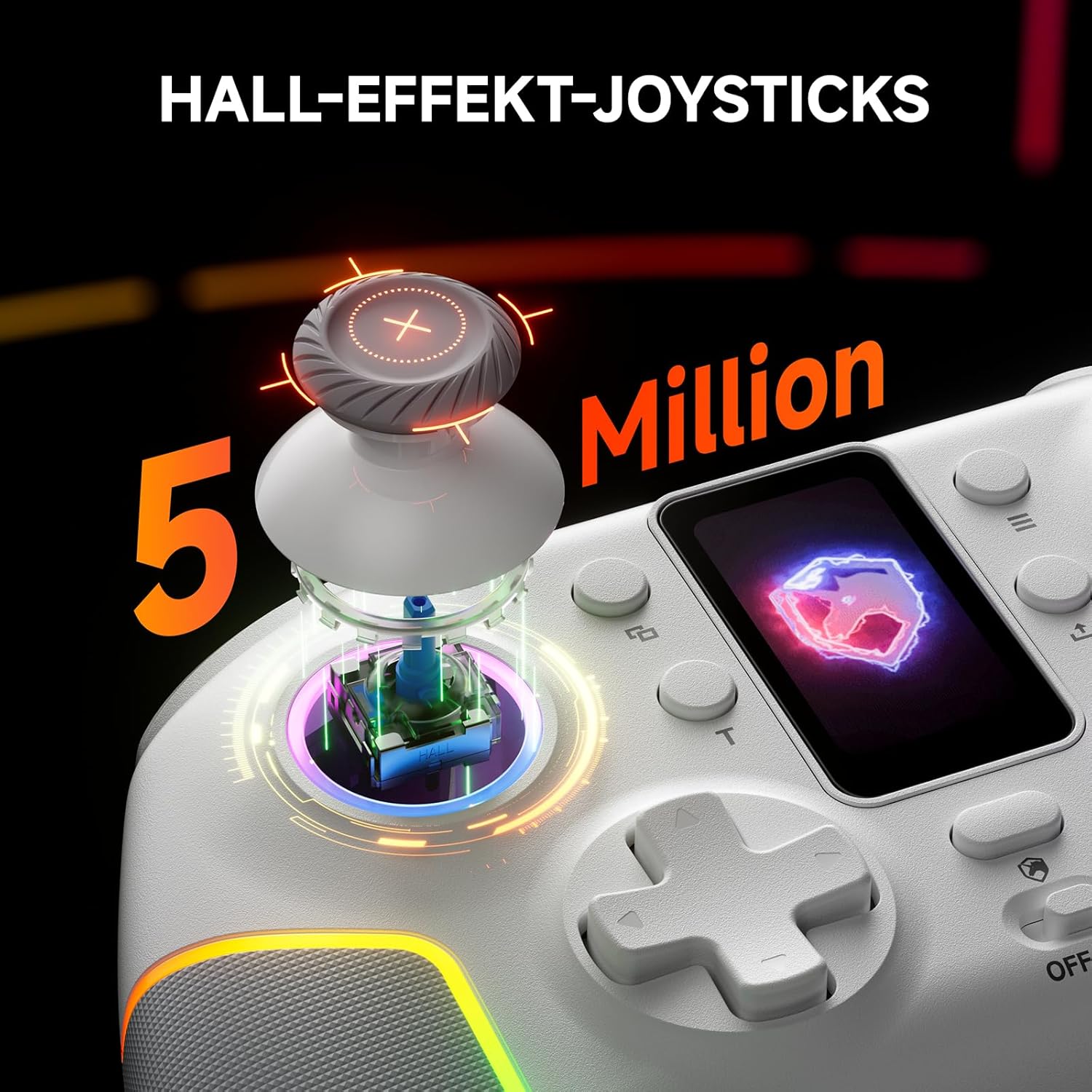
Изображение: взорванный view of the controller's Hall Effect joystick, highlighting its internal components and precision.

Изображение: Подробный view of the controller's dual Hall Effect triggers, showing the 2mm and 6mm travel options for different gaming scenarios.
Турбофункция
The controller supports three adjustable turbo levels for rapid button presses. Activate and adjust the turbo speed via the intelligent screen or dedicated buttons.
Настраиваемые кнопки "Назад"
Two mappable back buttons provide additional customization options for competitive gameplay. These can be assigned to various functions or macros.

Изображение: нижняя сторона view of the ECHTPower PC Controller, highlighting the location of the two mappable back buttons.
Обслуживание
- Поддерживайте чистоту контроллера, протирая его мягкой сухой тканью.
- Не подвергайте контроллер воздействию экстремальных температур, влажности или прямых солнечных лучей.
- Не разбирайте контроллер, так как это может привести к аннулированию гарантии.
- Когда контроллер не используется, храните его в безопасном месте, чтобы предотвратить его повреждение.
Поиск неисправностей
| Проблема | Возможная причина | Решение |
|---|---|---|
| Контроллер не включается. | Низкий заряд батареи. | Charge the controller fully using the USB-C cable. |
| Контроллер не подключается по беспроводной связи. | Incorrect mode selected; pairing issue; dongle not properly inserted. | Ensure the mode switch is set correctly. Re-initiate pairing. Re-insert the 2.4G dongle. |
| Дрейф джойстика или неточный ввод. | Software calibration needed (unlikely with Hall Effect, but possible); minor interference. | Check for firmware updates. If issues persist, contact customer support. |
| Вибрация не работает. | Vibration intensity set to 0%; game does not support vibration. | Adjust vibration intensity via the intelligent screen. Verify game compatibility. |
Технические характеристики
- Модель: EP05WH
- Связь: Bluetooth, беспроводное подключение 2.4G, проводное подключение USB-C
- Совместимость: PC, Nintendo Switch, iOS, Android (Not compatible with Xbox, PlayStation)
- Джойстики: Эффект Холла
- Триггеры: Dual Hall Effect (2mm/6mm adjustable travel)
- Скорость опроса: 1000Hz (2.4GHz/Wired)
- Аккумулятор: 1000 мАч (перезаряжаемый)
- Кнопки: Conductive Gel Buttons (3 Million Clicks lifespan), Mappable Back Buttons
- Освещение: Динамический RGB (10 режимов)
- Вибрация: 4-уровневая регулировка
- Размеры: 6.3 x 4.61 x 2.64 дюйма
- Масса: 11.7 унции
Официальное видео о продукте
Видео: Официальное видео о продуктеasing the key features and functionalities of the ECHTPower PC Controller, including its intelligent screen, Hall Effect components, and multi-platform compatibility.
Гарантия и поддержка
For warranty information and technical support, please refer to the official ECHTPower webили обратитесь в службу поддержки напрямую. Сохраните чек в качестве подтверждения покупки.
Производитель: ЭХТМОЩНОСТЬ
Контакт: Visit the ECHTPower Store on Amazon


