Введение
This manual provides essential information for the safe and efficient operation of your TABWEE T80 Android 15 Tablet. Please read this manual thoroughly before using the device and retain it for future reference.
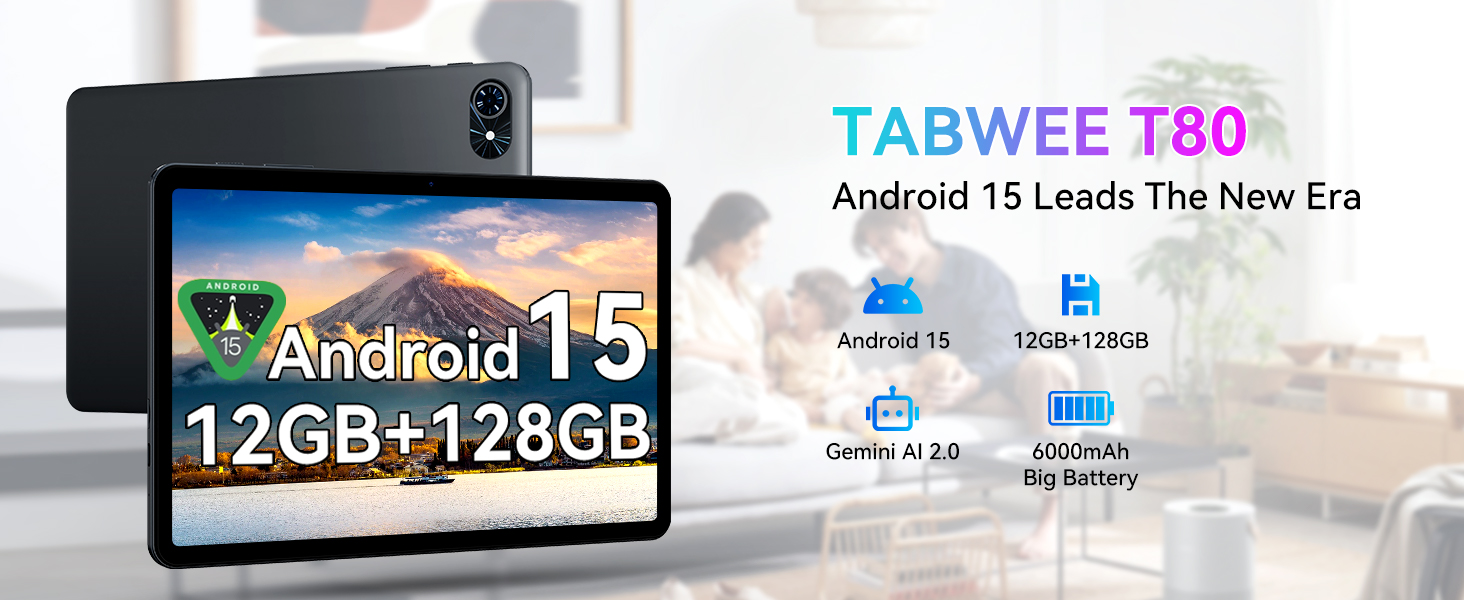
Изображение: Оверview of the TABWEE T80 tablet, showcasing its primary features including the Android 15 operating system, memory configuration, AI capabilities, and battery capacity.
Содержимое упаковки
Убедитесь, что все перечисленные ниже предметы присутствуют в упаковке вашего продукта:
- Таблетка TABWEE T80
- USB-кабель
Настраивать
Начальная зарядка
Before first use, fully charge the tablet. Connect the provided USB cable to the tablet's Type-C charging port and the other end to a compatible power adapter (not included) or a computer's USB port. The 6000mAh battery supports fast charging.
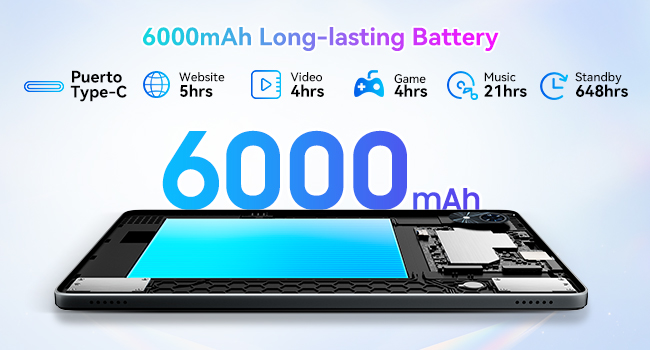
Image: Illustration of the tablet's internal 6000mAh battery and the external Type-C charging port, indicating its long-lasting capacity.
Включение/выключение питания
- Для включения: Press and hold the Power button until the TABWEE logo appears.
- Чтобы выключить: Нажмите и удерживайте кнопку питания, затем выберите «Выключить» из появившихся на экране вариантов.
Начальная конфигурация
При первом включении планшет проведет вас через процесс первоначальной настройки. Это включает в себя выбор языка, подключение к сети Wi-Fi, настройку учетной записи Google и конфигурацию основных параметров безопасности.
Инструкция по эксплуатации
Операционная система Android 15
Your TABWEE T80 tablet operates on Android 15, providing a secure, efficient, and user-friendly interface. Key features include enhanced privacy controls, improved multitasking capabilities, and a cleaner user experience.
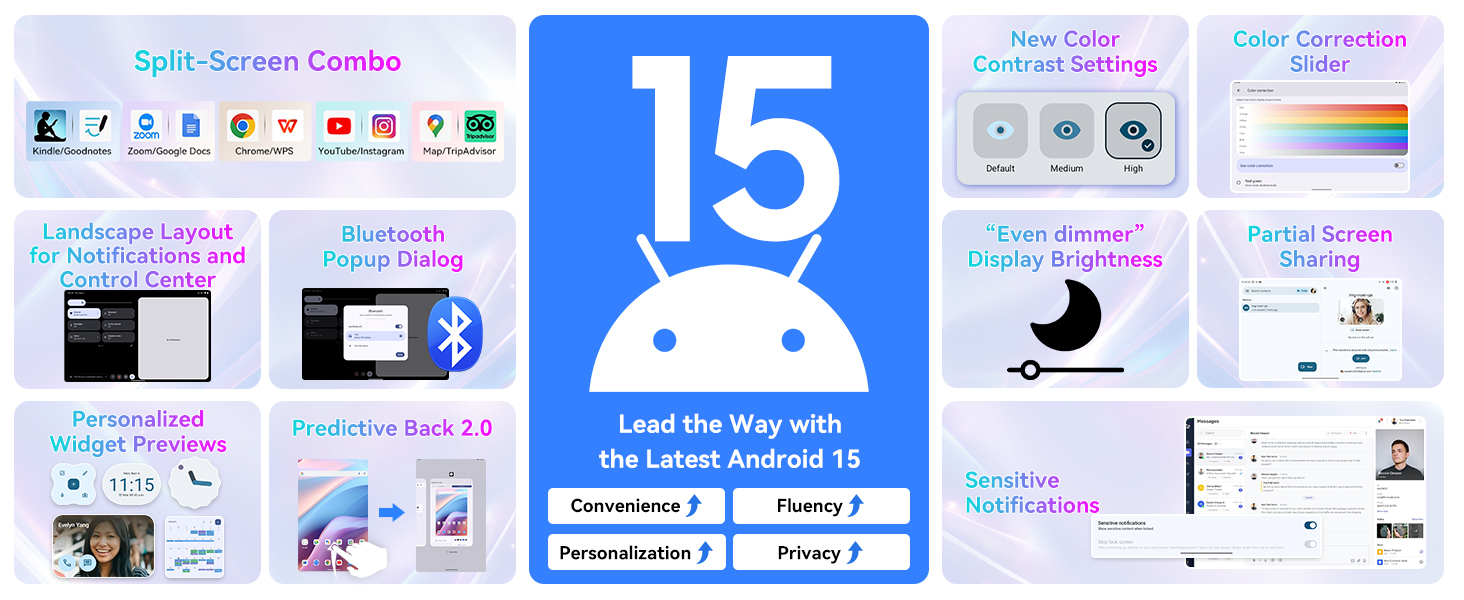
Image: Visual representation of new features in Android 15, such as split-screen functionality, advanced display settings, and improved notification management.
Gemini AI 2.0 Integration
The tablet is equipped with Gemini AI 2.0, offering intelligent assistance for various tasks. This includes smart chats, text-to-image generation, voice-enabled Q&A, smart control, real-time conversations, and full-screen smart assistance.
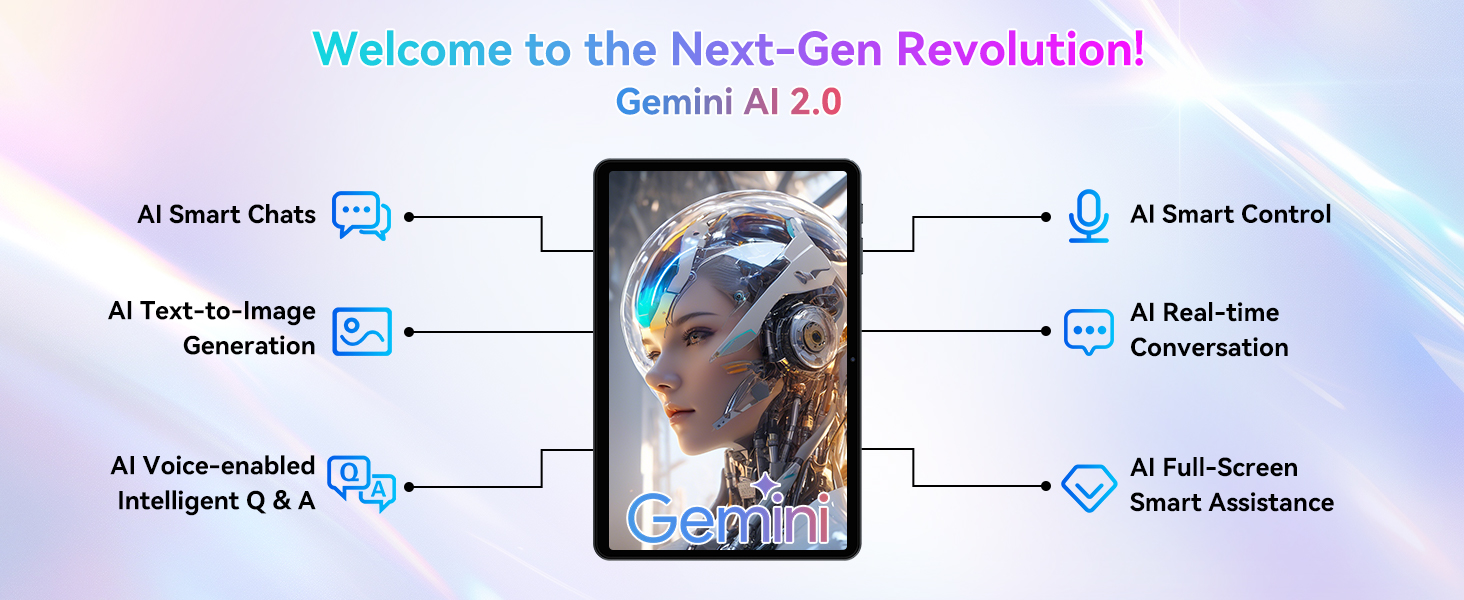
Image: Diagram illustrating the various functionalities of Gemini AI 2.0, including communication, content creation, and intelligent control features.
Дисплей и визуальные эффекты
The 10-inch display features a 1280 x 800 pixel resolution with a 120Hz touch sampling rate for smooth interaction. It offers a 178-degree full view and 84.9% screen-to-body ratio for an immersive visual experience. The display supports 1080P HD content and has dual-channel audio with a 3.5mm jack for immersive sound.
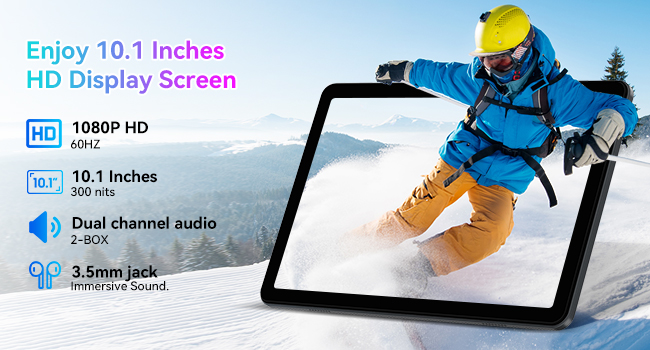
Image: Details of the tablet's 10.1-inch HD display, highlighting its resolution, refresh rate, brightness, and audio capabilities.
Производительность и хранение
The tablet is equipped with 12GB RAM (4GB base + 8GB expansion) and 128GB of internal storage. Storage can be expanded up to 2TB using a Micro SD card (not included), providing ample space for applications, media, and documents. The Unisoc T310 processor ensures fluid performance for multitasking, gaming, and productivity.
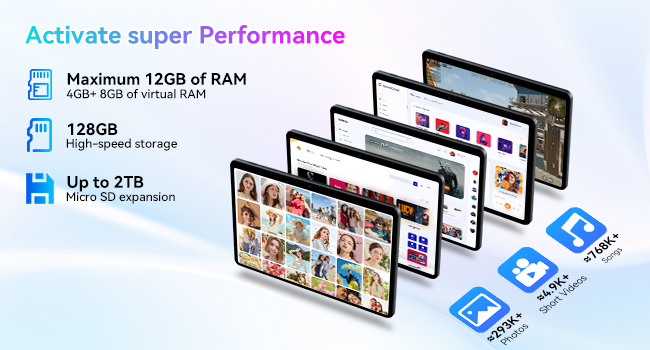
Image: Illustration detailing the tablet's memory and storage capabilities, including RAM expansion and Micro SD card support.
Связность
The TABWEE T80 supports ultra-fast 5G WiFi (802.11ac) and stable Bluetooth 5.0 for reliable wireless connections. This allows for seamless online meetings, video calls, and pairing with various accessories.
Cameras and Smart Lens
The tablet features a 5MP rear camera and a 2MP front camera, suitable for video calls and capturing moments. It also integrates Google Smart Lens functionality, enabling you to translate text, identify objects, solve homework queries, and explore places by simply pointing the camera.

Image: Depiction of the tablet's dual camera system, highlighting the 5MP rear camera with LED flash and the 2MP front camera.
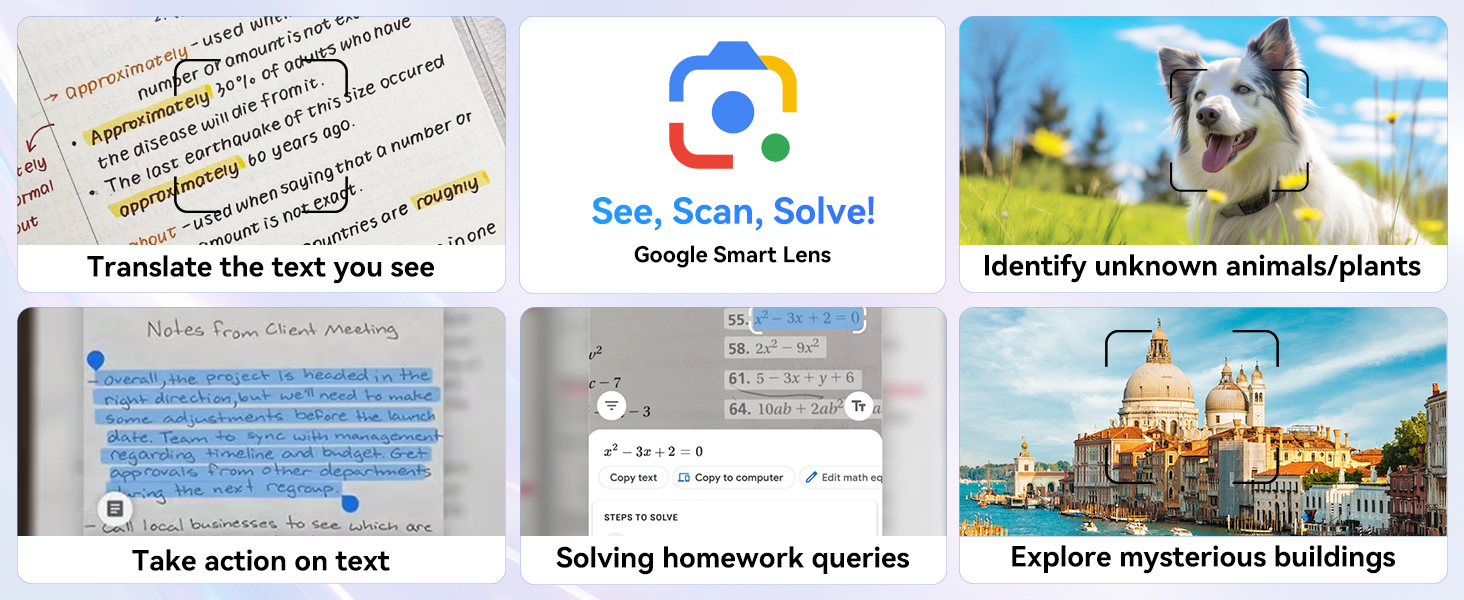
Изображение: Оверview of Google Smart Lens capabilities, demonstrating its use for translation, object identification, and information retrieval.
Обслуживание
Уход за аккумулятором
To maximize battery lifespan, avoid extreme temperatures. Charge the tablet using the provided USB cable and a compatible charger. The 6000mAh battery provides approximately 5 hours of website browsing, 4 hours of video playback, 4 hours of gaming, 21 hours of music, and 648 hours of standby time.
Управление хранением
Регулярно пересматриватьview и удалить ненужное files and applications to maintain optimal performance. Utilize the 2TB Micro SD card expansion slot for large media files для освобождения внутренней памяти.
Уборка
Use a soft, lint-free cloth to clean the tablet screen and body. Avoid using abrasive cleaners or solvents, which may damage the device.
Поиск неисправностей
This section addresses common issues you might encounter with your tablet. For problems not listed here, please contact customer support.
- Планшет не включается: Ensure the battery is charged. Connect the tablet to a charger for at least 30 minutes, then attempt to power on again.
- Экран не отвечает: Попробуйте перезагрузить планшет, удерживая кнопку питания примерно 10-15 секунд, пока он не перезагрузится.
- Проблемы с подключением к Wi-Fi: Verify that Wi-Fi is enabled on the tablet and that you are within range of a known network. Restart your Wi-Fi router if necessary.
- Сбои приложений: Ensure your applications are updated to their latest versions. Clear the app's cache or reinstall the application if the issue persists.
- Низкая производительность: Закройте неиспользуемые приложения, работающие в фоновом режиме. Очистите кэш и временные файлы. fileВ крайнем случае, рассмотрите возможность сброса настроек до заводских (предварительно сделайте резервную копию данных).
Технические характеристики
| Особенность | Деталь |
|---|---|
| Название модели | T80(12+128) |
| Номер модели товара | T80(6+128) |
| Бренд | ТАБВИ |
| Операционная система | Андроид 15 |
| Размер экрана | 10 дюйма |
| Разрешение экрана | 1280 x 800 пикселей |
| Процессор | 3 GHz (Unisoc T310) |
| БАРАН | 12GB (4GB base + 8GB expansion) |
| Внутреннее хранилище | 128 ГБ |
| Расширяемое хранилище | До 2 ТБ (Micro SD) |
| Тип беспроводной связи | 802.11ac (5G WiFi) |
| Bluetooth | Блютус 5.0 |
| Разрешение задней камеры | 5 МП |
| Разрешение фронтальной камеры | 2 МП |
| Емкость аккумулятора | 6000мАч |
| Средний срок службы батареи | 5 hours (general use) |
| Вес товара | 2.05 фунта |
| Размеры продукта (ДxШxВ) | 7.8 x 20 x 0.5 дюйма |
| Цвет | Серый |
Гарантия и поддержка
Информация о гарантии
Your TABWEE T80 tablet comes with a 2-year warranty from the date of purchase. This warranty covers manufacturing defects and malfunctions under normal use. Please retain your proof of purchase for warranty claims.
Поддержка клиентов
For technical assistance, troubleshooting, or warranty inquiries, please contact TABWEE Official Store customer support. They guarantee a reply within 24 hours.
Вы можете посетить TABWEE Store on Amazon для получения дополнительной информации и ресурсов поддержки.


