Введение
The Razer BlackShark V3 X HyperSpeed is a wireless esports gaming headset designed for high-performance audio and clear communication across multiple platforms. This manual provides essential information for setting up, operating, maintaining, and troubleshooting your headset.
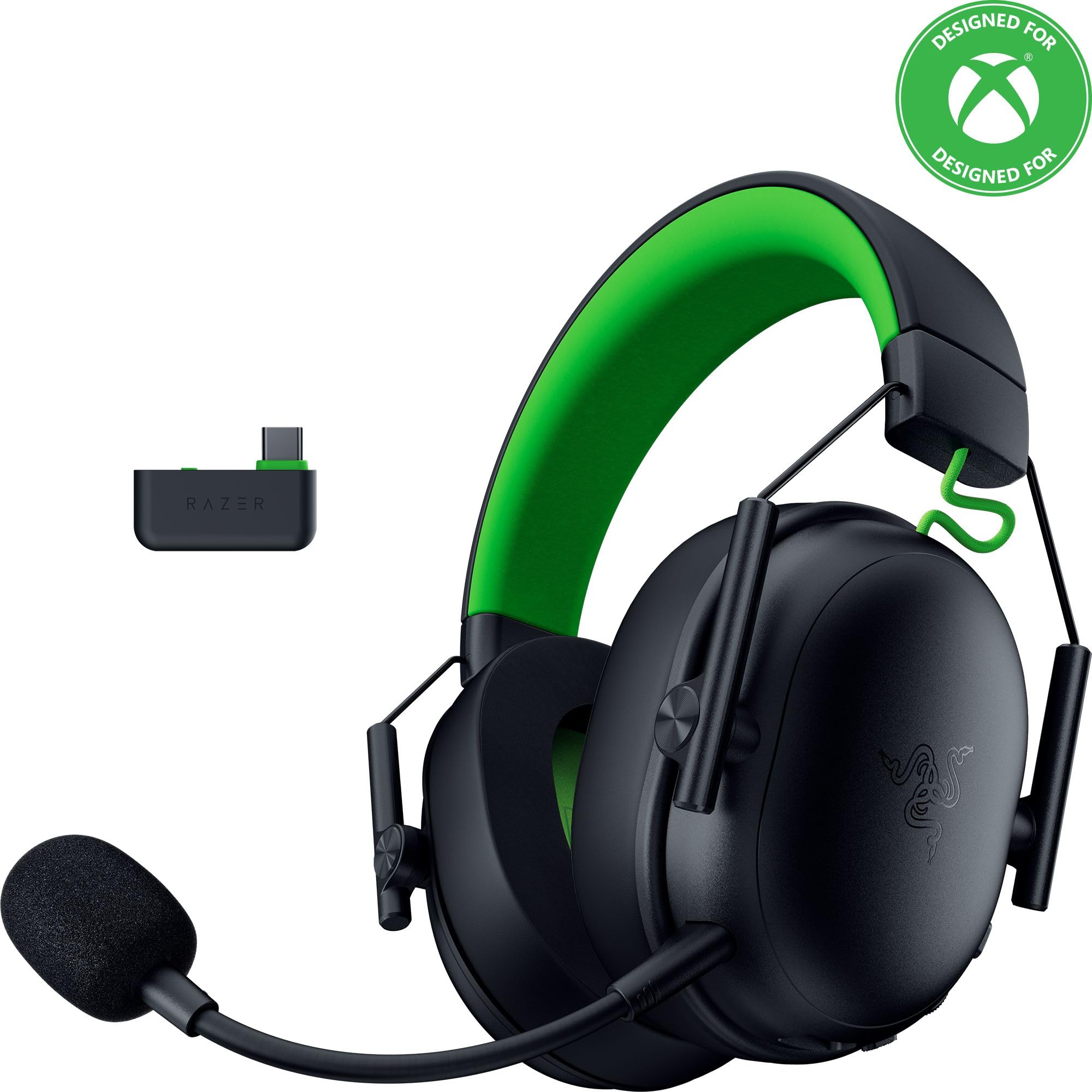
Image: The Razer BlackShark V3 X HyperSpeed Wireless Gaming Headset, showcasing its design and detachable microphone.
Что в коробке?
Убедитесь, что в вашем пакете присутствуют все следующие компоненты:
- Беспроводная игровая гарнитура Razer BlackShark V3 X HyperSpeed
- USB Type-C Razer HyperSpeed беспроводной адаптер
- Съемный кардиоидный микрофон Razer HyperClear 9.9 мм
- USB Type A to Type C Cable (for charging and wired connection)
- Кабель-адаптер USB Type A — Type C
- Руководство пользователя (этот документ)

Image: The Razer BlackShark V3 X HyperSpeed headset on a stand next to its retail packaging, illustrating the product and its box.
Настраивать
1. Зарядка гарнитуры
Before initial use, fully charge your headset using the provided USB Type A to Type C cable. Connect the USB-C end to the headset's charging port and the USB-A end to a powered USB port.
2. Присоединение микрофона
Insert the detachable Razer HyperClear Cardioid 9.9mm Mic into the microphone port located on the left earcup. Ensure it is securely connected.

Image: Close-up of the Razer BlackShark V3 X HyperSpeed headset showing the detachable HyperClear Cardioid microphone attached.
3. Варианты подключения
The headset supports three modes of connectivity: 2.4 GHz HyperSpeed Wireless, Bluetooth, and wired USB-C.
- 2.4 GHz HyperSpeed Wireless (PC, Mac, PS5, Nintendo Switch, Xbox Series X|S, Xbox One):
Insert the USB Type C Razer HyperSpeed Wireless Dongle into an available USB-C port on your device. If your device only has USB-A ports, use the provided USB Type A to Type C Adapter Cable. Ensure the switch on the dongle is set to 'USB' for PC/Mac/PS5/Switch or 'XBOX' for Xbox consoles. The headset will automatically connect. - Bluetooth (Smartphones, Tablets, Handheld Gaming Devices):
With the headset powered on, press and hold the power button until the LED indicator blinks blue, indicating pairing mode. On your device, search for and select "Razer BlackShark V3 X HyperSpeed" from the list of available Bluetooth devices. - Проводной USB-C:
Connect the headset directly to your device using the USB Type A to Type C Cable. This mode provides audio and microphone functionality without relying on battery power.

Image: The Razer BlackShark V3 X HyperSpeed headset alongside its USB-C wireless dongle, illustrating the wireless connectivity component.

Image: A visual representation of the headset's three connectivity modes: 2.4 GHz Wireless, Bluetooth, and USB, highlighting its versatility.
Управление гарнитурой
1. Контроль надview
Гарнитура оснащена интуитивно понятными элементами управления, расположенными на чашках наушников:
- Кнопка питания: Press and hold to power on/off. Single press to switch between 2.4 GHz HyperSpeed Wireless and Bluetooth modes.
- Кнопка отключения микрофона: Нажмите, чтобы отключить или включить микрофон.
- Колесо громкости: Регулирует общую громкость звука.
- Mic Monitoring Wheel: Adjusts the volume of your own voice heard through the headset (sidetone).

Изображение: сбоку view of the Razer BlackShark V3 X HyperSpeed headset, highlighting the location of the power button, volume wheel, and mic mute button.
2. Качество звука и характеристики
- Драйверы Razer TriForce 50 мм второго поколения: Experience powerful, clear audio with enhanced positional accuracy for competitive gaming.
- Razer HyperClear Cardioid 9.9mm Mic: The detachable microphone features a unidirectional pickup pattern to focus on your voice and minimize background noise.
- Объемный звук: Enjoy immersive surround sound with Windows Sonic on Xbox and 7.1 Surround Sound on PC for precise audio cues.

Изображение: взорванный view of the Razer TriForce 50mm Drivers Gen-2, illustrating their internal components for powerful and clear audio.

Image: The Razer BlackShark V3 X HyperSpeed headset surrounded by sound waves, representing its advanced surround sound capabilities for Xbox and PC.
3. Комфорт и дизайн
Weighing just 270g, the headset is designed for extended gaming sessions with plush memory foam cushions and a fatigue-free design.

Image: The Razer BlackShark V3 X HyperSpeed headset with an icon representing its ultra-lightweight design, emphasizing comfort for long gaming sessions.
4. Официальное видео о продукте
Video: An official product video from Razer showcasing the BlackShark V3 headset line, highlighting its features and design for esports performance.
Обслуживание
1. Уборка
- Use a soft, dry cloth to clean the headset's surfaces.
- Для чистки амбушюр аккуратно протрите их специальным средством.amp При необходимости протрите тканью и мягким мылом, затем тщательно высушите. Избегайте чрезмерной влажности.
- Не используйте агрессивные химикаты или абразивные материалы.
2. Хранение
- Храните гарнитуру в прохладном, сухом месте, вдали от прямых солнечных лучей и экстремальных температур.
- Когда гарнитура не используется, рекомендуется размещать её на подставке, чтобы сохранить форму и предотвратить повреждения.
Поиск неисправностей
Нет звука/Плохое качество звука
- Проверьте громкость: Убедитесь, что колесико регулировки громкости на гарнитуре повернуто на максимум.
- Связь: Verify the headset is correctly connected via 2.4 GHz dongle, Bluetooth, or USB-C. For 2.4 GHz, ensure the dongle switch is set to the correct platform (USB/XBOX).
- Настройки устройства: Confirm the headset is selected as the default audio output device in your computer's or console's sound settings.
- Ремонт: For wireless connections, try re-pairing the headset with your device.
Микрофон не работает
- Проверьте отключение звука: Убедитесь, что кнопка отключения микрофона на гарнитуре не активирована.
- Mic Connection: Verify the detachable microphone is securely inserted into the port.
- Настройки устройства: Confirm the headset microphone is selected as the default input device in your computer's or console's sound settings.
- Мониторинг микрофона: Adjust the mic monitoring wheel to hear your own voice, confirming mic functionality.
Проблемы с подключением
- Вмешательство: Отойдите от других беспроводных устройств, которые могут создавать помехи.
- Диапазон: Ensure you are within the effective range of the wireless dongle or Bluetooth connection.
- Dongle Switch: Double-check that the switch on the USB-C dongle is set to the correct position (USB for PC/Mac/PS5/Switch, XBOX for Xbox).
Время работы от батареи оказалось короче, чем ожидалось.
- Зарядка: Перед использованием убедитесь, что гарнитура полностью заряжена.
- Использование: High volume levels or continuous use of certain features can reduce battery life.
Технические характеристики
| Название модели | BlackShark V3 X HyperSpeed |
| Номер модели | РЗ04-05420200-Р3У1 |
| Технология связи | Bluetooth, USB, 2.4 GHz Wireless |
| Тип аудиодрайвера | Dynamic Driver (Razer TriForce 50mm Drivers Gen-2) |
| Частотная характеристика | 12 Гц - 28 кГц |
| Чувствительность | 106 дБ |
| Микрофон | Съемный кардиоидный микрофон Razer HyperClear 9.9 мм |
| Контроль шума | Звукоизоляция |
| Совместимые устройства | Xbox Series X|S, Xbox One, PS5, PS4, PC, Mac, Nintendo Switch, Smartphones, Tablets |
| Вес товара | 270 grams (without mic) |
| Аккумуляторы | 1 литий-ионный аккумулятор (входит в комплект) |
| Версия Bluetooth | 5.3 |
Гарантия и поддержка
Для получения информации о гарантии, технической поддержке или другой помощи посетите официальный сайт поддержки Razer. webСохраните чек о покупке для предъявления гарантийных претензий.
Онлайн поддержка: www.razer.com/support


