1. Введение
This manual provides detailed instructions for the operation and maintenance of your KEPLUG MX9 Sunrise Alarm Clock. This device combines a digital alarm clock, a sunrise simulation wake-up light, a dimmable bedside night light, and a white noise machine with 30 soothing sounds. Please read this manual thoroughly before use to ensure proper functionality and safety.
2. Информация по технике безопасности
- Убедитесь, что устройство установлено на устойчивой плоской поверхности.
- Не подвергайте устройство воздействию воды или чрезмерной влажности.
- Используйте только прилагаемые адаптер питания и кабель.
- Хранить в недоступном для детей и домашних животных месте.
- Не пытайтесь разбирать или ремонтировать устройство самостоятельно. Обратитесь к квалифицированному специалисту для обслуживания.
- Отключайте устройство во время грозы или если оно не используется в течение длительного времени.
3. Содержимое упаковки
Проверьте наличие всех предметов в упаковке:
- KEPLUG MX9 Sunrise Alarm Clock
- Адаптер питания
- Силовой кабель
- Руководство пользователя (этот документ)
4. Продукт закончилсяview
Familiarize yourself with the main components and control buttons of your KEPLUG MX9 Sunrise Alarm Clock.

Изображение 1: Спереди view of the KEPLUG MX9 Sunrise Alarm Clock, showing the main light dome, digital time display, and control buttons at the base.
The device features a large light dome, a digital time display, and several touch-sensitive buttons for control:
- Тревожная кнопка: Used to set and activate alarms.
- Кнопка времени: Used to set the current time and 12/24-hour format.
- Кнопка повтора/подсветки: Activates snooze during an alarm, or turns on/off and adjusts the night light.
- Кнопка плюс (+): Increases values (time, volume, brightness) or navigates options.
- Кнопка минус (-): Decreases values (time, volume, brightness) or navigates options.
- Кнопка с музыкальной нотой: Selects soothing sounds or white noise.
5. Настройка
5.1 Подключение питания
- Connect the power cable to the DC input port on the back of the alarm clock.
- Подключите адаптер питания к стандартной электрической розетке.
- Цифровой дисплей загорится, указывая на то, что устройство включено.
5.2 Установка текущего времени
- Нажмите и удерживайте Кнопка времени for 3 seconds to enter time setting mode. The hour digits will flash.
- Используйте Плюс (+) or Minus (-) Buttons настроить час.
- Нажмите Кнопка времени Ещё раз подтвердите час и перейдите к настройке минут. Минутные цифры начнут мигать.
- Используйте Плюс (+) or Minus (-) Buttons настроить минуты.
- Нажмите Кнопка времени a third time to confirm the minutes and select 12-hour or 24-hour format.
- Используйте Плюс (+) or Minus (-) Buttons чтобы выбрать предпочитаемый вами формат времени.
- Нажмите Кнопка времени one last time to exit time setting mode.
6. Инструкция по эксплуатации
6.1 Setting an Alarm (Sunrise Simulation & Sound)
The KEPLUG MX9 allows you to set multiple alarms with customizable sunrise simulation and sound options.

Image 2: Illustration of the sunrise simulation feature, where the light gradually brightens over a set period, mimicking a natural sunrise.
- Нажмите Тревожная кнопка to select an alarm slot (e.g., Alarm 1, Alarm 2).
- Нажмите и удерживайте Тревожная кнопка for 3 seconds to enter alarm setting mode. The alarm hour digits will flash.
- Используйте Плюс (+) or Minus (-) Buttons чтобы установить желаемый час будильника.
- Нажмите Тревожная кнопка to confirm the hour and set the minutes.
- Используйте Плюс (+) or Minus (-) Buttons чтобы установить желаемую минуту будильника.
- Нажмите Тревожная кнопка to confirm minutes and set the sunrise duration (15-120 minutes). This is the time before the alarm sound when the light will gradually brighten.
- Используйте Плюс (+) or Minus (-) Buttons to select the sunrise duration.
- Нажмите Тревожная кнопка to confirm duration and select the wake-up sound.
- Используйте Плюс (+) or Minus (-) Buttons to cycle through the available wake-up sounds (e.g., nature sounds, melodies).
- Нажмите Тревожная кнопка to confirm the sound and set the alarm volume.
- Используйте Плюс (+) or Minus (-) Buttons to adjust the alarm volume (7 levels).
- Нажмите Тревожная кнопка one last time to save the alarm settings and activate the alarm. An alarm icon will appear on the display.
6.2 Функция повтора
Когда сработает будильник, нажмите кнопку Кнопка повтора/подсветки to activate the snooze function. The alarm will pause for 9 minutes and then sound again. You can snooze multiple times.
6.3 Turning Off an Alarm
To turn off a sounding alarm, press any button other than the Кнопка повтора/подсветки. To deactivate an alarm completely, press the Тревожная кнопка until the alarm icon disappears from the display.
6.4 Night Light / Bedside Lamp Функция
The device can function as a dimmable night light with various colors.

Image 3: The alarm clock used as a bedside lamp, displaying various solid colors and mood lighting options.
- Нажмите Кнопка повтора/подсветки once to turn on the light.
- Нажмите Кнопка повтора/подсветки repeatedly to cycle through different solid colors (8 options) and RGB mood lights (4 options).
- To adjust the brightness of the selected light, press and hold the Кнопка повтора/подсветки, затем используйте Плюс (+) or Minus (-) Buttons to increase or decrease brightness. Release the Кнопка повтора/подсветки когда закончите.
- Нажмите и удерживайте Кнопка повтора/подсветки снова выключить свет.
6.5 White Noise Machine & Soothing Sounds
The device offers 30 soothing sounds for relaxation or sleep aid.

Image 4: Visual representation of the 30 smooth sounds for sleep, including white noise, nature sounds, and lullabies.
- Нажмите Кнопка с музыкальной нотой to turn on the sound machine. It will start playing the last selected sound.
- Нажмите Кнопка с музыкальной нотой repeatedly to cycle through the 30 available sounds.
- Используйте Плюс (+) or Minus (-) Buttons для регулировки громкости звука.
- To set a timer for the sound playback, press and hold the Кнопка с музыкальной нотой. The timer options (e.g., 15 min, 30 min, 60 min, continuous) will appear. Use the Плюс (+) or Minus (-) Buttons to select a duration. The sound will automatically turn off after the selected time.
- Нажмите и удерживайте Кнопка с музыкальной нотой еще раз, чтобы выключить звуковую машину.
6.6 Sunset Simulation (Sleep Aid)
The sunset simulation feature gradually dims the light and can play soothing sounds to help you fall asleep.
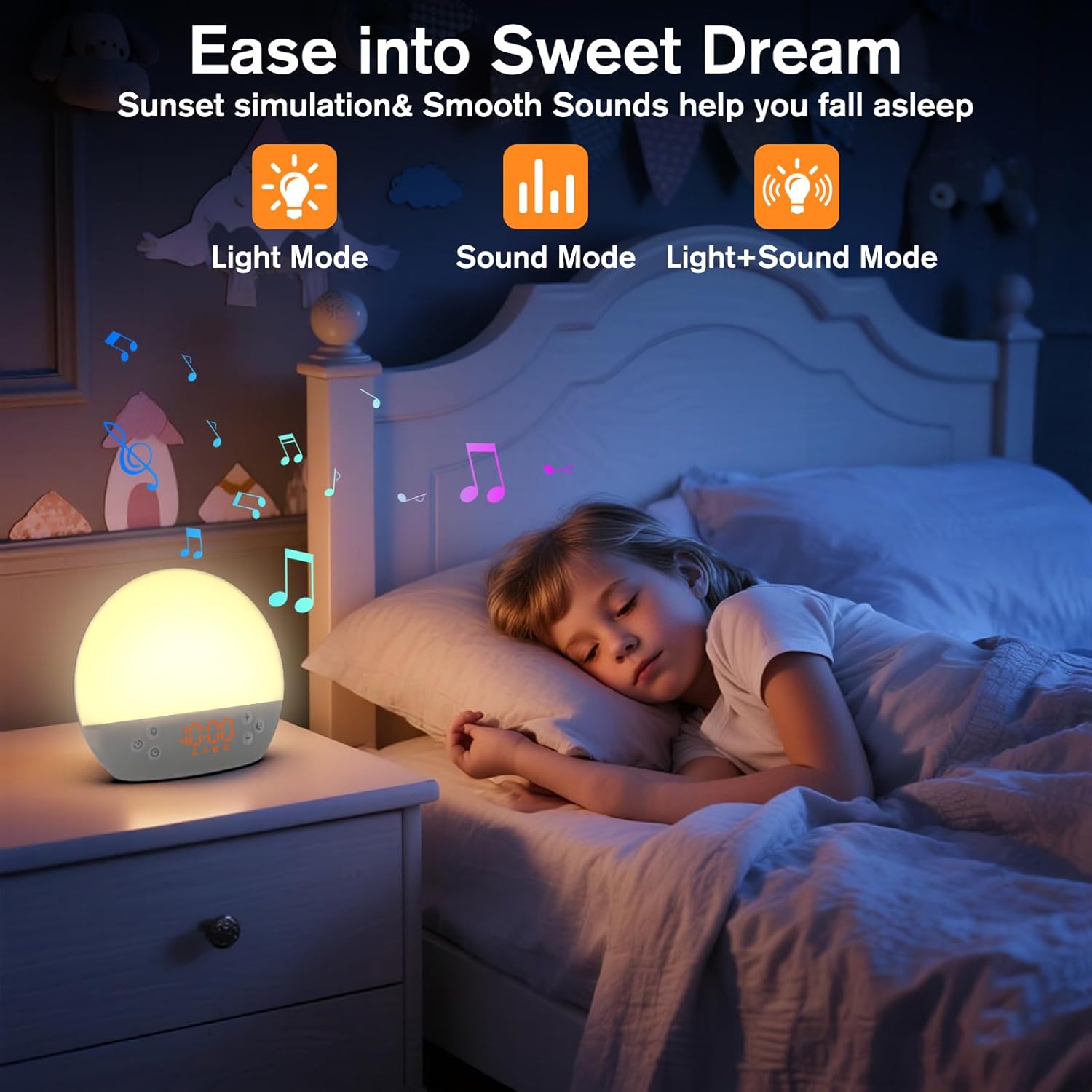
Image 5: The alarm clock in sunset simulation mode, providing a calming light and sound environment to aid sleep.
- To activate sunset simulation, press and hold the Кнопка времени until the sunset icon appears.
- Используйте Плюс (+) or Minus (-) Buttons to set the duration of the sunset simulation (e.g., 15, 30, 60 minutes).
- Нажмите Кнопка времени to confirm the duration. You can then choose to have light only, sound only, or both light and sound.
- Используйте Плюс (+) or Minus (-) Buttons to select the desired mode (Light Mode, Sound Mode, Light+Sound Mode).
- If Light+Sound Mode is selected, you can choose a specific soothing sound and adjust its volume.
- Нажмите Кнопка времени again to start the sunset simulation. The light will gradually dim, and sounds will fade out over the set duration.
6.7 Регулировка яркости дисплея
The brightness of the digital time display can be adjusted to your preference.
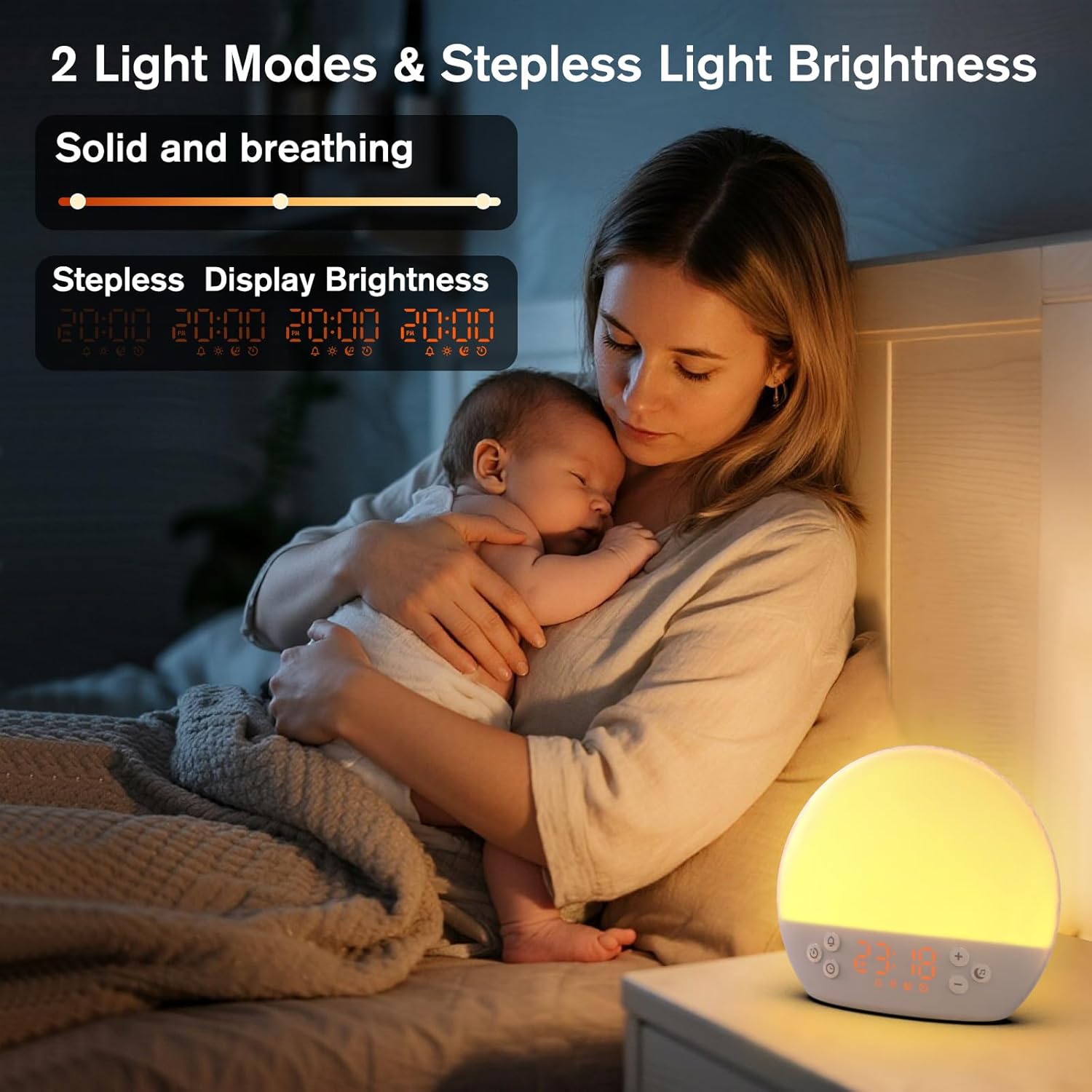
Image 6: The alarm clock demonstrating stepless display brightness adjustment, from very dim to bright.
Чтобы отрегулировать яркость дисплея, кратковременно нажмите кнопку Кнопка времени (do not hold). Each press will cycle through different brightness levels (e.g., bright, medium, dim, off). Select the level that suits your environment.
7. Техническое обслуживание
- Уборка: Unplug the device before cleaning. Use a soft, dry cloth to wipe the surface. Do not use abrasive cleaners or solvents.
- Хранилище: Если устройство не используется в течение длительного времени, отключите его от сети и храните в прохладном, сухом месте.
8. Поиск Неисправностей
| Проблема | Возможная причина | Решение |
|---|---|---|
| Устройство не включается. | Кабель питания подключен неправильно или розетка неисправна. | Проверьте подключение кабеля питания. Попробуйте использовать другую розетку. |
| Сигнализация не срабатывает. | Alarm not activated or volume is too low. | Ensure the alarm icon is visible on the display. Increase alarm volume during setup. |
| Свет не включается. | Light function is off or brightness is set to minimum. | Нажмите Кнопка повтора/подсветки to turn on. Adjust brightness using Плюс (+) or Minus (-) Buttons while holding the Кнопка повтора/подсветки. |
| Sounds are not playing. | Sound machine is off or volume is too low. | Нажмите Кнопка с музыкальной нотой to turn on. Increase volume using Плюс (+) Кнопка. |
| Отображаемое время отображается слишком ярко/тускло. | Требуется отрегулировать яркость дисплея. | Кратковременно нажмите кнопку Кнопка времени to cycle through display brightness levels. |
9. Технические характеристики
| Особенность | Деталь |
|---|---|
| Название модели | MX9 |
| Бренд | КЕПЛУГ |
| Материал | Пластик |
| Цвет | Белый |
| Источник питания | Проводной электрический |
| Вес товара | 258 грамм (9.1 унции) |
| Размеры продукта | 2.36 x 5.59 x 6.3 дюйма (6 x 14.2 x 16 см) |
| Количество источников света | 2 |
| Специальная характеристика | Регулировка громкости |
| Продолжительность имитации восхода солнца | 15-120 минуты |
| Успокаивающие звуки | 30 вариантов |
| Уровни громкости будильника | 7 уровня |
10. Гарантия и поддержка
Your KEPLUG MX9 Sunrise Alarm Clock is covered by a standard manufacturer's warranty. For specific warranty details, please refer to the product packaging or contact KEPLUG customer support. If you encounter any issues not covered in the troubleshooting section, or require further assistance, please reach out to our customer service team through the retailer where you purchased the product or visit the official KEPLUG webсайт с контактной информацией службы поддержки.


