1. Введение
This manual provides detailed instructions for the proper use and maintenance of your OnePlus Buds 4 Wireless Earbuds. Please read this manual thoroughly before using the product to ensure optimal performance and longevity.
Содержимое упаковки
Проверьте наличие всех предметов в упаковке:
- Наушники OnePlus Buds 4 (левый и правый)
- Зарядный футляр
- Зарядный кабель USB-C
- Различные размеры амбушюр (S, M, L)
- Руководство пользователя (этот документ)

Image: Contents of the OnePlus Buds 4 retail package, showing the earbuds, charging case, USB-C cable, and various ear tip sizes.
2. Настройка
2.1 Первоначальная зарядка
Before first use, fully charge the OnePlus Buds 4 and their charging case. Connect the provided USB-C charging cable to the charging port on the case and a power source. The indicator light on the case will show charging status.
- Полная зарядка обеспечивает увеличенное время воспроизведения.
- Зарядный кейс имеет аккумулятор емкостью 530 мАч.

Image: OnePlus Buds 4 earbuds in their open charging case, highlighting the extended battery life capability.
2.2 Сопряжение с устройством
- Убедитесь, что наушники находятся в зарядном футляре и крышка открыта.
- Нажмите и удерживайте функциональную кнопку на зарядном футляре, пока индикатор не начнет мигать белым цветом, указывая на режим сопряжения.
- On your device (smartphone, tablet, etc.), go to Bluetooth settings and select "OnePlus Buds 4" from the list of available devices.
- После подключения индикаторная лампочка загорится белым светом или погаснет.
The OnePlus Buds 4 utilize Bluetooth 5.4 for stable connectivity and support Fast Pair for quick setup with compatible Android devices.

Image: OnePlus Buds 4 earbuds and charging case with a Bluetooth signal icon, illustrating stable connectivity via Bluetooth 5.4.
2.3 Ношение наушников
Choose the ear tips that provide the best seal and comfort for your ears. A proper fit is crucial for optimal sound quality and effective Active Noise Cancellation.
- Аккуратно вставьте наушники в ушной канал.
- Слегка поверните их, пока они не будут надежно зафиксированы и удобно сидеть.
3. Инструкция по эксплуатации
3.1 Сенсорное управление
The OnePlus Buds 4 feature intuitive touch controls on the stem of each earbud.
| Действие | Функция |
|---|---|
| Одно нажатие | Воспроизведение / приостановка музыки, ответ / завершение вызова |
| Двойное нажатие | Следующий трек, Отклонить вызов |
| Тройной тап | Предыдущий трек |
| Нажмите и удерживайте (влево/вправо) | Switch Noise Control Mode (ANC/Transparency) |
| Swipe Up/Down (Stem) | Отрегулируйте громкость |

Image: Close-up of OnePlus Buds 4 earbuds showing the area for volume swipe control on the stem.
3.2 Активное шумоподавление (ANC) и режим прозрачности
The earbuds feature advanced Active Noise Cancellation to reduce ambient noise and a Transparency Mode to allow you to hear your surroundings.
- Активное шумоподавление: Reduces external sounds for an immersive listening experience.
- Режим прозрачности: Amplifies ambient sounds, allowing you to stay aware of your environment without removing the earbuds.
- Адаптивный режим: Intelligently switches between ANC and Transparency modes based on your environment.
Switch between these modes by pressing and holding the touch area on either earbud.

Image: A person wearing OnePlus Buds 4 earbuds outdoors, illustrating the effect of Active Noise Cancellation.
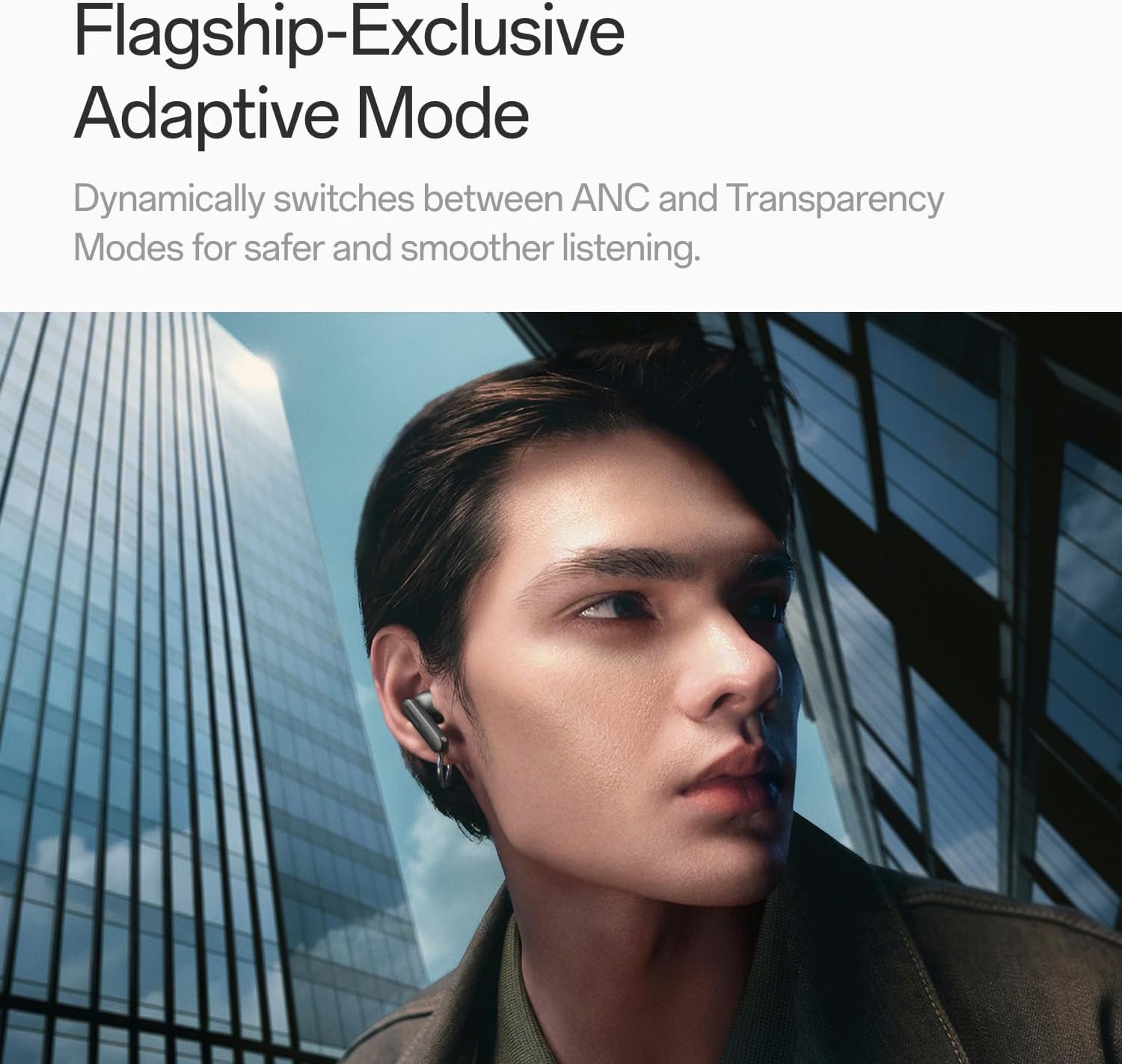
Image: A person wearing OnePlus Buds 4 earbuds in a city setting, highlighting the Adaptive Mode feature.
3.3 Аудиовозможности
The OnePlus Buds 4 deliver high-quality audio with advanced technologies.
- 11-мм аудиодрайверы: Provide balanced, true-to-life acoustics.
- Hi-Res Audio & LHDC 5.0: For detailed, studio-grade sound reproduction.
- Immersive 3D Spatial Audio: Creates a richer, surrounding sound experience.

Image: OnePlus Buds 4 earbuds with Hi-Res Audio and LHDC 5.0 branding, emphasizing advanced audio capabilities.

Image: OnePlus Buds 4 earbuds depicted with a visual effect suggesting immersive 3D Spatial Audio.

Изображение: взорванный view diagram of a OnePlus Buds 4 earbud, highlighting its internal sound components and drivers.
3.4 Особенности вызова
The earbuds are equipped with features to enhance call clarity.
- 3-mic AI Call Noise Cancellation: Filters out noise and wind for clear calls in various environments.
- 3x Voice Cancellation: Reduces vocal distractions in noisy settings like cafes or trains.

Image: A person lying down with OnePlus Buds 4 earbuds, representing the effect of voice cancellation for undisturbed listening.
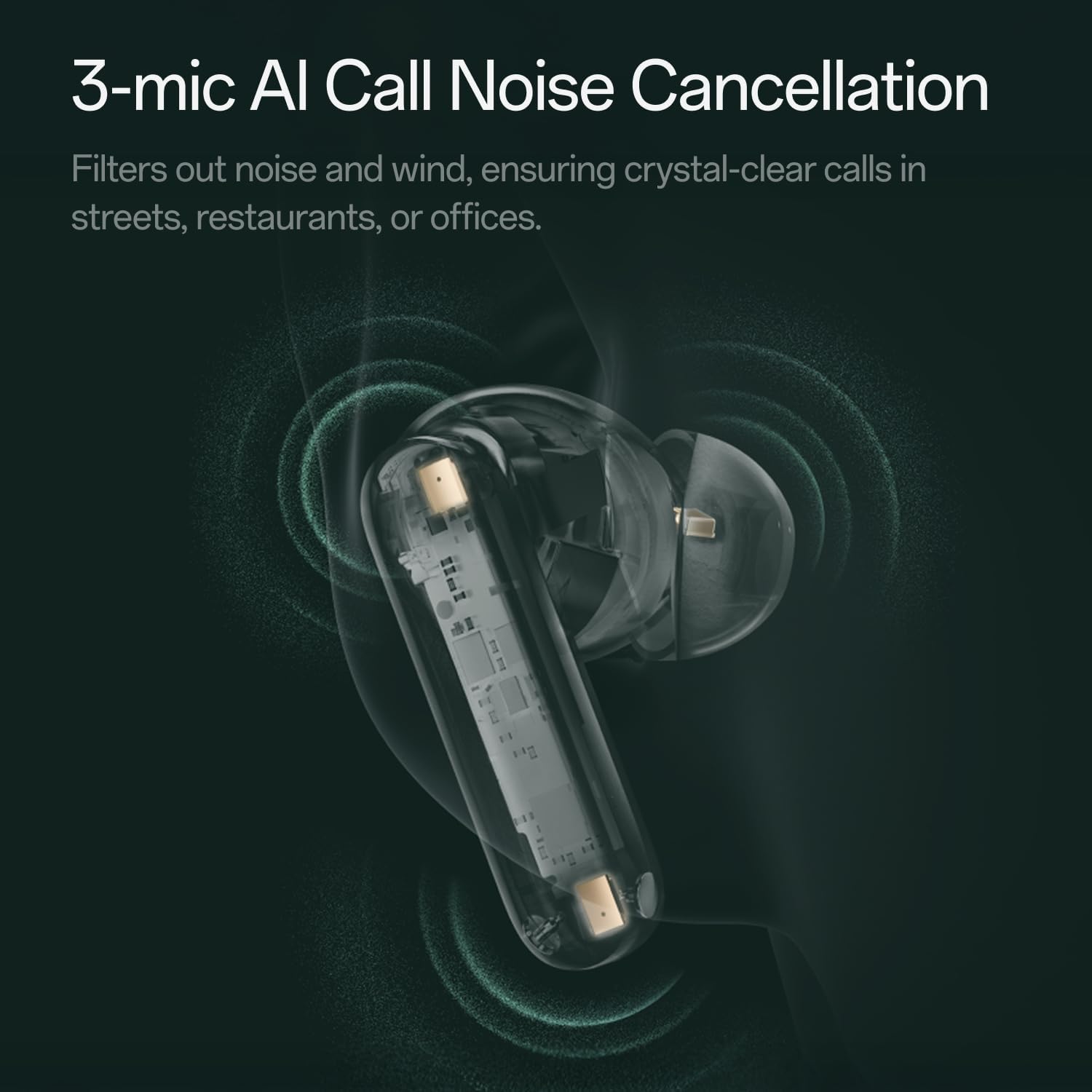
Изображение: Прозрачное view of a OnePlus Buds 4 earbud, highlighting the 3-mic system for AI Call Noise Cancellation.
3.5 Перевод с использованием ИИ
With a compatible OnePlus phone, the earbuds can facilitate real-time conversations in multiple languages.

Image: OnePlus Buds 4 earbuds alongside a smartphone screen demonstrating AI translation functionality.
4. Техническое обслуживание
4.1 Очистка
- Регулярно протирайте наушники и зарядный чехол мягкой, сухой тканью без ворса.
- Снимите ушные вкладыши и при необходимости промойте их водой с мягким мылом, убедившись, что они полностью высохли, прежде чем надевать их обратно.
- Не используйте абразивные материалы и едкие химикаты.
4.2 Водостойкость
The OnePlus Buds 4 are water resistant. This means they can withstand splashes and sweat, making them suitable for workouts. However, they are not waterproof and should not be submerged in water.
4.3 Хранение
Когда наушники не используются, храните их в зарядном футляре, чтобы защитить их и гарантировать, что они остаются заряженными.
5. Поиск Неисправностей
If you encounter issues with your OnePlus Buds 4, refer to the following common solutions:
5.1 Проблемы сопряжения
- Ensure the earbuds are charged and in pairing mode (flashing white light).
- Выключите и снова включите Bluetooth на вашем устройстве.
- Удалите устройство из настроек Bluetooth и попробуйте выполнить сопряжение снова.
- Попробуйте перезагрузить наушники (подробные инструкции по перезагрузке см. в руководстве пользователя).
5.2 Проблемы со звуком
- Check the earbud fit and try different ear tip sizes.
- Clean the ear tips and speaker meshes to remove any debris.
- Ensure the volume on both your device and earbuds is adjusted correctly.
5.3 Проблемы с зарядкой
- Убедитесь, что зарядный кабель надежно подключен как к чехлу, так и к источнику питания.
- Убедитесь, что контакты для зарядки на наушниках и внутри чехла чистые и не имеют препятствий.
- Попробуйте использовать другой кабель USB-C или адаптер питания.
6. Технические характеристики
| Особенность | Деталь |
|---|---|
| Название модели | OnePlus Buds 4 |
| Номер модели | E513A |
| Бренд | OnePlus |
| Цвет | Zen Green |
| Расположение ушей | В ухо |
| Форм-фактор | В ухо |
| Контроль шума | Активное шумоподавление |
| Размер аудиодрайвера | 11 миллиметра |
| Тип аудиодрайвера | Динамический драйвер |
| Частотная характеристика | 40 Гц |
| Чувствительность | 100 дБ |
| Сопротивление | 18 Ом |
| Технология связи | Bluetooth |
| Технология беспроводной связи | Bluetooth |
| Версия Bluetooth | 5.4 |
| Диапазон Bluetooth | 33 футов |
| Метод контроля | Трогать |
| Тип контроллера | Сенсорное управление |
| Емкость зарядного кейса | 530мАч |
| Уровень водонепроницаемости | Водостойкий |
| Вес товара | 0.15 килограмма (5.3 унции) |
| Включенные компоненты | Cable, Charging Case, Eartip, User Manual |
7. Гарантия и поддержка
7.1 Гарантия производителя
The OnePlus Buds 4 are backed by a one-year manufacturer warranty. This warranty covers defects in materials and workmanship under normal use. For specific terms and conditions, please refer to the warranty card included in your product packaging or visit the official OnePlus support webсайт.
7.2 Поддержка клиентов
For further assistance, technical support, or warranty claims, please contact OnePlus customer service through their official webсайт или контактную информацию, указанную в документации к вашему продукту.
Official OnePlus Store: Магазин OnePlus на Amazon


