Продукт болееview
The Victrix Pro BFG Reloaded is a premium wireless gaming controller designed for PlayStation 5, PlayStation 4, and PC. It features a modular design, Hall-Effect technology for drift-free precision, and extensive customization options through the Victrix Control Hub PC app. This manual provides essential information for setting up, operating, and customizing your controller.
Основные характеристики:
- 3 Customizable Modules with Built-In Hall-Effect Technology for drift-free precision.
- Ergonomically Enhanced 6-Button Fightpad Module with Kailh Microswitches.
- 5-Stop Hall-Effect Clutch Triggers with Hair-Trigger Mode for faster reactions.
- 4 Mappable Quick-Action Buttons for enhanced control.
- 11 Interchangeable Components including various thumbsticks, D-pads, and gates.
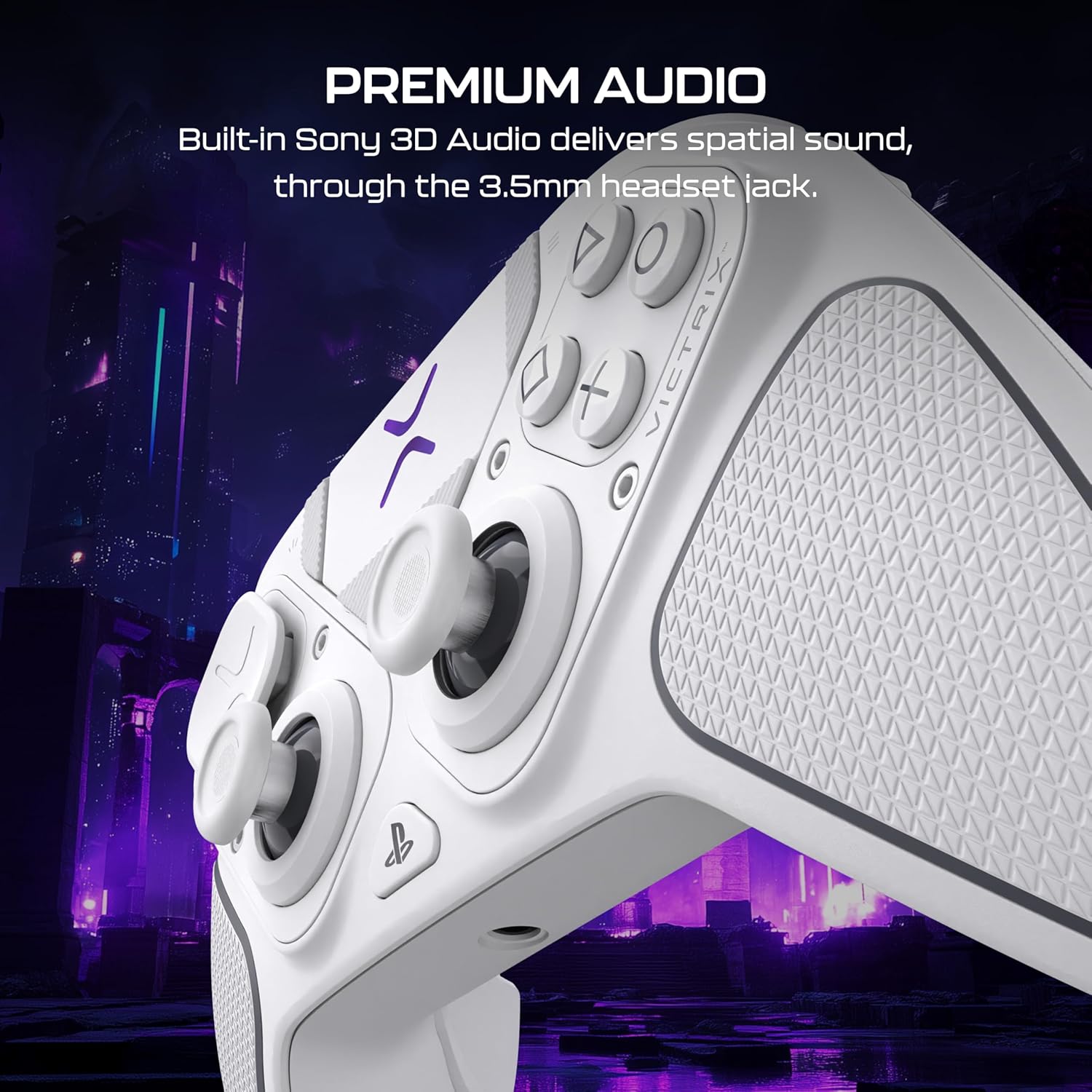
- Built-In 3.5mm Audio Jack with Premium Sony 3D Audio on PS5.
- Wired and Wireless Connectivity with up to 20-hour rechargeable battery.
- PlayStation Officially Licensed Product.
- Free Victrix Control Hub Companion App on PC for advanced customization.
- Includes Carrying Case and Module Tool for portability and easy customization.
Содержимое упаковки
Ensure all items are present in your Victrix Pro BFG Reloaded package:
- Victrix™ Pro BFG™ Reloaded Controller
- Беспроводной USB-передатчик
- Съемный плетеный кабель USB-C длиной 3 м
- 6-button Fightpad Module with Khailh Microswitches
- Reversible D-Pad and Thumbstick Left Module with Hall-Effect Technology
- Swappable Button & Thumbstick Right Module with Hall-Effect Technology
- Interchangeable D-Pads, Thumbsticks, and Gates
- Module Customization Tool
- Чехол для переноски
Настройка и подключение
Первоначальное подключение (беспроводное):
- Insert the USB Wireless Transmitter into an available USB port on your PlayStation console (PS5/PS4) or PC.
- Ensure the mode switch on the controller is set to the correct platform (PS5, PS4, or PC).
- Power on the Victrix Pro BFG Reloaded controller. The controller should automatically pair with the transmitter.
- The LED indicator on the controller will show a solid light when successfully connected.
Проводное подключение:
- Connect the detachable 3m braided USB-C cable to the USB-C port on the controller and to an available USB port on your PlayStation console or PC.
- The controller will automatically switch to wired mode and begin charging.
Переключение режимов:
Use the multi-platform mode switch located on the controller to easily transition between PlayStation 5, PlayStation 4, and PC modes.

Изображение: Задний view of the Victrix Pro BFG Reloaded controller, highlighting the mode switch for PS5, PS4, and PC.
Параметры настройки
The Victrix Pro BFG Reloaded offers extensive modularity and software-based customization to suit your playstyle.
Модульные компоненты:
The controller features three customizable modules and eleven interchangeable components. Use the included module customization tool to swap out parts.
- Палочки: Choose between standard caps, a dome cap, or a Sniper Stick for FPS games. All stick modules feature Hall-Effect technology for drift-free precision.
- D-Pads: Select from various D-pads and gates to optimize directional input.
- Fightpad Module: Replace the standard right module with the 6-button Fightpad module, featuring Kailh microswitches, ideal for fighting games.
Изображение: The Victrix Pro BFG Reloaded controller disassembled, showing its modular design and interchangeable thumbsticks, D-pads, and the fightpad module.
Victrix Control Hub PC App:
Download the free Victrix Control Hub app on PC to fine-tune your controller settings:
- Переназначение кнопок: Assign any button to another function.
- Регулировка спускового крючка: Customize the 5-stop Hall-Effect Clutch Triggers with Hair-Trigger mode. Adjust minimum and maximum deadzones for precise input.
- Analog Stick Deadzones: Fine-tune deadzones for analog sticks to eliminate drift and enhance accuracy.
- Настройки эквалайзера: Adjust audio equalizer settings for connected headsets.
- Обновления прошивки: Keep your controller's firmware up-to-date for optimal performance.
Видео: Official Victrix Pro BFG Control Hub App tutorial, demonstrating how to customize controller settings including button remapping, trigger adjustments, and audio settings.
Видео: Official tutorial on adjusting trigger sensitivity and deadzones for the Victrix Pro BFG and Pro BFG Reloaded controllers.
Аудио особенности
The Victrix Pro BFG Reloaded enhances your audio experience:
- Разъем для гарнитуры 3.5 мм: Connect your favorite wired headset for low-latency, high-fidelity sound.
- Sony 3D Audio (PS5): Experience advanced spatial surround sound on PlayStation 5 for supported games.

Изображение: The Victrix Pro BFG Reloaded controller with a headset plugged into its 3.5mm jack, illustrating its premium audio capabilities.
Управление контроллером
Основные элементы управления:
- Familiarize yourself with the layout of the thumbsticks, D-pad, action buttons, and shoulder/trigger buttons.
- Utilize the four mappable quick-action back buttons for custom commands during gameplay.
Управление аккумулятором:
- The built-in rechargeable battery provides up to 20 hours of gameplay.
- Connect the USB-C cable to charge the controller. You can continue playing while charging in wired mode.
Технические характеристики
| Особенность | Деталь |
|---|---|
| Процессор | 500 MHz Dual-core ARM-7 Victrix proprietary MCU, firmware upgradeable |
| Беспроводная совместимость | 30 футов беспроводной диапазон |
| Wired Compatibility | Detachable 3m braided USB-C cable |
| Аудиовход/выход | 3.5mm 4-pole headset jack, PS5 console compatible Sony 3D Audio |
| Срок службы батареи | До 20 часов |
| Кнопки | High-response elastomer membrane (standard module), Low damped Fightpad module with Khailh Microswitches |
| Product Weight (controller) | 265 г / 0.58 фунта |
| Размеры продукта (Ш x В x Г) | 160 мм x 105 мм x 60 мм (6.3” x 4.1” x 2.4”) |
| Номер модели товара | TBC-3101-15 |
Поиск неисправностей
If you encounter issues with your Victrix Pro BFG Reloaded controller, try the following steps:
- Проблемы с подключением: Ensure the USB Wireless Transmitter is securely plugged in and the controller's mode switch matches your platform (PS5/PS4/PC). Try re-pairing the controller by holding the profile button until it blinks, then pressing the sync button on the transmitter.
- Drift/Input Inaccuracy: Calibrate the analog sticks using the Victrix Control Hub PC app. Ensure Hall-Effect modules are correctly seated.
- Контроллер не отвечает: Check battery level. Connect the controller via USB-C cable to ensure it's powered. Perform a hard reset by holding the PlayStation button for 5 seconds.
- Проблемы с обновлением прошивки: Ensure your PC has the latest Victrix Control Hub app and a stable internet connection. Follow the app's instructions for firmware updates.
- Проблемы со звуком: Verify headset connection. Check audio settings in the Victrix Control Hub app and your console/PC settings.
Гарантия и поддержка
The Victrix Pro BFG Reloaded controller comes with a manufacturer's warranty. Please refer to the warranty card included in your package or visit the official Turtle Beach webСайт с подробной информацией о гарантии и ресурсами поддержки.
For further assistance, product registration, or to download the Victrix Control Hub PC app, visit the Official Turtle Beach Store or their support webсайт.