1. Введение
The EPOMAKER EK21 VIA Gasket Number Pad is a versatile and highly functional numeric keypad designed for professionals and gamers. It features a 20-key layout, a premium aluminum alloy knob, and offers triple connectivity modes (Wired, Bluetooth, 2.4GHz Wireless). This manual provides detailed instructions for setup, operation, customization, and maintenance to ensure optimal performance and user experience.
2. Содержимое упаковки
Пожалуйста, проверьте наличие всех предметов в вашей посылке:
- 1x EPOMAKER EK21 20% Number Pad
- 1x Универсальный инструмент для снятия колпачков клавиш и переключателей (2 в 1)
- 1x Extra “Back” Keycap
- 1x 1.8m Detachable USB A-to-C Braided Cable
- 1x 2.4GHz Wireless Dongle
- 1x Руководство пользователя (этот документ)
3. Продукт закончилсяview
The EK21 features a compact and ergonomic design with a multi-functional aluminum alloy knob and customizable RGB lighting. It is built with a gasket structure for a cushioned typing experience and hot-swappable PCB for easy switch replacement.


4. Настройка и подключение
The EK21 offers three modes of connection: Wired, Bluetooth, and 2.4GHz Wireless.

4.1. Проводное подключение (USB-C)
- Locate the USB-C port on the EK21.
- Connect the provided USB A-to-C braided cable to the number pad and your computer.
- The number pad will be automatically recognized and ready for use.
4.2. Беспроводное соединение 2.4 ГГц
- Locate the 2.4GHz wireless dongle in the package.
- Подключите ключ к свободному USB-порту вашего компьютера.
- Switch the mode selector on the EK21 to 2.4GHz wireless mode. The number pad will connect automatically.
4.3. Подключение Bluetooth 5.0
- Switch the mode selector on the EK21 to Bluetooth mode.
- On your device (computer, tablet, or smartphone), enable Bluetooth and search for new devices.
- Select "EPOMAKER EK21" from the list of available devices to pair.
5. Инструкция по эксплуатации
5.1 Основные функции клавиш
The EK21 features a standard numeric keypad layout with additional function keys for enhanced productivity.
- Цифровые клавиши (0–9): Standard number input.
- Operators (+, -, *, /): Basic arithmetic operations.
- Входить: Confirms input or moves to the next line.
- Num Lock: Toggles numeric keypad functionality.
- Esc: Escape function.
- Вкладка: Tab function.
- Fn: Function key for secondary key commands.
5.2. Multi-functional Aluminum Alloy Knob
The knob on the EK21 provides intuitive control over various functions:
- Rotate Clockwise/Counter-clockwise: Default for volume adjustment (Volume + / Volume -).
- Нажимать: Default for Mute/Unmute audio.
- Customizable via VIA software for other functions.
5.3. Управление RGB-подсветкой
The EK21 features dynamic RGB backlighting. Use the following key combinations for on-device control:
- Fn + . (Period)Проверьте уровень заряда батареи.
- Fn + Ввод: Toggle backlight effect.
- Fn + - (Minus): Отрегулируйте яркость подсветки.

5.4. Настройка программного обеспечения VIA
The EK21 is fully programmable via VIA software, allowing for extensive customization of key assignments, macros, and lighting effects. To get started:
- Загрузите программное обеспечение VIA с официального сайта. webсайт.
- Download the specific EK21 JSON file from the EPOMAKER webсайт. Этот file is necessary for VIA to recognize and configure your EK21.
- Open VIA software, load the EK21 JSON file, and connect your number pad.
- You can now remap keys, create complex macros, configure multiple layers, and fine-tune RGB lighting to suit your workflow.
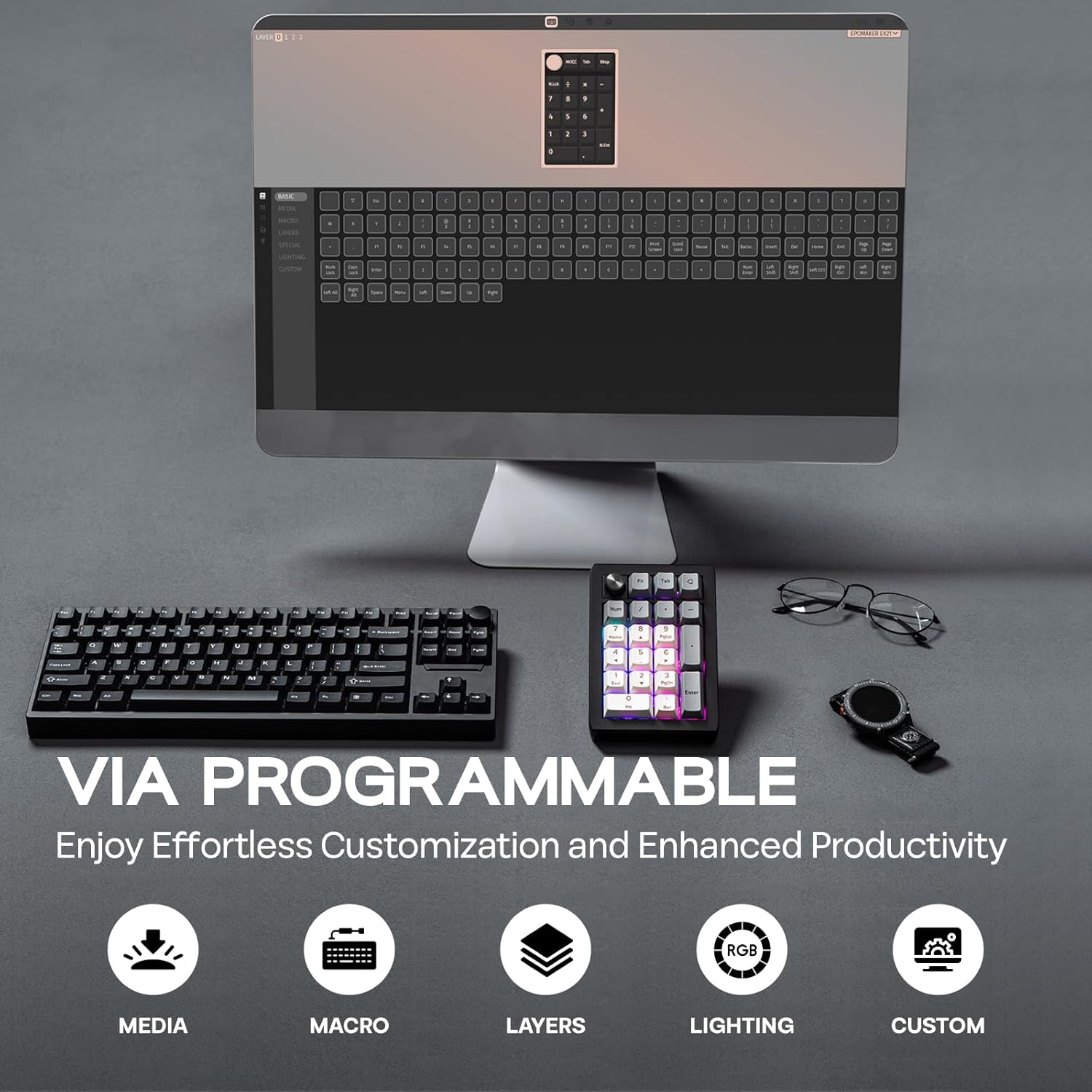
Video 1: How to Use VIA. This video provides a tutorial on how to set up and use the VIA software for customizing the EK21 number pad, including key remapping and macro creation.
6. Управление батареей
The EK21 is equipped with a 1000mAh battery for extended wireless usage.

- Зарядка: Connect the number pad via the USB-C cable to a power source (computer USB port or wall adapter). The RGB lighting may indicate charging status.
- Проверка батареи: Нажимать Fn + . (Period) to display the current battery level via the RGB lighting.
7. Техническое обслуживание
7.1. Переключатели и колпачки клавиш с возможностью «горячей» замены
The EK21 features a hot-swappable PCB, allowing you to easily change mechanical switches without soldering. The keycaps are also removable for customization or cleaning.
- Use the provided 2-in-1 keycap-and-switch puller.
- To remove a keycap, gently pull it upwards with the keycap puller.
- Чтобы снять выключатель, используйте съемник выключателей, чтобы захватить верхнюю и нижнюю защелки выключателя, и потяните вверх.
- To install a new switch, align its pins with the holes on the PCB and press down firmly until it clicks into place. Ensure pins are straight to avoid bending.
- To install a new keycap, align it with the switch stem and press down.
7.2. Уборка
- Disconnect the number pad from all power sources before cleaning.
- Use a soft, dry cloth to wipe the surface of the number pad.
- Для более глубокой очистки снимите колпачки клавиш и удалите мусор между переключателями сжатым воздухом.
8. Поиск Неисправностей
- Number Pad Not Responding:
- Ensure the number pad is properly connected (wired) or paired (wireless/Bluetooth).
- Проверьте уровень заряда аккумулятора и при необходимости зарядите его.
- Try switching between connectivity modes.
- VIA Software Not Detecting EK21:
- Ensure the EK21 is connected via USB-C.
- Verify that the correct EK21 JSON file has been loaded into the VIA software.
- Some users have reported needing a firmware update for VIA compatibility. Check the EPOMAKER support page for the latest firmware and instructions.
- Проблемы с RGB-освещением:
- Отрегулируйте яркость с помощью Fn + - (Minus).
- Toggle effects using Fn + Ввод.
- Customize lighting further using VIA software.
- Плохой срок службы батареи:
- Reduce RGB brightness or turn off lighting when not needed.
- Ensure the number pad is fully charged.
9. Технические характеристики
| Особенность | Спецификация |
|---|---|
| Бренд | ЭПОМЕЙКЕР |
| Модель | ЕК21 |
| Макет | 20 Keys and 1 Knob |
| Емкость аккумулятора | 1000мАч |
| Связность | Беспроводная связь 2.4 ГГц, Bluetooth 5.0, проводная связь USB-C |
| Материал корпуса | АБС-пластик |
| Материал пластины | PC |
| Печатная плата с возможностью горячей замены | Да |
| Подсветка | РГБ |
| Размеры продукта | 3.66"Д x 5.43"Ш x 1.14"В |
| Вес товара | 13.4 унции |
| Совместимые устройства | Ноутбук, ПК, смартфон, планшет |
10. Дополнительные ресурсы
Video 2: EK21 VIA Numeric Keypad Unboxing Video. This video demonstrates the unboxing experience of the EK21 number pad, showcasing его содержимое и первоначальный вид.
Video 3: EPOMAKER EK21 QMK Typing Video. This video provides an audio and visual demonstration of the typing experience on the EK21 number pad, highlighting key sounds and responsiveness.
Video 4: EK21 VIA Numeric Keypad Lighting Display. This video showcases the various dynamic RGB lighting effects available on the EK21 number pad.
11. Гарантия и поддержка
EPOMAKER products come with a standard warranty. For specific warranty details, technical support, or further assistance, please visit the official EPOMAKER webили обратитесь в службу поддержки клиентов. Сохраните чек о покупке для предъявления гарантийных претензий.


