Введение
Thank you for choosing the GOBOULT Crown Smart Watch. This manual provides essential information for the proper setup, operation, and maintenance of your device. Please read it thoroughly to ensure optimal performance and longevity of your smartwatch.
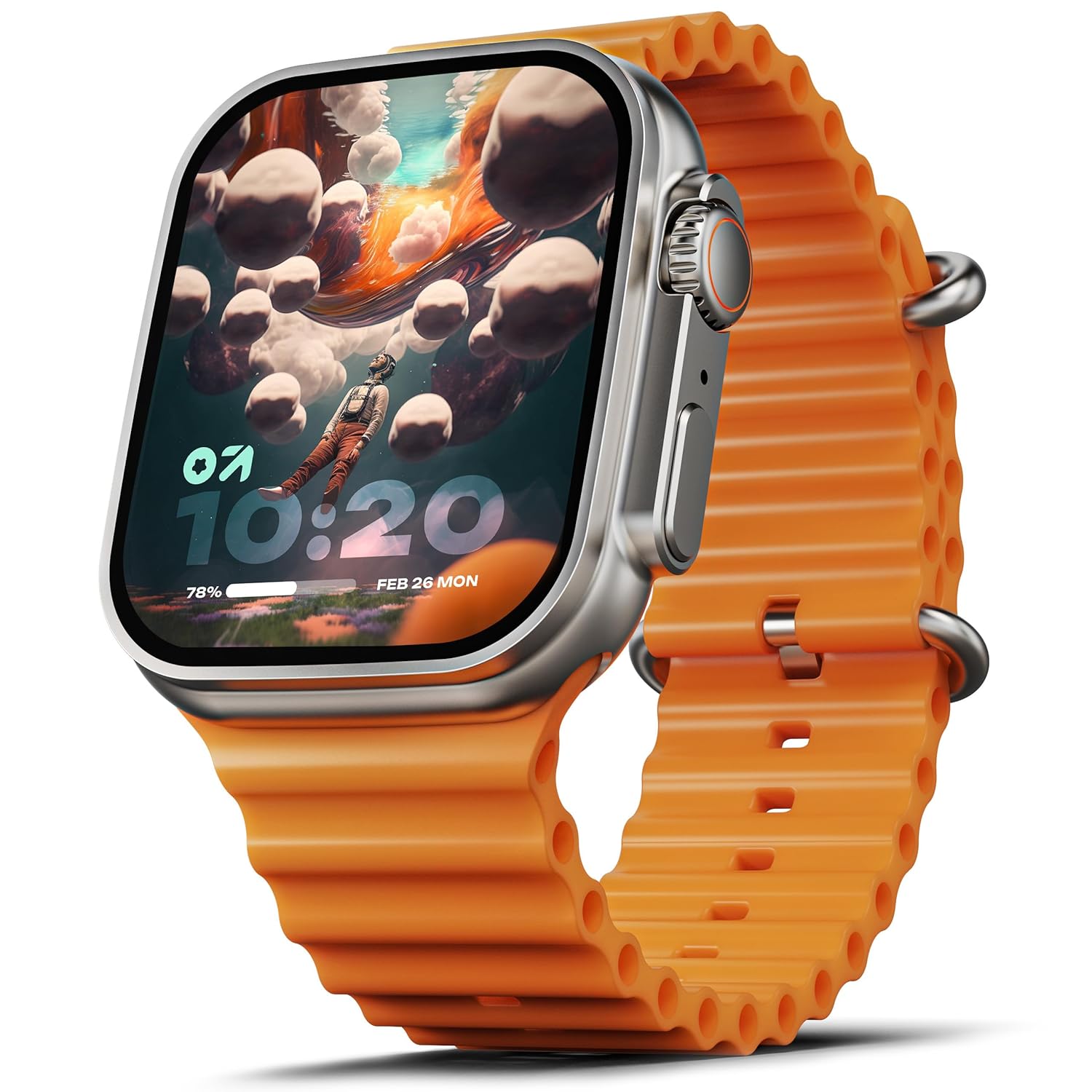
Image: The GOBOULT Crown Smart Watch, featuring a large display and an orange silicone strap.
Что в коробке?
После распаковки, пожалуйста, проверьте наличие всех следующих предметов:
- GOBOULT Crown Smart Watch
- Зарядный кабель
- Руководство пользователя
- Гарантийный талон
Начиная
1. Зарядка смарт-часов
Before initial use, fully charge your GOBOULT Crown Smart Watch. Connect the provided charging cable to the charging port on the back of the watch and to a standard USB power adapter. The watch display will indicate charging status.
2. Включение и выключение
To power on, press and hold the side button until the GOBOULT logo appears. To power off, navigate to the settings menu on the watch, select 'Power Off', and confirm.
3. Сопряжение со смартфоном
- Download the official GOBOULT companion app from your smartphone's app store (available for Android and iOS).
- Убедитесь, что Bluetooth включен на вашем смартфоне.
- Open the GOBOULT app and follow the on-screen instructions to search for and pair with your Crown Smart Watch.
- Подтвердите запрос на сопряжение на телефоне и часах.
Инструкция по эксплуатации
Дисплей и навигация

Image: Close-up of the smartwatch display, highlighting its 1.95-inch size and 900 Nits brightness for clear visibility.
- 1.95-дюймовый HD-дисплей: The large, high-definition screen provides clear visuals and responsive touch interaction.
- Яркость 900 нит: Ensures excellent visibility even in bright outdoor conditions.
- Working Rotating Crown: Use the functional rotating crown on the side of the watch to scroll through menus, zoom in/out, and switch watch faces.
Изображение: взорванный view illustrating the internal mechanism of the working rotating crown, used for navigation and control.
Вызов Bluetooth

Image: The smartwatch screen showing an incoming call, alongside diagrams explaining Bluetooth 5.2 calling features like call answer/reject, dial pad, and contact sync.
The GOBOULT Crown Smart Watch supports Bluetooth Calling 5.2, allowing you to make and receive calls directly from your wrist. It features a built-in speaker and microphone for clear communication.
- Ответ/отклонение вызовов: Tap the green icon to answer or the red icon to reject an incoming call.
- Клавиатура для набора номера: Access the dial pad on the watch to make outgoing calls.
- Синхронизация контактов: Sync your phone's contacts to the watch via the companion app.
Мониторинг здоровья
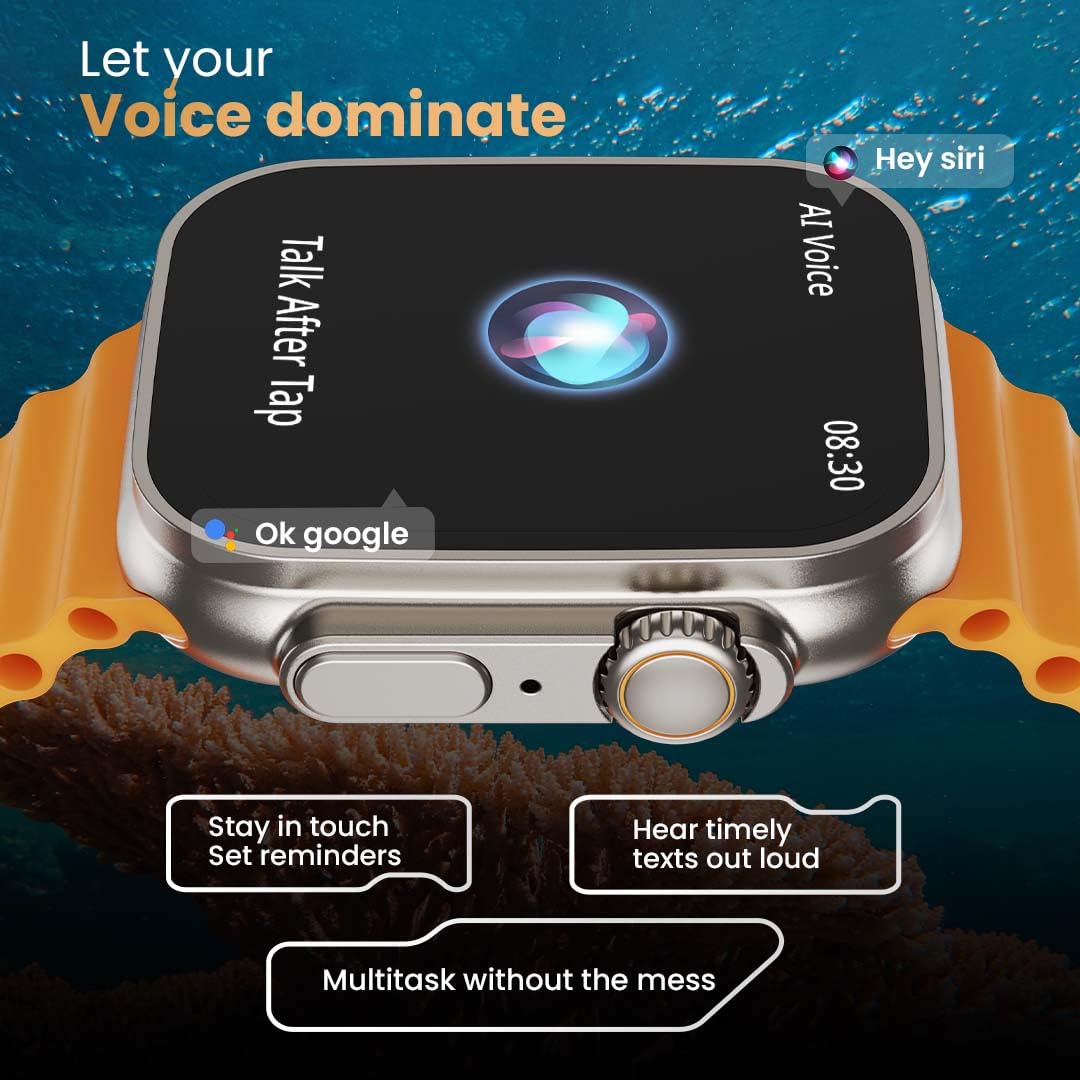
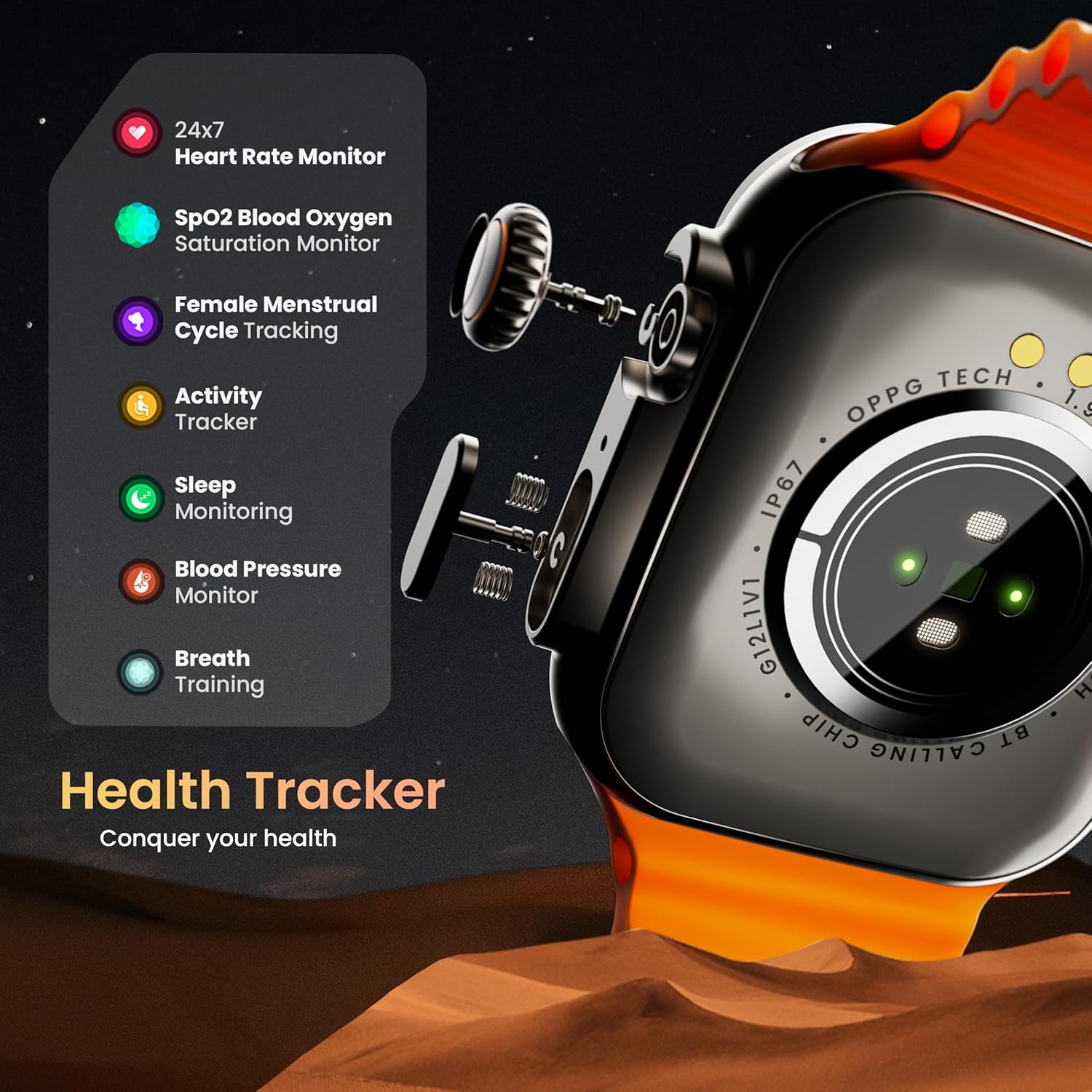
Image: The rear of the smartwatch showing its health sensors, accompanied by a list of health metrics it tracks, including heart rate, SpO2, and sleep.
The watch is equipped with an advanced health suite to help you monitor your well-being:
- 24/7 Heart Rate Monitor: Постоянно отслеживает частоту вашего пульса в течение дня.
- Монитор насыщения крови кислородом SpO2: Измеряет уровень кислорода в крови.
- Мониторинг сна: Анализирует режим и качество вашего сна.
- Трекер активности: Фиксирует шаги, расстояние и сожженные калории.
- Отслеживание женского менструального цикла: Provides insights and predictions for menstrual cycles.
- Тренировка дыхания: Управляемые дыхательные упражнения для релаксации.
Спортивные режимы
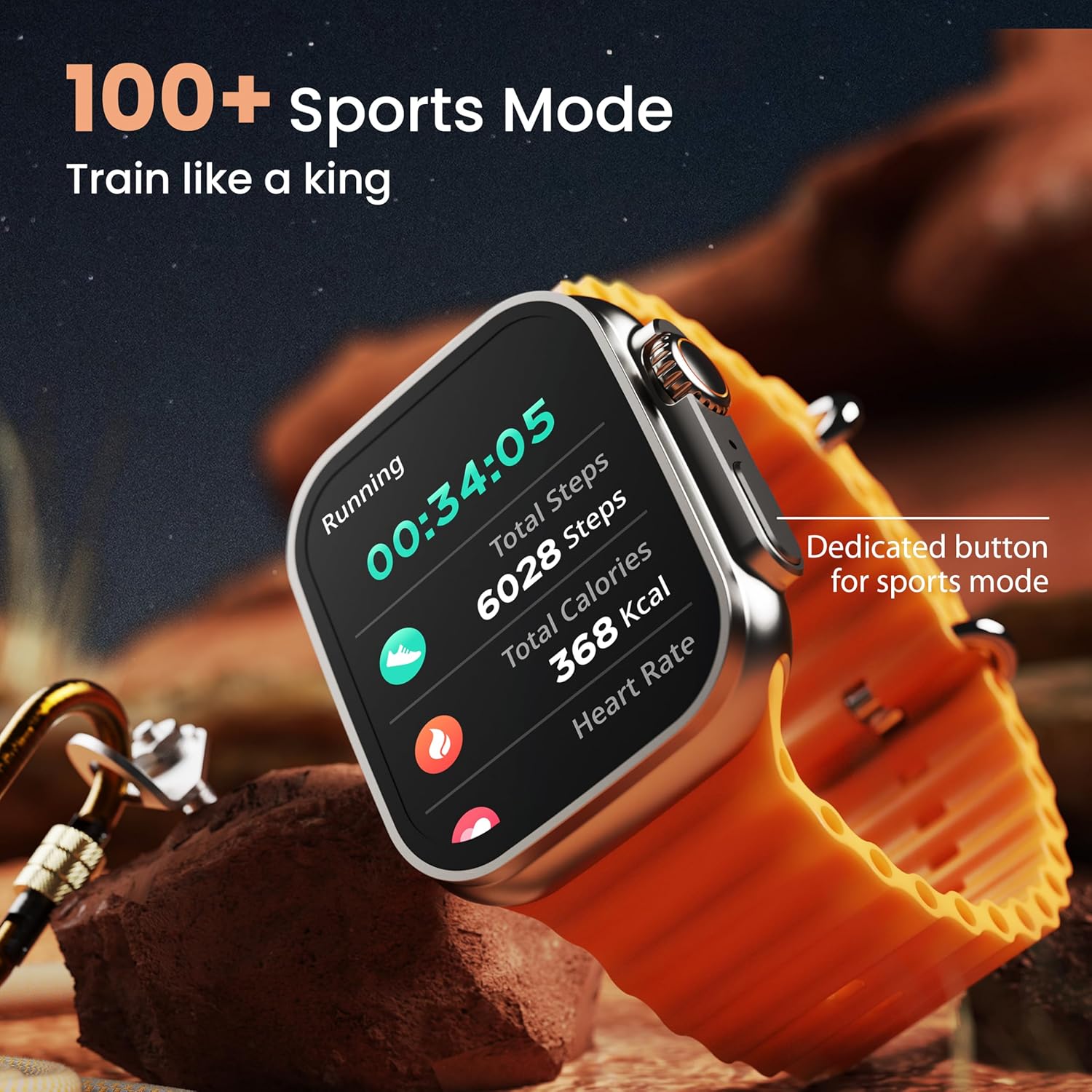
Image: The smartwatch screen showing a 'Running' sports mode with real-time metrics like duration, total steps, calories, and heart rate. A dedicated button for sports mode is also visible.
With over 120 sports modes, the GOBOULT Crown Smart Watch can track a wide range of physical activities. Select your desired sport from the watch menu to record real-time metrics, performance insights, and track your progress.
Настройка

Изображение: коллажasing various watch faces, including custom and animated options, along with different UI styles available for personalization on the smartwatch.
Персонализируйте свои смарт-часы:
- 100+ Cloud-Based Watch Faces: Choose from a wide selection of watch faces available through the companion app.
- Варианты настройки: Customize your screen with widgets, backgrounds, and layouts to match your style.
- 8 UI Styles: Select from different user interface styles for menu navigation.
Дополнительные функции
- Голосовой помощник на основе искусственного интеллекта: Interact with your watch using voice commands (e.g., "Hey Siri" or "Ok Google") for tasks like setting reminders or hearing texts aloud.
- Найти мой телефон: If your paired phone is misplaced, use this feature on your watch to make it ring/vibrate.
- Мини-игры: Enjoy pre-installed mini-games directly on your watch.
- Уведомления и напоминания: Receive SMS, WhatsApp, social media, and mail notifications. Set goal achievement reminders.
- Калькулятор: В часах доступна базовая функция калькулятора.
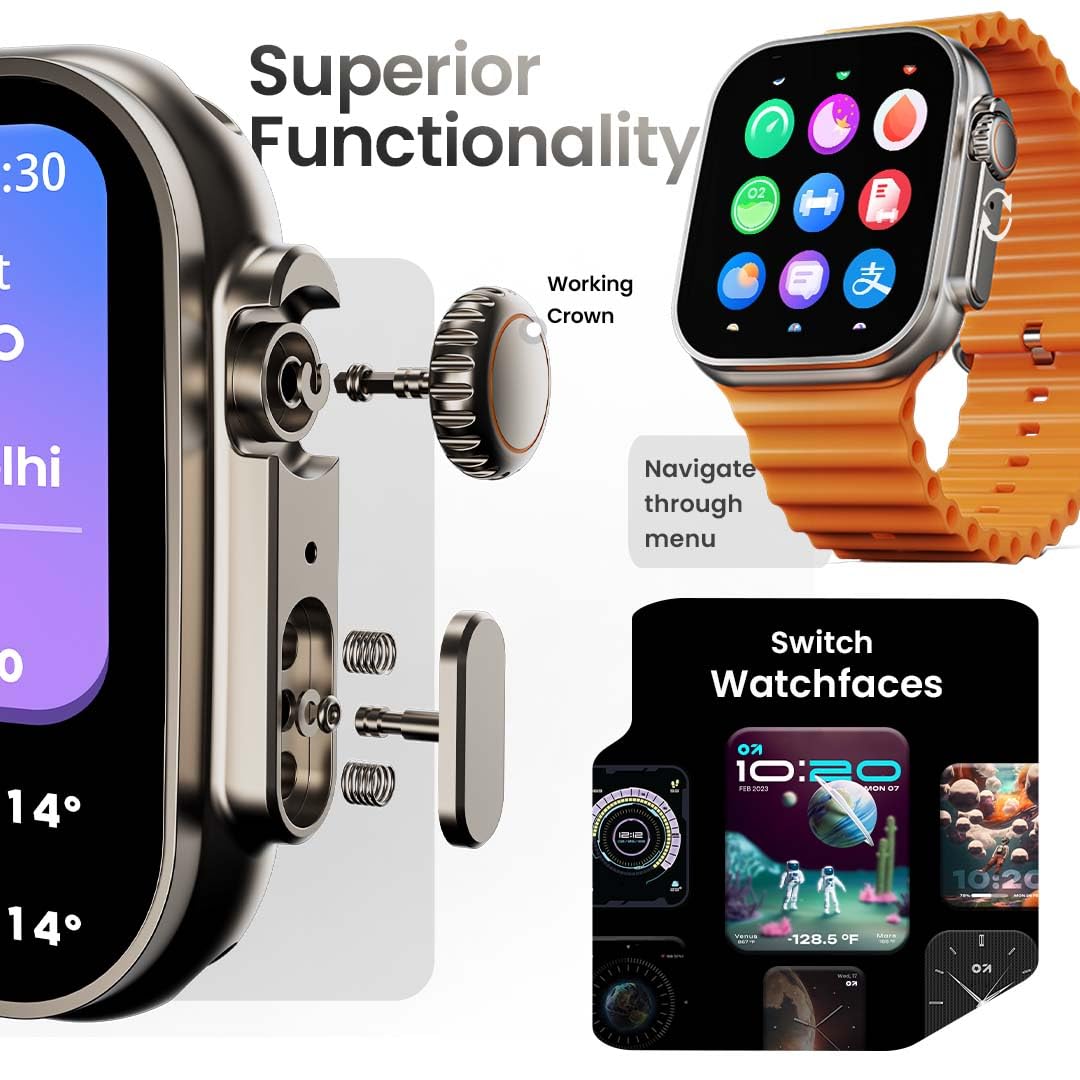
Image: The smartwatch screen showing the AI Voice Assistant interface, indicating support for voice commands like "Hey Siri" and "Ok Google".
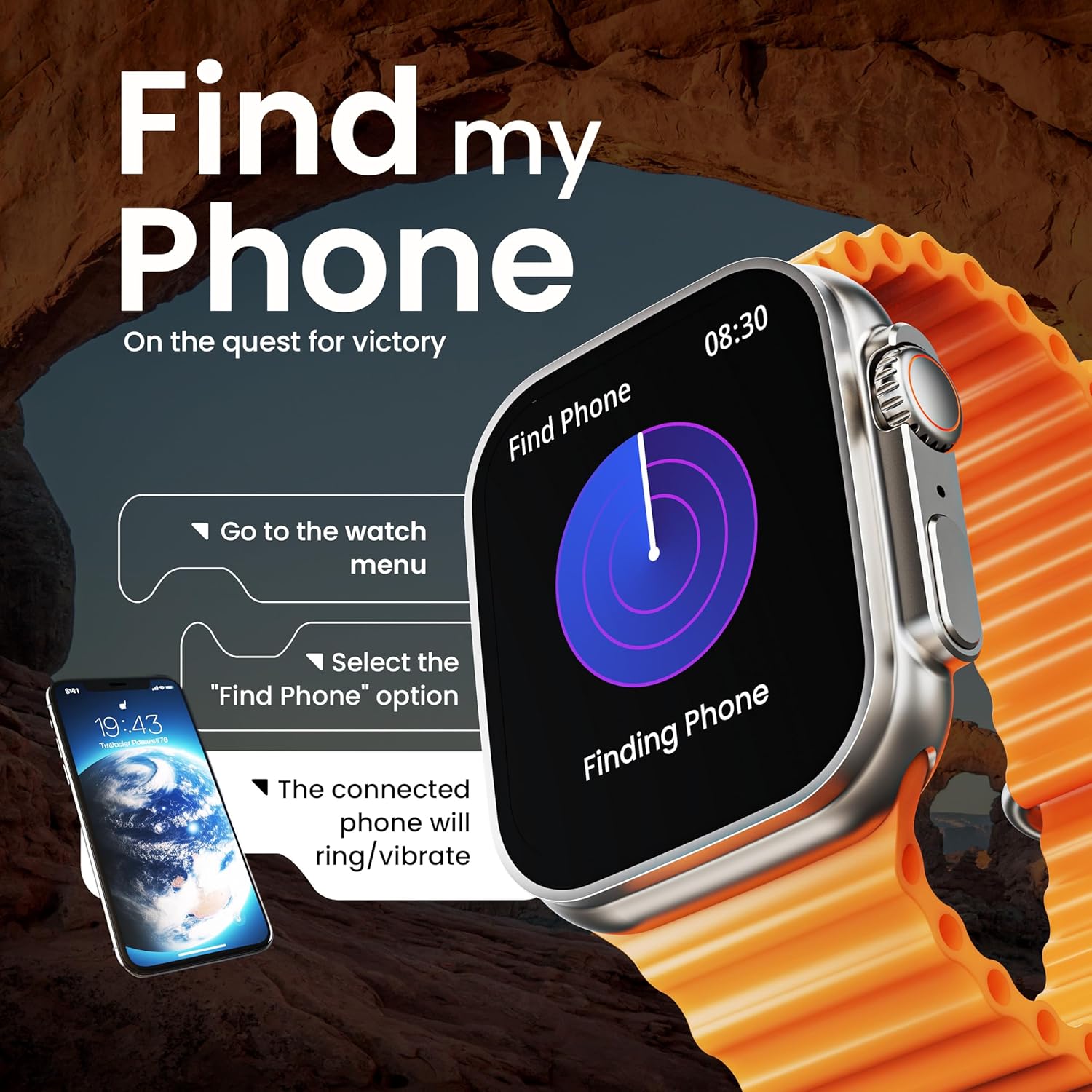
Image: The smartwatch screen illustrating the 'Find Phone' feature, with instructions on how to activate it to locate a connected smartphone.
Изображение: Экран умных часовasing a selection of mini-games available on the device, such as 'Young Bird', 'Hamster', and 'Battleships'.

Image: The smartwatch screen showing a calculator interface, along with a pop-up notification and a list of reliable and robust features like sync notifications and reminders.
Обслуживание
Уборка
Regularly clean your smartwatch and strap to prevent skin irritation and maintain device hygiene. Use a soft, lint-free cloth. If necessary, slightly dampСмочите ткань водой. Избегайте использования агрессивных химикатов и абразивных материалов.
Водостойкость
The GOBOULT Crown Smart Watch is IP67 water resistant. This means it is protected against dust and can withstand immersion in water up to 1 meter for up to 30 minutes. It is suitable for daily use and light splashes but not recommended for swimming, showering, or diving.
Уход за ремешком
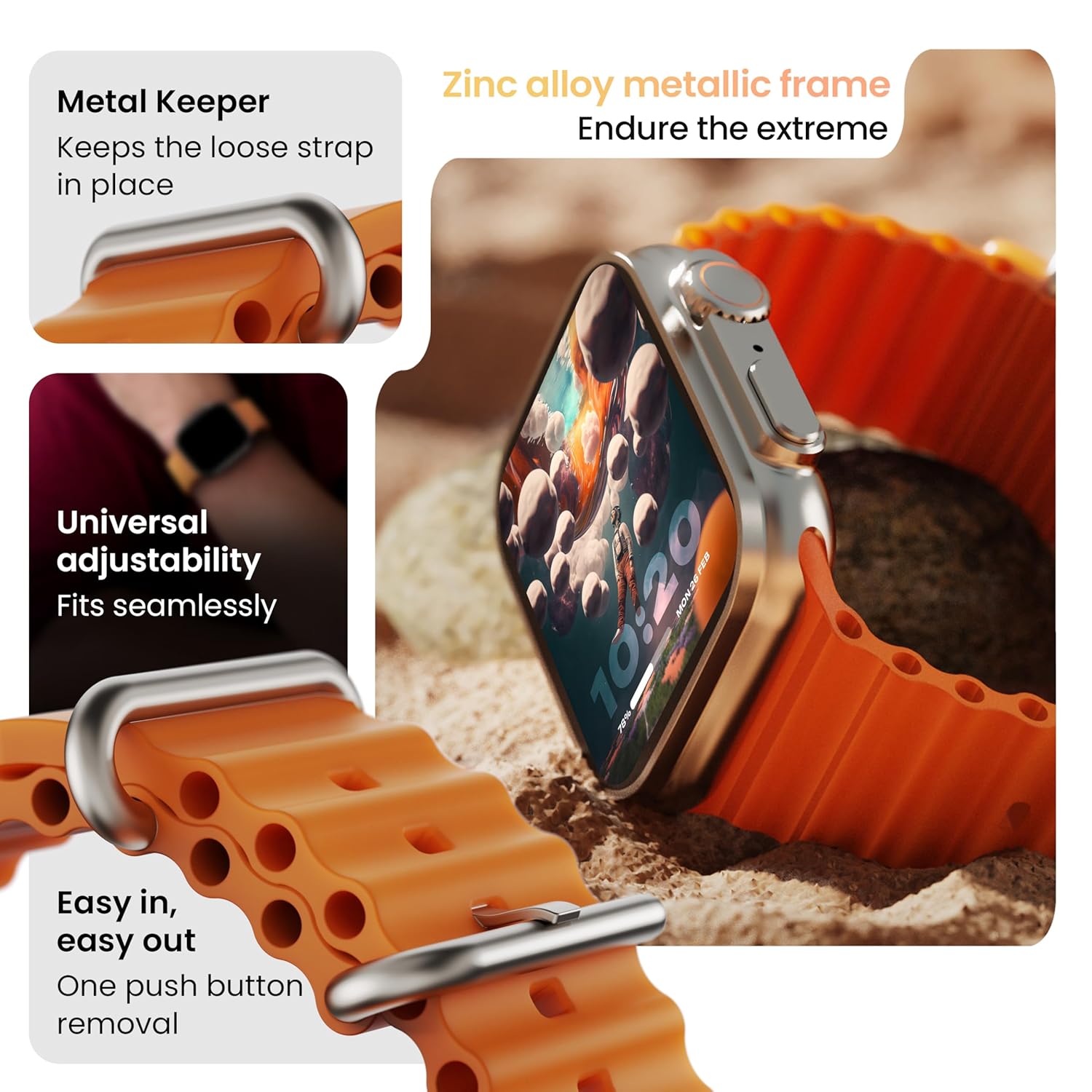
Изображение: подробное view of the smartwatch strap, highlighting features such as the metal keeper for securing the loose end, universal adjustability for a seamless fit, and a push-button mechanism for easy removal.
The skin-friendly silicone strap is designed for comfort. Ensure it is not too tight or too loose for accurate health tracking. Clean the strap regularly, especially after workouts, to remove sweat and dirt.
Поиск неисправностей
Часы не включаются
- Убедитесь, что часы полностью заряжены. Подключите их к зарядному устройству как минимум на 30 минут.
- Нажмите и удерживайте боковую кнопку в течение 10–15 секунд, чтобы попытаться выполнить принудительный перезапуск.
Проблемы сопряжения
- Убедитесь, что Bluetooth включен на вашем телефоне и часах.
- Ensure the watch is within the Bluetooth range (approximately 10 meters).
- Перезагрузите телефон и часы.
- Очистите кэш Bluetooth на телефоне или удалите устройство из списка сопряженных устройств и попробуйте выполнить сопряжение снова.
Неточные данные о состоянии здоровья
- Убедитесь, что часы плотно прилегают к запястью, но не слишком туго.
- Очистите датчики на задней панели часов.
- Avoid excessive movement during measurements for better accuracy.
Уведомления не появляются
- Проверьте, правильно ли часы подключены к телефону через Bluetooth.
- Verify notification permissions for the GOBOULT app in your phone's settings.
- Убедитесь, что на вашем телефоне или часах не включен режим «Не беспокоить».
Технические характеристики
| Особенность | Деталь |
|---|---|
| Бренд | ГОБУЛТ |
| Модель | Умные часы Crown |
| Размер дисплея | 1.95 дюйма |
| Яркость дисплея | 900 Nits |
| Связность | Блютус 5.2 |
| Операционная система | Android Wear 1.0, iOS compatible |
| Срок службы батареи (средний) | 7 дней |
| Время зарядки аккумулятора | 150 минут |
| Емкость аккумулятора | 300 миллиamp Часы |
| Водостойкость | IP67 |
| Вес товара | 40 г |
| Включенные компоненты | Smartwatch, Charging Cable, User Manual, Warranty Card |
Гарантия и поддержка
Your GOBOULT Crown Smart Watch comes with a Warranty Card included in the box. Please refer to this card for detailed information regarding warranty coverage and terms. For technical support or further assistance, please contact GOBOULT customer service through the contact information provided on the warranty card or the official GOBOULT webсайт.


