Продукт болееview
The Anweller P7BF is a versatile smart padlock offering multiple unlocking methods for enhanced security and convenience. It features fingerprint recognition, passcode entry, and mobile app control.
Основные характеристики
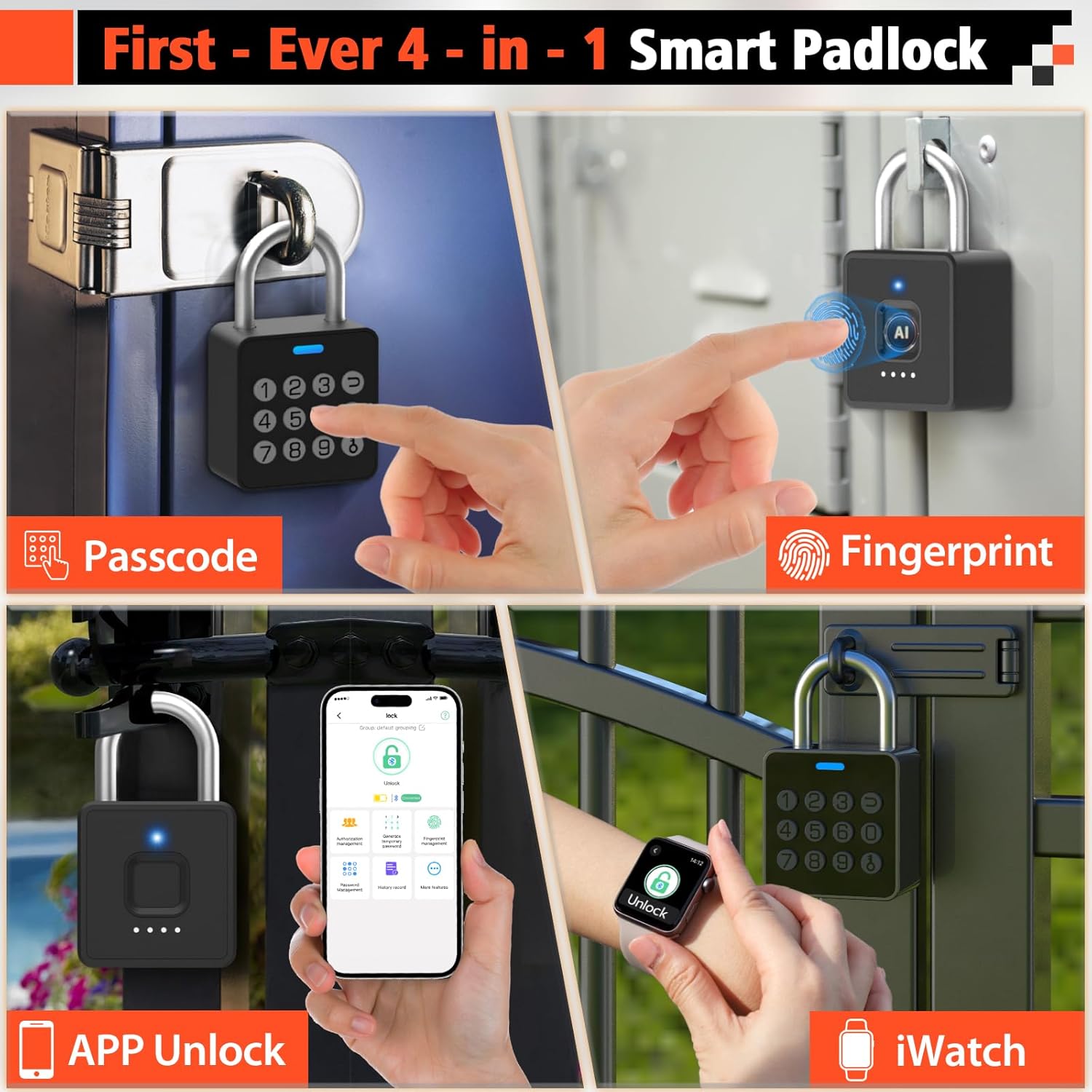
- 4-in-1 Unlocking: Fingerprint, Passcode, Mobile App, and iWatch.
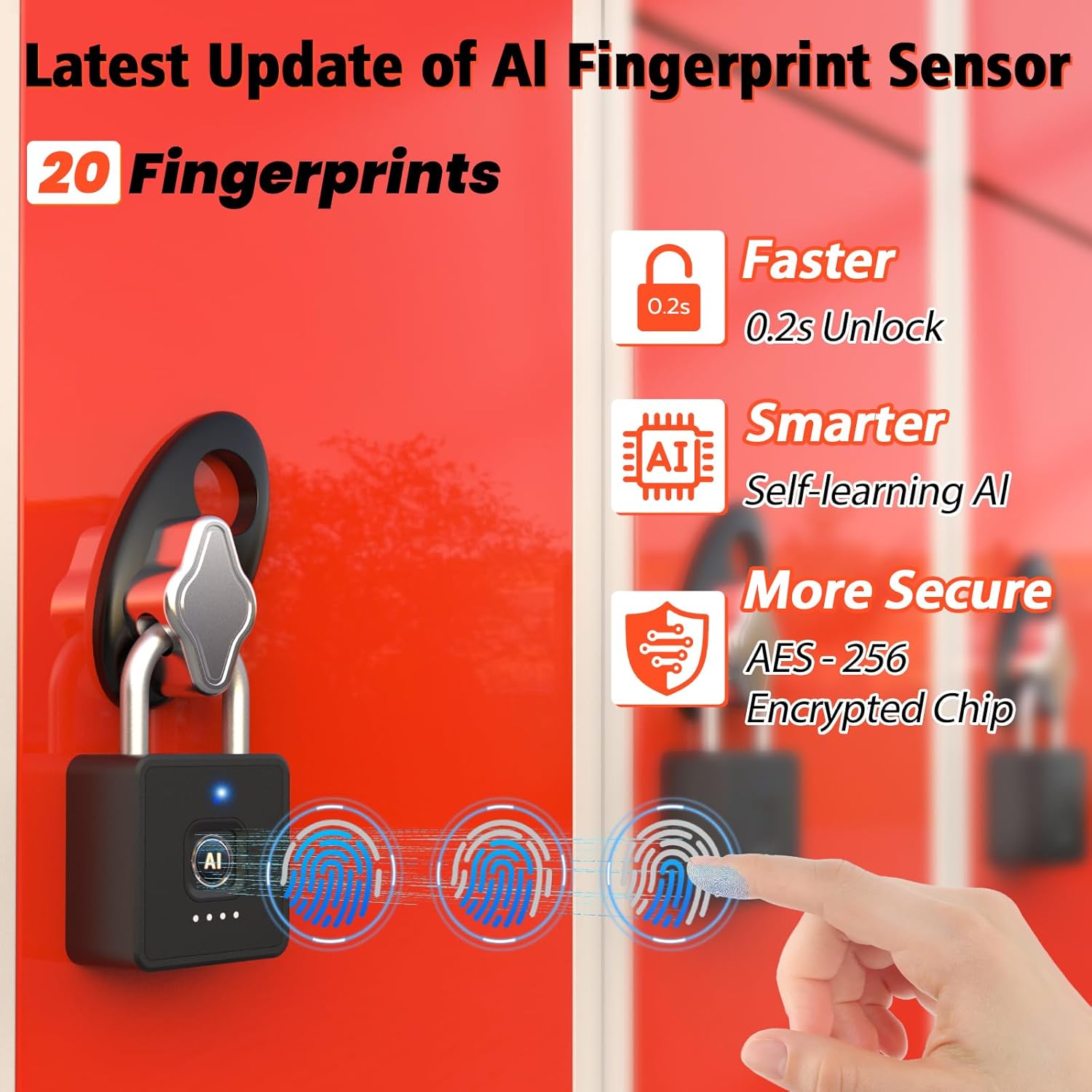
- Быстрое распознавание отпечатков пальцев: Unlocks in 0.2 seconds. Supports up to 20 fingerprints.
- Multi-function Passwords: Permanent, Guest (scheduled), and One-time codes.
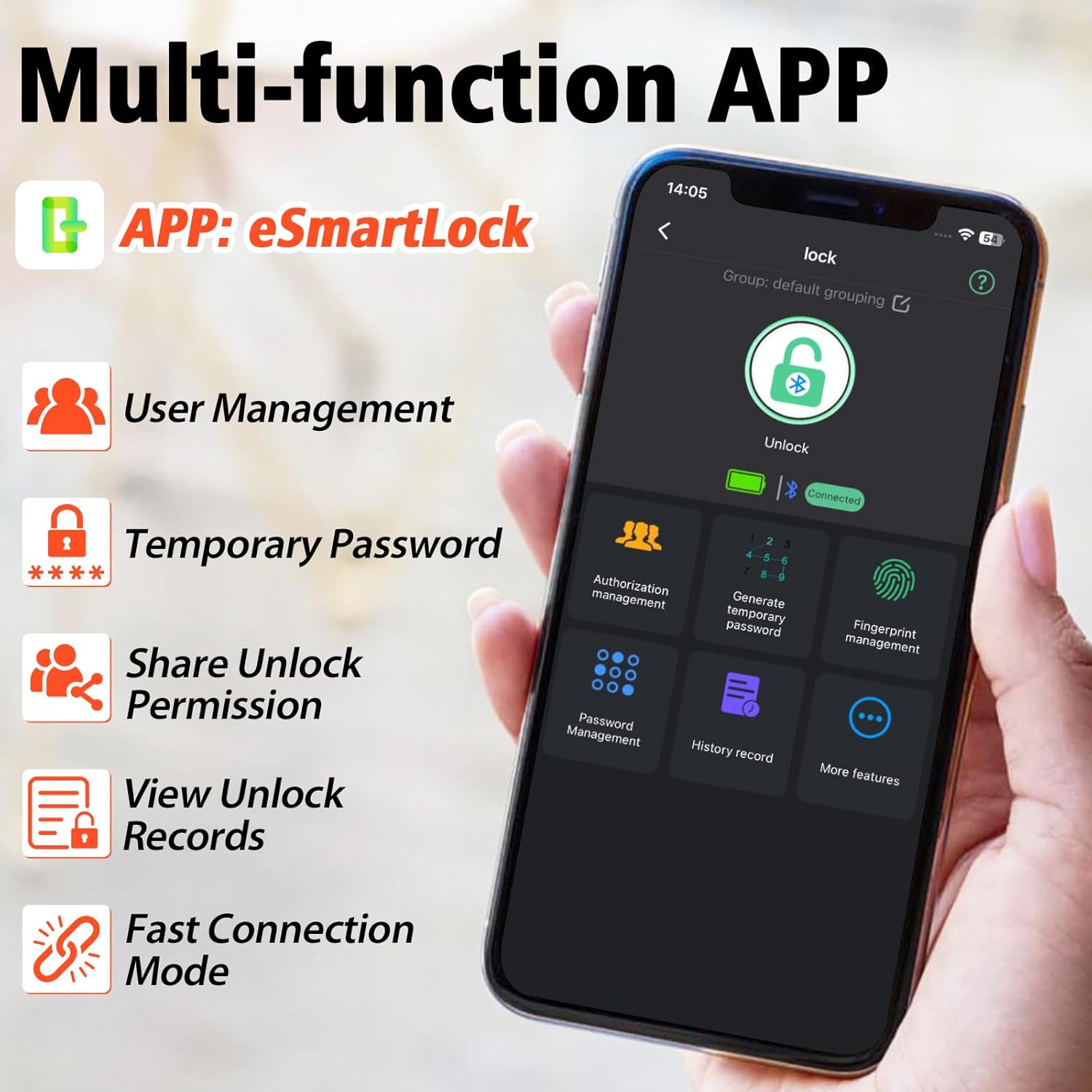
- Управление через смарт-приложение: Bluetooth connectivity for user management, password generation, and unlock records.
- Прочная конструкция: IP65 waterproof and dustproof, withstands temperatures from -4°F to 113°F.
- Длительный срок службы батареи: Up to 180 days standby time, Type-C charging.

Что включено
- Anweller Smart Padlock
- Зарядный кабель типа C
- Руководство пользователя
Руководство по настройке
Начальная зарядка
Before first use, fully charge the padlock using the provided Type-C cable. The charging port is typically located at the bottom or side of the lock. A full charge ensures optimal performance.

Установка и подключение приложения
- Download the "eSmartLock" app from your device's app store (Android or iOS).
- Откройте приложение и создайте учетную запись.
- Убедитесь, что Bluetooth на вашем телефоне включен.
- In the app, select "Add Device" and follow the on-screen instructions to pair with your Anweller P7BF padlock. The lock's indicator light will typically flash during pairing.
Регистрация отпечатков пальцев
- Once connected via the app, navigate to "Fingerprint Management".
- Select "Add Fingerprint" and follow the app's prompts to register your fingerprint. You will typically need to place your finger on the sensor multiple times from different angles.
- Register all desired fingerprints (up to 20).
Setting Passcodes
- In the app, go to "Password Management".
- You can set permanent passcodes (up to 20), generate guest passwords with scheduled entry times, or create one-time passwords.
- Follow the app's instructions to create and manage your desired passcodes.

Инструкция по эксплуатации
Разблокировка с помощью отпечатка пальца
Place your registered finger firmly on the fingerprint sensor. The lock will unlock in approximately 0.2 seconds if the fingerprint is recognized.
Unlocking with Passcode
Enter your registered passcode on the keypad and press the unlock button (often represented by a key or checkmark symbol).
Unlocking via Mobile App
Open the "eSmartLock" app on your smartphone. Ensure Bluetooth is active and you are within range of the padlock. Tap the "Unlock" button within the app interface.
Unlocking via iWatch
If configured, use the dedicated iWatch app to unlock the padlock.
Обслуживание
Управление аккумулятором
The padlock is powered by a rechargeable Lithium-ion battery. When the battery is low, the indicator light may flash differently, or the app will notify you. Charge the lock using the provided Type-C cable. Avoid prolonged exposure to extreme temperatures to preserve battery life.
Уборка
Wipe the lock body and fingerprint sensor with a soft, dry cloth. Do not use abrasive cleaners or solvents.
Условия окружающей среды
The lock is IP65 rated for water and dust resistance, making it suitable for outdoor use. However, avoid submerging it in water or exposing it to harsh chemicals.

Поиск неисправностей
Отпечаток пальца не распознан
- Убедитесь, что ваш палец чистый и сухой.
- Попробуйте приложить палец к датчику под разными углами.
- Если проблема не исчезнет, повторно зарегистрируйте свой отпечаток пальца.
- Ensure the sensor is clean and free of debris.
Код доступа не работает
- Дважды проверьте правильность введенного пароля.
- Verify if the passcode is still active (for guest or one-time codes).
- Ensure the lock's battery is not critically low.
Проблемы с подключением к приложению
- Убедитесь, что Bluetooth включен на вашем смартфоне.
- Make sure you are within Bluetooth range of the padlock.
- Перезапустите приложение или свой смартфон.
- Проверьте, требует ли приложение обновления.
Блокировка не отвечает
- The battery might be completely drained. Connect the lock to a Type-C charger.
- If the lock is completely unresponsive after charging, contact customer support.
Технические характеристики
| Свойство | Ценить |
|---|---|
| Бренд | рябь |
| Номер модели | П7БФ |
| Размеры продукта (Д x Ш x В) | 4.42 х 2.46 х 7.49 см |
| Масса | 240 грамм |
| Материал | Нержавеющая сталь |
| Цвет | Черный |
| Тип замка | Биометрический |
| Особые возможности | Anti-drill, Cut-resistant |
| Тип батареи | 1 литий-ионный (в комплекте) |
| Тип контроллера | Android, iOS |
| Рейтинг водонепроницаемости | IP65 |
| Рабочая температура | -4°F - 113°F |
| Unlock Cycle Lifespan | 10,000 XNUMX циклов |
| Грузоподъемность | 220 фунтов |
Гарантия и поддержка
For warranty information and technical support, please refer to the contact details provided with your purchase or visit the official Anweller webСохраните чек о покупке для предъявления гарантийных претензий.
