1. Продукт закончилсяview
The GEPRC Cinelog30 V3 O4 Air Unit Pro is a high-performance FPV drone designed for professional-grade aerial videography and dynamic flight. It features an O4 Pro Air Unit for ultra-sharp 4K/120fps footage, an aluminum-reinforced frame for durability, and a TAKER F722 45A AIO flight system for responsive handling.
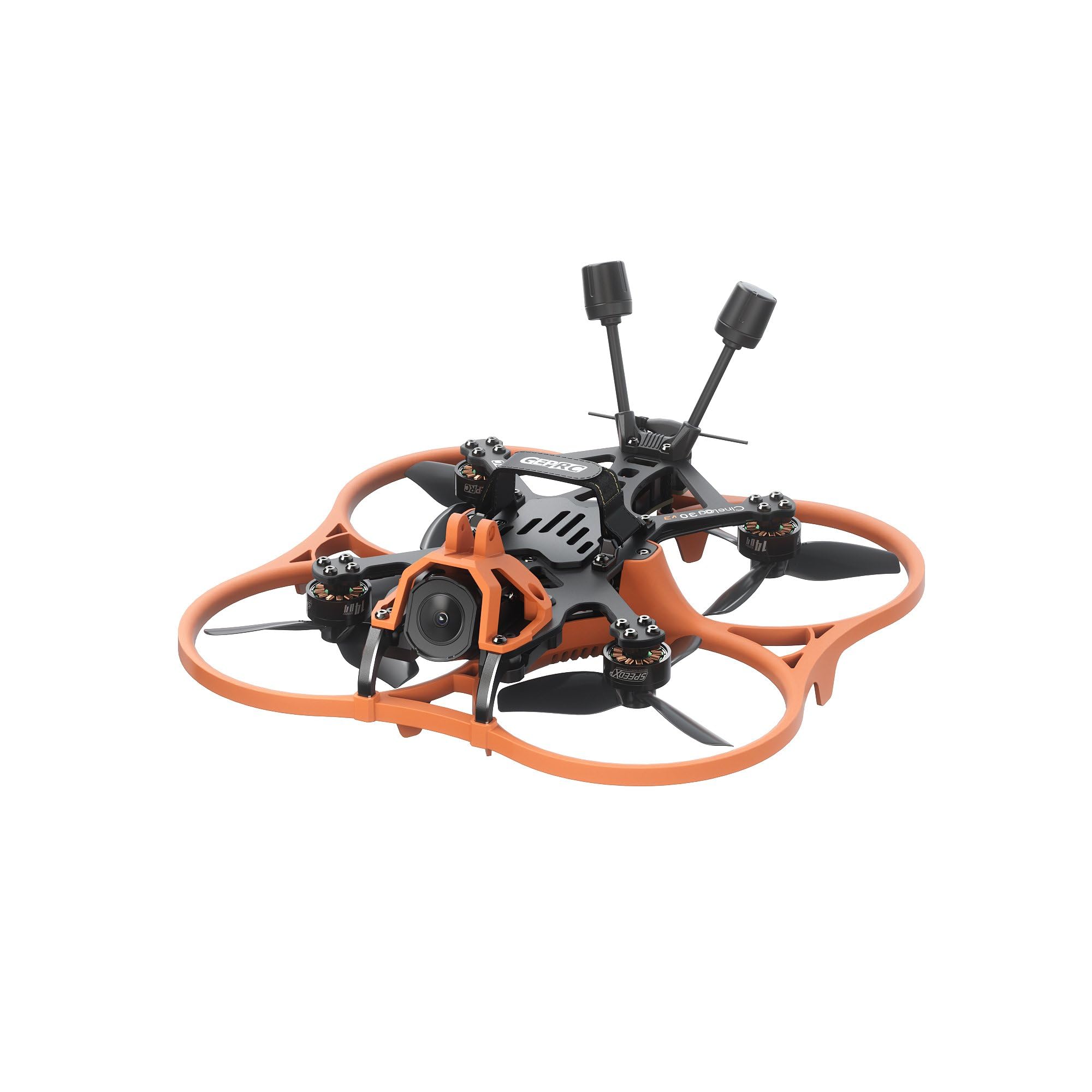
Изображение 1: Сверху вниз view of the GEPRC Cinelog30 V3 O4 Air Unit Pro FPV Drone, showcasing its orange protective frame and black carbon fiber components.
2. Включенные компоненты
Убедитесь, что в комплект поставки входят все следующие компоненты:
- 1 x Cinelog30 V3 FPV Drone
- 1 x Protective Frame (transparent black)
- 2 x HQprop DT76mmx3 V2 (pair) - Запасные винты
- 1 ремешок для батареи 15*150 мм
- 1 Г-образная отвертка 1.5 мм
- 1 x Grey Canopy
- 1 x Black Canopy
- 1 x Spare Screw Pack (includes M2 rivet nut, M2*4.5, M2*6, M2*4 button-head hex socket screws, M2*12 button-head screw, 2 x Damping Ball)
- 1 x Battery Anti-slip Pad
- 1 х Дamping Ball Puncher
- 1 x Frequency Pairing Ejector pin
3. Начальная настройка
3.1 Раскладывание дрона
Carefully unfold the drone arms. Always unfold the front arms first, then the rear arms. Ensure they click securely into place.

Изображение 2: Под углом view of the GEPRC Cinelog30 V3 FPV Drone with its arms unfolded, ready for flight.
3.2 Propeller Installation (If Required)
The drone comes with propellers pre-installed. If replacement is needed, ensure correct orientation. Match the propeller rotation direction to the motor direction. Use the provided L-shaped screwdriver for secure attachment.
3.3 Подключение батареи
Connect a fully charged LiHV 4S 660mAh-720mAh battery (not included) to the XT30 connector on the drone. Secure the battery using the provided battery strap and anti-slip pad.
3.4 Установка навеса
Choose between the grey or black canopy and securely attach it to the drone frame. Ensure it does not obstruct any sensors or the camera.
4. FPV System Setup (O4 Air Unit Pro & Goggles)
The Cinelog30 V3 is equipped with the O4 Air Unit Pro for high-quality digital FPV transmission. For optimal experience, it is recommended to use compatible FPV goggles, such as the DJI Goggles 3.
4.1 Прямой эфирview Sharing with DJI Goggles 3
The DJI Goggles 3 allow for live view sharing to a mobile device or other goggles. This feature is useful for co-pilots or spectators to view the drone's feed.
Video 1: This video demonstrates how to set up live view sharing from DJI Goggles 3 to a mobile device or other compatible goggles, allowing multiple users to see the drone's real-time camera feed.
For detailed instructions on connecting and sharing live view with DJI Goggles 3, please refer to the video above. Ensure your mobile device has the DJI Fly app installed and that Wi-Fi and Bluetooth are enabled for wireless connections.
5. Руководство по эксплуатации
5.1 Предполетные проверки
- Убедитесь, что все рычаги полностью выдвинуты и зафиксированы.
- Check propellers for any damage and ensure they are securely fastened.
- Verify battery is fully charged and securely attached.
- Confirm FPV goggles and remote controller are powered on and connected.
- Perform a visual inspection of the drone for any loose parts or damage.
5.2 Взлет и посадка
Place the drone on a flat, open surface, clear of obstacles. Follow your remote controller's specific instructions for arming motors and initiating take-off. For landing, gently descend the drone to a clear area.
5.3 Управление полетом
Familiarize yourself with your remote controller's stick configurations for throttle, yaw, pitch, and roll. Practice in a safe, open environment before attempting complex maneuvers.
5.4 Работа камеры
The O4 camera captures ultra-sharp 4K/120fps footage. Use your FPV goggles or connected mobile device to view the live feed and control camera settings. The advanced structural design isolates camera vibration for smooth footage.
5.5 Active Tracking
The drone supports active tracking features, allowing it to follow moving subjects. Refer to your remote controller and FPV system manual for specific active tracking mode activation and usage.
6. Техническое обслуживание и уход
6.1 Очистка
Regularly clean the drone, especially after flights in dusty or dirty environments. Use a soft, dry cloth to wipe down the frame and propellers. Ensure the camera lens is clean for clear footage.
6.2 Замена пропеллера
Inspect propellers before each flight for cracks, bends, or chips. Replace damaged propellers immediately using the spare HQprop DT76mmx3 V2 pairs and the provided screwdriver. Incorrectly installed or damaged propellers can affect flight stability and safety.
6.3 обновлений прошивки
Периодически проверяйте информацию на официальном сайте GEPRC. website for firmware updates for the TAKER F722 45A 32Bit AIO flight system (FC Firmware: GEPRC_F722_AIO). Follow the provided instructions carefully to ensure proper update installation.
6.4 Уход за аккумулятором
Store LiHV batteries in a cool, dry place away from direct sunlight. Do not overcharge or over-discharge batteries. Always use a compatible charger. Discontinue use of any damaged or swollen batteries.
7. Поиск Неисправностей
- Дрон не включается: Ensure the battery is fully charged and correctly connected to the XT30 connector.
- Нет FPV-потока: Check the connection between the O4 Air Unit Pro and your FPV goggles. Ensure both devices are powered on and correctly paired.
- Неустойчивый полет: Inspect propellers for damage or incorrect installation. Calibrate the gyroscope and accelerometer if necessary (refer to the flight controller manual).
- Пульт дистанционного управления не подключается: Ensure the remote controller is powered on and correctly bound to the drone's receiver (PNP digital built-in VTS receiver). Use the frequency pairing ejector pin if re-binding is required.
For further assistance, please contact GEPRC customer support.
8. Технические характеристики
| Особенность | Спецификация |
|---|---|
| Модель | Cinelog30 V3 O4 Pro Quadcopter |
| Модель рамы | GEP-CL30 V3 |
| Carbon Fiber Plate Thickness | 2.5 мм |
| Колесная база | 128 мм |
| Система полета | TAKER F722 45A 32Bit AIO |
| МК | СТМ32Ф722РЕТ6 |
| Гироскоп | ИКМ 42688-П |
| Прошивка FC | GEPRC_F722_AIO |
| Вспышка | 16 МБ |
| ЕСК | 32Bit 45A |
| Мотор | SPEEDX2 1404 3850KV |
| Пропеллеры | HQprop DT76mmx3 V2 |
| Разъем аккумулятора | XT30 |
| ВТХ | O4 AIR Unit Pro |
| Камера | O4 |
| Антенна | O4 original |
| Приемник | PNP (digital built-in VTS receiver) |
| Рекомендуемая батарея | LiHV 4S 660mAh-720mAh |
| Approximate Flight Time | 8’10″ (Tested at slow cruising speeds; actual times may vary with flying method) |
| Разрешение видеозахвата | 4K |
| Вес товара | 190 граммов (приблизительно 6.7 унции) |
| Размеры продукта | 7.99"Д x 7.99"Ш x 3.54"В |
9. Гарантия и поддержка
For warranty information, technical support, or to purchase replacement parts, please visit the official GEPRC webили обратитесь в службу поддержки напрямую. Сохраните чек о покупке для предъявления гарантийных претензий.
Вы также можете посетить Магазин GEPRC на Amazon для получения дополнительной информации о продукте и ресурсов поддержки.


