Введение
The Razer BlackShark V3 Pro is an advanced wireless ANC esports headset designed for elite console and PC gamers. This headset is officially licensed for PlayStation and offers versatile connectivity options including Razer HyperSpeed Wireless Gen-2, Bluetooth, and 3.5mm wired connection. It features a detachable Razer HyperClear Full Band 12 mm microphone, Hybrid Active Noise Cancellation, and Razer TriForce Bio-Cellulose 50 mm Drivers Gen-2 for high-fidelity audio. The headset is compatible with PS5, PC, Mac, smartphones, tablets, and handheld gaming devices.
Что в коробке?
- Гарнитура Razer BlackShark V3 Pro
- Адаптер Razer HyperSpeed Wireless Gen-2
- Съемный полнодиапазонный микрофон Razer HyperClear 12 мм
- Кабель USB типа A - типа C
- Кабель-переходник TRRS Analog 3.5 мм в USB-C
- Руководство пользователя

Image: The Razer BlackShark V3 Pro headset and its included accessories laid out, showing the wireless dongle, detachable microphone, charging cables, and user manual.
Характеристики продукта
- HyperSpeed Wireless Gen-2: Optimized for ultra-low latency (as low as 10 ms) for near-instantaneous audio response.
- Detachable HyperClear Full Band 12mm Mic: Large 12 mm capsule captures clear voice details and suppresses background noise with a unidirectional pick-up pattern.
- Гибридное активное шумоподавление (ANC): Blocks distractions for enhanced focus during gameplay.
- TriForce Bio-Cellulose 50mm Drivers Gen-2: Tuned for improved clarity and positional performance, delivering natural, powerful sound.
- 3 режима связи: Seamlessly switch between 2.4 GHz wireless, Bluetooth, and 3.5mm wired connections. Supports simultaneous 2.4 GHz and Bluetooth audio on two devices.
- Объемный звук следующего поколения: Features PlayStation Tempest 3D Audio and THX Spatial Audio on PC (Windows 10 64-bit or higher).
- Профессионально настроенный FPS Profileи настраиваемый эквалайзер: Unlock audio advantages with game-specific EQ profiles and custom settings via Razer Synapse 4.

Image: Close-up of the Razer HyperSpeed Wireless Gen-2 dongle, emphasizing its advanced wireless technology.

Изображение: Подробный view of the detachable Razer HyperClear Full Band 12mm microphone, showing its design for clear voice pickup.

Image: A gamer wearing the headset in a focused stance, illustrating the Hybrid Active Noise Cancellation feature.

Изображение: взорванный view of the Razer TriForce Bio-Cellulose 50mm Drivers Gen-2, showcasing their internal structure.
Настраивать
1. Зарядка гарнитуры
Before first use, fully charge your Razer BlackShark V3 Pro headset using the provided USB Type A to Type C cable. Connect the USB-C end to the headset's charging port and the USB-A end to a powered USB port (e.g., computer, wall adapter).
2. Присоединение микрофона
Align the detachable Razer HyperClear Full Band 12mm Mic with the microphone port on the headset and push it firmly until it clicks into place. Ensure the pop filter is correctly positioned over the microphone for optimal voice clarity.

Изображение: Подробный view of the detachable microphone, showing its connection point and the foam pop filter.
3. Подключение к устройствам
The Razer BlackShark V3 Pro offers three primary connection methods:
- Razer HyperSpeed Wireless (2.4 ГГц): Insert the Razer HyperSpeed Wireless Gen-2 Dongle into a USB-A port on your PS5, PC, Mac, or compatible handheld device. The headset will automatically connect.
- Bluetooth: Power on the headset and activate Bluetooth pairing mode (refer to Operating Instructions). Select "Razer BlackShark V3 Pro" from your device's Bluetooth settings.
- Проводное соединение 3.5 мм: Connect the 3.5mm TRRS Analog to USB-C Converter Cable to the headset's 3.5mm port and the other end to your device's 3.5mm audio jack.

Image: The Razer HyperSpeed Wireless Gen-2 Dongle, indicating its use for 2.4 GHz wireless connection.
Инструкция по эксплуатации
Включение/выключение питания
Press and hold the Power button located on the left earcup for a few seconds until the LED indicator lights up/turns off.
Регулятор громкости
Rotate the volume wheel on the left earcup up or down to adjust the audio output level.
Выключение / включение микрофона
Press the Microphone Mute button on the left earcup to toggle microphone mute on or off. An LED indicator will show the microphone status.
ANC / Transparency Mode
Press the ANC button on the right earcup to cycle through Active Noise Cancellation, Transparency Mode, and Off. Transparency Mode allows you to hear your surroundings while wearing the headset.
Эквалайзер Profiles
Cycle through pre-set or custom EQ profiles by pressing the EQ button on the right earcup. Further customization is available via Razer Synapse 4 software.
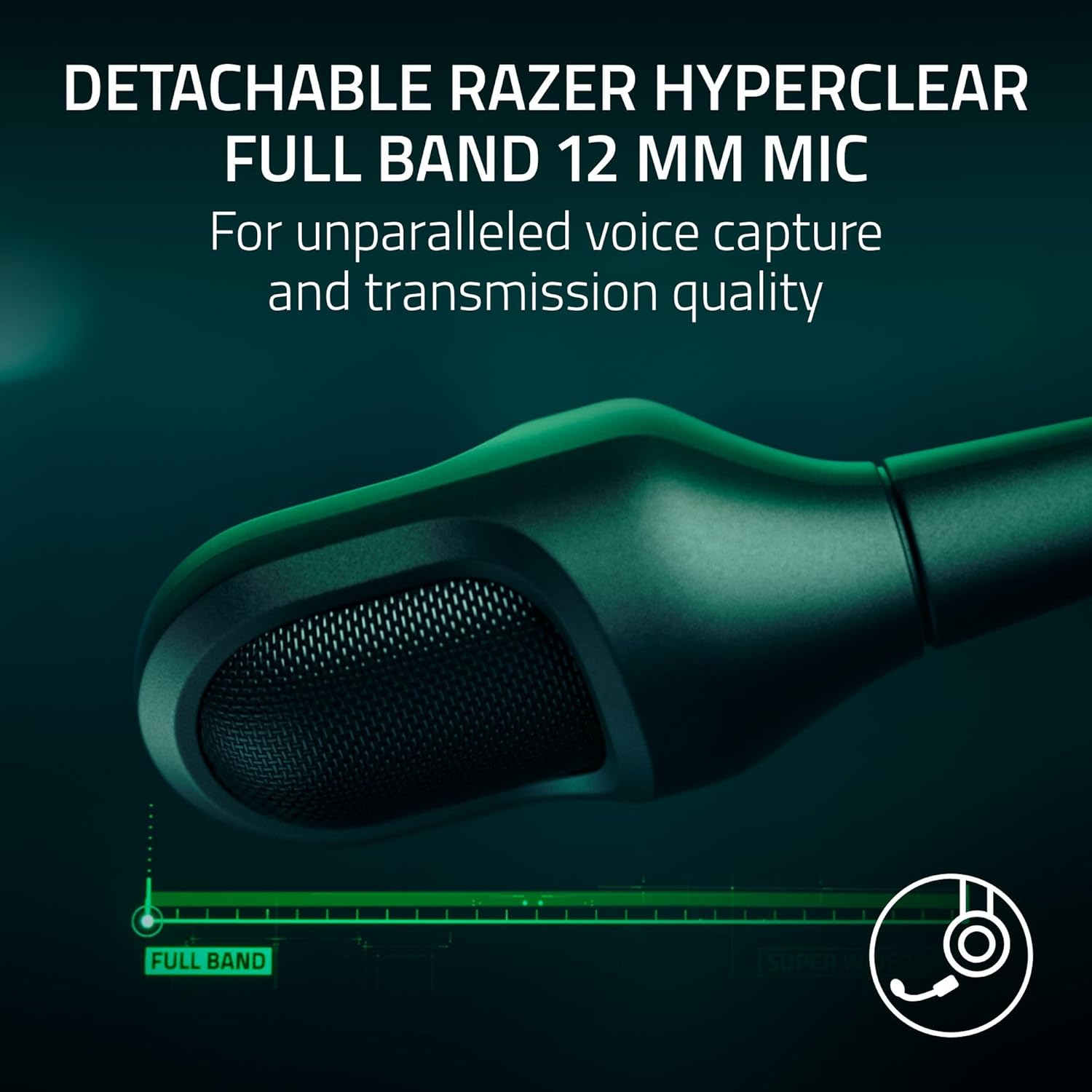
Image: The left earcup of the headset, highlighting the power button and volume control for easy access.

Image: The right earcup of the headset, showing the ANC and EQ buttons for sound customization.
Связность
The Razer BlackShark V3 Pro offers flexible connectivity to suit various gaming and audio needs:
- Беспроводная связь 2.4 ГГц (Razer HyperSpeed Wireless Gen-2): Provides ultra-low latency connection for competitive gaming on PS5, PC, Mac, and Nintendo Switch (docked mode).
- Bluetooth 5.3: Ideal for mobile gaming, music, and calls on smartphones, tablets, and handheld gaming devices.
- Аналоговый 3.5 мм: For universal compatibility with devices that have a 3.5mm audio jack, ensuring connectivity even when battery is low or wireless is not preferred.
- Одновременная передача звука: The headset supports mixing 2.4 GHz and Bluetooth audio from two devices concurrently, allowing you to game and take calls or listen to music simultaneously.
Настройка звука
Enhance your audio experience with Razer Synapse 4 (for PC) or the Razer Audio App (for mobile devices). These applications allow you to:
- Create and manage custom EQ profileдля разных игр или медиа.
- Access pro-tuned FPS profiles for competitive advantage.
- Adjust microphone settings, including volume normalization, noise cancellation, and voice clarity.
- Configure THX Spatial Audio settings for immersive 7.1.4 surround sound on PC.

Image: A visual representation of the Razer Synapse 4 software interface, demonstrating the customizable EQ and microphone settings.
Обслуживание
To ensure the longevity and optimal performance of your Razer BlackShark V3 Pro headset, follow these maintenance guidelines:
- Уборка: Use a soft, dry cloth to wipe down the headset. For earcups, gently remove them if possible (refer to product manual for specific instructions) and clean with a mild, non-abrasive cleaner. Ensure they are completely dry before reattaching.
- Хранилище: Храните гарнитуру в прохладном, сухом месте, вдали от прямых солнечных лучей и экстремальных температур.
- Уход за кабелем: Во избежание повреждений не допускайте резких изгибов или чрезмерного натяжения кабелей.
- Обновления прошивки: Regularly check for and install firmware updates via Razer Synapse 4 or the Razer Audio App to ensure the best performance and latest features.
Поиск неисправностей
If you encounter issues with your Razer BlackShark V3 Pro, consider the following:
- Нет звука/плохое качество звука:
- Ensure the headset is powered on and correctly connected (2.4 GHz dongle, Bluetooth, or 3.5mm cable).
- Check device volume settings and headset volume wheel.
- Убедитесь, что в настройках системы выбрано правильное устройство вывода звука.
- For PC, ensure Razer Synapse 4 is updated and the headset firmware is current.
- Проблемы с микрофоном:
- Ensure the microphone is securely attached and not muted.
- Проверьте уровень входного сигнала микрофона в настройках звука вашего устройства.
- Update headset firmware via Razer Synapse 4, as updates often improve microphone performance.
- Проблемы с подключением:
- For 2.4 GHz, try re-pairing the dongle with the headset (refer to the full user manual for pairing instructions).
- For Bluetooth, ensure the headset is in pairing mode and your device's Bluetooth is enabled. Try forgetting the device and re-pairing.
- Ensure the dongle is not too far from the headset or obstructed by other devices.
- Проблемы с сроком службы батареи:
- Убедитесь, что гарнитура полностью заряжена.
- Note that using Hybrid Active Noise Cancellation and simultaneous audio may reduce battery life.
Технические характеристики
| Особенность | Деталь |
|---|---|
| Название модели | BlackShark V3 Pro |
| Контроль шума | Активное шумоподавление |
| Частотная характеристика | 28 кГц |
| Чувствительность | 108 дБ |
| Разъем для наушников | 3.5 мм Jack |
| Технология связи | 3.5mm, Bluetooth, Wireless (2.4 GHz) |
| Технология беспроводной связи | 2.4 ГГц, Bluetooth |
| Версия Bluetooth | 5.3 |
| Тип аудиодрайвера | Динамический драйвер |
| Размер аудиодрайвера | 50 миллиметра |
| Совместимые устройства | Mac, Nintendo Switch, PC, PlayStation, Steam Deck |
| Вес товара | 1.16 килограмма (2.55 фунта) |
| Материал | Plastic, Foam |
| Тип батареи | 1 литий-ионный аккумулятор (входит в комплект) |
| Производитель | Razer |
| Номер модели товара | RZ04-05400500-R3UA |
| СКП | 840272919552 |
Официальные видеоролики о продуктах
Video: Razer BlackShark V3 Line Overview. Это видео дает общее представлениеview of the Razer BlackShark V3 headset series, highlighting its key features and design.
Video: Razer BlackShark V3 Pro Wireless ANC Gaming Headset Features. This video showcases the specific features of the BlackShark V3 Pro, including its wireless capabilities and active noise cancellation.
Video: Razer BlackShark V3 Pro Unboxing and Review. This video provides an unboxing experience and a detailed review of the Razer BlackShark V3 Pro headset, covering its components and user experience.
Video: Razer BlackShark V3 Pro - Razer's Best Headset Ever. This video highlights the advanced features and superior performance of the Razer BlackShark V3 Pro, positioning it as a top-tier gaming headset.
Гарантия и поддержка
Razer products are built to the highest standards of quality and durability. This product comes with a limited warranty. For detailed warranty information, technical support, and customer service, please visit the official Razer support webили обратитесь к гарантийному талону, входящему в комплект поставки.
Вы также можете рассмотреть возможность покупкиasing расширенный план защиты для дополнительного покрытия:
- 2-летний план защиты: 32.99 долл. США
- 3-летний план защиты: 44.99 долл. США
- Полная защита: 16.99 долл. США в месяц (охватывает все соответствующие прошлые и будущие покупки)


