Введение
The MIKIBY Alux60 is a high-performance 60% compact wired gaming keyboard designed for precision and speed. It features Hall Effect magnetic switches, an aluminum gasket-mounted body, 8K polling rate, and customizable RGB lighting. This manual provides essential information for setting up, operating, maintaining, and troubleshooting your Alux60 keyboard.
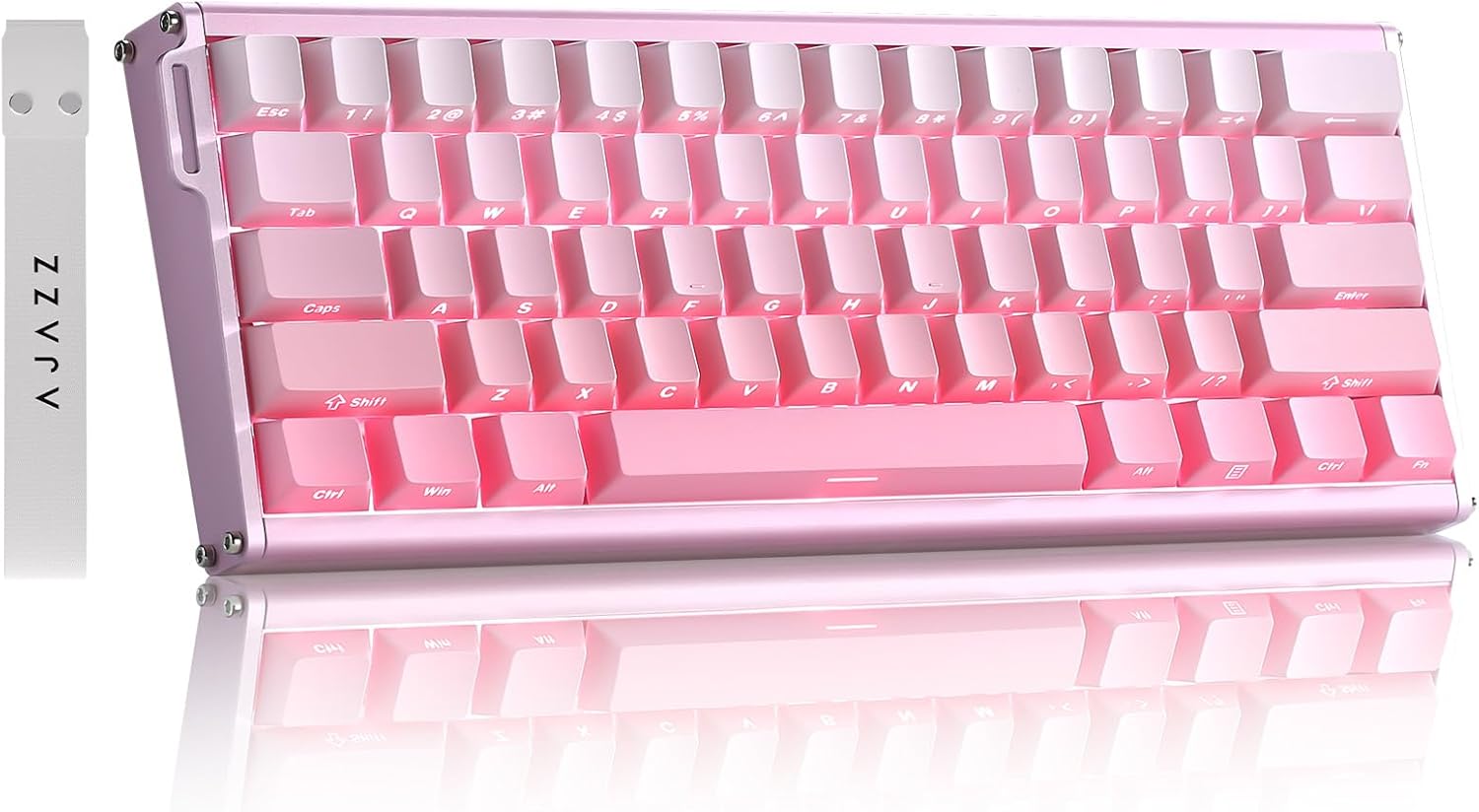
Image: The MIKIBY Alux60 Gaming Keyboard, showcasing its compact 60% layout and pink color scheme.
Что в коробке?
Пожалуйста, убедитесь, что в комплект входят все следующие предметы:
- ALUX 60 Keyboard x 1
- USB-кабель x 1 (тип C)
- Лента х 1
- Съемник колпачков для ключей x 1
- Руководство пользователя х 1

Image: All components included with the MIKIBY Alux60 keyboard: the keyboard, USB-C cable, ribbon, keycap puller, and user manual.
Настраивать
1. Подключение клавиатуры
Connect the provided USB-C cable to the port on the keyboard and the other end to an available USB port on your computer. The keyboard is plug-and-play and should be recognized automatically by your operating system.
2. Совместимость системы
The Alux60 keyboard is compatible with various operating systems. To switch between Windows and Mac modes:
- Для Мак: Нажимать ФН + А
- Для Окна: Нажимать ФН + С
3. Web Настройка драйвера
For advanced customization, including DKS, MT, TGL functions, key mapping, macro editing, and RGB lighting settings, use the professional web-based driver. No software installation is required. Access the driver via the link provided in the physical user manual or on the official MIKIBY webсайт.

Изображение: web-based driver interface for the Alux60 keyboard, showing options for keyboard settings, FN layer settings, macro editing, and lighting settings.
Инструкция по эксплуатации
Hall Effect Magnetic Switches & Rapid Trigger
The Alux60 utilizes Hall Effect magnetic switches, which offer instantaneous actuation and an ultra-low latency of 0.125ms. The Rapid Trigger mode allows for highly customizable actuation sensitivity, enabling faster double-taps and rapid keystrokes, ideal for competitive gaming.

Изображение: подробное view of a Magnetic Powder Switch, highlighting its components and specifications such as operating force, total travel, and service life.

Image: Visual explanation of Rapid Trigger Mode, demonstrating how it provides ultra-low latency and precise actuation for gaming.
Управление освещением RGB
The keyboard features 16.8 million color dynamic RGB lighting with multiple effects. Adjustments can be made via the web driver or using the following FN key combinations:
- ФН + Х: Включить/выключить свет
- ФН + ": Keyboard brightness +
- FN +:: Keyboard brightness -
- ФН + |: Switch lighting effect
- FN +: Toggle backlight direction
- ФН + [{: Adjust keyboard light speed -
- ФН + ]}: Adjust keyboard light speed +
- FN +;: Switch lighting color
- FN + Пробел: Restore Factory Settings

Image: The Alux60 keyboard displaying its vibrant 16.8 million color RGB backlight, with a visual guide to FN key combinations for lighting control.
Коммутаторы с возможностью горячей замены
The Alux60 keyboard supports hot-swappable magnetic switches, allowing you to easily replace switches without soldering. This feature enables customization of your typing experience by swapping in different compatible magnetic switches.

Изображение: Подробный view of the Alux60's hot-swappable design, showing how switches can be removed and replaced, along with the south-facing LEDs.
Сочетания клавиш FN
The keyboard features various FN key combinations for quick access to functions:
- ФН + 1!: Ф1
- ФН + 2@: Ф2
- ФН + 3#: Ф3
- ФН + 4$: Ф4
- ФН + 5%: Ф5
- ФН + 6^: Ф6
- ФН + 7&: Ф7
- ФН + 8*: Ф8
- ФН + 9(: Ф9
- ФН + 0): Ф10
- FN + -=: Ф11
- ФН + =+: Ф12
- ФН + Backspace: Удалять
- ФН + Ввод: Меню
- FN + правый сдвиг: Right Ctrl
- FN + правый Ctrl: Right Alt
- FN + Правая клавиша Alt: Right Shift
- ФН + /?: Up Arrow
- FN + Правая клавиша Alt: Left Arrow
- FN + правый Ctrl: Down Arrow
- FN + правый сдвиг: Right Arrow
- FN + Esc:~

Image: A comprehensive guide to FN key combinations for various functions on the Alux60 keyboard.
N-клавиша Rollover
The Alux60 supports N-Key Rollover (NKRO), which means it can accurately register every key press, even when multiple keys are pressed simultaneously. This is crucial for fast-paced gaming and ensures no input is missed.

Image: A visual representation of N-Key Rollover, showing multiple simultaneous key presses being registered without conflict.
Продукт болееview Видео
Video: An official product video from MIKIBY showcasing the Alux60 Gaming Keyboard, its features, and typing sound.
Обслуживание
Чистка клавиатуры
Чтобы сохранить внешний вид и функциональность клавиатуры:
- Перед чисткой отсоедините клавиатуру от компьютера.
- Используйте мягкую, безворсовую ткань, слегкаampСмочите водой или мягким чистящим раствором колпачки клавиш и корпус.
- Для удаления пыли и мусора между клавишными колпачками используйте сжатый воздух.
- Избегайте использования едких химикатов и абразивных материалов.
Замена клавиш и переключателей
Thanks to the hot-swappable design, keycaps and switches can be easily replaced. Use the included keycap puller to gently remove keycaps. For switches, use the switch puller to carefully extract them. Ensure replacement switches are compatible Hall Effect magnetic switches.
Поиск неисправностей
| Проблема | Возможная причина | Решение |
|---|---|---|
| Клавиатура не отвечает | Loose cable connection, incorrect system mode. | Ensure USB-C cable is securely connected. Try a different USB port. Verify correct system mode (FN+A for Mac, FN+S for Windows). |
| RGB-подсветка не работает или работает неправильно | Lighting effect turned off, software glitch. | Нажимать ФН + Х to toggle lighting. Use FN key combinations to adjust effects. Access the web driver for advanced lighting customization. Try FN + Пробел to restore factory lighting settings. |
| Клавиши не регистрируются или печатаются дважды | Dust/debris under switch, switch malfunction, incorrect Rapid Trigger settings. | Clean under keycaps with compressed air. If issue persists, consider replacing the switch (due to hot-swappable design). Adjust Rapid Trigger settings via the web водитель. |
| Custom settings not saving | Web driver issue, browser compatibility. | Ensure you are using a compatible browser. Clear browser cache. Re-apply settings in the web driver and ensure they are saved. |

Image: A visual Q&A section addressing common user queries regarding system switching and keyboard customization.
Технические характеристики
| Особенность | Деталь |
|---|---|
| Модель | Alux60 |
| Бренд | МИКИБИ |
| Описание клавиатуры | Mechanical, Hall Effect Magnetic Switch |
| Технология связи | Проводной USB-C |
| Количество ключей | 61 |
| Скорость опроса | 8К (8000 Гц) |
| Задержка | 0.125 мс со сверхнизкой задержкой |
| Скорость сканирования | 128К |
| Колпачки | Side Printed PBT Keycaps |
| Подсветка | 16.8 Million Color Dynamic RGB (South-facing LEDs) |
| Особые возможности | Ergonomic, Backlit, Low-Profile Key, Hot-Swappable, Rapid Trigger Mode, N-Key Rollover, Web-based Driver |
| Совместимые устройства | Ноутбук, игровая консоль, ПК, планшет, смартфон |
| Вес товара | 3.52 фунта |
| Размеры | 14.88 x 5.91 x 2.32 дюйма (упаковка) |
| Производитель | МИКИБИ |
| Страна происхождения | Китай |
Гарантия и поддержка
For warranty information and technical support, please refer to the documentation included with your product or visit the official MIKIBY webсайт. Сохраните чек о покупке на случай гарантийных претензий.
MIKIBY Store: Visit MIKIBY Store on Amazon


