1. Продукт закончилсяview
The E-ACE 4.3-inch Dual Lens Car DVR Rearview Mirror Dash Cam is designed to enhance driving safety by providing comprehensive video recording of your journeys. This device integrates a front-facing camera and supports an optional rear-facing camera, offering a wide field of view and continuous recording capabilities. Its sleek design replaces your existing rearview mirror, providing a discreet and integrated solution for vehicle surveillance.
Key features include a 4.3-inch high-definition display, dual-lens recording, night vision, loop recording, and a G-sensor for automatic incident detection.

Image: The E-ACE rearview mirror dash cam displaying both front and rear camera feeds on its integrated screen.
2. Содержимое упаковки
Проверьте комплектацию на наличие следующих предметов:
- E-ACE Заднийview Зеркальный видеорегистратор
- Автомобильное зарядное устройство
- Фиксирующие повязки (для крепления)
- Руководство пользователя
- Кардридер
- Дополнительно: сзади View Camera + Cable (6M or 10M, depending on variant)
- Optional: Buck Line (for parking monitoring power)
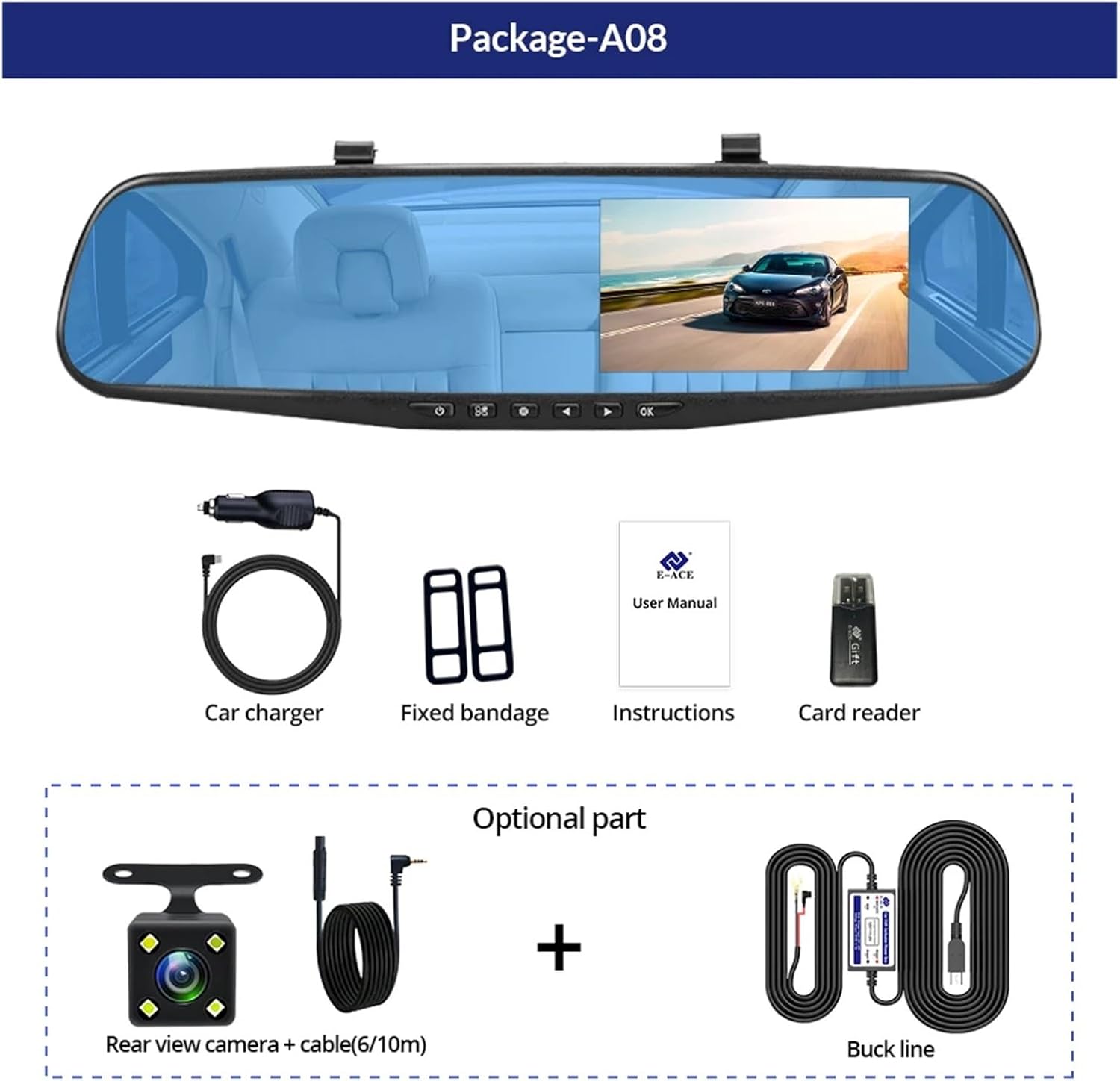
Image: A visual representation of the items included in the E-ACE dash cam package, showing the main unit and accessories.
3. Особенности продукта
- 4.3-inch High-Definition Display: Provides clear visibility for real-time monitoring and playback.
- Конструкция с двумя линзами: Captures both front and rear footage simultaneously for comprehensive coverage.
- Built-in Night Vision Technology: Ensures clear recordings in low-light conditions.
- Удобная установка: Sleek rearview mirror design integrates seamlessly into your vehicle.
- Циклическая запись: Автоматически перезаписывает самые старые файлыtagе при заполнении карты памяти, обеспечивая непрерывную запись.
- G-Sensor Feature: Обнаруживает резкие движения или удары и автоматически блокирует текущее видео. file чтобы предотвратить его перезапись.
- Мониторинг парковки: Records video when motion or impact is detected while the vehicle is parked (requires buck line connection).
- Широкоугольный объектив 170 градусов: Обеспечивает широкий view дороги впереди.
- Обратное изображение: Displays the rear camera view с указаниями по парковке при движении задним ходом.
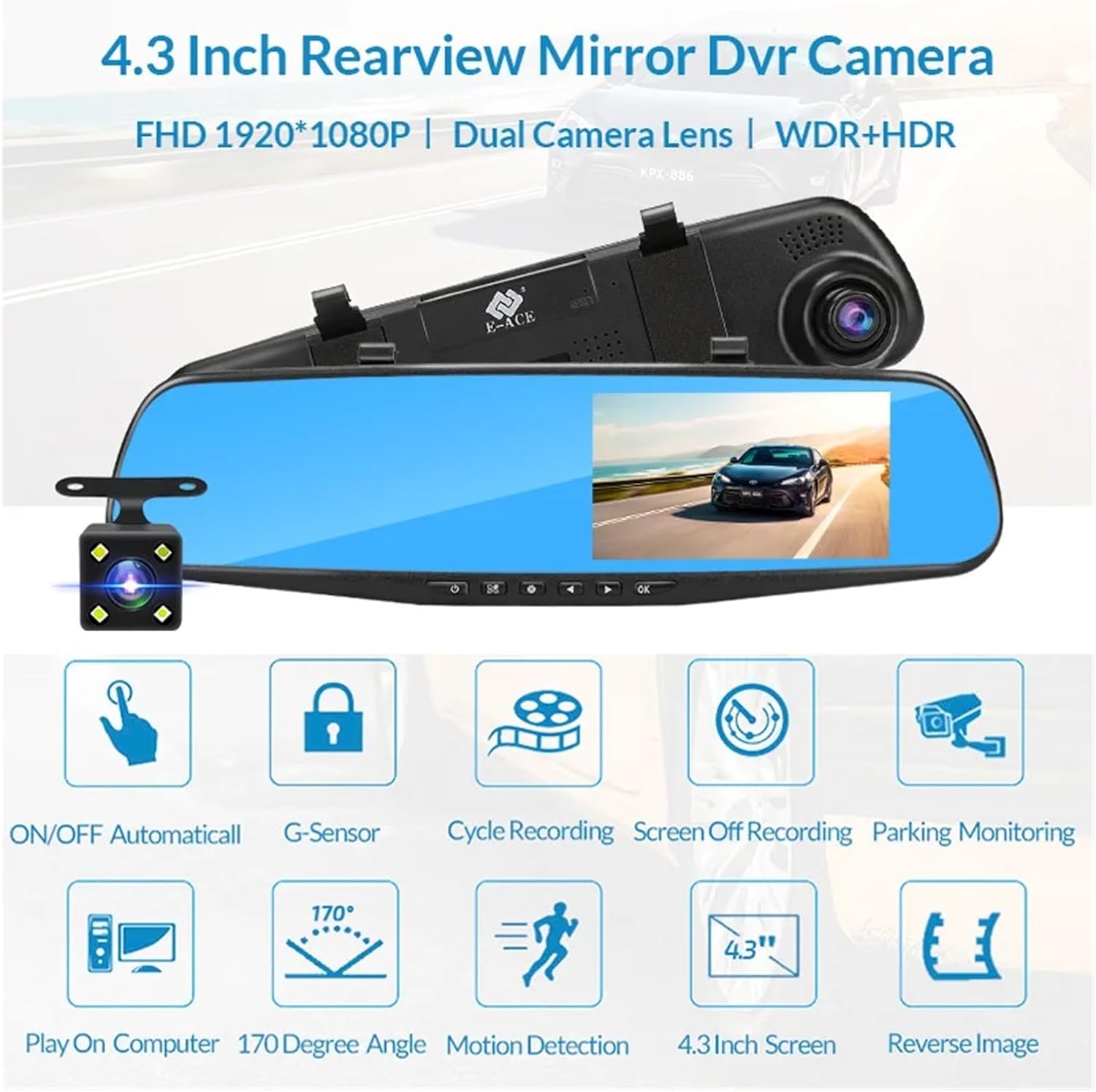
Image: An illustration highlighting the various functional features of the E-ACE dash cam.
4. Идентификация компонентов
Familiarize yourself with the various parts and controls of your E-ACE dash cam:

Image: A detailed diagram identifying the buttons, ports, and features on the E-ACE dash cam unit.
- Кнопка ВКЛ/ВЫКЛ: Включает и выключает устройство.
- Кнопка меню: Предоставляет доступ к настройкам и параметрам.
- Кнопка режима: Switches between video recording, photo, and playback modes.
- Кнопка ВВЕРХ: Осуществляет навигацию по меню или регулирует настройки.
- Кнопка Вниз: Позволяет перемещаться по меню или настраивать параметры.
- Кнопка ОК: Подтверждает выбор или запускает/останавливает запись.
- Слот для TF-карты: Insert your MicroSD (TF) card here.
- Порт AV-IN: Подключает заднюю камеру.
- USB-порт: Для электропитания и передачи данных.
- Кнопка сброса: Resets the device to factory settings (use a thin pin).
- Микрофон: Записывает звук внутри автомобиля.
5. Настройка и установка
5.1 Установка карты памяти
Before installation, insert a high-speed MicroSD (TF) card (Class 10 or higher, up to 64GB recommended) into the TF Card Slot (7) with the contacts facing the screen. Ensure the card is inserted correctly until it clicks into place.
5.2 Установка видеорегистратора
- Attach the fixed bandages to the back of the dash cam unit.
- Securely strap the dash cam over your vehicle's existing rearview mirror using the fixed bandages. Ensure it is centered and stable.
5.3 Подключение источника питания
- Connect the car charger to the USB Port (9) on the dash cam.
- Подключите другой конец автомобильного зарядного устройства к гнезду прикуривателя вашего автомобиля.
- Аккуратно проложите кабель питания вдоль декоративной накладки лобового стекла, чтобы не загораживать его. view.
5.4 Установка задней камеры (дополнительно)
- Connect the rear camera cable to the AV-IN Port (8) on the dash cam.
- Route the rear camera cable from the dash cam to the rear of your vehicle. This typically involves tucking the cable under the headliner and along the side pillars.
- Mount the rear camera on the rear windshield or near the license plate using its adhesive or screws. Ensure it has a clear view дороги позади.
- If using the reverse image function, connect the red wire from the rear camera cable to your vehicle's reverse light power supply.
6. Инструкция по эксплуатации
6.1 Включение/выключение питания
- Автоматический: The dash cam will automatically power on and start recording when your vehicle's ignition is turned on (if connected to a switched power source).
- Инструкция по эксплуатации: Press and hold the ON/OFF Button (1) to manually power the device on or off.
6.2 Основные операции
- Режимы переключения: Press the Mode Button (3) to cycle between Video Recording, Photo, and Playback modes.
- Меню доступа: In any mode, press the Menu Button (2) to enter the settings menu. Use the UP (4) and Down (5) buttons to navigate, and OK (6) to select.
- Начать/остановить запись: In Video Recording mode, press the OK Button (6) to manually start or stop recording.
6.3 Режимы отображения
While recording, you can typically switch between different display views by pressing the UP or Down buttons:
- Front Camera Only
- Rear Camera Only
- Picture-in-Picture (Front main, Rear sub-window)
- Picture-in-Picture (Rear main, Front sub-window)
6.4 Циклическая запись
Set the loop recording duration (e.g., 1, 3, or 5 minutes) in the settings menu. When the memory card is full, the oldest unlocked fileЭти записи будут перезаписаны новыми записями.
6.5 G-сенсор
The G-sensor automatically detects collisions or sudden braking. When triggered, it locks the current video file, preventing it from being overwritten by loop recording. Adjust sensitivity in the settings.
6.6 Мониторинг парковки (опционально)
If the buck line is installed, the dash cam can monitor your vehicle while parked. When motion or impact is detected, it will automatically record a short video. Enable this feature in the settings.
6.7 Установка даты и времени
It is important to set the correct date and time in the system settings for accurate timestampна ваших записях.
7. Техническое обслуживание
- Уборка: Для очистки линзы и экрана используйте мягкую сухую ткань. Избегайте абразивных чистящих средств или растворителей.
- Карта памяти: Format the MicroSD card regularly (e.g., once a month) within the dash cam's settings to maintain optimal performance and prevent data corruption. Back up important files перед форматированием.
- Температура: Avoid exposing the device to extreme temperatures, as this can affect battery life and component integrity.
- Обновления прошивки: Проверьте производителя webпериодически заходите на сайт для получения обновлений прошивки, которые могут улучшить производительность или добавить новые функции.
8. Поиск Неисправностей
| Проблема | Возможная причина | Решение |
|---|---|---|
| Видеорегистратор не включается. | Отсутствие питания; неисправное зарядное устройство; плохое соединение. | Check car charger connection and vehicle's cigarette lighter. Try a different USB cable/charger. |
| Запись останавливается автоматически. | Memory card full; slow memory card; G-sensor sensitivity too high. | Format the memory card. Use a Class 10 or higher MicroSD card. Lower G-sensor sensitivity in settings. |
| видеоtagе размыто. | Защитная пленка на объективе; грязный объектив; неправильный фокус. | Remove any protective film. Clean the lens with a soft cloth. |
| Задняя камера не работает. | Плохое соединение; неисправный кабель/камера. | Check the AV-IN connection. Ensure the rear camera is properly installed. |
| Устройство зависает или вылетает. | Software issue; memory card error. | Press the Reset Button (10) with a thin pin. Format the memory card. |
9. Технические характеристики
- Название модели: DMMRUTXB
- Отображать: 4.3 дюймов
- Камера: Dual Lens (Front & Rear support)
- Разрешение видео: FHD 1920x1080P (Front)
- Функции: Loop Recording, G-Sensor, Night Vision, Parking Monitoring, 170-degree wide angle
- Хранилище: Supports MicroSD (TF) card, Class 10 or higher (up to 64GB)
- Связь: USB, AV-IN (for rear camera)
- Вес товара: Примерно 1.76 унций (50 грамм)
- Размеры упаковки: Приблизительно 0.39 х 0.39 х 0.39 дюйма
- Производитель: DMMRUTXB
10. Гарантия и поддержка
For warranty information and technical support, please refer to the documentation provided with your purchase or contact the retailer/manufacturer directly. Keep your purchase receipt as proof of purchase.


