1. Введение
Thank you for choosing the ILEBYGO Mini Projector B0F83Q1HHT. This portable projector is designed to provide a versatile entertainment experience with its Android 13 operating system, WiFi 6, Bluetooth 5.0, 1080P Full HD resolution with 4K support, 320 ANSI lumens brightness, 270-degree rotation, auto keystone correction, and autofocus. This manual provides essential information for setting up, operating, and maintaining your projector.
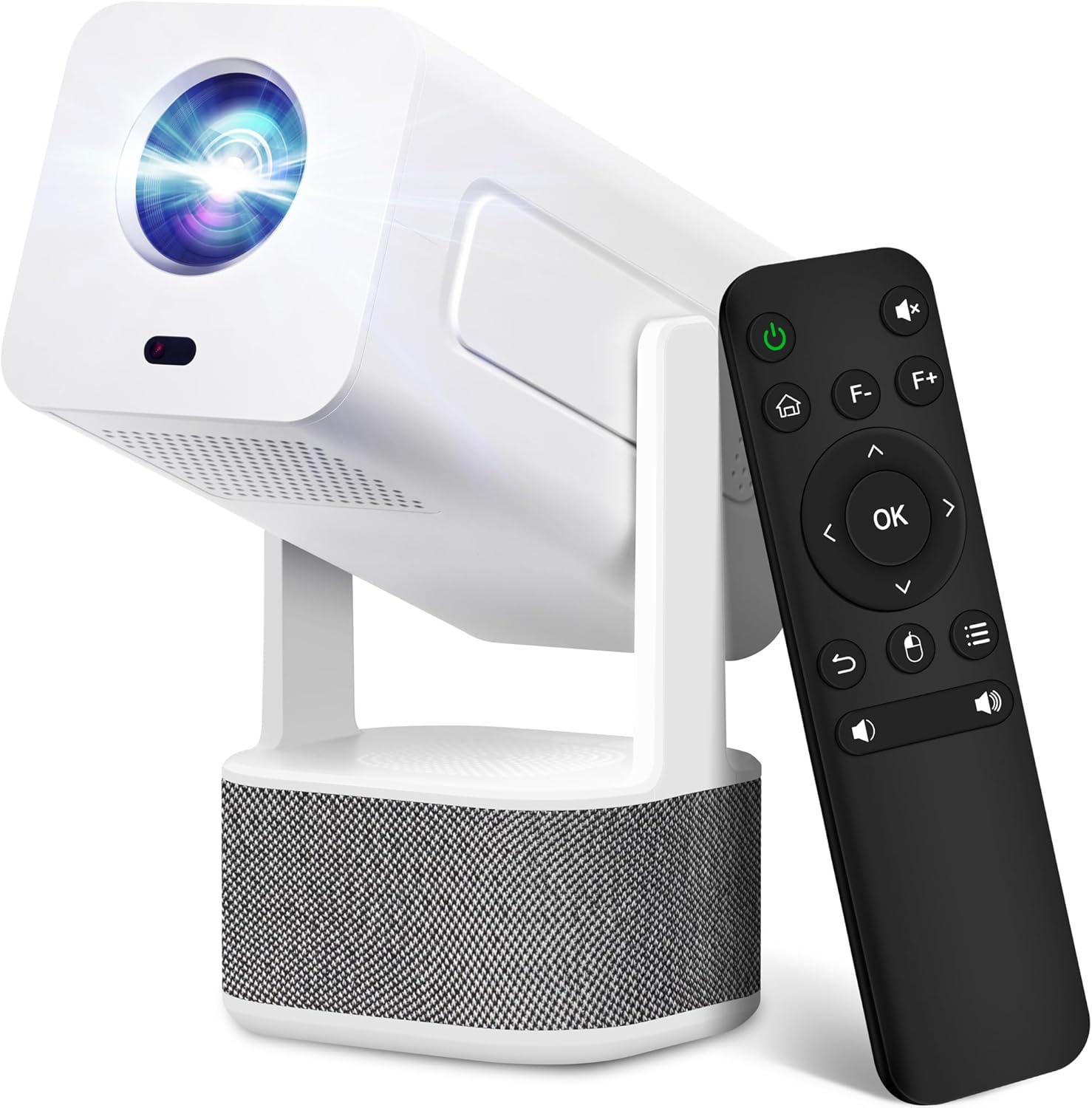
Image 1.1: ILEBYGO Mini Projector and Remote Control
The ILEBYGO Mini Projector B0F83Q1HHT offers a projection size ranging from 30 to 200 inches, making it suitable for various environments from small rooms to outdoor settings. Its dual 5W speakers deliver integrated audio, and multiple connectivity options ensure compatibility with a wide range of devices.
2. Что в коробке
Проверьте комплектность посылки. Если какие-либо предметы отсутствуют или повреждены, обратитесь в службу поддержки клиентов.
- 1x ILEBYGO Mini Projector
- 1x Руководство пользователя
- 1x Адаптер питания
- 1x пульт дистанционного управления
3. Руководство по установке
3.1. Включение
- Подключите адаптер питания к входному порту постоянного тока на проекторе.
- Подключите адаптер питания к розетке.
- Нажмите кнопку питания на проекторе или пульте дистанционного управления, чтобы включить устройство.

Image 3.1: Projector Connectivity Ports (DC, HDMI, USB, Audio)
3.2. Initial Placement and Adjustment
The projector features a 270-degree rotatable design, allowing flexible placement.
- Поместите проектор на устойчивую поверхность.
- Adjust the projector's angle to direct the image onto your desired projection surface (wall, screen, ceiling).
- The projector will automatically perform keystone correction and autofocus to optimize the image clarity and shape.
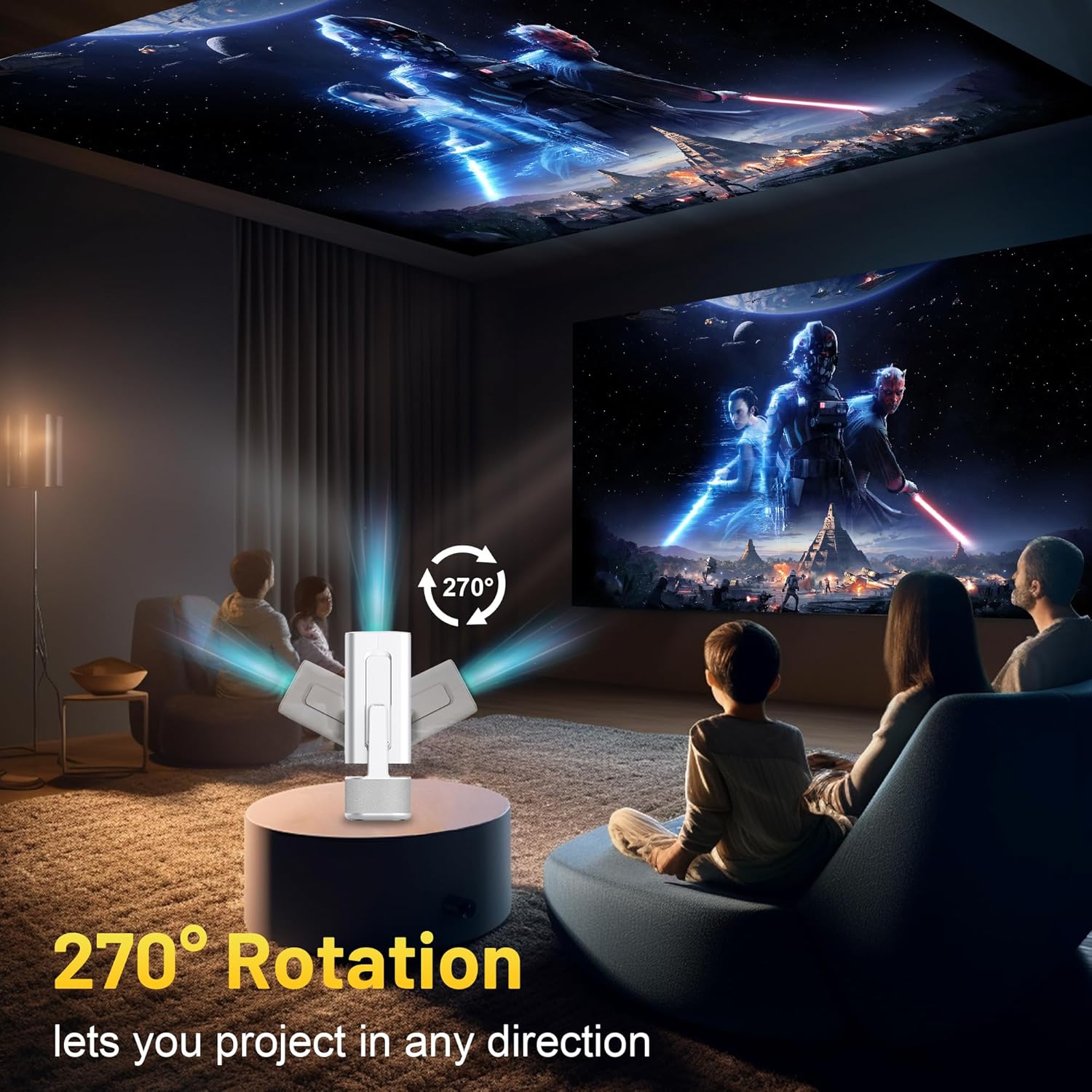
Image 3.2: 270-Degree Rotation Capability
3.3. Сетевое подключение (Wi-Fi)
To access online content and streaming services, connect the projector to a Wi-Fi network.
- С главного экрана перейдите в раздел «Настройки».
- Выберите «Сеть и Интернет».
- Включите Wi-Fi и выберите нужную сеть из списка.
- При появлении запроса введите пароль Wi-Fi и подключитесь.

Image 3.3: Dual Band WiFi 6 and Bluetooth 5.0
3.4. Сопряжение по Bluetooth
Pair Bluetooth devices like external speakers or headphones for enhanced audio.
- С главного экрана перейдите в раздел «Настройки».
- Выберите «Подключенные устройства» или «Bluetooth».
- Включите Bluetooth.
- Переведите устройство Bluetooth в режим сопряжения.
- Select your device from the list of available devices on the projector screen to pair.
4. Инструкция по эксплуатации
4.1. Навигация
Use the included remote control to navigate the projector's interface. The directional buttons, 'OK' button, 'Back' button, and 'Home' button are primary controls.
4.2. App Usage (Android 13)
The projector runs on Android 13 and comes with pre-installed streaming applications.
- From the home screen, select the desired application (e.g., Netflix, YouTube, Prime Video).
- При необходимости войдите в систему, используя данные своей учетной записи.
- Browse and play content as you would on any Android smart device.
- Additional apps can be downloaded from the Google Play Store.

Image 4.1: Built-in Android 13 System with Apps
4.3. Зеркальное отображение/трансляция экрана
Mirror content from your smartphone, tablet, or computer wirelessly.
- Убедитесь, что проектор и ваше устройство подключены к одной и той же сети Wi-Fi.
- On the projector, select the screen mirroring/casting application (e.g., Miracast, AirPlay).
- On your mobile device, enable screen mirroring or casting and select the projector from the list of available devices.
4.4. External Device Connection (HDMI, USB)
Connect external devices such as laptops, gaming consoles, or USB drives.
- HDMI: Connect an HDMI cable from your device to the HDMI port on the projector. Select the HDMI input source from the projector's input menu.
- USB: Insert a USB drive into the USB port. The projector's file manager will typically open automatically, allowing you to browse and play media files.

Image 4.2: Multi-Device Compatibility
4.5.Регулировка изображения
The projector features automatic adjustments for convenience.
- Автоматическая коррекция трапецеидальных искажений: The projector automatically corrects vertical image distortion. If manual adjustment is needed, navigate to 'Settings' > 'Projection Settings' > 'Keystone Correction'.
- Автофокус: The image will automatically focus when the projector is moved or powered on. Manual focus adjustment can be found in 'Settings' > 'Projection Settings' > 'Focus'.
- Увеличить: Adjust the projection size from 50% to 100% without moving the projector. This setting is typically found in 'Settings' > 'Projection Settings' > 'Zoom'.

Image 4.3: Auto Keystone Correction and Autofocus
5. Техническое обслуживание
5.1. Уборка
- Объектив: Используйте мягкую безворсовую ткань, специально предназначенную для оптических линз. Избегайте использования абразивных материалов и едких химикатов.
- Экстерьер: Протирайте внешнюю поверхность проектора мягкой сухой тканью. Не используйте жидкие чистящие средства непосредственно на устройстве.
- Вентиляция: Убедитесь, что вентиляционные отверстия свободны от пыли и посторонних предметов, чтобы предотвратить перегрев.
5.2. Хранение
Когда проектор не используется, храните его в прохладном, сухом месте, вдали от прямых солнечных лучей и экстремальных температур. Используйте оригинальную упаковку или защитный чехол, чтобы предотвратить скопление пыли и механические повреждения.
6. Поиск Неисправностей
Распространенные проблемы и способы их решения смотрите в таблице ниже.
| Проблема | Возможная причина | Решение |
|---|---|---|
| Нет питания | Power cable not connected; Power outlet malfunction | Убедитесь, что кабель питания надёжно подключён. Попробуйте использовать другую розетку. |
| Нет изображения | Incorrect input source; Device not connected; Projector in standby mode | Select correct input source (HDMI, USB). Ensure external device is powered on and connected. Press power button to wake projector. |
| Размытое изображение | Out of focus; Keystone not corrected | Allow autofocus to adjust. Manually adjust focus in settings if needed. Check keystone correction settings. |
| Нет звука | Volume too low; Muted; External audio device not connected/paired | Increase volume. Unmute projector. Ensure Bluetooth audio device is paired and connected, or external speakers are properly connected via audio jack. |
| Проблемы с подключением к Wi-Fi | Incorrect password; Network interference; Router issues | Проверьте пароль Wi-Fi. Поднесите проектор ближе к роутеру. Перезагрузите роутер. |
| Ошибка сопряжения Bluetooth | Device not in pairing mode; Interference; Device too far | Ensure Bluetooth device is in pairing mode. Keep devices close. Turn off other Bluetooth devices to reduce interference. |
7. Технические характеристики
| Особенность | Деталь |
|---|---|
| Бренд | ИЛЬБЫГО |
| Модель | B0F83Q1HHT |
| Разрешение дисплея | 1920 x 1080 (Full HD), 4K Support |
| Яркость | 320 ANSI Lumens |
| Технология связи | Bluetooth 5.0, HDMI, USB, Wi-Fi 6 (2.4G+5G) |
| Операционная система | Андроид 13 |
| Особые возможности | Auto Keystone Correction, Autofocus, 270° Rotation, Built-in Dual 5W Speakers |
| Размер проекции | 30''-200'' |
| Соотношение сторон | 16:9 / 4:3 |
| Вес товара | 2.72 фунта |
| Размеры упаковки | 13.54 x 5.39 x 5.2 дюйма |
8. Гарантия и поддержка
The ILEBYGO Mini Projector B0F83Q1HHT comes with a standard manufacturer's warranty. Please refer to the warranty card included in your package for specific terms and conditions.
For technical support, troubleshooting assistance, or warranty claims, please contact ILEBYGO customer service through the retailer's platform or the contact information provided in your product documentation.