Введение
Спасибо за покупкуasing the WISCENT WTB-733 Retro Cassette Player Recorder. This device combines classic audio playback with modern features, including AM/FM/SW radio, Bluetooth connectivity, USB/Micro SD playback, and voice recording. Please read this manual thoroughly before use to ensure proper operation and to maximize your listening experience.
Информация по безопасности
- Не подвергайте устройство воздействию дождя или влаги во избежание возгорания или поражения электрическим током.
- Избегайте размещения устройства вблизи источников тепла, таких как радиаторы, отопительные приборы, печи или другие устройства, выделяющие тепло.
- Используйте только те насадки/аксессуары, которые указаны производителем.
- Отключайте устройство от сети во время грозы или если оно не используется в течение длительного времени.
- Не открывайте сasinг. По всем вопросам обслуживания обращайтесь к квалифицированному персоналу.
- Хранить в недоступном для детей месте.
Продукт болееview
The WISCENT WTB-733 is a versatile audio system designed for both retro and modern listening. Key features include:
- Cassette Player/Recorder: Воспроизводите и записывайте аудиокассеты.
- AM/FM/SW радио: Multi-band radio tuner for various broadcasts.
- Bluetooth-подключение: Беспроводная потоковая передача аудио с совместимых устройств.
- USB/Micro SD (TF) Playback: Воспроизведение MP3/WMA files from external storage.
- Встроенный микрофон: Для записи голоса.
- RGB-подсветка разных цветов: Dynamic lighting effects on speakers.
- Порт для наушников: Для частного прослушивания.
- Двойные варианты питания: AC or battery powered.

Рисунок 1: Передняя часть view of the WISCENT WTB-733 with key features highlighted.
Настраивать
Питание устройства
The WTB-733 can be powered by AC electricity or batteries.
- Питание переменного тока: Connect the included AC power cord to the AC IN port on the back of the unit and then to a standard 120V AC, 60Hz wall outlet. The AC cord is typically stored in the battery compartment.
- Мощность аккумулятора: For portable use, insert 6 UM-1 type batteries (not included) into the battery compartment located on the back of the unit. Ensure correct polarity. Alternatively, 2 rechargeable batteries (not included) can be used.
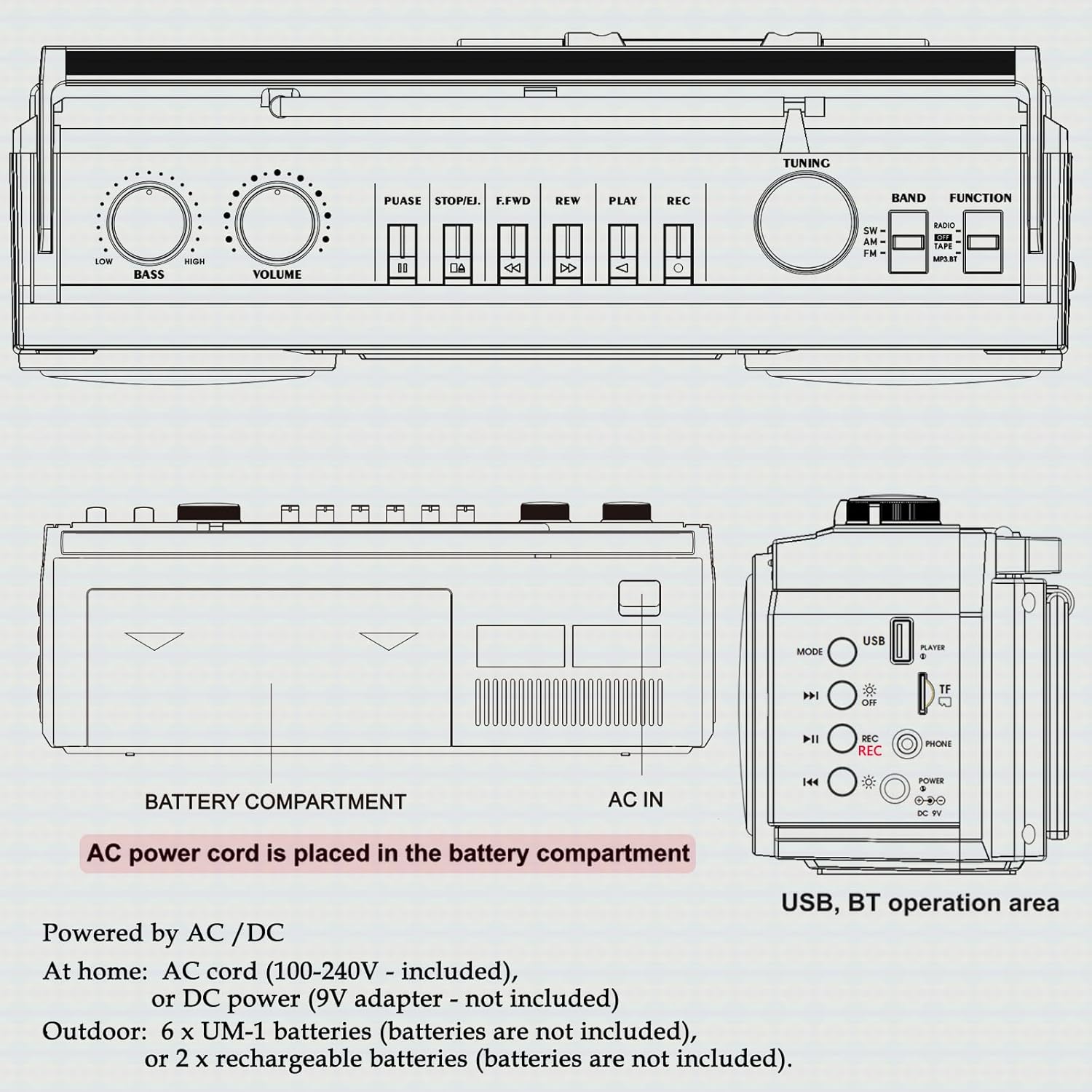
Рисунок 2: Сзади view showing battery compartment and AC IN port.
Настройка антенны
For optimal radio reception, extend the telescopic antenna fully. Adjust its position and angle to improve signal clarity.
Инструкция по эксплуатации
Общие элементы управления

Рисунок 3: Элементы управления на верхней панели.
- Выключатель: Включает / выключает устройство.
- Ручка VOLUME: Регулирует общий уровень звука.
- Регулятор баса: Регулирует уровень басов.
- Селектор функций: Switches between RADIO, TAPE, USB/TF, and BT (Bluetooth) modes.
- BAND Selector: In Radio mode, selects between FM, AM, and SW bands.
- Ручка настройки: Tunes to desired radio stations.
Работа радиосвязи (AM/FM/SW)
- Установите ФУНКЦИЯ селектор на РАДИО.
- Select the desired band (FM, AM, or SW) using the ГРУППА селектор.
- Выдвиньте телескопическую антенну для лучшего приема.
- Поверните ТЮНИНГ Поверните ручку, чтобы найти нужную станцию.
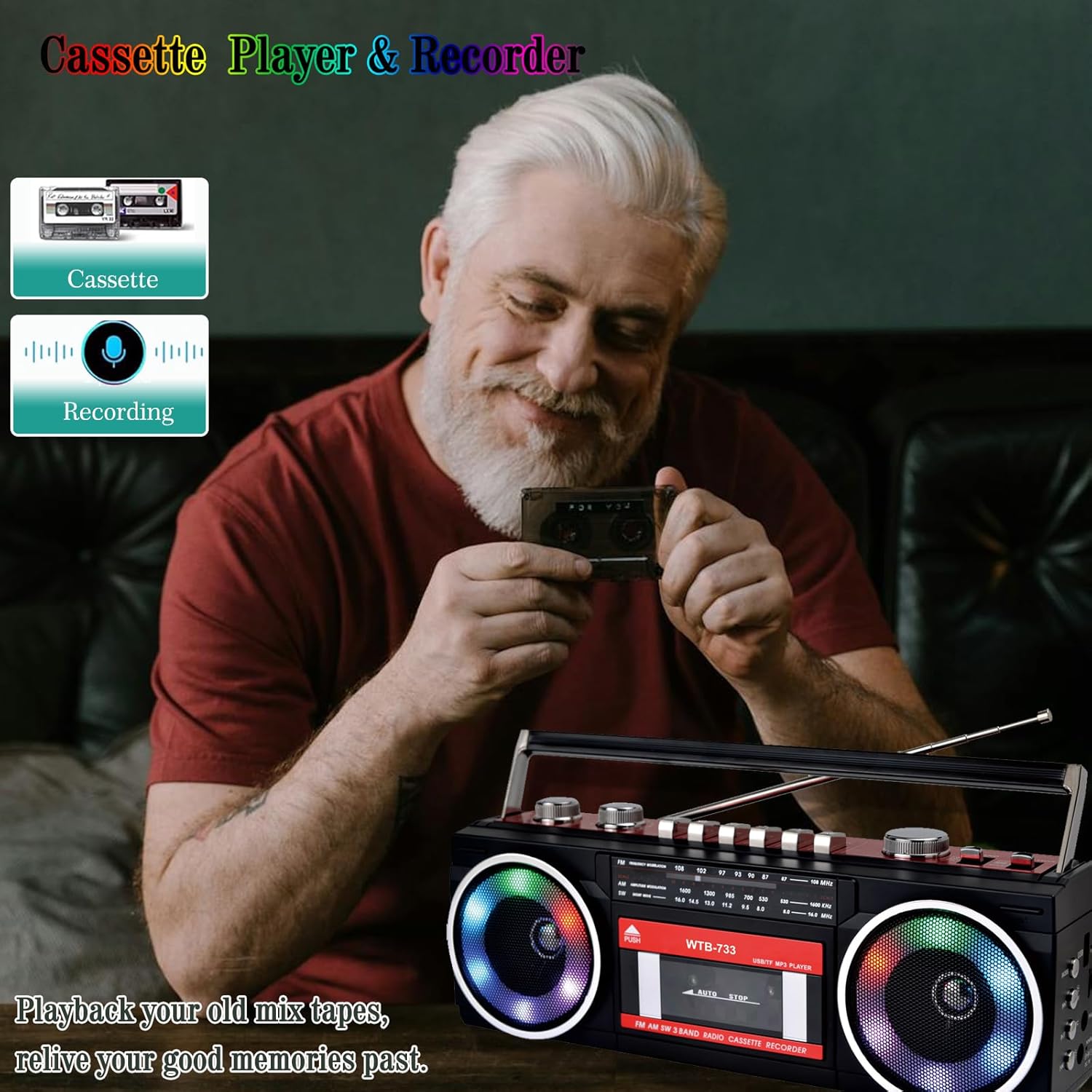
Figure 4: Radio tuning dial.
Кассетный плеер и рекордер

Figure 5: Cassette player controls.
- Установите ФУНКЦИЯ селектор на ЛЕНТА.
- Нажмите PUSH/EJECT кнопку, чтобы открыть дверцу кассетного отсека.
- Insert a cassette tape with the open edge facing upwards. Close the cassette door.
- Воспроизведение: Нажмите ИГРАТЬ кнопку, чтобы начать воспроизведение.
- Запись: Нажмите РЕК button to begin recording. Ensure a blank tape is inserted. The built-in microphone will record ambient sound.
- Быстрая перемотка вперед/назад: Используйте Ф.FWD и РЭВ кнопки.
- Пауза: Нажмите ПАУЗА button to temporarily stop playback/recording. Press again to resume.
- Остановить/извлечь: Нажмите СТОП/ИЗВЛЕЧЕНИЕ button to stop playback/recording and eject the tape.
Bluetooth-подключение
- Установите ФУНКЦИЯ селектор на BT. The unit will enter pairing mode, indicated by a flashing light or audio prompt.
- На устройстве с поддержкой Bluetooth (например, смартфоне, планшете) включите Bluetooth и выполните поиск доступных устройств.
- Select "WTB-733" from the list of devices to pair.
- После сопряжения вы сможете передавать аудио с вашего устройства на бумбокс.
- Примечание: This unit supports Bluetooth reception only and does not transmit Bluetooth signals to headphones or other speakers.

Figure 6: Bluetooth streaming from a mobile device.
USB/Micro SD (TF) Playback
- Установите ФУНКЦИЯ селектор на USB/TF.
- Insert a USB drive or Micro SD (TF) card into the corresponding slot on the side of the unit.
- The unit will automatically detect and begin playing MP3/WMA fileс запоминающего устройства.
- Use the playback control buttons (Play/Pause, Next, Previous) to navigate tracks.
Красочные огни RGB
The speakers are equipped with RGB LED lighting that creates a dynamic visual effect.
- The lights are automatically turned off in Radio mode.
- In other modes (BT, Tape, USB/TF), the lights are on by default.
- To manually control the lights, press the 'OFF' button (often labeled with a lightbulb icon) twice continuously to toggle them on or off.

Figure 7: RGB colorful lights in operation.
Разъем для наушников
Connect standard 3.5mm headphones (not included) to the headphone jack on the side of the unit for private listening. Audio will be muted from the main speakers when headphones are connected.
Обслуживание
- Уборка: Для очистки внешней поверхности устройства используйте мягкую сухую ткань. Не используйте абразивные чистящие средства или растворители.
- Уход за кассетной декой: Периодически очищайте головки ленты и прижимные ролики ватным тампоном.ampОбработано изопропиловым спиртом для обеспечения оптимального качества звука и предотвращения повреждения ленты.
- Хранилище: When not in use for extended periods, remove batteries and store the unit in a cool, dry place away from direct sunlight.
Поиск неисправностей
| Проблема | Возможная причина | Решение |
|---|---|---|
| Нет электричества | Сетевой шнур не подключен; батареи разряжены или неправильно вставлены. | Check AC connection; Replace or correctly insert batteries. |
| Нет звука | Слишком низкий уровень громкости; Наушники подключены; Неправильный режим работы. | Increase volume; Disconnect headphones; Select correct function mode. |
| Плохой прием радиосигнала | Антенна не выдвинута; Слабый сигнал. | Выдвиньте и отрегулируйте антенну; попробуйте переместить устройство в другое место. |
| Кассета не воспроизводится/не записывается | Tape damaged; Incorrect buttons pressed; Tape heads dirty. | Check tape condition; Ensure correct play/record buttons are pressed; Clean tape heads. |
| Bluetooth не подключается | Unit not in BT mode; Device not in pairing mode; "WTB-733" not selected. | Switch to BT mode; Ensure device Bluetooth is on and searching; Select "WTB-733" to pair. |
| RGB-подсветка не работает | In Radio mode; Lights turned off manually. | Lights are off in Radio mode by design; Press the 'OFF' button twice to toggle them on in other modes. |
Технические характеристики
- Номер модели: ВТБ-733
- Размеры продукта: 13 x 4.92 x 3.93 дюйма
- Вес товара: 3.63 фунта
- Радиодиапазоны: AM/FM/ЮВ
- Связь: Bluetooth, USB, Micro SD (TF)
- Тип динамика: Стерео
- Источник питания: AC 120V, 60Hz or 6 x UM-1 batteries (not included)
- USB/TF Support: До 64 ГБ (формат FAT32)
Гарантия и поддержка
WISCENT products are designed for reliability and performance. For warranty information or technical support, please refer to the documentation included with your purchase or contact WISCENT customer service through their official channels. Keep your purchase receipt as proof of purchase for warranty claims.


