1. Введение
Thank you for choosing the Dekala Sunrise Alarm Clock with Wireless Charger, Model SRWW. This device combines a natural wake-up light, a soothing sound machine, and a convenient wireless charging station into one compact unit. This manual provides essential information for setting up, operating, and maintaining your new alarm clock. Please read it thoroughly before use and retain it for future reference.
2. Продукт закончилсяview
The Dekala SRWW is designed to enhance your daily routine with its multi-functional capabilities. Key features include a gradual sunrise simulation, a white noise sound machine with 15 soothing sounds, 11 ambient light modes with 20 brightness levels, dual alarms with snooze, and a 3-in-1 wireless charging station for compatible smartphones, Apple Watches, and AirPods.
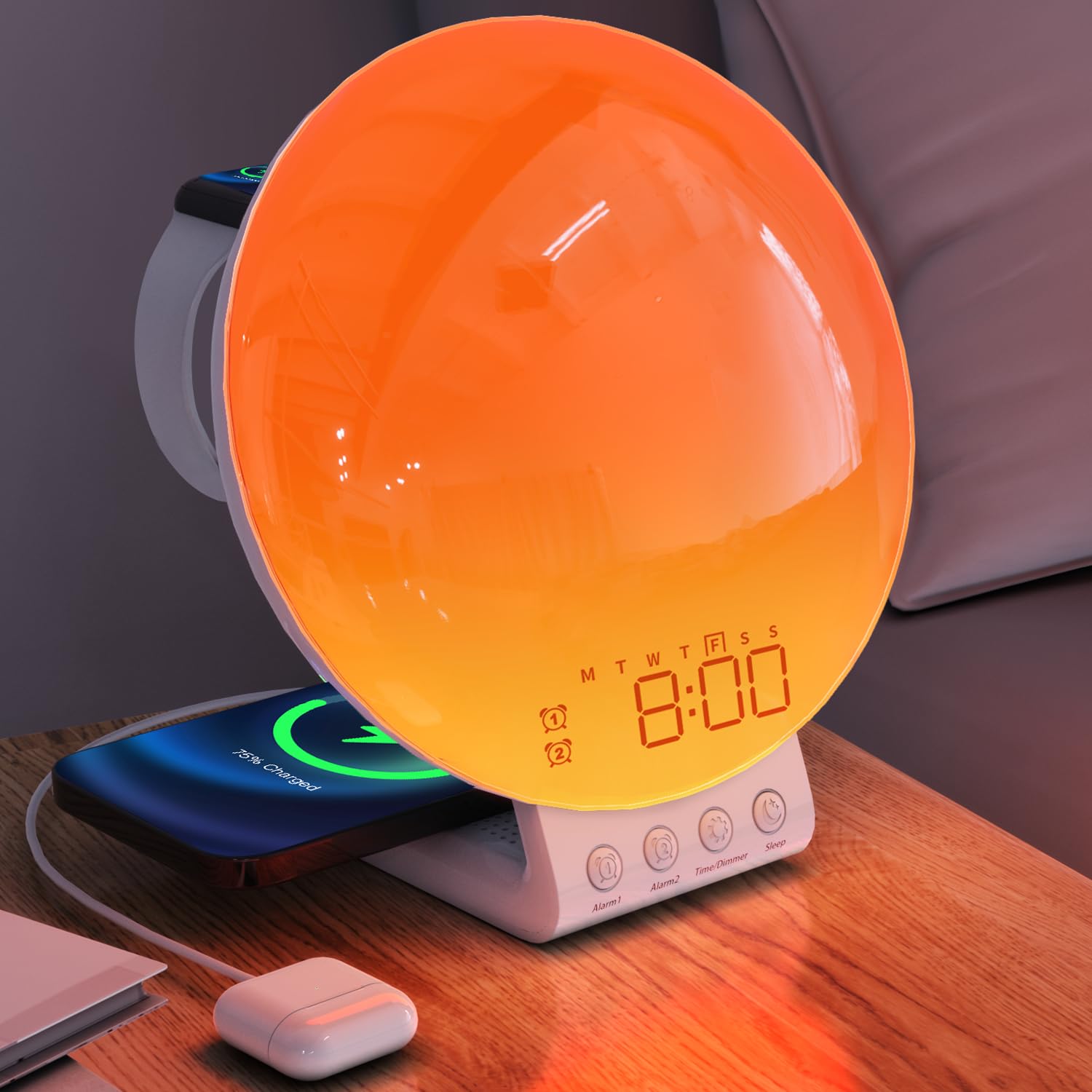
The Dekala Sunrise Alarm Clock, Model SRWW, featuring a large circular light panel, digital time display, and integrated wireless charging pads for a smartphone and smartwatch. Control buttons are located at the base.
3. Содержимое упаковки
- Dekala Sunrise Alarm Clock (Model SRWW)
- Адаптер питания
- Руководство пользователя
4. Настройка
4.1 Подключение питания
- Подключите прилагаемый адаптер питания к разъему постоянного тока на задней панели будильника.
- Plug the power adapter into a standard wall outlet. The display will illuminate.
4.2 Установка резервной батареи
The device includes a CR2032 battery for time and alarm settings backup during power outages. This battery is typically pre-installed.
- Locate the battery compartment on the underside of the unit.
- If necessary, open the compartment and insert one CR2032 battery, ensuring correct polarity (+/-).
- Надежно закройте батарейный отсек.
4.3 Initial Setup and Time Synchronization
For comprehensive control and advanced settings, download the official Dekala application from your device's app store. Follow the in-app instructions for initial setup and synchronization of time, date, and other personalized features.
5. Инструкция по эксплуатации
5.1 Установка времени и даты
The time and date are primarily set and synchronized via the Dekala mobile application. Refer to the app for detailed instructions on adjusting these settings.
5.2 Настройки будильника
The device supports dual alarms, allowing for separate wake-up times, for example, for weekdays and weekends.
- Настройка сигналов тревоги: Use the Dekala application to set Alarm 1 and Alarm 2. You can customize wake-up times, light intensity, and alarm sounds (including sunrise simulation and natural sounds).
- Активация/Деактивация: Alarms can be toggled on or off through the application or dedicated buttons on the device (refer to button labels for specific functions).
- Функция повтора: When an alarm sounds, tap the snooze button (typically labeled 'Snooze' or a prominent button on the device) to pause the alarm for 9 minutes. This can be repeated up to 5 times.
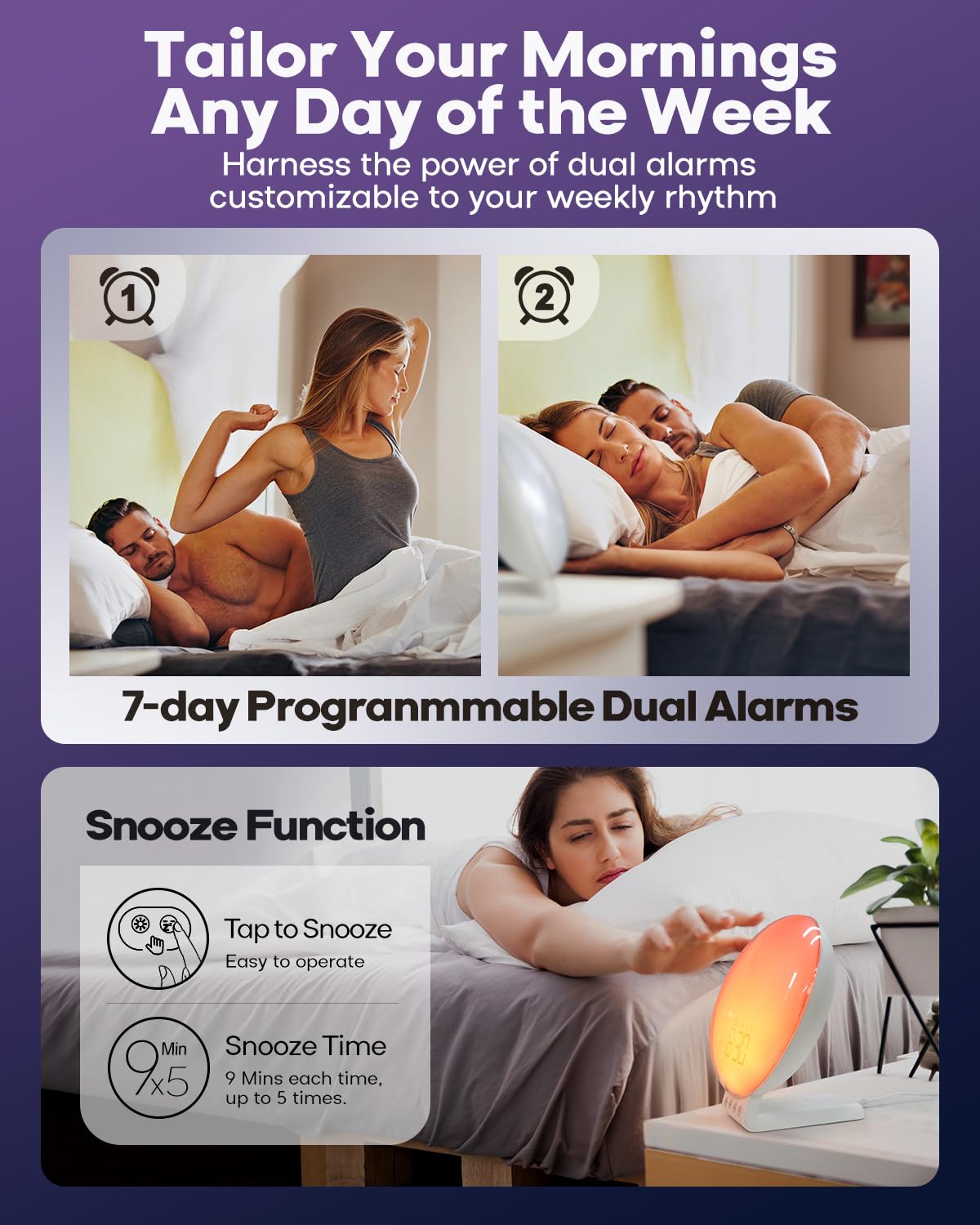
This image illustrates the dual alarm functionality and the snooze feature. The clock supports two independent alarms, and a snooze option provides additional rest time.
5.3 Имитация восхода солнца
The sunrise simulation feature gradually brightens the light before your set alarm time, mimicking a natural sunrise to gently wake you.
- Активация: Enable sunrise simulation through the Dekala application when setting an alarm.
- Продолжительность: Customize the duration of the light increase (e.g., 0 to 120 minutes) via the app.
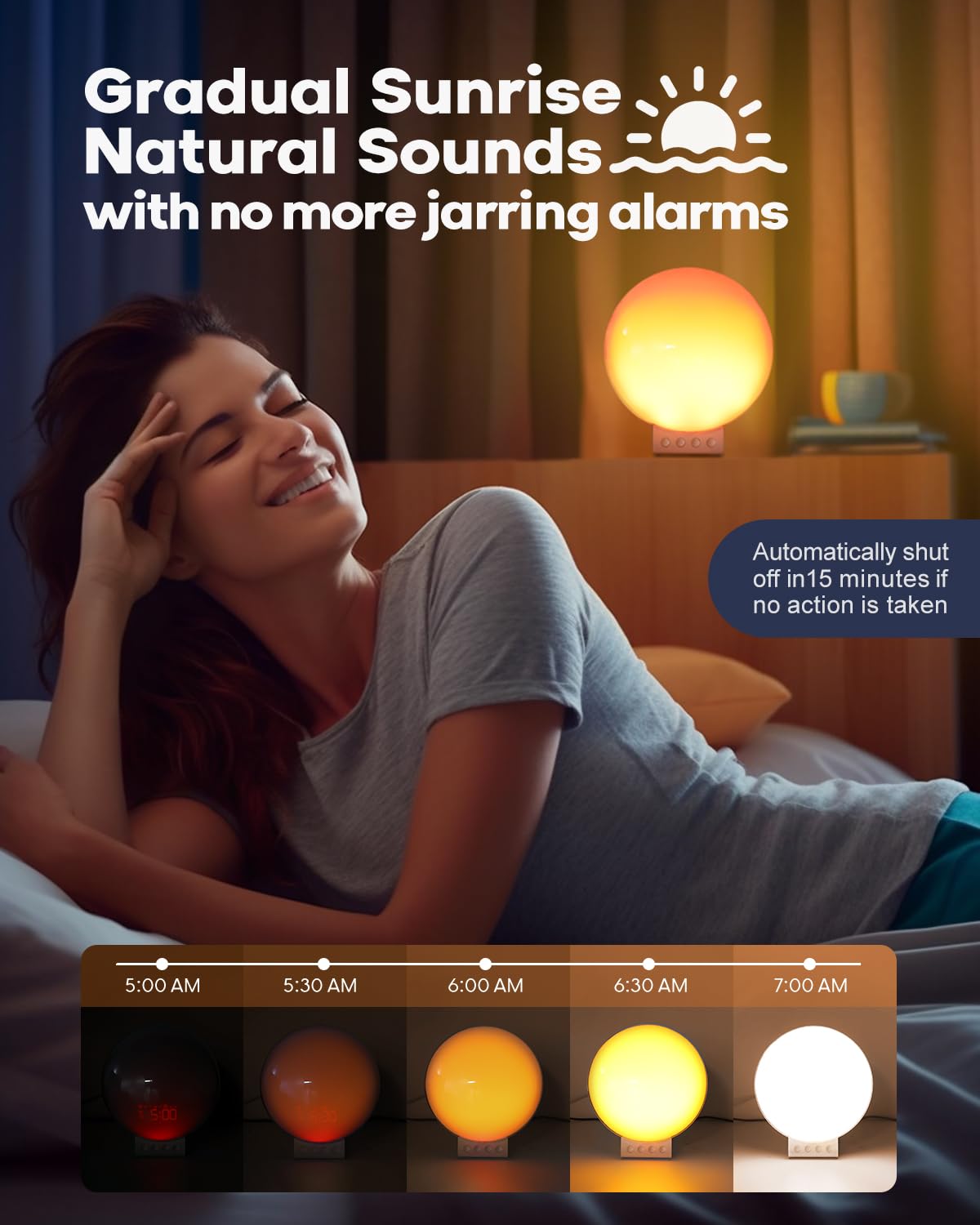
The sunrise simulation feature gradually brightens the light from 0% to 100% over a set period before your alarm, mimicking a natural sunrise to gently wake you.
5.4 White Noise & Sound Machine
The built-in sound machine offers 15 relaxing sounds to aid sleep or create a calming environment.
- Выбор звука: Choose from 15 sounds (e.g., ocean waves, birdsong, rain, white noise, bonfire) using the Dekala application.
- Регулировка громкости: Adjust the volume level via the app or dedicated buttons on the device.
- Sleep Aid Timer: Set a timer (e.g., 5-120 minutes) for the sounds to play before automatically turning off, or choose to play all night.
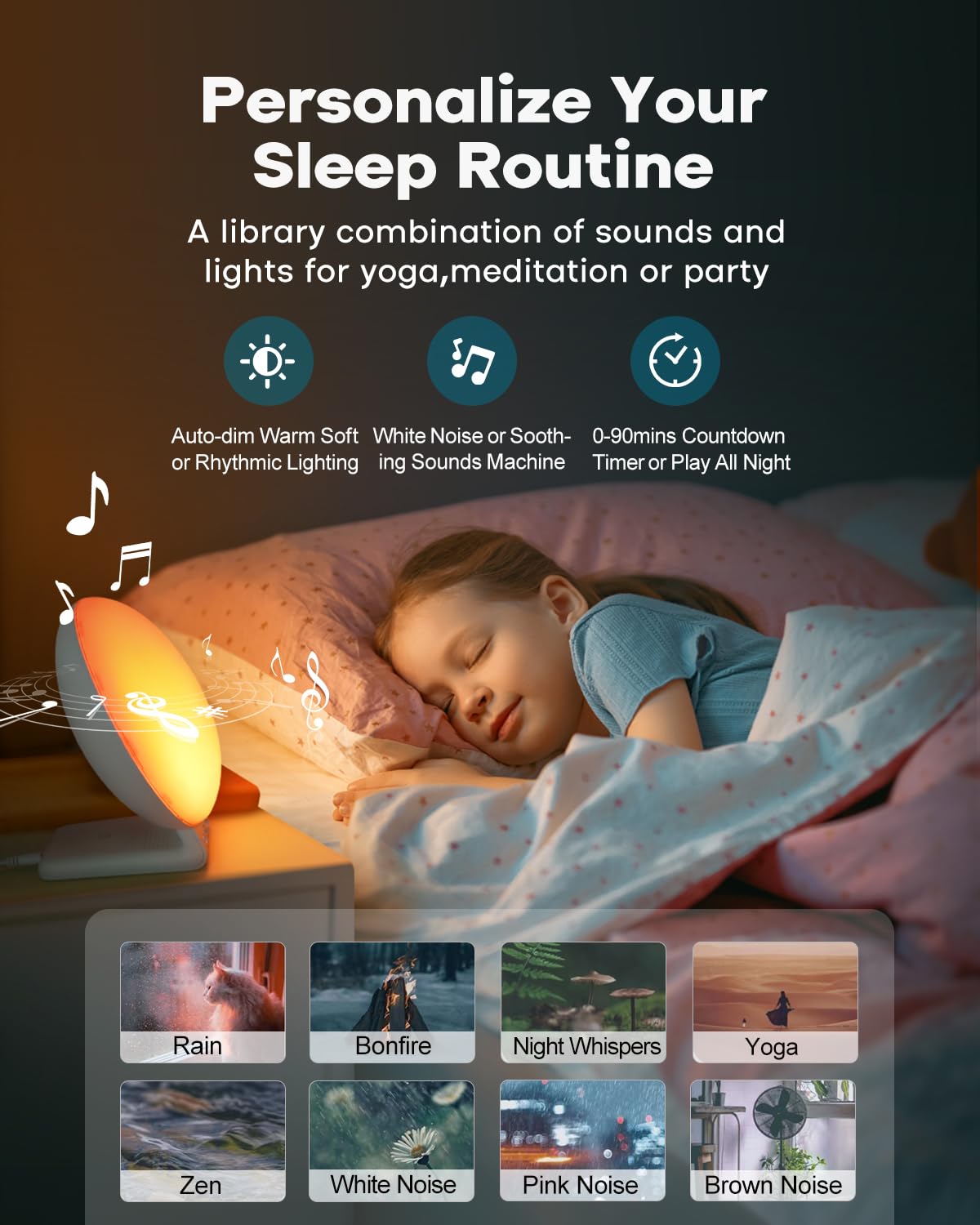
This image shows the device's sound machine capabilities, offering 15 different relaxing sounds like rain, bonfire, and white noise to aid sleep or create a calming atmosphere.
5.5 Night Light & Ambient Lighting
The device functions as a versatile night light and ambient lamp with various light modes and brightness levels.
- Режимы освещения: Select from 11 ambient light modes (e.g., solid colors, color cycles) using the Dekala application.
- Регулировка яркости: Adjust the light intensity with 20 brightness levels via the app or device controls.
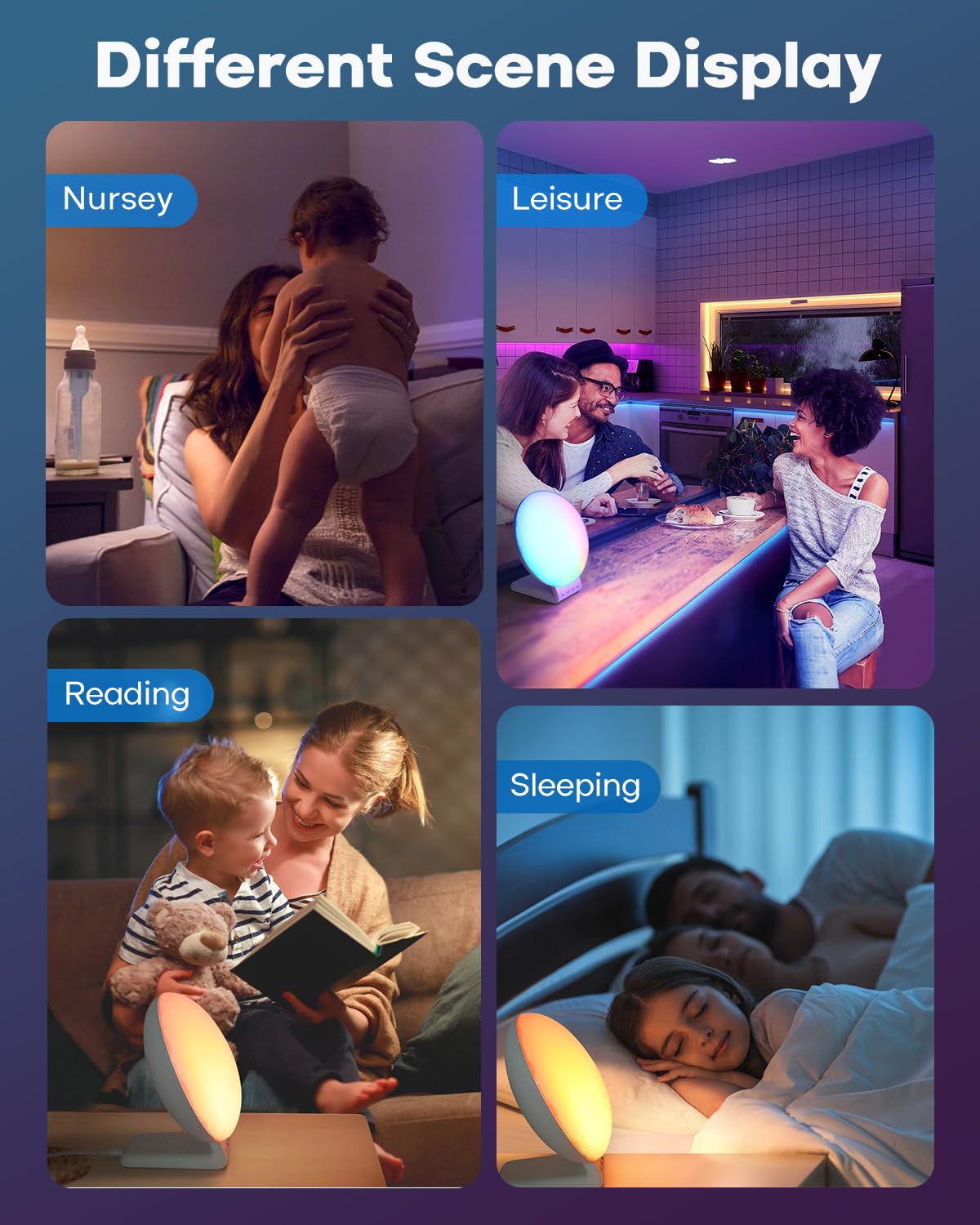
The clock functions as a versatile night light and ambient lamp, offering 11 light modes and 20 brightness levels suitable for various activities such as reading, relaxation, or as a nursery light.
5.6 Беспроводная зарядка
The integrated wireless charging station supports simultaneous charging of compatible devices.
- Зарядка смартфона: Place your QI-enabled smartphone on the designated charging pad. Supports up to 15W for compatible models (e.g., iPhone 8 and newer, Samsung Galaxy S series). Ensure phone case thickness is within 5mm (0.2 in) for optimal charging.
- Зарядка Apple Watch: Place your Apple Watch (Series 2-8, SE) on the dedicated magnetic charging stand. Supports 3W output.
- Зарядка AirPods: Place your AirPods (2/3/Pro) on the designated charging area. Supports 5W output.
- Индикатор зарядки: The device may feature an LED indicator to confirm active charging.
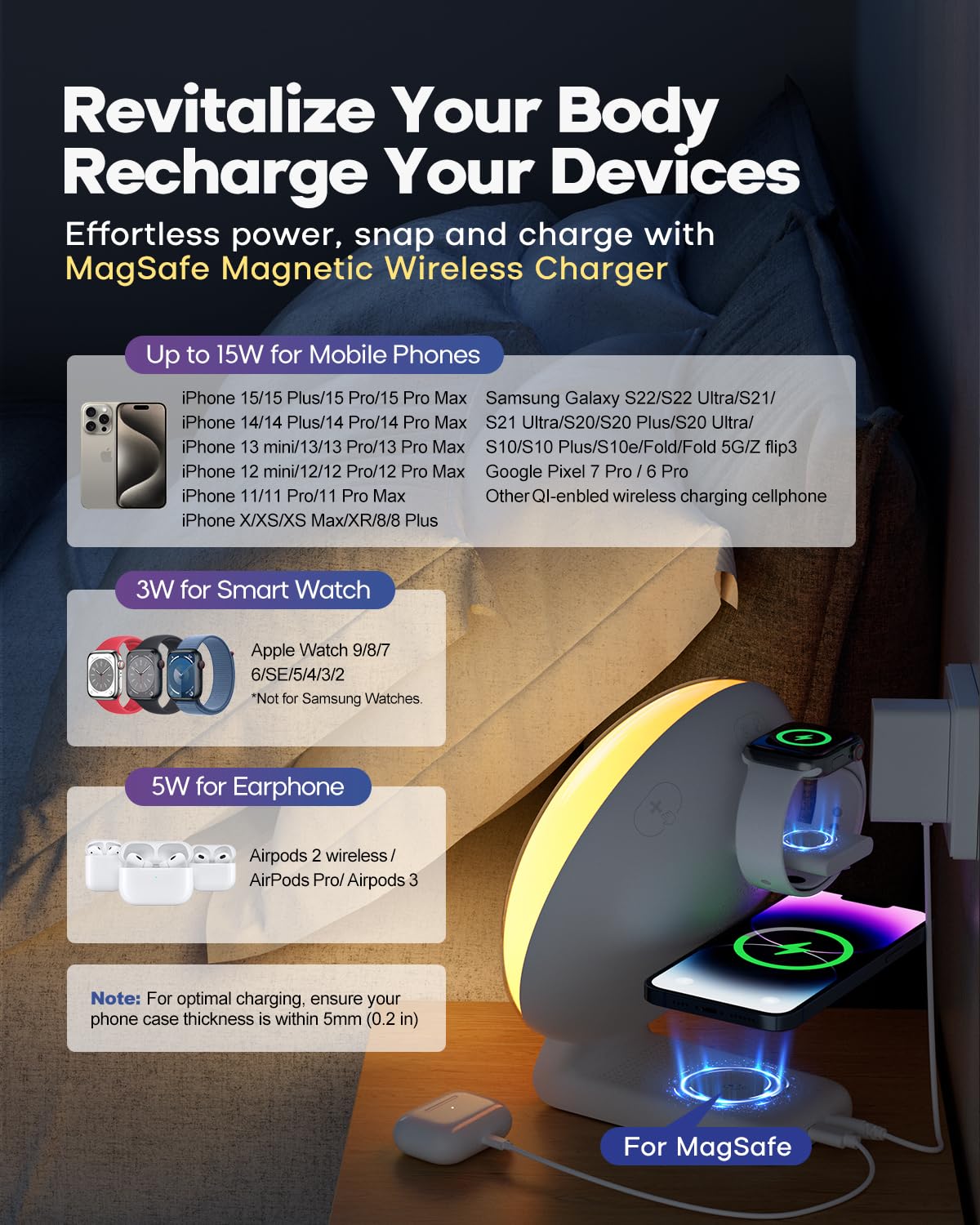
The integrated wireless charging station supports compatible smartphones (up to 15W), Apple Watches (3W), and AirPods (5W). Ensure devices are placed correctly on the charging pads for optimal performance.
6. Техническое обслуживание
6.1 Очистка
Чтобы сохранить внешний вид и функциональность вашего устройства:
- Перед очисткой отключите устройство от источника питания.
- Для протирки поверхностей используйте мягкую, сухую, безворсовую ткань.
- Avoid using abrasive cleaners, solvents, or chemical sprays, as these may damage the finish or internal components.
- Не погружайте устройство в воду или любую другую жидкость.
6.2 Backup Battery Replacement
If the time and alarm settings are not retained during a power outage, the CR2032 backup battery may need replacement. Follow the instructions in Section 4.2 to replace the battery.
7. Поиск Неисправностей
If you encounter issues with your Dekala Sunrise Alarm Clock, refer to the following common problems and solutions:
- Устройство не включается: Убедитесь, что адаптер питания надежно подключен к устройству и рабочей розетке.
- Беспроводная зарядка не работает:
- Verify your device (smartphone, Apple Watch, AirPods) is compatible with wireless charging.
- Ensure the device is centered correctly on the charging pad.
- Remove any thick phone cases (over 5mm/0.2 in) that may interfere with charging.
- Check for any metallic objects between the charging pad and your device.
- Alarm not sounding or time incorrect: Verify all alarm settings, including time, days, and activation status, within the Dekala application. Ensure the app is updated and synchronized with the device. Check the backup battery if power was recently interrupted.
- Light not changing or unresponsive: Check light mode and brightness settings in the Dekala application. Ensure the device is not in a sleep aid mode that might override manual light controls.
- Проблемы с подключением приложения: If you experience difficulty connecting the device to the Dekala application, ensure your smartphone's Bluetooth is enabled and the app is up to date. For persistent issues, refer to the Dekala app's support section or developer contact information for assistance with application-related problems.
8. Технические характеристики
| Бренд | Декала |
| Модель | СРВ |
| Тип дисплея | ЖК-дисплей |
| Источник питания | Corded Electric, 1 CR2032 battery (backup) |
| Выход для беспроводной зарядки | Up to 15W (phone), 3W (Apple Watch), 5W (AirPods) |
| Режимы света | 11 ambient modes, 20 brightness levels |
| Звуковые режимы | 15 white noise/soothing sounds |
| Размеры продукта | 2"W x 2"H (Note: Visual appearance suggests larger dimensions) |
| Вес товара | 1.81 фунта |
9. Информация по технике безопасности
Пожалуйста, соблюдайте следующие меры предосторожности, чтобы предотвратить повреждение устройства или травму:
- Данное устройство предназначено только для использования внутри помещений.
- Не подвергайте устройство воздействию воды, влаги или экстремальных температур.
- Держите устройство вдали от прямых солнечных лучей, источников тепла и открытого огня.
- Не пытайтесь разбирать, ремонтировать или модифицировать устройство. При необходимости обслуживания обратитесь к квалифицированному специалисту.
- Используйте только прилагаемый адаптер питания. Использование несовместимого адаптера может привести к повреждению или возгоранию.
- Хранить в недоступном для детей и домашних животных месте.


