Введение
Thank you for choosing the ADESSO Xtream T2 Bluetooth Wireless Earbuds. These earbuds are designed to provide a high-quality audio experience with features such as Active Noise Cancelling (ANC), a built-in microphone for calls, and convenient touch controls. This manual will guide you through the setup, operation, and maintenance of your new earbuds.
Что в коробке?
- ADESSO Xtream T2 Wireless Earbuds (Left and Right)
- Чехол для беспроводной зарядки
- USB-кабель для зарядки
- Различные размеры амбушюр (S, M, L)
- Руководство пользователя
Продукт болееview
The ADESSO Xtream T2 earbuds feature an ergonomic in-ear design for a secure and comfortable fit. The compact charging case not only protects your earbuds but also provides additional battery life and supports wireless charging.

Image: The ADESSO Xtream T2 wireless earbuds are shown resting inside their open white charging case. The case has the 'adesso' logo on the front and four small LED indicator lights below it. The earbuds are white with a sleek, minimalist design.

Изображение: крупный план view of the two white ADESSO Xtream T2 earbuds, showing their in-ear design and the small microphone openings. The left and right indicators are visible on the stems.
Настраивать
1. Зарядка наушников и кейса
Before first use, fully charge the earbuds and the charging case. Place the earbuds into the charging case. Connect the USB charging cable to the charging port on the case and to a power source. The LED indicators on the case will show the charging status. Alternatively, place the charging case on a compatible wireless charging pad.
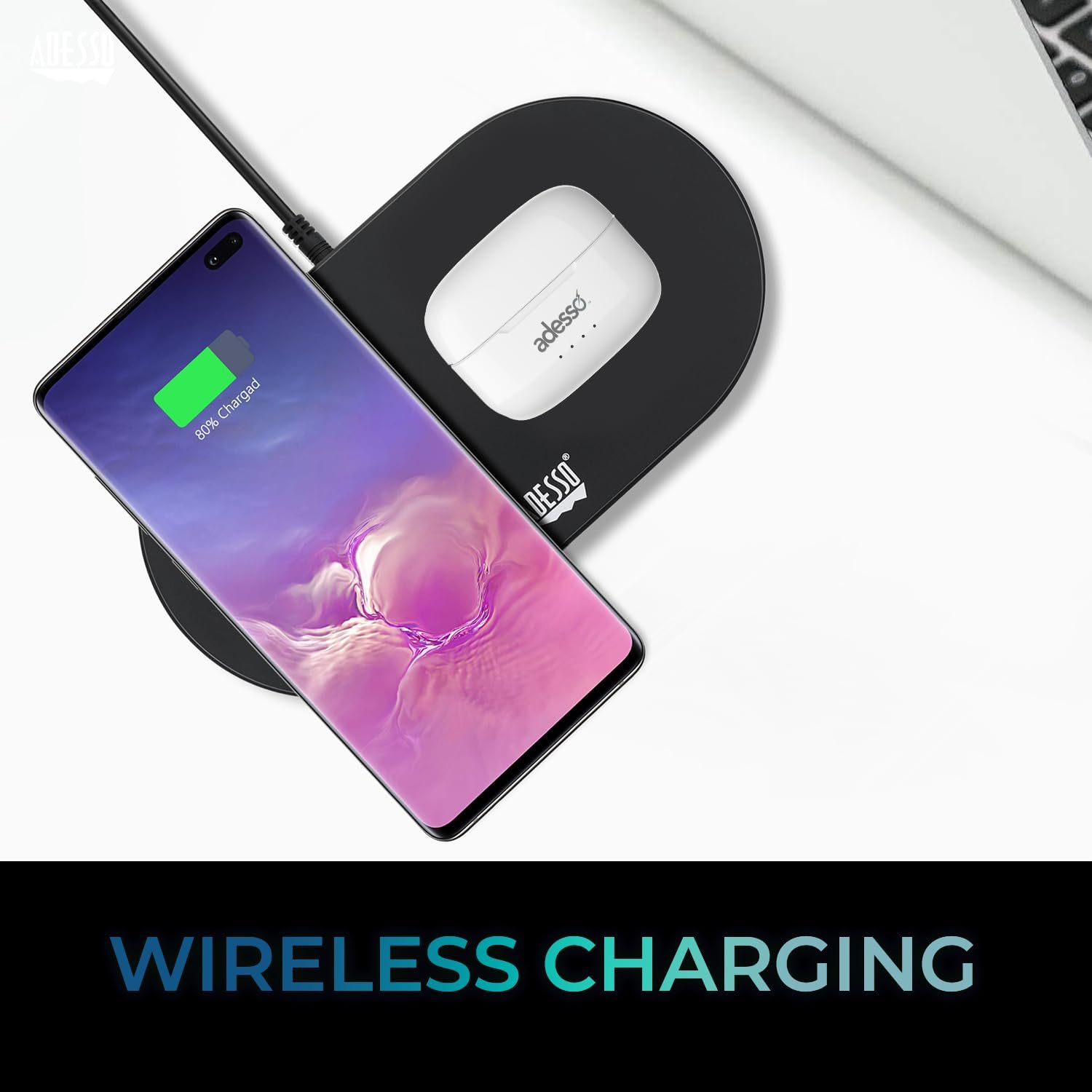
Image: The white ADESSO Xtream T2 charging case is placed on a black wireless charging pad next to a smartphone that is also wirelessly charging. This illustrates the wireless charging capability of the earbud case.
2. Сопряжение по Bluetooth
- Убедитесь, что наушники заряжены.
- Откройте зарядный футляр. Наушники автоматически перейдут в режим сопряжения, о чём свидетельствует мигающий светодиодный индикатор на наушниках.
- На вашем устройстве (смартфоне, планшете и т. д.) перейдите в настройки Bluetooth.
- Искать доступные устройства и выберите "ADESSO Xtream T2"из списка.
- После подключения светодиодный индикатор на наушниках перестанет мигать, и ваше устройство подтвердит подключение.
Наушники автоматически подключатся к последнему сопряженному устройству при извлечении их из футляра, если на устройстве включен Bluetooth.

Image: A stylized image depicting a Bluetooth chip on a circuit board, with the ADESSO Xtream T2 earbuds in their charging case in the foreground. This visually represents the Bluetooth wireless connectivity feature.
Инструкция по эксплуатации
Сенсорное управление
The Xtream T2 earbuds feature intuitive touch controls on each earbud. The specific functions may vary slightly depending on the operating system of your connected device.

Image: A woman is shown gently touching the side of her white ADESSO Xtream T2 earbud, demonstrating the touch control feature. She is smiling and looking at her smartphone.
| Действие | Функция |
|---|---|
| Одно нажатие (левый/правый наушник) | Воспроизведение/Пауза музыки, Ответ/Завершение вызова |
| Двойное нажатие (правый наушник) | Следующий трек |
| Двойное нажатие (левый наушник) | Предыдущий трек |
| Тройное нажатие (правый наушник) | Увеличить громкость |
| Тройное нажатие (левый наушник) | Уменьшить громкость |
| Длительное нажатие (2 секунд) | Активировать голосовой помощник (Siri, Google Assistant) |
| Длительное нажатие (3 секунд) | Переключить режим ANC/прозрачности |
| Incoming Call Long Press (2 seconds) | Отклонить вызов |
Активное шумоподавление (ANC)
The Xtream T2 earbuds feature Active Noise Cancelling technology to reduce ambient noise, allowing for a more immersive listening experience. To activate or deactivate ANC, long-press the touch sensor on either earbud for approximately 3 seconds until you hear an audible prompt.

Image: A graphic illustrating sound waves being blocked around the ADESSO Xtream T2 earbuds, with text indicating "30dB" and "Active Noise Cancelling." This highlights the noise reduction capability.
Срок службы батареи и зарядка
The earbuds provide approximately 6-7 hours of talk and listen time on a single charge. The charging case extends this duration by providing multiple recharges. For optimal performance, ensure both earbuds and case are regularly charged.

Image: A woman is using the ADESSO Xtream T2 earbuds while looking at her phone. A battery icon with a full charge is displayed, indicating "6-7 Hour Talk & Listen Time."
Обслуживание
Уборка
Регулярная чистка помогает поддерживать качество звука и гигиену:
- Для протирки наушников и зарядного футляра используйте мягкую, сухую ткань без ворса.
- Аккуратно удалите ушную серу или загрязнения с амбушюр и сетки динамика с помощью небольшой мягкой кисточки или ватного тампона.
- Не используйте абразивные чистящие средства, спирт или химические растворители.
Хранилище
Когда наушники не используются, храните их в зарядном футляре, чтобы защитить их от пыли и повреждений, а также поддерживать их заряженными.
Поиск неисправностей
| Проблема | Возможное решение |
|---|---|
| Наушники не сопрягаются | Убедитесь, что наушники заряжены. Выключите и снова включите Bluetooth на вашем устройстве. Удалите устройство из настроек Bluetooth и выполните сопряжение заново. |
| работает только один наушник | Place both earbuds back in the case, close it, then open it again. Ensure both earbuds are charged. |
| Нет звука | Проверьте громкость устройства. Убедитесь, что наушники подключены. Попробуйте воспроизвести аудио из другого приложения или с другого устройства. |
| АНК не работает | Ensure ANC is activated via touch control (long press). Check for proper earbud fit. |
| Проблемы с зарядкой | Ensure charging cable is securely connected. For wireless charging, ensure the case is correctly placed on a compatible pad. Clean charging contacts on earbuds and case. |
Технические характеристики

Image: The ADESSO Xtream T2 earbuds and charging case are shown in front of various electronic devices including a smartphone, tablet, laptop, and desktop computer, illustrating their multi-platform compatibility.
| Особенность | Деталь |
|---|---|
| Название модели | Xtream T2 |
| Технология связи | Беспроводная связь (Bluetooth) |
| Версия Bluetooth | 5.3 |
| Контроль шума | Активное аннулирование шума (ANC) |
| Микрофон | Встроенный |
| Тип управления | Сенсорное управление |
| Форма наушника | Внутриканальные наушники |
| Материал | Пластик, Силикон |
| Вес товара | 37 Grams (earbuds and case) |
| Беспроводная зарядка | Поддерживается |
| Совместимые устройства | Smartphones, Tablets, Laptops, Desktops, Smart Speakers, Televisions, Cars, Motorcycles |
| СКП | 783750011013 |
Гарантия и поддержка
For warranty information and technical support, please refer to the warranty card included with your product or visit the official ADESSO website. You can also contact ADESSO customer service for assistance with any product-related inquiries.
Webсайт: www.adesso.com (БывшийampПожалуйста, проверьте фактическую поддержку по ссылке. URL)


