1. Важные инструкции по технике безопасности
Внимательно прочтите все инструкции перед использованием беговой дорожки. Сохраните это руководство для дальнейшего использования.
- Всегда устанавливайте беговую дорожку на ровную, устойчивую поверхность.
- Обеспечьте достаточное расстояние вокруг беговой дорожки (не менее 2 метров сзади и 0.6 метра с каждой стороны).
- Не допускайте детей и домашних животных к беговой дорожке во время ее работы.
- Носите подходящую спортивную обувь и одежду.
- Не используйте беговую дорожку, если у нее поврежден шнур или вилка, или если она неисправна.
- Максимальная грузоподъемность пользователя: 130 кг.
- Always use the safety key. Attach it to your clothing before starting your workout.
2. Продукт закончилсяview
The TOPUTURE 2-in-1 Treadmill is designed for both walking and light running, offering a versatile fitness solution for home or office use. It features a powerful yet quiet motor, manual incline adjustment, and smart app connectivity.

Image: Two individuals demonstrating the TOPUTURE 2-in-1 Treadmill in use, highlighting its dual functionality for walking while working and running.
3. Настройка и сборка
This TOPUTURE 2-in-1 Treadmill features a space-saving design that requires minimal assembly. It is ready for use almost immediately out of the box.
3.1 Распаковка
- Осторожно извлеките беговую дорожку из упаковки.
- Check all components against the packing list to ensure everything is present.
3.2 Размещение
- Установите беговую дорожку на твердой, ровной поверхности.
- Убедитесь, что шнур питания легко доступен и не загорожен.
3.3 Ручная регулировка наклона
The treadmill offers manual incline settings to increase workout intensity. The original incline is 2°, and can be adjusted to 4.7° (9% incline rate).
- Locate the incline adjustment bolts at the rear of the treadmill.
- Pull out the bolt and turn the slope block to the desired position.
- Insert the bolt into the upper hole to secure the incline.

Image: A visual guide illustrating the two-step process for manually adjusting the treadmill's incline.
4. Инструкция по эксплуатации
Your treadmill can be controlled via its LED display, remote control, or a smart application.
4.1 Включение/выключение питания
- Подключите шнур питания к подходящей розетке.
- Flip the main power switch located on the treadmill base to the 'ON' position.
- To turn off, flip the main power switch to 'OFF' and unplug the unit.
4.2 Using the LED Display and Remote Control
The multi-functional LED display shows real-time data including speed, distance, time, and calories burned. The remote control allows for easy adjustment of speed and modes.

Image: The treadmill's clear LED display provides real-time workout metrics, complemented by a convenient remote control for adjustments.
- Старт/Стоп: Press the 'Start' button on the display or remote to begin. Press 'Stop' to pause or end your workout.
- Регулировка скорости: Use the '+' and '-' buttons on the remote or display to increase or decrease speed (1-10 km/h).
- Программы: Select from 12 preset programs for varied workout routines.
- Temporary Pause: Use the 'Pause' button to temporarily stop your workout without losing data.
4.3 Подключение интеллектуальных приложений
Connect your treadmill to fitness apps like 'FITSHOW' via Bluetooth (Bluetooth name: TP3) for enhanced training courses and data tracking.
- Убедитесь, что Bluetooth включен на вашем мобильном устройстве.
- Open the 'FITSHOW' app (or compatible app) and search for 'TP3'.
- Pair your device with the treadmill.
- Follow the app's instructions to access various training courses and monitor your progress.

Image: The treadmill connects to fitness apps, allowing users to engage with virtual training courses and track their performance.
5. Техническое обслуживание
Регулярное техническое обслуживание обеспечит долговечность и оптимальную работу вашей беговой дорожки.
5.1 Очистка
- Перед чисткой отключите беговую дорожку от сети.
- Wipe down the display and exterior surfaces with a damp ткань. Избегайте абразивных чистящих средств.
- Regularly vacuum under the treadmill to prevent dust buildup.
5.2 Смазка ремня
The running belt requires periodic lubrication to reduce friction and extend its lifespan. Use silicone-based treadmill lubricant.
- Приподнимите край бегового полотна.
- Apply a small amount of lubricant to the center of the deck, underneath the belt.
- Включите беговую дорожку на низкую скорость на несколько минут, чтобы равномерно распределить смазку.
- Refer to the lubricant manufacturer's instructions for frequency, typically every 3-6 months depending on usage.
5.3 Регулировка ремня
Если беговое полотно смещается в сторону или проскальзывает, возможно, потребуется его регулировка.
- Consult the detailed instructions in the full product manual for specific belt tension and alignment procedures.
6. Поиск Неисправностей
Если у вас возникли проблемы с беговой дорожкой, ознакомьтесь со следующими распространенными проблемами и способами их решения.
| Проблема | Возможная причина | Решение |
|---|---|---|
| Беговая дорожка не включается. | Шнур питания не вставлен, главный выключатель выключен, ключ безопасности не вставлен. | Check power connection, ensure main switch is ON, insert safety key. |
| Беговое полотно проскальзывает. | Ремень слишком ослаблен, недостаточно смазки. | Adjust belt tension (refer to full manual), lubricate the belt. |
| Необычный шум во время работы. | Loose parts, belt friction, motor issue. | Check for loose bolts, lubricate belt, contact customer support if motor noise persists. |
| Ошибка подключения к приложению. | Bluetooth выключен, приложение не обновлено, неправильное сопряжение. | Ensure Bluetooth is on, update app, re-pair with 'TP3'. |
If the problem persists after attempting these solutions, please contact TOPUTURE customer support.
7. Технические характеристики
| Особенность | Спецификация |
|---|---|
| Бренд | ТОПУТУРА |
| Мощность двигателя | 2.5 HP (Peak 3.0 HP) |
| Диапазон скоростей | 1 - 10 км/ч |
| Наклон | Manual (0%, 5%, 10% equivalent to 2° and 4.7°/9%) |
| Бегущая поверхность | 1000 x 400 мм (приблизительно 39.4 x 15.7 дюйма) |
| Максимальный вес пользователя | 130 кг (прибл. 286 фунта) |
| Уровень шума | < 45 дБ |
| Размеры продукта | 120.8 x 52.6 x 12.5 см (прибл. 47.6 x 20.7 x 4.9 дюйма) |
| Вес продукта | 21.69 кг (прибл. 47.8 фунта) |
| Связность | Bluetooth (TP3) for APP control |
| Программы | 12 предустановленных программ |
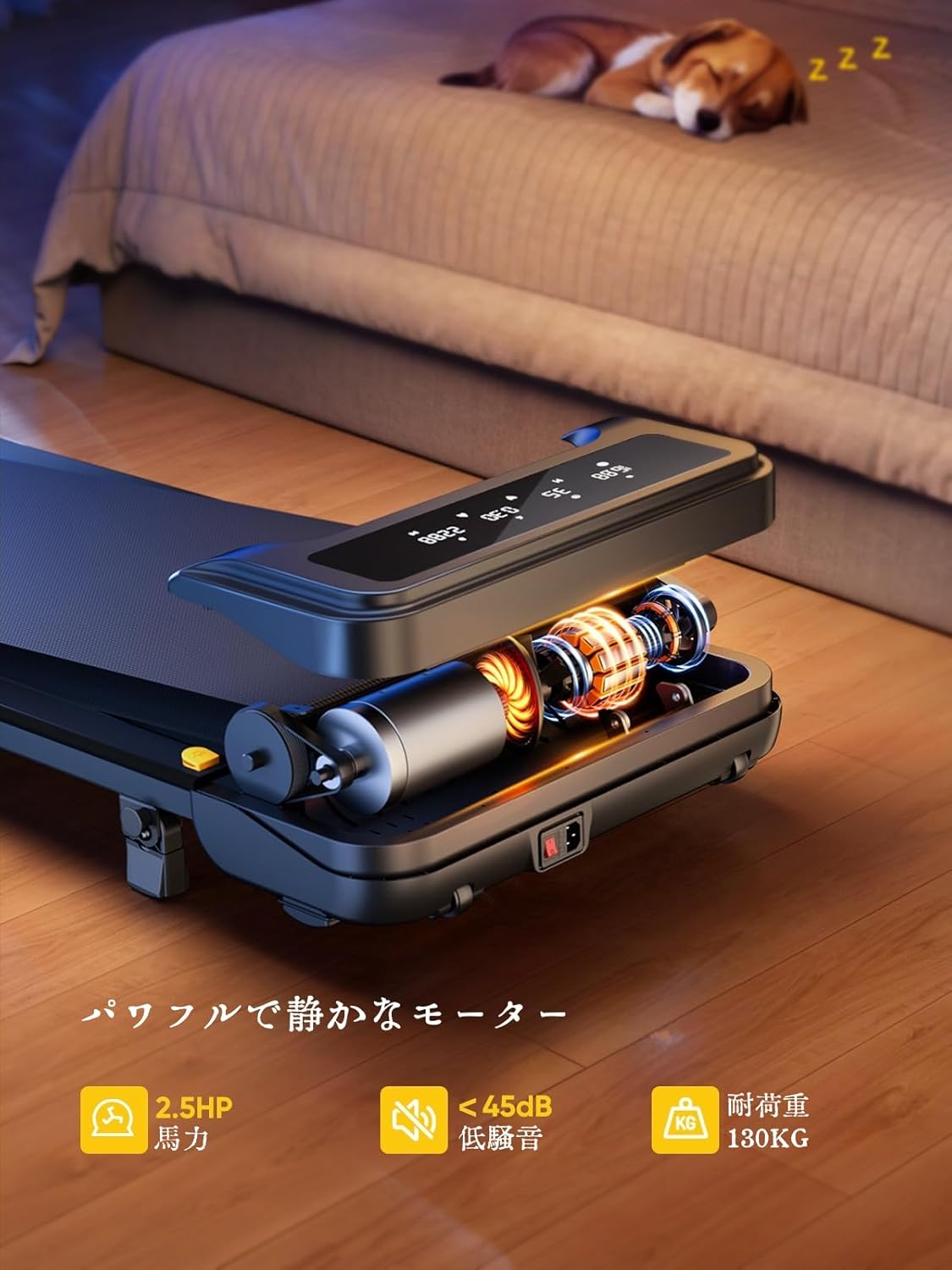
Image: The treadmill features a powerful 2.5 HP motor, operates quietly below 45dB, and supports users up to 130 kg.

Image: The compact design of the treadmill, highlighting its running surface dimensions for space efficiency.
8. Хранение и портативность
The TOPUTURE 2-in-1 Treadmill is designed for easy storage and portability, making it ideal for small spaces.
- The treadmill is lightweight (18.5 kg / 40.7 lbs) and features built-in wheels for effortless movement.
- It can be stored upright or flat under a bed or sofa when not in use, saving valuable space.
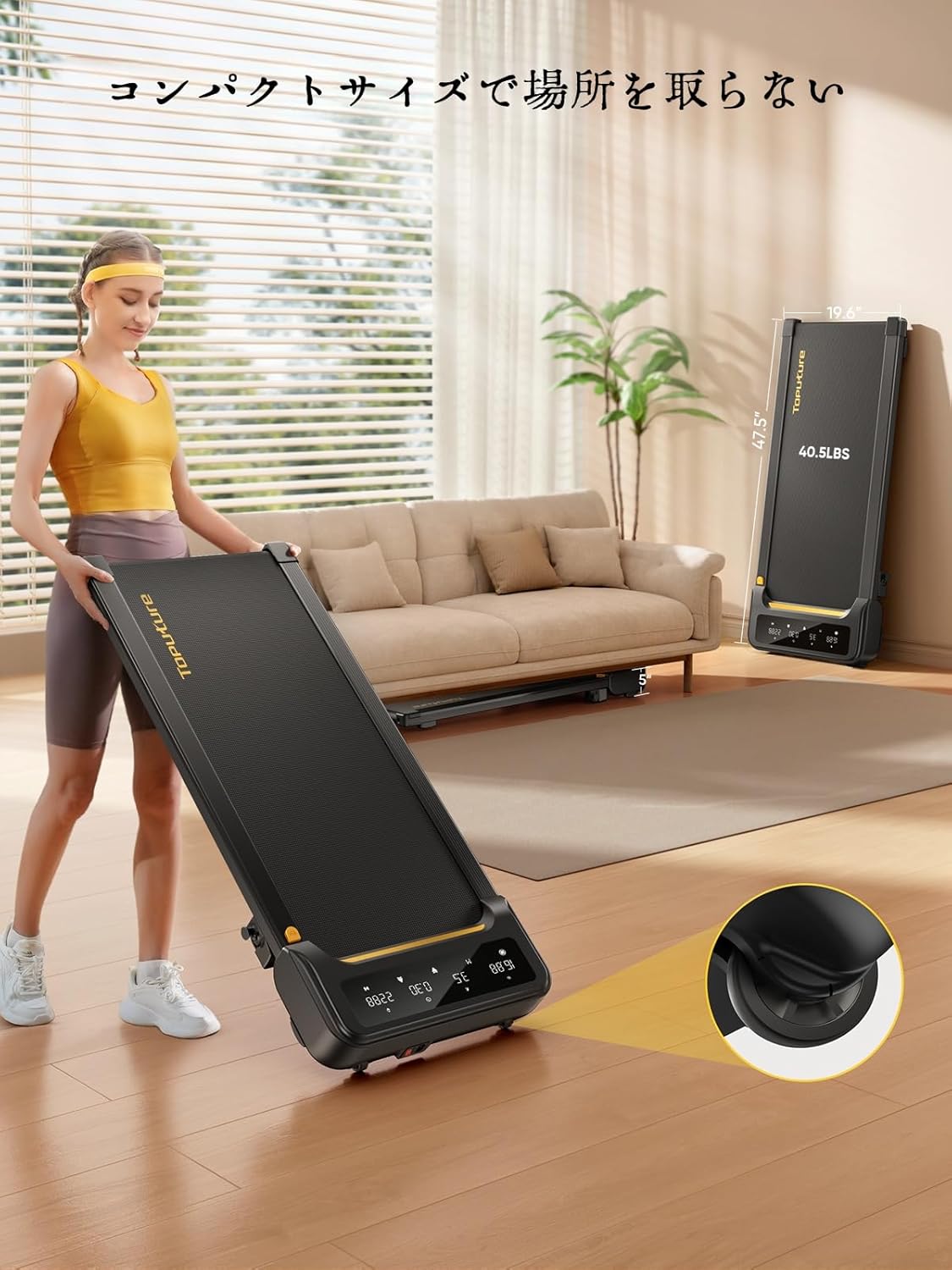
Image: A woman demonstrates the ease of moving the treadmill, highlighting its portability with integrated wheels.
9. Гарантия и поддержка
TOPUTURE provides a warranty for this product. Please refer to your purchase documentation for specific warranty terms and conditions.
9.1 Поддержка клиентов
По любым вопросам, для получения технической помощи или при обращении по гарантии, пожалуйста, свяжитесь со службой поддержки клиентов TOPUTURE через продавца, у которого вы приобрели продукт, или посетите официальный сайт TOPUTURE. webсайт.
- Онлайн поддержка: Visit the TOPUTURE brand store on Amazon or the official webсайт с ответами на часто задаваемые вопросы и контактной информацией.
- Поддержка по электронной почте: Адрес электронной почты службы поддержки клиентов указан на упаковке товара или в гарантийном талоне.


