1. Введение
Спасибо за покупкуasing the Gembird GMB Audio TWS-LCD-ANC-01-W Wireless In-Ear Headphones. These headphones are designed to provide a high-quality audio experience for music and calls, featuring Active Noise Cancellation (ANC) and an integrated microphone. This manual provides essential information for setting up, operating, maintaining, and troubleshooting your device.
2. Содержимое упаковки
- 1x Pair of Gembird GMB Audio TWS-LCD-ANC-01-W Wireless In-Ear Headphones
- 1x чехол для зарядки
- 1x USB-кабель для зарядки Type-C
3. Продукт закончилсяview
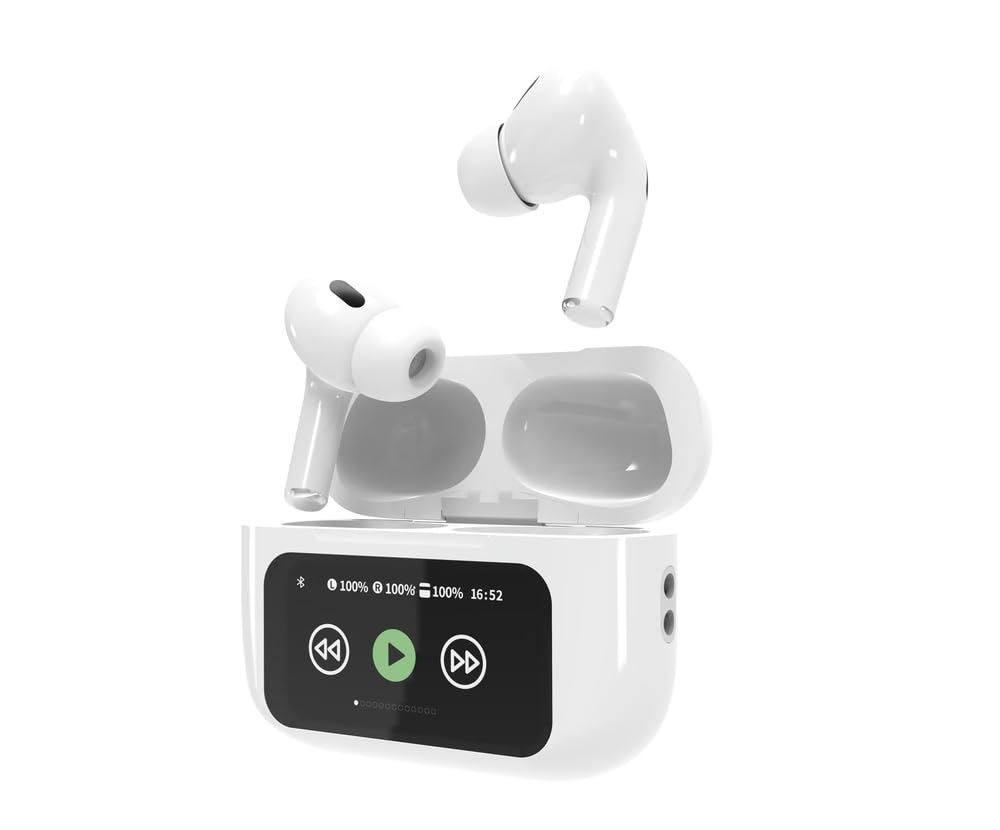
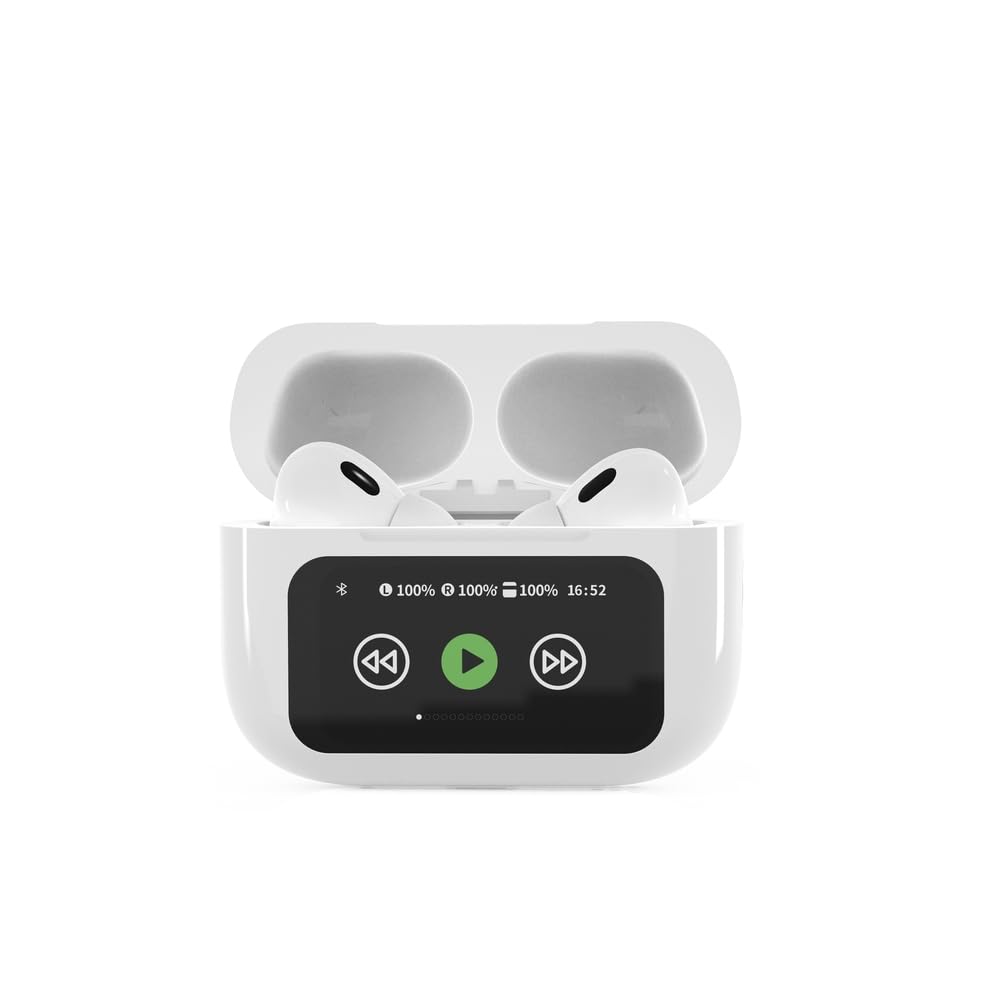

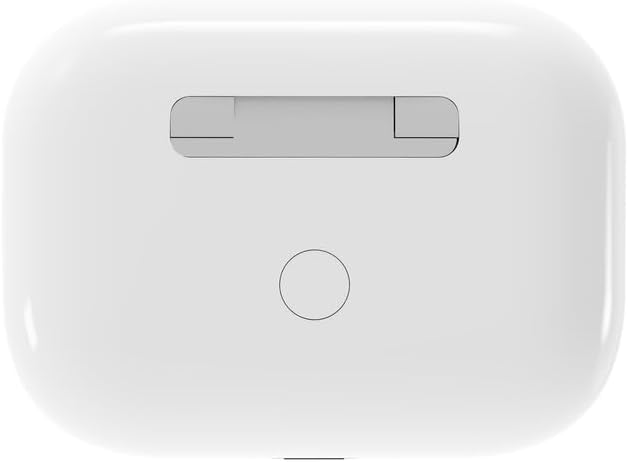

4. Настройка
4.1 Первоначальная зарядка
Before first use, fully charge the headphones and the charging case. Connect the supplied USB Type-C cable to the charging port on the case and plug the other end into a compatible USB power source (e.g., computer, wall adapter). The LED indicator on the case will show charging status. A full charge typically takes approximately 2 hours.
4.2 Сопряжение по Bluetooth
- Ensure the headphones are in the charging case and the case is open. The headphones will automatically enter pairing mode.
- На вашем мобильном устройстве (смартфоне, планшете, ноутбуке) включите Bluetooth.
- Искать available Bluetooth devices and select 'Gembird TWS-LCD-ANC-01-W' from the list.
- Once connected, the headphones will indicate successful pairing, and the device name will appear as 'Connected' on your mobile device.
5. Инструкция по эксплуатации
5.1 Включение/выключение питания
- Включение питания: The headphones automatically power on when removed from the charging case.
- Выключение: The headphones automatically power off and begin charging when placed back into the charging case and the lid is closed.
5.2 Воспроизведение музыки
Control music playback using the touch-sensitive areas on the earbuds or the display on the charging case.
- Воспроизведение/Пауза: Single tap on either earbud or press the play/pause icon on the case display.
- Следующий трек: Double tap on the right earbud or press the 'next' icon on the case display.
- Предыдущий трек: Double tap on the left earbud or press the 'previous' icon on the case display.
5.3 Управление вызовами
When an incoming call is received, music playback will automatically pause.
- Ответ на звонок: Нажмите один раз на любой наушник.
- Завершить звонок: Однократное касание любого наушника во время разговора.
- Отклонить вызов: Нажмите и удерживайте любой наушник в течение 2 секунд.
5.4 Активное шумоподавление (ANC)
Activate or deactivate the Active Noise Cancellation feature to reduce ambient noise.
- Включить/выключить ANC: Press and hold the touch-sensitive area on the left earbud for 2 seconds, or use the dedicated ANC control on the charging case display.
5.5 Регулятор громкости
Adjust the volume directly from your connected device or through the touch controls on the earbuds (if supported by the specific model's firmware) or the charging case display.
6. Техническое обслуживание
6.1 Очистка
- Протрите наушники и зарядный чехол мягкой, сухой, безворсовой тканью.
- Не используйте абразивные чистящие средства, растворители или едкие химикаты.
- Убедитесь, что зарядные контакты на наушниках и чехле чистые и сухие.
6.2 Хранение
- Always store the headphones in their charging case when not in use to protect them and keep them charged.
- Хранить в прохладном, сухом месте, вдали от прямых солнечных лучей и экстремальных температур.
6.3 Уход за аккумулятором
- Регулярно заряжайте устройство, даже если вы им не часто пользуетесь, чтобы поддерживать его работоспособность.
- Избегайте частой полной разрядки аккумулятора.
7. Поиск Неисправностей
| Проблема | Возможная причина | Решение |
|---|---|---|
| Наушники не включаются. | Низкий или нулевой заряд аккумулятора. | Place headphones in the charging case and ensure the case is charged. Charge the case fully. |
| Нет звука в наушниках. | Not connected via Bluetooth; volume too low; media paused. | Verify Bluetooth connection. Increase volume on both headphones and connected device. Check if media is playing. |
| Невозможно выполнить сопряжение с устройством. | Headphones not in pairing mode; device already connected to another Bluetooth device; interference. | Ensure headphones are in pairing mode (open case). Turn off Bluetooth on other nearby devices. Forget the device in your phone's Bluetooth settings and try re-pairing. |
| Active Noise Cancellation (ANC) is ineffective. | ANC not activated; improper earbud fit. | Ensure ANC is toggled on. Adjust earbud position for a secure and sealed fit in your ear canal. |
| Микрофон не работает во время звонков. | Микрофон заблокирован; настройки устройства. | Ensure the microphone port on the earbuds is not obstructed. Check your device's audio input settings to ensure the headphones are selected. |
8. Технические характеристики
- Модель: TWS-LCD-ANC-01-W
- Связь: Беспроводная связь, Bluetooth 5.3
- Bluetooth Проfiles: A2DP, AVRCP, HPF, HSP
- Порт зарядки: USB-порт типа C
- Диапазон звуковых частот: 20 - 20000 Гц
- Микрофон: Интегрированный
- Тип наушников: In-ear, Binaural
- Метод контроля: Трогать
- Контроль шума: Активное аннулирование шума (ANC)
- Тип батареи: Integrated Lithium Polymer (LiPo)
- Емкость аккумулятора зарядного футляра: 300 мАч
- Емкость аккумулятора наушников: 30 мАч (каждый)
- Continuous Audio Playback: До 8 часов
- Время зарядки: Примерно 2 часа
- Вес продукта: 66 г
- Product Dimensions (Case): 40 мм (Ширина) x 60 мм (Глубина) x 25 мм (Высота)
- Совместимые устройства: Laptop, Tablet, Mobile Phone
- Водостойкость: Водостойкий
- Сертификации: RoHS
9. Гарантия и поддержка
9.1 Информация о гарантии
This product comes with a three-year warranty against manufacturing defects from the date of purchase. Please retain your proof of purchase for warranty claims. The warranty does not cover damage caused by misuse, accidents, unauthorized modifications, or normal wear and tear.
9.2 Поддержка клиентов
For technical support, warranty claims, or further assistance, please contact your retailer or visit the official Gembird website. Contact information can typically be found on the product packaging or the Gembird corporate webсайт.


