1. Продукт закончилсяview
The Macap MI40 Touch Instant Burr Coffee Grinder is a high-performance appliance designed for precise and consistent coffee grinding. Featuring 65mm flat burrs, a responsive 3.5-inch touchscreen, and multiple operating modes, it is suitable for various brewing methods from espresso to cold brew. Its robust construction ensures quiet operation and stability.
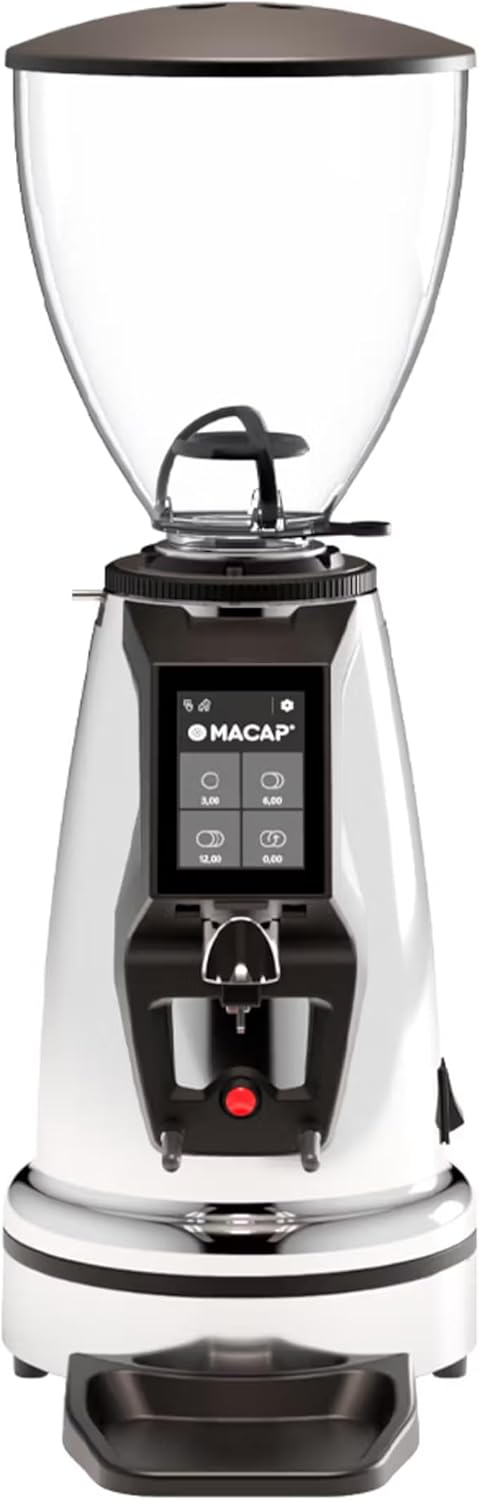
Передний view кофемолку Macap MI40 Touch Instant Burr Coffee Grinder, демонстрирующуюasing its sleek chrome finish and integrated touchscreen display.
2. Информация по технике безопасности
Please read all safety instructions carefully before operating the grinder to prevent injury or damage.
- Always unplug the grinder from the power outlet before cleaning, maintenance, or if it will be left unattended.
- Do not immerse the grinder, power cord, or plug in water or any other liquid.
- Keep hands and utensils out of the bean hopper and grind chute during operation.
- Ensure the bean hopper lid is securely in place before grinding.
- This appliance is intended for grinding whole roasted coffee beans only. Do not grind other substances.
- Не используйте шлифовальную машину с поврежденным шнуром или вилкой, а также если прибор неисправен или поврежден каким-либо образом.
- Храните прибор в недоступном для детей месте.
3. Компоненты
Ознакомьтесь с основными компонентами вашей кофемолки MI40 Touch:
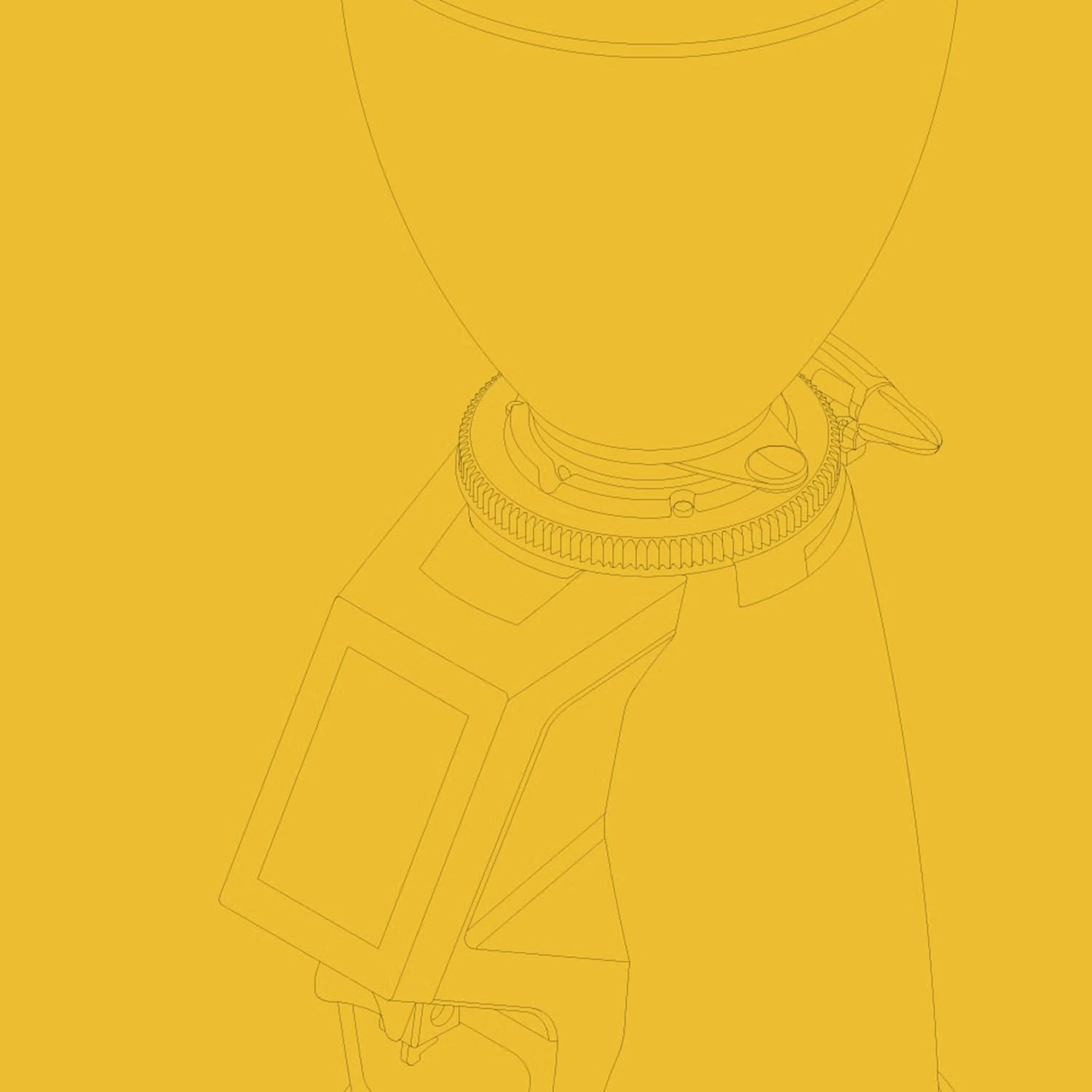
Бобовый бункер: Transparent container for holding whole coffee beans. Capacity: 1.2 Kilograms.

3.5-дюймовый сенсорный дисплей: Intuitive interface for controlling grind settings, dose programming, and operating modes.

Втулка регулировки заточки: Stepless micrometric adjustment for precise control over grind particle size.

Portafilter Fork & Drip Tray: Adjustable fork to hold your portafilter for hands-free grinding, with a removable drip tray for easy cleaning.
4. Настройка
Follow these steps to set up your Macap MI40 Touch grinder:
- Распаковка: Carefully remove the grinder and all accessories from the packaging. Retain the packaging for future transport or storage.
- Размещение: Установите кофемолку на устойчивую, ровную и сухую поверхность. Обеспечьте достаточную вентиляцию вокруг устройства.
- Установка бункера: Place the bean hopper onto the grinder body, aligning the tabs. Rotate the hopper clockwise until it locks securely into place.
- Установка поддона для сбора капель: Slide the removable drip tray into its designated slot at the base of the grinder.
- Подключение питания: Подключите шнур питания к заземленной электрической розетке.
- Начальная очистка: Перед первым использованием протрите внешнюю поверхность специальным средством.amp cloth. Ensure the burrs and grind chute are free of any packing debris.

Сторона view of the Macap MI40 Touch grinder, illustrating its compact design and the placement of the bean hopper and drip tray.
5. Инструкция по эксплуатации
5.1. Регулировка заточки
The MI40 Touch features stepless micrometric grind adjustment, allowing for precise control over particle size. To adjust the grind:
- Ensure the grinder is off or not actively grinding.
- Rotate the grind adjustment collar located below the bean hopper.
- Повернуть по часовой стрелке for a finer grind (e.g., for espresso).
- Повернуть против часовой стрелки for a coarser grind (e.g., for drip, French press, or cold brew).
- Make small adjustments and test the grind to achieve the desired consistency for your brewing method.
Крупный план view of the grind adjustment collar, showing the numerical markings for reference.
5.2. Сенсорный интерфейс
The 3.5-inch touchscreen allows for intuitive control and customization of your grinding experience. It features four programmable dose buttons and various settings.
The 3.5-inch touchscreen display showing the main interface with programmable dose buttons.
For a detailed demonstration of the touchscreen interface and its functionalities, please refer to the official video below:
This video demonstrates the various features and customization options of the 3.5-inch touchscreen interface on the Macap MI Series coffee grinders, including dose programming, color customization, and different operating modes.
5.3. Режимы работы
The MI40 Touch offers three primary operating modes:
- Стандартный режим: Allows you to select a pre-programmed dose by pressing the corresponding button on the touchscreen. The grinder will dispense the set amount of coffee.
- Режим толчка и измельчения: Grinding starts when the portafilter activates the button on the fork and stops when the portafilter is removed. This mode is ideal for manual control.
- Режим работы бариста без помощи рук: Similar to Push and Grind, but designed for continuous grinding as long as the portafilter is in place, allowing baristas to multitask.
6. Техническое обслуживание и чистка
Regular cleaning and maintenance will ensure optimal performance and longevity of your grinder.
6.1. Ежедневная уборка.
- Grind Chute: Use a brush or vacuum to clear any residual coffee grounds from the grind chute after each use.
- Поддон для сбора капель: Remove and empty the drip tray regularly. Wipe it clean with a damp тканью и тщательно высушите.
- Экстерьер: Протрите внешнюю поверхность кофемолки мягкой тряпкой.amp Ткань. Не используйте абразивные чистящие средства или растворители.

The removable drip tray and portafilter fork area, designed for easy cleaning.
6.2. Deep Cleaning (Weekly/Bi-Weekly)
- Отключите кофемолку от сети.
- Удалить бункер для зерен: Empty any remaining beans. Rotate the hopper counter-clockwise to unlock and remove it.
- Чистые заусенцы: Use a stiff brush or a specialized grinder brush to remove accumulated coffee oils and grounds from the burrs. You may need to remove the upper burr for thorough cleaning (refer to specific instructions in the full manual for burr removal).
- Clean Grind Chamber: Use a vacuum cleaner with a narrow attachment to remove grounds from the grind chamber.
- Собрать заново: Reinstall the burrs (if removed) and the bean hopper securely.
7. Поиск Неисправностей
If you encounter issues with your MI40 Touch grinder, refer to the table below for common problems and solutions.
| Проблема | Возможная причина | Решение |
|---|---|---|
| Кофемолка не включается. | Не подключено к сети; выключен выключатель питания; сработал автоматический выключатель. | Check power connection; ensure power switch is on; reset circuit breaker. |
| Кофе не разливают. | Hopper empty; grind chute clogged; burrs jammed. | Fill hopper; clean grind chute; clear any foreign objects from burrs (unplug first). |
| Непостоянный помол. | Burrs dirty or worn; grind setting too coarse/fine. | Clean burrs thoroughly; adjust grind setting incrementally. Consider burr replacement if worn. |
| Измельчитель чрезмерно шумит. | Посторонний предмет в заусенцах; незакрепленные компоненты. | Unplug and inspect burrs for foreign objects; check for loose parts. If noise persists, contact support. |
| Сенсорный экран не отвечает. | Временный сбой программного обеспечения; проблема с питанием. | Unplug the grinder for 30 seconds, then plug back in. If issue persists, contact support. |
8. Технические характеристики
Key technical specifications for the Macap MI40 Touch Instant Burr Coffee Grinder:
| Особенность | Спецификация |
|---|---|
| Модель | MI40 Сенсорный экран |
| Тип заусенцев | Flat Burrs |
| Диаметр заусенца | 65 мм |
| Мощность двигателя | 480 Вт |
| Емкость бункера | 1.2 Килограмма |
| Регулировка помола | Бесступенчатая микрометрическая |
| Отображать | 3.5'' Touchscreen |
| Размеры продукта (Д x Ш x В) | 12" x 7.63" x 22" |
| Вес товара | 19.58 фунта |
| Страна происхождения | Италия |
9. Гарантия и поддержка
Macap products are manufactured to high standards and undergo rigorous quality control. For warranty information, technical support, or service inquiries, please refer to the warranty card included with your product or visit the official Macap website. Please have your model number (MI40 Touch) and purchase date available when contacting support.


