1. Продукт закончилсяview
The NIVIAN 2K WiFi CCTV Surveillance Kit provides comprehensive 24/7 security with advanced features for monitoring homes, offices, shops, and warehouses. This kit includes 4 WiFi IP cameras and a professional 10-channel Network Video Recorder (NVR) with a pre-installed 1TB hard drive.
Основные характеристики:
- Разрешение 2K Super HD: Offers clear and detailed 3MP images for effective surveillance.
- Расширенное ночное видение: Dual modes include infrared for discreet monitoring and integrated white LEDs for full-color images in complete darkness, aiding in identification.
- Обнаружение человека ИИ: Utilizes artificial intelligence to differentiate human movements from other triggers (animals, objects, shadows), significantly reducing false alarms.
- Двустороннее аудио: Each camera features built-in two-way audio, allowing for real-time listening and speaking, useful for communication and deterring intruders.
- Continuous & Remote Recording: Supports 24/7 continuous or event-only recording, saved to the included 1TB HDD. Remote access to live views and recordings is available via the EseeCloud app.
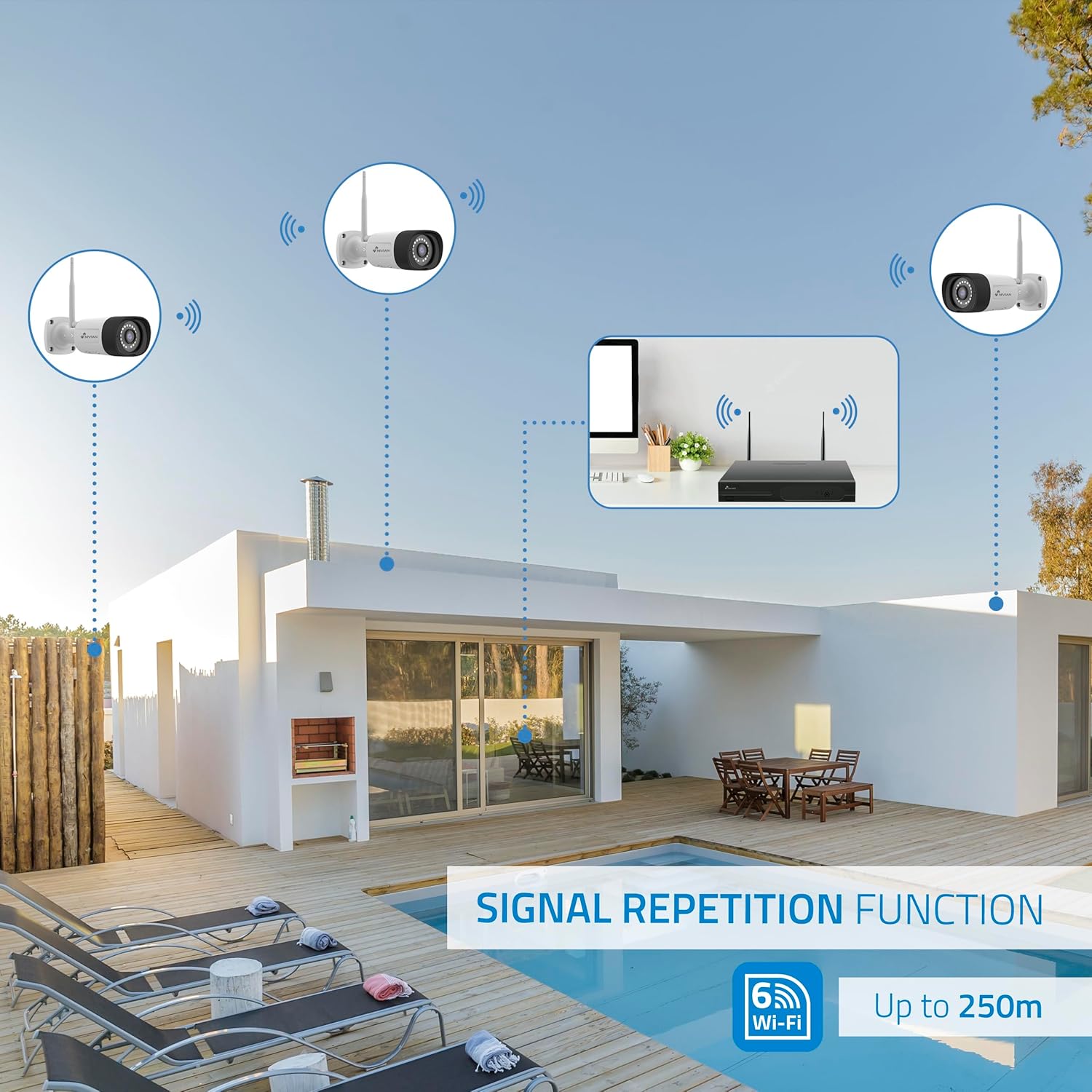
- Long-Range WiFi & Easy Installation: WiFi-6 technology ensures stable connections up to 250 meters between cameras and the NVR, with a repeater function for extended coverage. Installation is guided step-by-step via the app.
- Прочная конструкция: IP66-rated metal-bodied cameras are designed to withstand rain, dust, and harsh outdoor conditions.
2. Что в коробке
Carefully unpack the contents and ensure all items are present and in good condition. The kit typically includes the following components:

Изображение: Оверview of the NIVIAN 2K WiFi CCTV Surveillance Kit components.

Изображение: подробное view of the kit contents, including the NVR and cameras.
- 1x 10-Channel NVR (Network Video Recorder)
- 4x 2K Super HD WiFi IP Cameras
- 1 жесткий диск на 1 ТБ (предустановлен в сетевом видеорегистраторе)
- 5x Power Adapters (one for NVR, four for cameras)
- 1x USB-мышь
- 1x кабель Ethernet
- Крепежные винты и дюбели для камер
- Waterproof Connectors for Outdoor Camera Cables
- User Manual and Software CD
3. Настройка и установка
3.1 NVR Installation
The NVR is the central recording unit for your surveillance system. Follow these steps to set it up:
- Подключите сетевой видеорегистратор к монитору или телевизору с помощью кабеля HDMI.
- Подключите USB-мышь к одному из USB-портов видеорегистратора.
- Connect the NVR to your router using the provided Ethernet cable for network access.
- Connect the NVR power adapter to the NVR and plug it into a power outlet. The NVR will power on and begin initialization.
3.2 Hard Disk Drive (HDD) Installation (Optional, if not pre-installed)
If your NVR did not come with a pre-installed HDD, follow these steps to install it:
- Отключите видеорегистратор от сети.
- Remove the screws on the NVR's cover and carefully slide it open.
- Align the HDD with the mounting holes inside the NVR chassis.
- Закрепите жесткий диск с помощью прилагаемых винтов.
- Подключите кабель передачи данных SATA и кабель питания от видеорегистратора к жесткому диску.
- Replace the NVR cover and secure it with the screws.
3.3 Установка камеры
The cameras are designed for both indoor and outdoor use (IP66 rated). Plan your camera placement to maximize coverage and signal strength.
Изображение: Бывшийample of camera installation on an exterior wall.
- Выберите место установки, обеспечивающее желаемый результат. viewing angle and is within the NVR's WiFi range (up to 250m, extendable with repeater function).
- Use the provided mounting screws and plugs to securely attach the camera to the wall or ceiling.
- For outdoor installations, use the waterproof connectors to protect the cable connections from environmental elements.
- Подключите каждую камеру к соответствующему адаптеру питания и вставьте его в розетку.
- The cameras will automatically pair with the NVR.
4. Конфигурация системы
4.1 Первоначальная настройка NVR
Once the NVR powers on and connects to the monitor, follow the on-screen prompts using the USB mouse:
- Выберите язык: Выберите предпочитаемый системный язык.
- Настройка сети: Confirm a 'Healthy Network' status. If using WiFi, configure your home WiFi router settings.
- Дата и время: Set the correct date, time, and time zone. Enable 'Automatically set time' if available.
- Управление хранилищем: Verify the 1TB HDD is recognized and formatted.
- Жить View: Confirm that all connected cameras are displaying live video feeds.
- Установка пароля: Create a strong password (6 to 19 characters) for the NVR. This password will be required for app binding.
4.2 EseeCloud App Setup
The EseeCloud app allows remote access and control of your surveillance system.

Image: EseeCloud app interface on a smartphone.
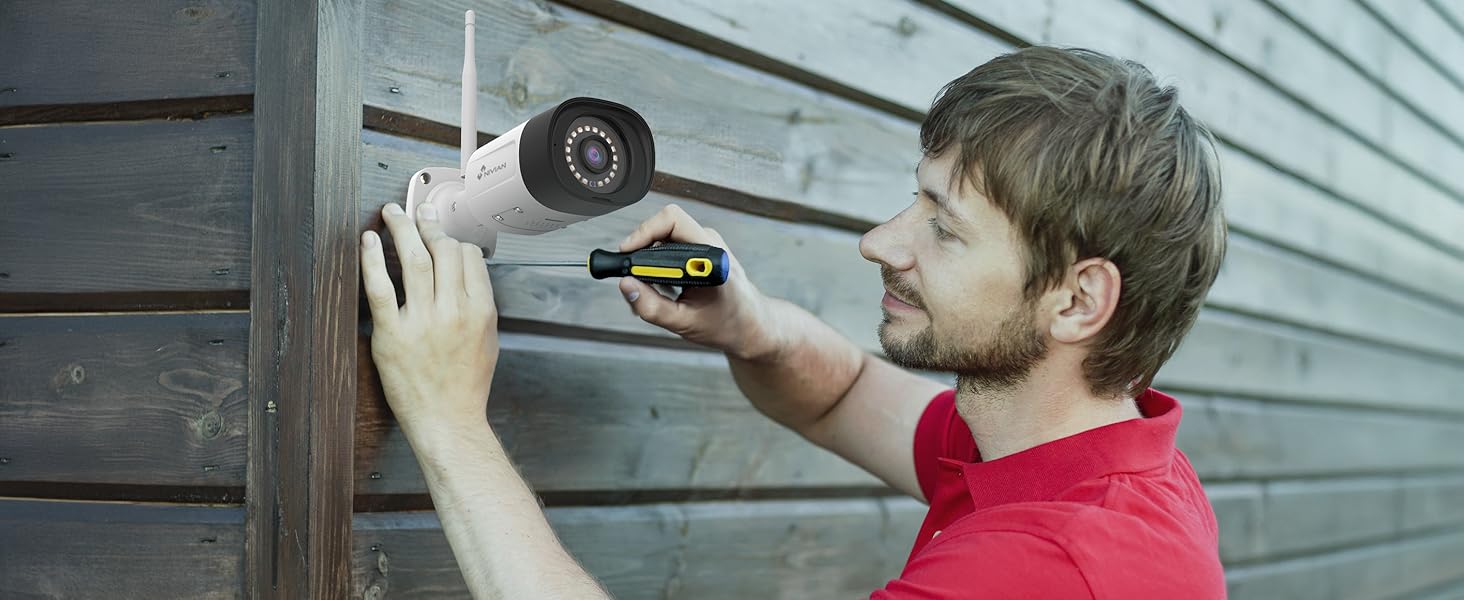
Image: EseeCloud app available on mobile and desktop platforms.
- Download the EseeCloud app from your device's app store (available for iOS, Android, and PC).
- Register for an account if you don't have one.
- Scan the QR code displayed on the NVR's monitor (or device body) to add your surveillance system to the app.
- Follow the in-app instructions to complete the device binding and configuration.
5. Инструкция по эксплуатации
5.1 Прямой эфир View и воспроизведение
Получите доступ к прямым трансляциям с камер и повторным просмотрам.view записано фуtage through the NVR connected to a monitor or via the EseeCloud app.
- Интерфейс сетевого видеорегистратора: Use the USB mouse to navigate the NVR menu. Select 'Split screen' to view multiple cameras simultaneously or 'Playback' to review записи.
- Приложение EseeCloud: Open the app to see live feeds from all connected cameras. Use the playback function to access recorded events.
5.2 Обнаружение человека с помощью ИИ
The system's AI human detection minimizes false alarms by focusing on human shapes.
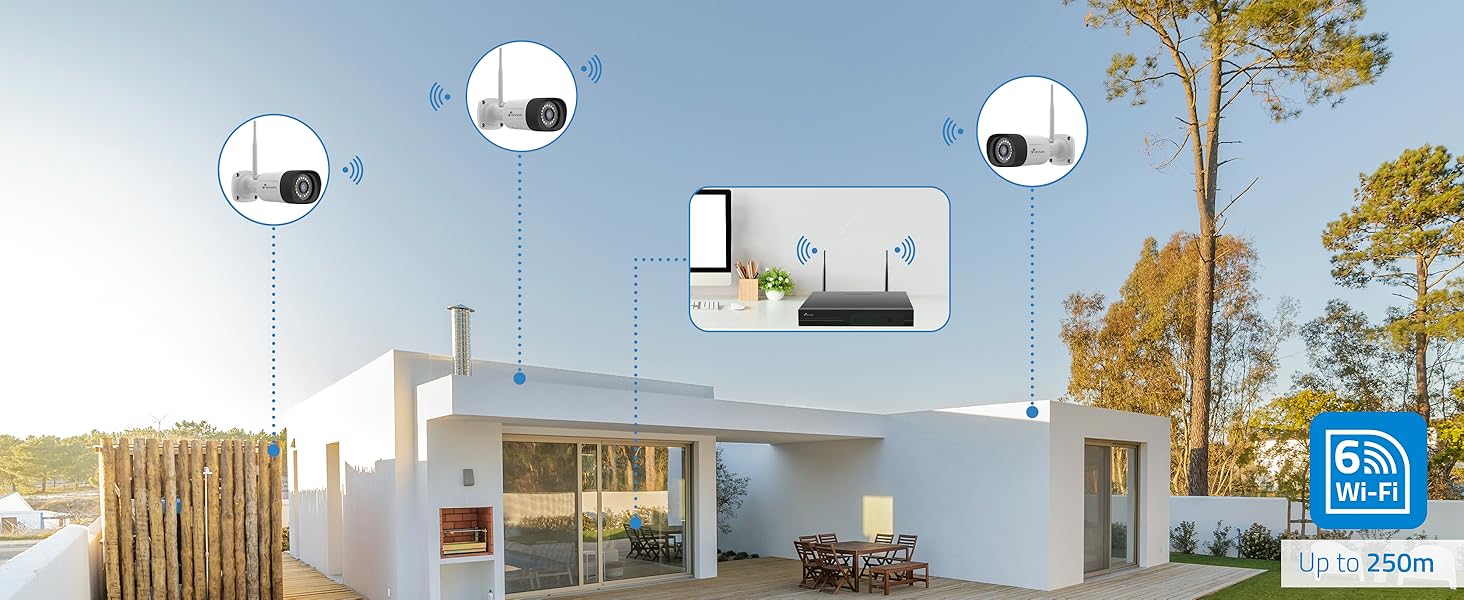
Image: AI human detection in action, highlighting a person and providing illumination.
- Configure detection zones and sensitivity settings within the NVR or app.
- Receive instant notifications on your smartphone when human motion is detected.
5.3 Режимы ночного видения
Choose between infrared or full-color night vision based on your surveillance needs.
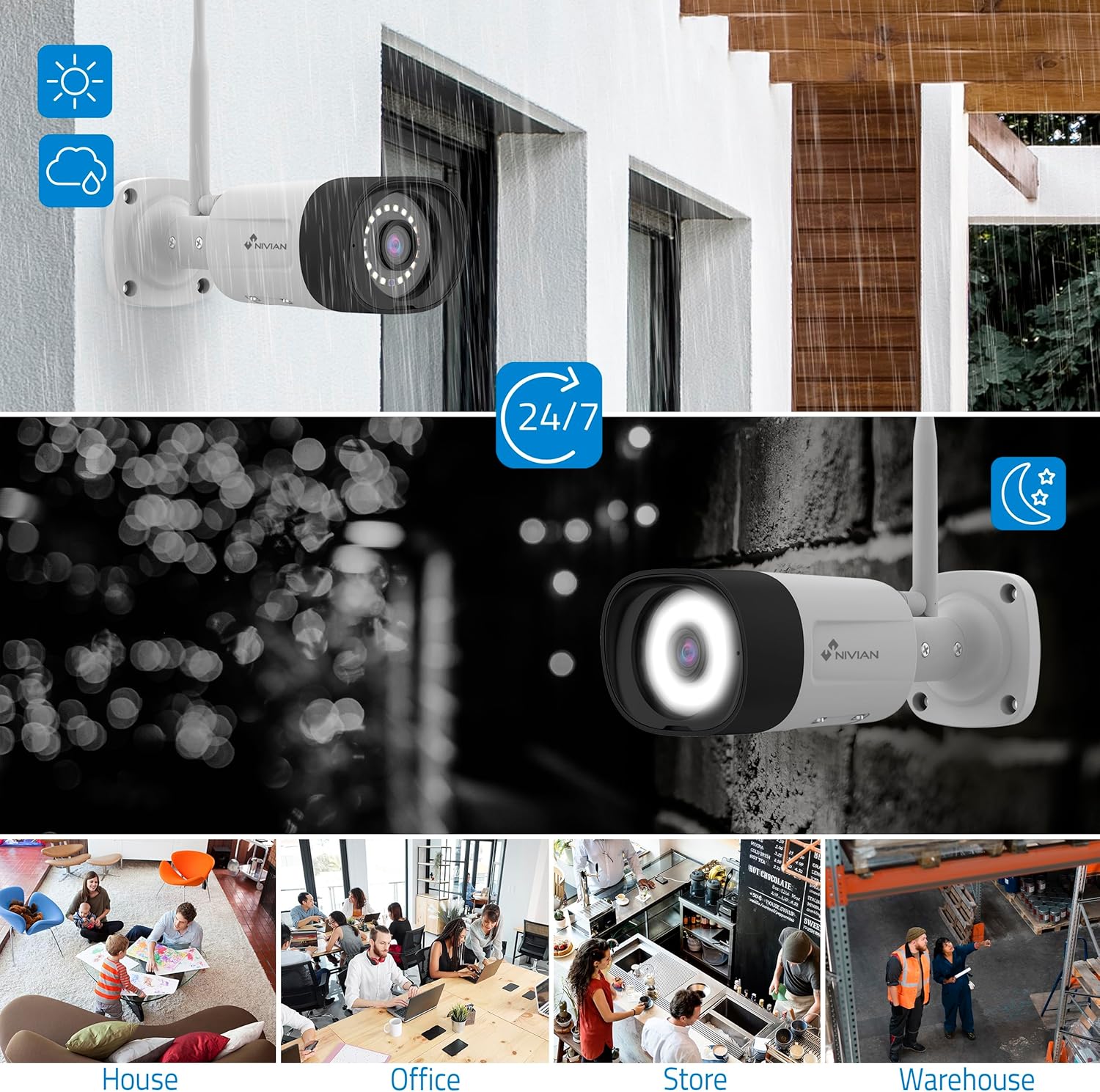
Image: Comparison of infrared (black and white) and color night vision.
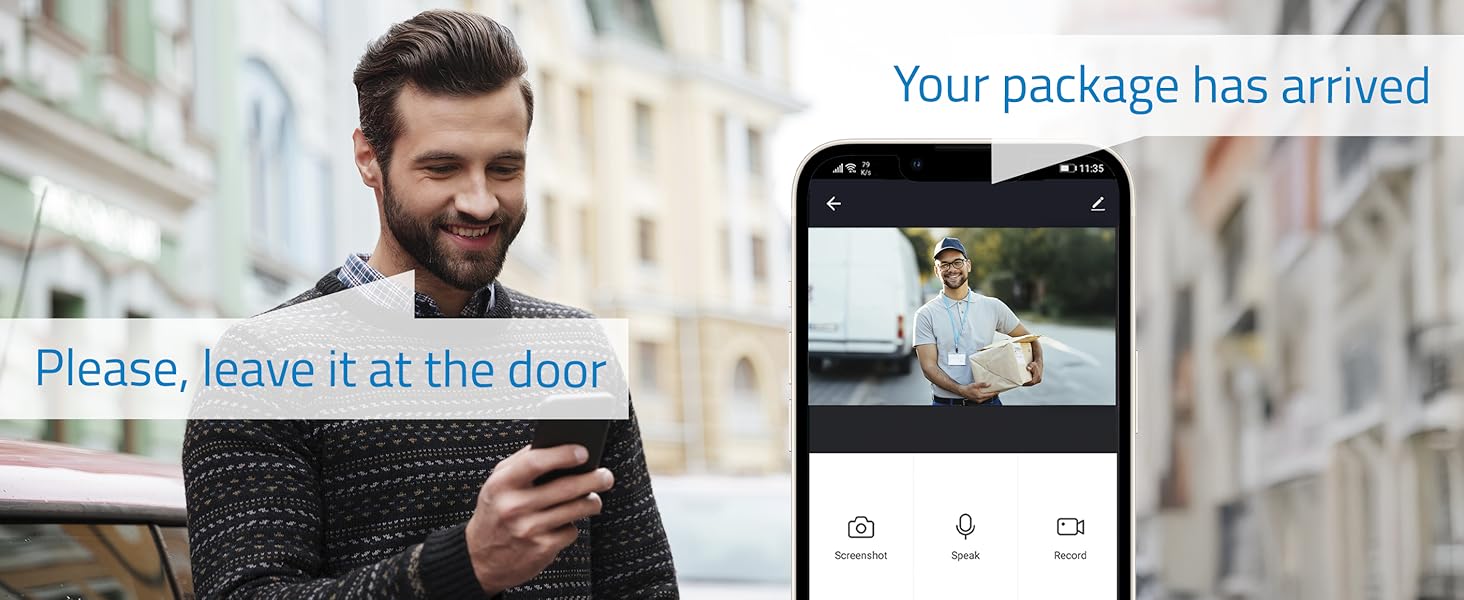
Image: Outdoor camera providing clear 24/7 surveillance, including night vision.
- Switch between modes via the NVR interface or EseeCloud app.
- Color night vision is activated by the camera's white LEDs, providing clearer details.
5.4 Двусторонняя аудиосвязь
Communicate directly through the cameras using the built-in microphone and speaker.

Image: Two-way audio feature allowing communication with visitors.
- Use the EseeCloud app to speak through the camera and listen to audio from the camera's location.
6. Техническое обслуживание
Регулярное техническое обслуживание обеспечивает оптимальную производительность и долговечность вашей системы видеонаблюдения:
- Чистые линзы: Периодически очищайте линзы камеры мягкой тряпкой.amp ткань для обеспечения четкого качества изображения.
- Проверьте соединения: Убедитесь, что все кабели питания и сети надежно подключены.
- Обновления программного обеспечения: Check for and install firmware updates for the NVR and cameras via the EseeCloud app or NVR interface to enhance security and features.
- Состояние жесткого диска: Monitor the health of your hard drive through the NVR's storage management settings.
- Резервные записи: Regularly back up important recordings to an external storage device if needed.
7. Поиск Неисправностей
Если у вас возникнут проблемы, воспользуйтесь следующими распространенными шагами по устранению неполадок:
- Нет изображения с камеры:
- Check if the camera is powered on and its power adapter is working.
- Ensure the camera is within the NVR's WiFi range.
- Re-pair the camera with the NVR if necessary (refer to the NVR's user interface for pairing instructions).
- NVR Not Connecting to Network:
- Verify the Ethernet cable is properly connected to both the NVR and the router.
- Проверьте подключение вашего роутера к Интернету.
- Restart both the NVR and your router.
- Ложные тревоги:
- Adjust the AI human detection sensitivity settings in the NVR or app.
- Refine detection zones to exclude areas with frequent non-human motion (e.g., trees swaying).
- Плохое качество изображения:
- Очистите объектив камеры.
- Ensure sufficient lighting for optimal image capture, especially for color night vision.
- Check the camera's position for obstructions.
8. Технические характеристики
| Особенность | Деталь |
|---|---|
| Производитель | Нивианский |
| Номер модели товара | NV-KIT830W-8CAM |
| Размеры продукта | 18 х 12 х 6 см |
| Вес товара | 310 г |
| Тип мощности | Электрический ток |
| Количество предметов | 1 (Комплект) |
| Тип электрической вилки | Возможность крепления на стену |
| Особые возможности | AI обнаружение человека |
| Включенные компоненты | CCTV Camera Kit |
| Батарейки включены? | Нет |
| Нужны ли батареи? | Нет |
| Технология связи | Беспроводная связь (WiFi-6) |
| Разрешение видеозахвата | 2К (3МП) |
| Количество каналов | 10 (NVR) / 4 (Cameras in this kit) |
9. Гарантия и поддержка
For warranty information, technical support, or service inquiries, please refer to the official NIVIAN webсайт или свяжитесь со службой поддержки клиентов напрямую. Сохраните чек о покупке в качестве доказательства покупки для гарантийных претензий.
Online resources, FAQs, and additional support materials may be available on the manufacturer's webсайт.


