1. Введение
This manual provides comprehensive instructions for the setup, operation, and maintenance of your virtavo XM1 Dual-Lens Solar Security Camera. The XM1 is a 100% wire-free outdoor security camera featuring dual-lens technology for a wide panoramic view, starlight night vision, smart AI detection, and local storage capabilities. Please read this manual thoroughly before using the product to ensure optimal performance and safety.

Image: The virtavo XM1 Dual-Lens Solar Security Camera shown with its accompanying solar panel, illustrating its wire-free design.
2. Содержимое упаковки
Убедитесь, что в упаковке присутствуют все предметы:
- virtavo XM1 Dual-Lens Solar Security Camera
- Солнечная панель
- Зарядный кабель
- Руководство по эксплуатации
- Крепежные винты
- Стоять
3. Продукт закончилсяview & Ключевая особенность
The virtavo XM1 camera is designed for robust outdoor surveillance with advanced features:
3.1 Dual-Lens Seamless Fusion & 10x Zoom
The camera utilizes two lenses with advanced stitching and color fusion technology to provide a wide 4MP panoramic view. This design aims to eliminate distortion and blind spots, offering comprehensive coverage. Digital zoom up to 10x allows for detailed inspection of recorded events.
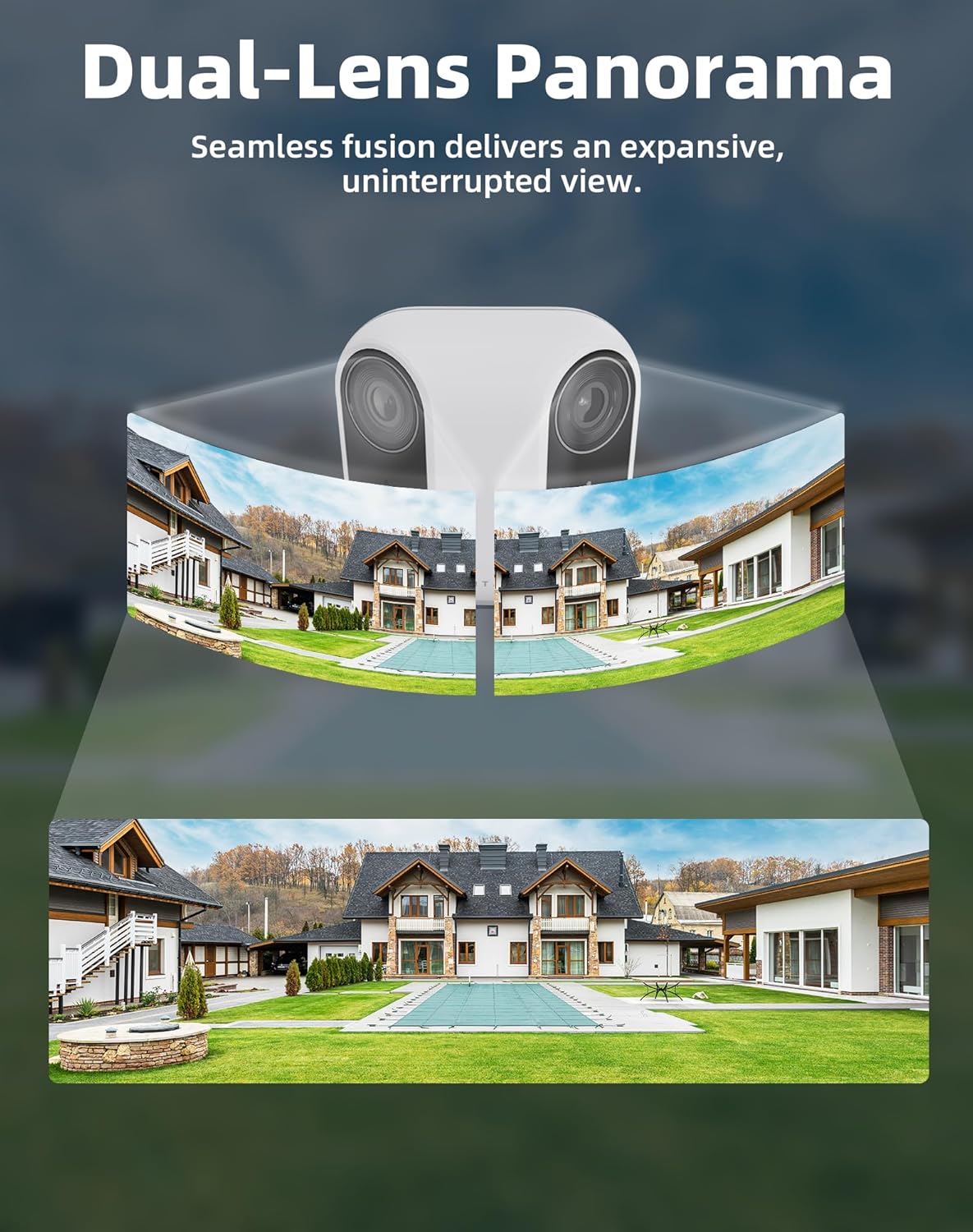
Image: Illustration of the dual-lens panoramic view, showing two camera feeds seamlessly merged into one wide image.
3.2 100% Wire-Free & Solar Powered
The XM1 operates completely wire-free, powered by a high-efficiency solar panel and a 4400mAh rechargeable battery. This eliminates the need for cables and frequent manual recharging, making installation flexible and eco-friendly. Bluetooth pairing simplifies the initial setup process.
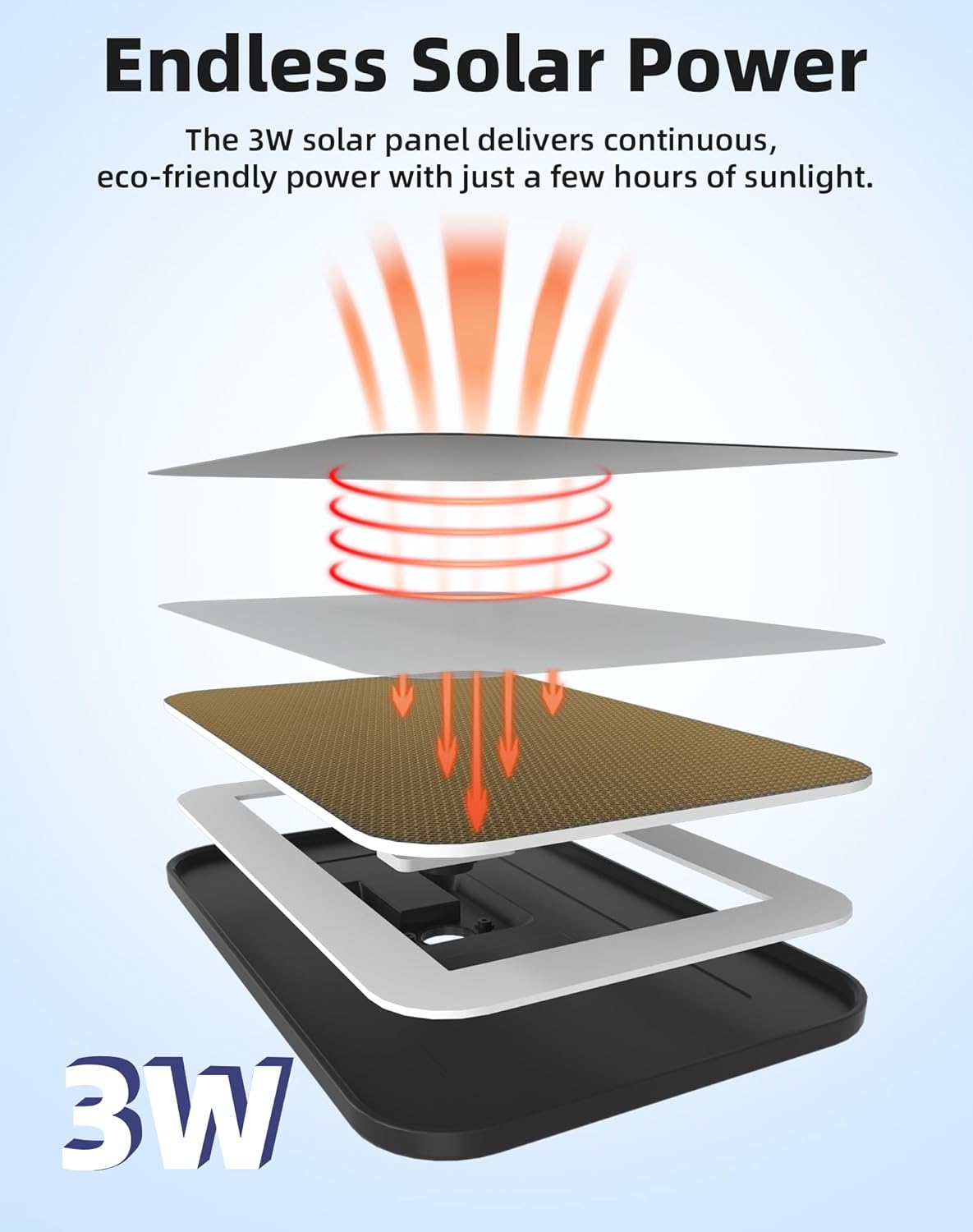
Image: Diagram illustrating how the 3W solar panel provides continuous power to the camera.
3.3 Starlight Ночное видение
Equipped with an advanced starlight sensor, the camera delivers bright, full-color images even in extremely low-light conditions. This provides clearer details and true-to-life colors compared to traditional infrared night vision, enhancing security during nighttime hours.

Image: A side-by-side comparison showing a clear daytime view and a vibrant color night vision image captured by the starlight sensor.
3.4 24/7 AI Smart Capture & Dual PIR Motion Detection
Dual PIR motion detection combined with AI analysis allows the camera to accurately distinguish between people, vehicles, and pets, minimizing false alarms. Instant notifications are sent to your smartphone via the "Home V" app when motion is detected.

Image: Visual representation of the camera's local AI detection accurately identifying a person, vehicles, and animals.
3.5 No Subscription & Local Storage
The camera supports up to a 256GB micro SD card (sold separately) for secure local video storage, ensuring privacy and eliminating monthly subscription fees.

Image: The virtavo XM1 camera highlighting its microSD card slot for local storage, supporting up to 256GB.
3.6 Защита от атмосферных воздействий IP65
With an IP65 rating, the camera is designed to withstand various weather conditions, including snow, rain, and sun, ensuring reliable operation year-round.

Image: The virtavo XM1 camera shown enduring rain, emphasizing its IP65 weatherproof construction.
4. Инструкции по настройке
- Загрузите приложение: Download and install the "Home V" app on your smartphone. Register an account if you don't have one.
- Первоначальный сбор: Before installation, fully charge the camera using the provided charging cable to ensure maximum battery life.
- Сочетание: Follow the in-app instructions to pair your camera via Bluetooth. This typically involves pressing a sync button on the camera and confirming the connection in the app.
- Wi-Fi-соединение: Connect the camera to your 2.4GHz Wi-Fi network through the app. Ensure a strong Wi-Fi signal at the installation location for stable performance.
5. Установка
The virtavo XM1 offers flexible installation options:
- Расположение: Выберите место с оптимальным количеством солнечного света для установки солнечной панели и безоблачным небом. view территории, которую вы хотите контролировать.
- Высота монтажа: It is recommended to mount the camera 7-10 feet (2-3 meters) above the ground for an ideal viewing angle and effective motion detection.
- Варианты монтажа: The camera supports wall or tree mounting. Use the provided mounting screws and stand for secure installation. The solar panel can be attached directly to the camera or positioned separately using a longer cable (if provided or purchased separately) to maximize sun exposure.

Image: The virtavo XM1 camera mounted on a tree, showcasing flexible installation options with the solar panel.
Video: Panda Solar Security Cameras Wireless Outdoor. This video demonstrates the installation of a solar-powered wireless outdoor camera, providing visual guidance for mounting and positioning.
6. Инструкция по эксплуатации
6.1 Прямой эфир View & Воспроизведение
Access the "Home V" app to view жить фуtage from your camera. Recorded events are stored on the micro SD card and can be accessed and played back through the app's interface. The dual-lens system provides a 160° ultra-wide viewугол поворота для комплексного мониторинга.
6.2 Двусторонняя аудиосвязь
The camera features two-way audio, allowing you to listen to the environment around the camera and speak through its built-in speaker using the "Home V" app. This is useful for communicating with visitors or deterring intruders.
6.3 Обнаружение движения и оповещения
Configure motion detection sensitivity and zones within the app. The AI detection will send instant notifications to your phone when it identifies people, vehicles, or pets, providing timely alerts for important events.
7. Техническое обслуживание
- Уборка: Регулярно протирайте линзы камеры и солнечную панель мягкой тряпкой.amp Используйте ткань для обеспечения четкого обзора и эффективной зарядки от солнечной энергии. Избегайте абразивных чистящих средств.
- Аккумулятор: The solar panel is designed to keep the battery charged. In periods of prolonged low sunlight, you may need to manually charge the camera using the provided USB cable.
- Обновления прошивки: Check the "Home V" app periodically for firmware updates to ensure your camera has the latest features and security enhancements.
8. Поиск Неисправностей
- Нет питания/зарядки: Ensure the solar panel is clean and receiving direct sunlight. Verify the charging cable is securely connected if charging manually.
- Проблемы с подключением к Wi-Fi: Confirm the camera is within range of your 2.4GHz Wi-Fi router. Restart both the camera and your router. If issues persist, try relocating the camera closer to the router.
- Ложные оповещения о движении: Adjust the motion detection sensitivity and configure specific detection zones within the "Home V" app to minimize alerts from non-relevant movements (e.g., trees swaying, small animals).
- Плохое качество изображения: Очистите линзы камеры. Убедитесь, что в поле зрения камеры нет никаких препятствий. view. Check your Wi-Fi signal strength for optimal streaming quality.
9. Технические характеристики
| Особенность | Деталь |
|---|---|
| Модель | XM1 |
| Бренд | виртуо |
| Использование внутри и снаружи помещений | На открытом воздухе |
| Источник питания | На солнечной энергии |
| Протокол подключения | Wi-Fi (2.4 ГГц) |
| Разрешение видеозахвата | 1080p (4MP panoramic view) |
| Мощность аккумулятора | 4400 мАч |
| Специальная характеристика | Waterproof (IP65), Starlight Night Vision, AI Detection, Dual-Lens |
| Локальное хранилище | Up to 256GB Micro SD Card (sold separately) |
| Размеры | 3.54 x 2.17 x 3.54 дюйма |
| Вес товара | 1.98 фунта (0.9 килограмма) |
10. Гарантия и поддержка
virtavo is committed to providing professional customer support for a worry-free experience from setup to everyday use. For any inquiries, technical assistance, or support needs, please refer to the contact information provided in your product packaging or visit the official virtavo webсайт.


