Введение
Thank you for choosing the Emerson EVP-2002 Home Theater LCD Projector. This manual provides essential information for setting up, operating, and maintaining your projector to ensure optimal performance and longevity. Please read this manual thoroughly before using the product and retain it for future reference.
Что в коробке?
При распаковке убедитесь, что в наличии все следующие предметы:
- Emerson EVP-2002 Projector
- UL Approved Power Adaptor
- Дистанционное управление
- Крышка объектива проектора
- Руководство пользователя (этот документ)
Продукт болееview
The Emerson EVP-2002 is designed to deliver an immersive home theater experience with its advanced LCD technology and versatile connectivity options.

Изображение: Спереди view of the Emerson EVP-2002 projector, showcasing the lens and ventilation. This compact projector is designed for home entertainment.
Основные характеристики:
- Иммерсивные развлечения: Transforms your space into a theater for sports, movies, and TV shows.
- Bluetooth-подключение: Allows easy pairing with external audio devices.
- Effortless Media Streaming: Compatible with streaming devices like Amazon Fire Stick, Roku, or Google Chromecast (not included).
- Яркие визуальные эффекты: Advanced LCD projector delivers high-quality resolution with clarity and color vibrancy.
- Versatile Multi-Media Functionality: Supports HDMI and USB flash drives for various video, audio, and photo formats.
- Долговечная светодиодная лампа: Durable LED bulb with up to 30,000 hours of lifespan.
- Powerful Built-In Speakers: Delivers clear, full-bodied sound.

Изображение: сбоку view of the Emerson EVP-2002 projector, showing its compact cylindrical design and adjustable stand.
Размеры и вес продукта:
- Размеры: 6.75 x 4.12 x 4.98 дюйма
- Масса: 1.43 фунта

Image: Diagram illustrating the dimensions (6.75 in. length, 4.12 in. width, 4.98 in. height) and weight (1.43 lbs) of the Emerson EVP-2002 projector.
Руководство по настройке
1. Размещение
Position the projector on a stable, flat surface. Ensure there is adequate ventilation around the unit. The distance from the screen or wall will determine the image size. Adjust the projector's angle using its stand for optimal projection.
2. Подключение питания
- Connect the UL Approved Power Adaptor to the DC IN port on the projector.
- Plug the power adaptor into a standard electrical outlet.
- The power indicator light should illuminate.
3. Подключение источников входного сигнала
The EVP-2002 offers multiple input options:
- HDMI: Connect an HDMI cable from your source device (e.g., laptop, game console, streaming stick) to the HDMI port on the projector.
- USB: Вставьте USB-флеш-накопитель в USB-порт для воспроизведения медиафайлов. fileс напрямую.
- Аудио 3.5 мм: Connect external speakers or headphones using a 3.5mm audio cable to the AUX OUT port.

Изображение: сзади view of the Emerson EVP-2002 projector, showing the various input ports including HDMI, USB, and DC power input.
Инструкция по эксплуатации
1. Включение/выключение питания
- To power on, press the Power button on the projector or the remote control.
- To power off, press the Power button again. The projector will enter standby mode.
2. Настройка фокуса
Rotate the focus ring located near the lens until the projected image appears clear and sharp.
3. Выбор источника
Use the "Source" button on the remote control or the projector's control panel to cycle through available input sources (HDMI, USB, etc.).
4. Bluetooth-подключение
- Ensure Bluetooth is enabled on your external audio device (e.g., speaker, headphones).
- On the projector, navigate to the Bluetooth settings (refer to on-screen menu if available, or press the dedicated Bluetooth button if present).
- Выберите своё устройство из списка доступных устройств для сопряжения.
- После сопряжения звук будет передаваться через подключенное Bluetooth-устройство.
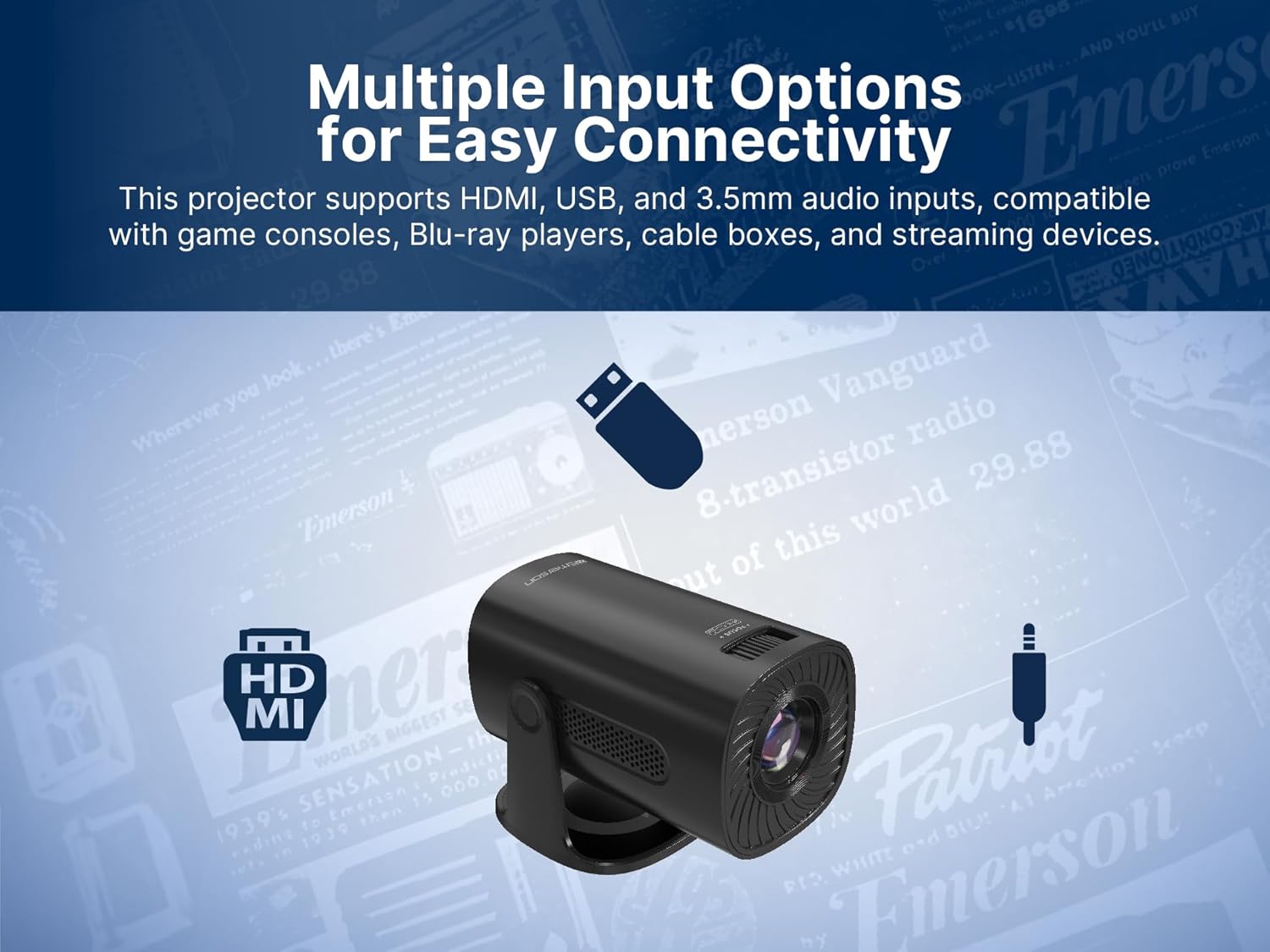
Image: The Emerson EVP-2002 projector displaying a Bluetooth icon, indicating its wireless audio connectivity feature.
5. Воспроизведение мультимедиа (USB)
- Вставьте USB-флешку с совместимым носителем информации. files в порт USB.
- Выберите «USB» в качестве источника входного сигнала.
- Перемещайтесь по папкам и files using the remote control or projector buttons.
- Выберите file чтобы начать воспроизведение.

Image: The Emerson EVP-2002 projector connected to a USB drive, illustrating its capability to play various media formats directly.
Обслуживание
Правильное обслуживание гарантирует долговечность и оптимальную производительность вашего проектора.
1. Очистка линз
- Always power off and unplug the projector before cleaning.
- Используйте мягкую безворсовую ткань, специально предназначенную для оптических линз.
- Gently wipe the lens in a circular motion. Avoid harsh chemicals or abrasive materials.
- Replace the lens cover when the projector is not in use to protect it from dust.
2. Очистка корпуса проектора
- Протрите внешнюю поверхность мягкой сухой тканью.
- Do not use liquid cleaners or sprays directly on the projector.
3 Вентиляция
- Ensure the ventilation vents are not blocked to prevent overheating.
- Periodically check and gently clean any dust accumulation on the vents using a soft brush or compressed air.
Поиск неисправностей
Если у вас возникли проблемы с проектором, ознакомьтесь со следующими распространенными проблемами и решениями:
| Проблема | Возможная причина | Решение |
|---|---|---|
| Изображение не проецируется |
|
|
| Изображение расплывчатое |
|
|
| Нет звука |
|
|
| Проектор перегревается |
|
|
Технические характеристики
| Особенность | Деталь |
|---|---|
| Номер модели | ЭВП-2002 |
| Бренд | Эмерсон |
| Размеры продукта | 6.75 x 4.12 x 4.98 дюйма |
| Вес товара | 1.43 фунта |
| Разрешение дисплея | 1280 х 720 |
| Технология связи | Bluetooth |
| Специальная характеристика | Встроенный динамик |
| Рекомендуемое использование | Бизнес, Образование, Игры, Домашний кинотеатр |
| Производитель | Naxa Electronics, Inc. |
Видеоролики о продуктах
Emerson EVP-2002 Product Video - 360 Spin
Видео: 360-градусный обзор view of the Emerson EVP-2002 projector, showcasing its design and various angles. This video provides a comprehensive visual overview of the product's exterior.
Гарантия и поддержка
Информация о гарантии
For detailed warranty information, please refer to the warranty card included with your product or visit the official Emerson webСохраните чек о покупке в качестве подтверждения покупки на случай предъявления гарантийных претензий.
Поддержка клиентов
If you require further assistance, technical support, or have questions not covered in this manual, please contact Emerson customer support. Contact details can typically be found on the product packaging, the official Emerson webсайте или в гарантийном талоне.


