1. Введение
This manual provides detailed instructions for the installation, operation, and maintenance of your Montech AX 120 ARGB Fans. These 120mm fans are designed to provide efficient cooling and customizable lighting for your computer system. Please read this manual thoroughly before installation to ensure proper function and safety.
2. Информация по технике безопасности
- Перед установкой или обращением с внутренними компонентами компьютера всегда отключайте его от питания.
- Handle fans by their frames, avoiding contact with the blades.
- Для предотвращения повреждений, вызванных электростатическим разрядом (ЭСР), необходимо обеспечить надлежащее заземление.
- Храните мелкие детали и упаковочные материалы в недоступном для детей месте.
- Не пытайтесь модифицировать вентилятор или его кабели. Несанкционированные модификации могут привести к аннулированию гарантии и создать угрозу безопасности.
3. Содержимое упаковки
Проверьте наличие всех предметов в посылке:
- Montech AX 120 ARGB Fan (x4)
- Монтажные винты (16 шт.)
- Fan Hub (if included in your specific pack)

Figure 3.1: Montech AX 120 ARGB Fan (Pack of 4)
4. Настройка и установка
Follow these steps to install your Montech AX 120 ARGB Fans:
- Подготовьте свою систему: Выключите компьютер и отсоедините его от розетки. Откройте корпус компьютера.
- Identify Fan Mounting Locations: Determine where you want to install the fans (e.g., front, top, rear, bottom of the case).
- Установите вентиляторы: Position each fan in the desired location. The AX series fans are designed to blow air from the RGB-lit side towards the non-RGB side. Consider this for optimal airflow (e.g., intake or exhaust). Secure each fan using four mounting screws. The integrated anti-vibration pads help reduce noise from resonance.

Рисунок 4.1: Передняя часть view of the Montech AX 120 ARGB Fan

Рисунок 4.2: Назад view of the Montech AX 120 ARGB Fan, indicating airflow direction from front to back.
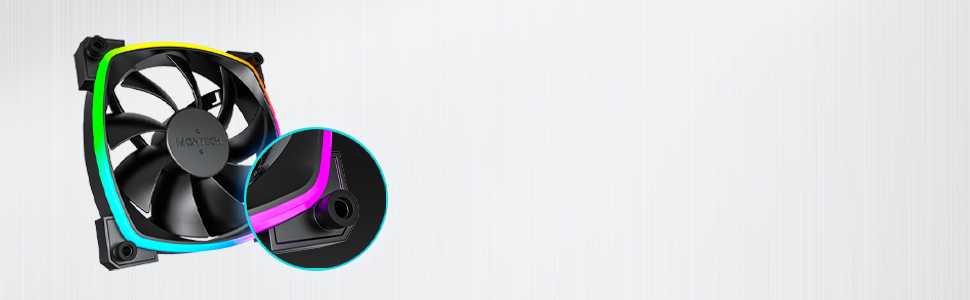
Figure 4.3: Integrated anti-vibration pads for reduced noise.
- Connect Power and ARGB Cables: Each fan has two cables: a 4-pin PWM cable for fan speed control and a 3-pin ARGB cable for lighting control.
- Connect the 4-pin PWM cable to an available 4-pin fan header on your motherboard or to a fan hub.
- Connect the 3-pin ARGB cable to an available 5V 3-pin ARGB header on your motherboard or to a compatible ARGB controller/hub. Примечание: Не подключайте к разъему 12V RGB, так как это повредит светодиоды.
- Управление кабелями: Прокладывайте кабели аккуратно, чтобы избежать помех другим компонентам и улучшить циркуляцию воздуха.
- Закройте корпус и включите питание: Once all connections are secure, close your computer case, reconnect power, and power on your system.
5. Инструкция по эксплуатации
The Montech AX 120 ARGB Fans offer both speed and lighting control:
5.1 Регулировка скорости вентилятора (ШИМ)
The 4-pin PWM connection allows for precise fan speed control based on system temperature. The fan speed can be adjusted from 600 RPM to 1600 RPM.
- BIOS/UEFI: Access your motherboard's BIOS/UEFI settings to configure fan curves. This allows the fan speed to automatically adjust based on CPU or system temperatures.
- Программное обеспечение: Use your motherboard's fan control software (e.g., ASUS Fan Xpert, MSI Dragon Center, Gigabyte SIV) to create custom fan profiles within your operating system.

Figure 5.1: PWM fan speed adjustment from 600 RPM to 1600 RPM.
5.2 Управление ARGB-подсветкой
The Addressable RGB (ARGB) lighting can be synchronized and customized through your motherboard's software or a dedicated ARGB controller.
- Программное обеспечение материнской платы: If connected to a 5V 3-pin ARGB header, use your motherboard's RGB software (e.g., ASUS Aura Sync, MSI Mystic Light Sync, Gigabyte RGB Fusion, ASRock Polychrome Sync) to control lighting effects, colors, and synchronization with other ARGB components.
- Контроллер ARGB: If using a standalone ARGB controller, refer to the controller's manual for specific instructions on changing lighting modes.
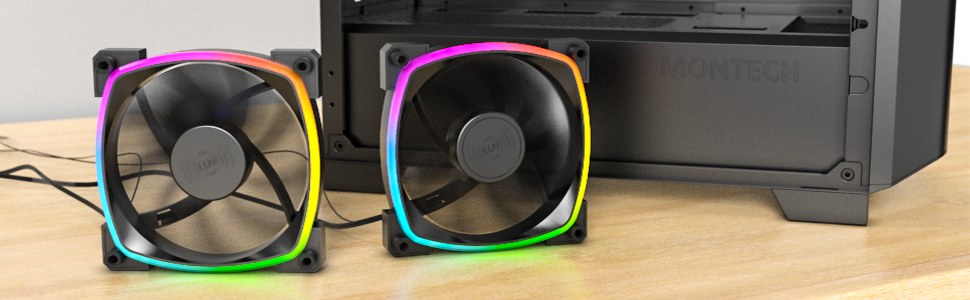
Figure 5.2: Customizable hexagonal ARGB lighting.
6. Техническое обслуживание
Регулярное техническое обслуживание обеспечивает оптимальную производительность и долговечность ваших вентиляторов:
- Уборка: Периодически очищайте лопасти вентилятора и корпус от пыли с помощью сжатого воздуха или мягкой щетки. Перед чисткой убедитесь, что компьютер выключен и отсоединен от сети.
- Инспекция: Check cables for any signs of wear or damage. Ensure mounting screws are secure.
- Долговечность подшипника: The fans feature an HDB (Hydro Dynamic Bearing) designed for high-end durability and a lifespan of 40,000 hours. No user maintenance is required for the bearing.
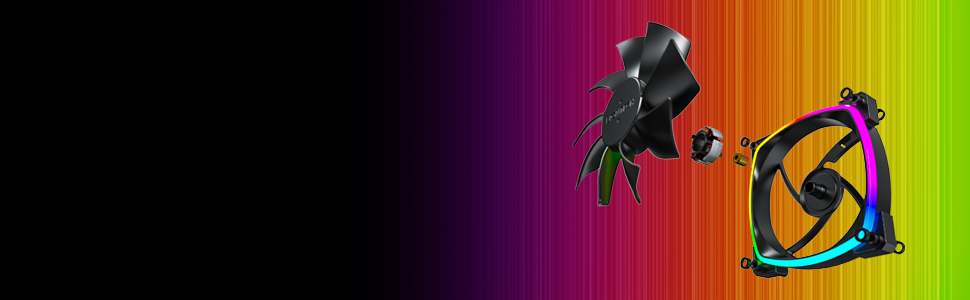
Figure 6.1: Hydro Dynamic Bearing (HDB) for extended lifespan.
7. Поиск Неисправностей
Если у вас возникли проблемы, обратитесь к следующему руководству по устранению неполадок:
| Проблема | Возможная причина | Решение |
|---|---|---|
| Вентилятор не вращается | Loose 4-pin PWM cable connection Недостаточное питание от разъема материнской платы. Fan curve set too low in BIOS/software | Убедитесь, что 4-контактный кабель ШИМ надежно подключен. Попробуйте подключиться к другому разъему для вентилятора. Adjust fan curve settings in BIOS/software to ensure fans spin at low temperatures. |
| ARGB-подсветка не работает | Loose 3-pin ARGB cable connection Connected to incorrect 12V RGB header ARGB software not configured or running | Убедитесь, что 3-контактный кабель ARGB надежно подключен к 5-вольтовому разъему ARGB. Verify connection is to a 5V 3-pin ARGB header, not a 12V 4-pin RGB header. Install and configure your motherboard's ARGB software or check your ARGB controller settings. |
| Чрезмерный шум | Высокая скорость вентилятора Вибрации Препятствие | Adjust fan speed in BIOS/software to a lower RPM. Ensure all mounting screws are tight. The fans have anti-vibration pads to minimize this. Check for any cables or objects interfering with fan blades. |
8. Технические характеристики
Key technical specifications for the Montech AX 120 ARGB Fan:
- Модель: AX120 PWM BLACK
- Размеры вентилятора: 120 мм х 120 мм х 25 мм (4.72 х 4.72 х 0.98 дюйма)
- Тип подшипника: Hydro Dynamic Bearing (HDB)
- Скорость вращения: 600–1600 об/мин (управление ШИМ)
- Уровень шума: Менее 27.9 дБ(А)
- Разъем питания: 4-Pin PWM
- ARGB-разъем: 3-контактный 5В ARGB
- Номинальный объемtage: 12V DC (Fan), 5V DC (LED)
- Ватtage: 2 Вт
- Материал: Металл, пластик, резина
- Продолжительность жизни: 40,000 часа
9. Гарантия и поддержка
Montech products are manufactured to the highest quality standards. For warranty information, technical support, or customer service inquiries, please visit the official Montech webОбратитесь на сайт или к местному продавцу. Сохраните чек о покупке для предъявления гарантийных претензий.


