Введение
This manual provides detailed instructions for setting up, operating, and maintaining your PXN P5 Wireless Gaming Controller. The PXN P5 is a versatile controller designed for a wide range of gaming platforms, including PC, Nintendo Switch, Android, and iOS devices, offering multiple connection modes and advanced features for an enhanced gaming experience.
Продукт болееview
The PXN P5 controller incorporates several advanced technologies to deliver precision and responsiveness. Key features include:
- Джойстики на эффекте Холла: Provides precise, drift-free control with enhanced durability.
- Триггеры на эффекте Холла: Offers smooth and accurate linear input for racing and precise actions.
- POM Rings: Ensures smooth joystick movement and reduces wear.
- 2-Сtage Trigger Travel Control: Allows switching between short travel for quick response (FPS) and long travel for linear precision (racing).
- 4 Программируемые кнопки «Назад»: Customizable M1, M2, M3, M4 buttons for macro functions.
- Двойные вибраторы: Обеспечивает захватывающую тактильную обратную связь.
- Triple Mode Connection: Supports 2.4G wireless, Bluetooth, and wired connections.
- PXN Nexus App: For advanced customization of button mapping, macros, vibration, and more.
- Длительный срок службы батареи: Built-in 1000mAh battery for extended gaming sessions.

Изображение: Подробный view of the PXN P5 controller's internal components, highlighting the Hall Effect Joystick, Hall Effect Trigger, POM Ring, 2-Stage. Регулятор хода курка, 4 кнопки программирования и крестообразные клавиши дискового типа.
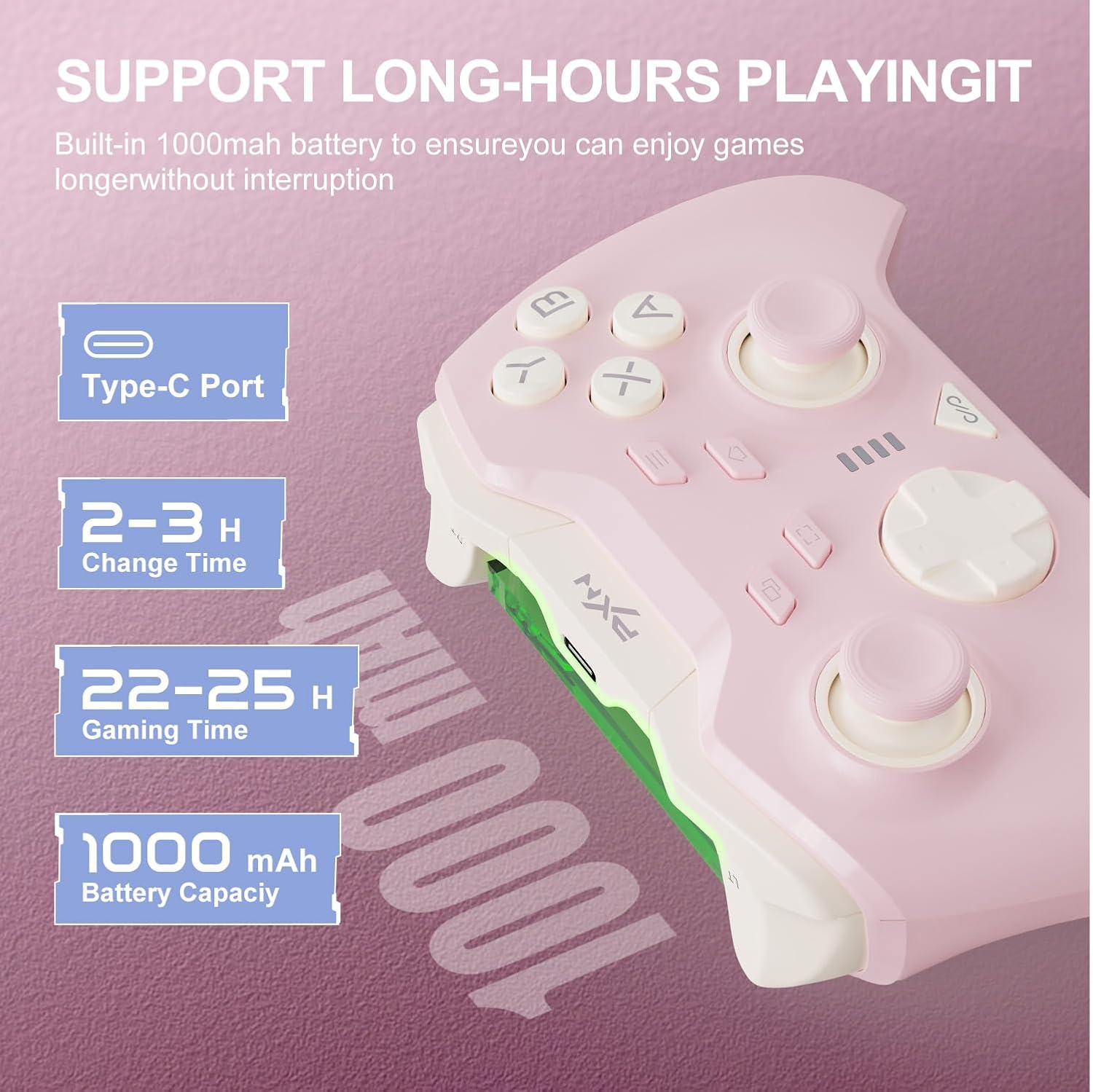
Изображение: Information regarding the PXN P5 controller's 1000mAh built-in battery, showing Type-C port, 2-3 hours charging time, and 22-25 hours gaming time.
Настройка и подключение
The PXN P5 controller supports three primary connection modes: 2.4G Wireless, Bluetooth, and Wired. Ensure the controller is charged before initial use.
1. 2.4G Wireless Connection (for PC/Laptop, Android TV, Android TV Box)
- Вставьте USB-приемник 2.4 ГГц в свободный USB-порт вашего устройства.
- Turn on the controller. The controller will automatically attempt to connect to the receiver.
- После подключения индикатор на контроллере стабилизируется.
2. Bluetooth Connection (for MAC OS, Phone/Android/Tablet, Steam Deck, Tesla, Switch/Switch OLED/Switch Lite)
- Убедитесь, что на вашем устройстве включен Bluetooth.
- On the controller, switch to the Bluetooth mode (refer to the mode switch on the back of the controller).
- On your device, search for available Bluetooth devices and select "PXN P5" to pair.
- For Nintendo Switch, navigate to "Controllers" -> "Change Grip/Order" and then follow the pairing steps.
- После сопряжения индикатор на контроллере стабилизируется.
3. Wired Connection (for PC/Laptop, Android TV, Android TV Box)
- Connect the controller to your device using the provided USB-C cable.
- Контроллер будет автоматически распознан вашим устройством.
- This mode is plug-and-play and does not require additional pairing.

Изображение: Visual representation of the three connection modes (2.4G, Bluetooth, Wired) and compatible devices for the PXN P5 controller.
Инструкция по эксплуатации
Функция макропрограммирования
The PXN P5 controller features four programmable back buttons (M1, M2, M3, M4) that can be customized with up to 32 macro combinations. This function can be configured directly on the controller or through the PXN Nexus App.
- On-Controller Programming: Refer to the detailed instructions in the included quick start guide for specific button combinations to record and assign macros.
- PXN Nexus App: For more advanced customization, download the PXN Nexus App. The app allows you to easily map buttons, create complex macro sequences, and adjust timing.

Изображение: Illustration of the macro programming function, showing the location of the M1, M2, M3, M4 buttons and examples of programmable button combinations.
Adjustable Trigger Travel Settings
The controller offers two distinct trigger travel settings to optimize performance for different game genres:
- Mode 1 (Short Travel Quick Trigger Response): Ideal for rapid-fire actions in FPS games. This mode provides a shorter trigger press for faster input.
- Mode 2 (Long Travel with 256 Levels of Linear Precision): Suitable for racing games and other genres requiring fine-tuned acceleration or braking. This mode captures subtle finger pressure changes for precise control.
Use the physical switch located on the back of the controller to toggle between these two modes.

Изображение: Visual explanation of the two adjustable trigger travel settings, showing the short travel mode for quick response and the long travel mode with 256 levels of linear precision.
PXN Nexus Application
The PXN Nexus App provides comprehensive customization options for your controller. It is available for download on Google Play and the App Store.
- Настройки макроса: Create and manage complex macros for the back buttons.
- Тестирование кнопок: Verify button functionality and calibration.
- Настройки вибрации: Adjust the intensity of the dual vibrators.
- Обновления прошивки: Для оптимальной производительности и доступа к новым функциям регулярно обновляйте прошивку контроллера.
- Учебники: Access product tutorials and support.

Изображение: Screenshots of the PXN Nexus App interface, demonstrating macro settings, device information, function settings, and vibration adjustments.
Официальное видео о продукте
Видео: Официальное видео о продуктеasing the PXN P5 PC Gaming Controller's features, including Hall Effect joysticks, 2-stage trigger lock, adjustable dead zones, asymmetric dual motors, and triple mode connection. This video provides a dynamic overview of the controller's capabilities.
Обслуживание
Proper maintenance ensures the longevity and optimal performance of your PXN P5 controller.
- Уборка: Протирайте контроллер мягкой сухой тканью. Для удаления стойких загрязнений слегка потрите.ampСмочите ткань водой. Избегайте использования едких химикатов и абразивных материалов.
- Хранилище: Храните контроллер в прохладном, сухом месте, вдали от прямых солнечных лучей и экстремальных температур.
- Зарядка: Use the provided USB-C cable for charging. Avoid overcharging or completely draining the battery frequently to prolong its lifespan.
- Умение обращаться: Избегайте падения контроллера и воздействия на него чрезмерной силы, так как это может повредить внутренние компоненты.
Поиск неисправностей
If you encounter issues with your PXN P5 controller, refer to the following common solutions:
| Проблема | Решение |
|---|---|
| Controller does not connect via 2.4G/Bluetooth. |
|
| Кнопки и джойстики не реагируют. |
|
| Контроллер часто отключается. |
|
| Vibration is too weak or too strong. | Adjust vibration intensity through the PXN Nexus App settings. |
Технические характеристики
- Модель: ПСН-П5
- Режимы подключения: 2.4G Беспроводная связь, Bluetooth, проводная связь (USB-C)
- Совместимость: PC, Nintendo Switch, Android, iOS, MAC OS, Steam Deck, Tesla
- Тип джойстика: Эффект Холла
- Тип триггера: Hall Effect with 2-Stage Travel Control
- Программируемые кнопки: 4 (M1, M2, M3, M4)
- Вибрация: Двойные моторы
- Емкость аккумулятора: 1000мАч
- Время зарядки: Примерно 2-3 часа
- Время для игр: Примерно 22-25 часа
- Вес товара: 0.48 унций (приблизительно 13.6 граммов)
Гарантия и поддержка
For warranty information and technical support, please refer to the warranty card included with your product or visit the official PXN website. You can also contact PXN customer service for assistance with any product-related inquiries.
Официальный PXN Webсайт: PXN Gaming Store


