Введение
This manual provides essential information for setting up, operating, maintaining, and troubleshooting your HP 15-DY58 Slim Laptop. Please read this guide thoroughly to ensure proper use and to maximize the performance and longevity of your device.
Что в коробке?
Upon opening your HP 15-DY58 Slim Laptop package, you should find the following items:
- HP 15-DY58 Slim Laptop
- Адаптер питания переменного тока и шнур питания
- Краткое руководство пользователя (если прилагается отдельно)
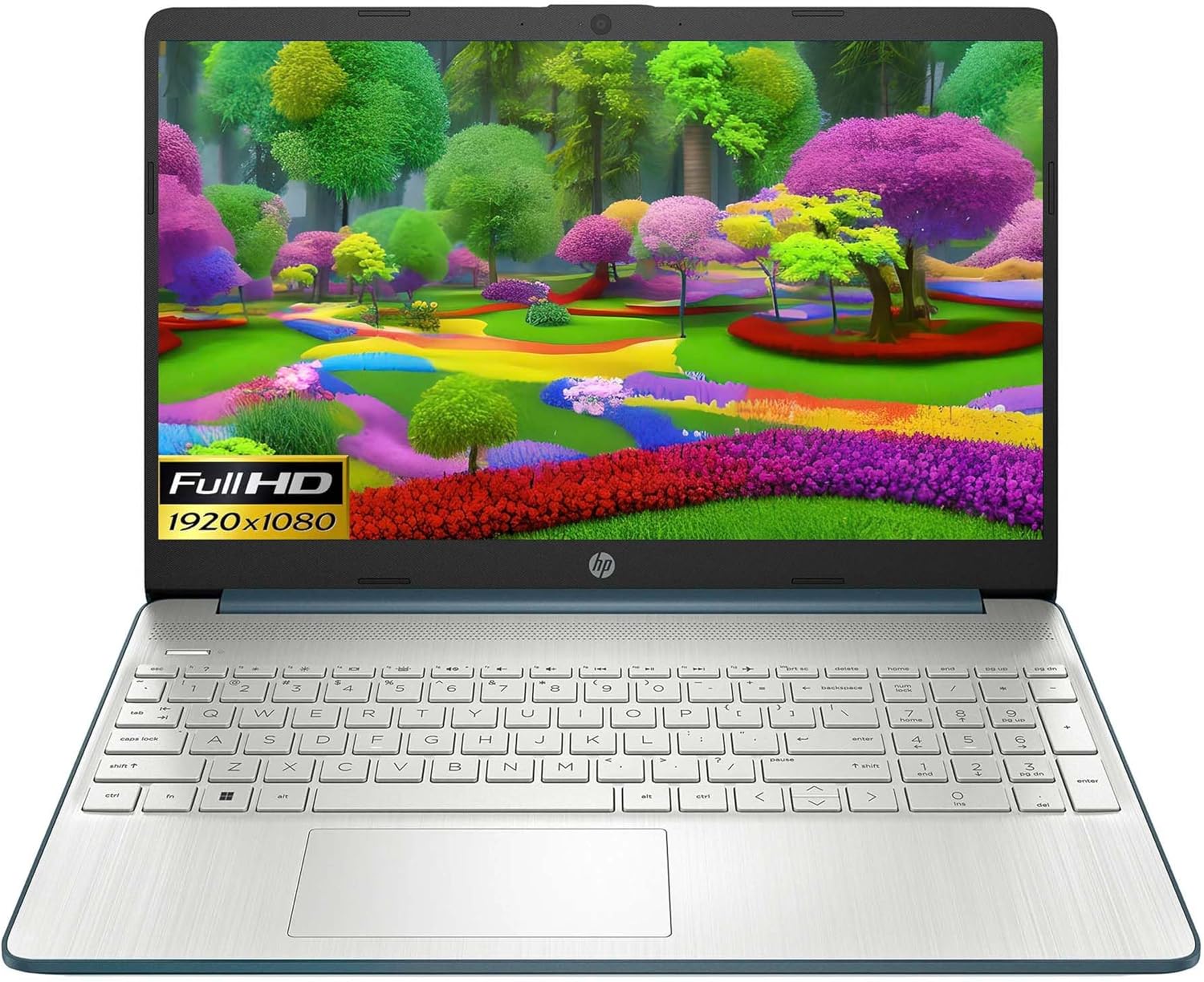
Image: HP 15 Slim Laptop, closed view, showing the blue lid with HP logo.
Настраивать
1. Первоначальное включение
- Подключите адаптер питания: Plug the AC power adapter into the laptop's AC smart pin port and then into a wall outlet.
- Откройте ноутбук: Осторожно поднимите крышку дисплея.
- Включение питания: Press the power button, usually located on the keyboard deck. The laptop will begin the initial Windows 11 setup process.
- Следуйте инструкциям на экране: Complete the Windows 11 setup, including language selection, network connection, and user account creation.

Image: HP 15 Slim Laptop open, showcasing the Windows 11 operating system interface during initial setup.
2. Подключение периферийных устройств
Your HP 15-DY58 Slim Laptop offers various ports for connecting external devices:
- Порты USB типа A: Connect USB devices such as mice, keyboards, or external storage drives. There are two SuperSpeed USB Type-A 5Gbps ports.
- Порт USB Type-C: Connect compatible USB-C devices. This laptop features one SuperSpeed USB Type-C 5Gbps signaling rate port.
- Порт HDMI: Connect an external monitor or TV using an HDMI cable for extended display. The laptop has one HDMI 1.4b port.
- Комбинированный разъем для наушников/микрофона: Подключите наушники, внешние динамики или гарнитуру с микрофоном.
- SD Media Card Reader: Insert an SD card to transfer photos and files.

Image: Left side ports including SD card reader, headphone jack, USB-C, AC power, and HDMI.

Image: Right side ports featuring two USB Type-A ports.
Работа с ноутбуком
Основные функции
- Кнопка питания: Located on the keyboard deck, use it to turn the laptop on or off, or to put it to sleep.
- Клавиатура: The full-size island-style keyboard provides comfortable typing. Familiarize yourself with function keys (Fn) for quick access to settings like volume, brightness, and Wi-Fi.
- Сенсорная панель: Use the integrated touchpad for navigation. It supports multi-touch gestures for scrolling, zooming, and more.

Image: HP 15 Slim Laptop open, showcasing его дисплей и клавиатура.
Беспроводное подключение
- Wi-Fi: Connect to wireless networks using Wi-Fi 5 (802.11ac). Access Wi-Fi settings through the Windows 11 taskbar or Settings app.
- Bluetooth: Pair Bluetooth-enabled devices such as headphones, speakers, or mice using Bluetooth 5. Manage Bluetooth devices in Windows 11 Settings.
Дисплей и аудио
- Отображать: The 15.6-inch Full HD (1920 x 1080) micro-edge display offers clear visuals. Adjust brightness and display settings via Windows 11.
- Аудио: The laptop features dual speakers for audio output. The headphone/microphone combo jack allows for private listening or communication.
- Камера: The HP True Vision 720p HD camera with integrated dual array digital microphones is suitable for video calls and online meetings.
Обслуживание
Чистка ноутбука
- Экран: Слегка используйте мягкую безворсовую ткань.ampСмочите водой или очистителем для экранов. Избегайте использования агрессивных химикатов.
- Клавиатура и корпус: Use a soft cloth to wipe surfaces. Compressed air can remove dust from between keys.
- Порты: Убедитесь, что порты очищены от пыли и мусора. При необходимости используйте сжатый воздух.
Обновления программного обеспечения
Regularly update your Windows operating system and drivers to ensure optimal performance and security. Access Windows Update through the Settings app.
Уход за аккумулятором
- Избегайте экстремальных температур.
- Не допускайте частой полной разрядки аккумулятора.
- Для длительного хранения зарядите аккумулятор примерно на 50–70%.
Поиск неисправностей
This section addresses common issues you might encounter with your HP 15-DY58 Slim Laptop.
Ноутбук не включается
- Убедитесь, что адаптер переменного тока надежно подключен к ноутбуку и рабочей розетке.
- Проверьте работоспособность розетки, подключив к ней другое устройство.
- Если аккумулятор полностью разряжен, дайте ему зарядиться в течение нескольких минут, прежде чем пытаться включить устройство.
Проблемы с отображением
- Нет дисплея: If the laptop powers on but the screen remains black, try connecting an external monitor via the HDMI port to check if the issue is with the laptop's internal display.
- Тусклый дисплей: Adjust screen brightness using the function keys (usually F2/F3 or similar, look for sun icons) or through Windows 11 display settings.
Проблемы с подключением (Wi-Fi/Bluetooth)
- Wi-Fi: Ensure Wi-Fi is enabled in Windows 11 settings. Restart your router and modem. Run the Windows Network Troubleshooter.
- Bluetooth: Ensure Bluetooth is enabled. Try unpairing and re-pairing the device. Update Bluetooth drivers if necessary.
Технические характеристики
| Особенность | Деталь |
|---|---|
| Модель | HP 15-DY58 Slim Laptop |
| Процессор | Intel 12th Gen Core i5-1235U (up to 4.2 GHz, 10-core) |
| Графика | Интегрированная графика Intel Iris Xe |
| Операционная система | Windows 11 Домашняя (64-разрядная) |
| Память (ОЗУ) | 8 ГБ DDR4 |
| Хранилище | SSD-накопитель PCIe NVMe M.2 емкостью 256 ГБ |
| Отображать | 15.6-inch Full HD (1920 x 1080), Micro-edge, Anti-glare, 250 nits |
| Беспроводное подключение | Wi-Fi 5 (802.11ac), Bluetooth 5 |
| Порты | 1x SuperSpeed USB Type-C 5Gbps, 2x SuperSpeed USB Type-A 5Gbps, 1x HDMI 1.4b, 1x AC Smart Pin, 1x Headphone/Microphone Combo, 1x Multi-format SD Media Card Reader |
| Камера | HP True Vision 720p HD Camera with Integrated Dual Array Digital Microphones |
| Аудио | Двойные динамики |
| Клавиатура | Full-size Island-style Keyboard |
| Размеры (ДxШxВ) | 14 x 10 x 1 дюйма |
| Масса | 3.3 фунта |

Image: HP 15 Slim Laptop, emphasizing its energy efficiency certifications.
Гарантия и поддержка
Подробную информацию о гарантии см. в гарантийном талоне, прилагаемом к вашему изделию, или на официальном сайте поддержки HP. webСайт HP предоставляет различные ресурсы поддержки, включая:
- Онлайн поддержка: Access drivers, software updates, and troubleshooting guides.
- Техническая поддержка: Contact HP customer service for assistance with technical issues.
- Регистрация продукта: Зарегистрируйте свой продукт, чтобы получать обновления и поддержку.
Посещать support.hp.com для получения более подробной информации.