1. Введение
Thank you for choosing the LEKATO GA-02 5W Rechargeable Guitar AmpУсилитель. Этот компактный и портативный amplifier is designed for electric guitar and bass practice, offering both clean and overdrive effects, Bluetooth connectivity, and multiple input/output options. Please read this manual carefully to ensure proper operation and to maximize your experience with the product.
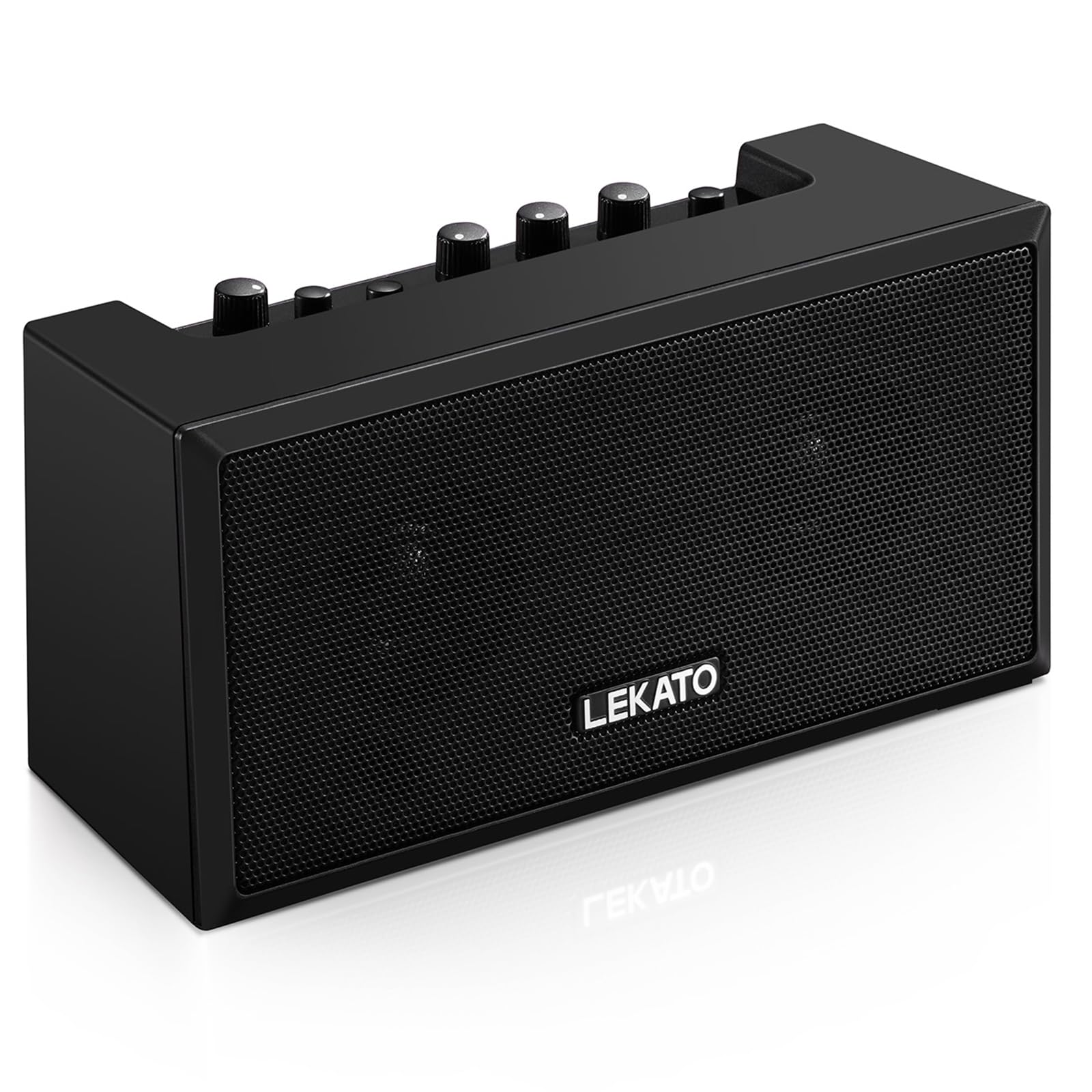
Рисунок 1: Передняя часть view of the LEKATO GA-02 Guitar Ampпожизненнее.
2.Основные характеристики
- Dual Tone Channels: Easily switch between Clean and Overdrive effects with a single button.
- Компактный и портативный: 5W dual speakers in a mini size, ideal for practice anywhere.
- Bluetooth 5.0 Connect wirelessly to your smartphone or other devices for accompaniment.
- Богатые интерфейсы: Includes 1/8" Aux input, 1/8" stereo headphone output, and 6.35mm instrument input.
- Аккумуляторная батарея: Built-in 3.7V/2000mA battery provides up to 6 hours of playtime on a single charge, rechargeable via Type-C USB.
3. Настройка и подключение
3.1 Зарядка Ampпожизненнее
Перед первым использованием полностью зарядите amplifier. Connect the included Type-C USB cable to the DC 5V charging port on the rear panel of the amplifier and to a standard USB power source (e.g., wall adapter, computer USB port).

Figure 2: Type-C USB charging port on the rear panel.
Полной зарядки хватает примерно на 6 часов работы.
3.2 Controls and Interfaces Overview

Figure 3: Front panel controls (top) and rear panel interfaces (bottom) of the ampпожизненнее.
Элементы управления на передней панели:
- B.T./AUX VOL: Adjusts the volume for Bluetooth and Aux input.
- B.T. Button: Включает/выключает режим сопряжения Bluetooth.
- OVERDRIVE Button: Переключение между каналами Clean и Overdrive.
- Регулятор усиления: Adjusts the input sensitivity and distortion level (primarily for Overdrive channel).
- Ручка ТОН: Регулирует тональные характеристики (баланс высоких и низких частот).
- Ручка VOLUME: Adjusts the overall output volume of the guitar signal.
- Кнопка питания: Поворачивает ampЛифер включен или выключен.
Интерфейсы задней панели:
- INPUT (6.35mm Jack): Connect your electric guitar or bass.
- AUX (1/8" Jack): Connect external audio sources like smartphones or CD players.
- Headphone Output (1/8" Stereo Jack): Подключите наушники для занятий в тишине.
- 5 В постоянного тока (порт Type-C): Входное напряжение для зарядки.
3.3 Подключение вашего инструмента
Insert your instrument cable (6.35mm jack) into the ВХОД port on the rear of the ampпожизненнее.
3.4 Bluetooth-соединение
- Включи ampс помощью ВЛАСТЬ кнопка.
- Нажмите B.T. button on the front panel. The Bluetooth indicator light will flash, indicating pairing mode.
- On your smartphone or Bluetooth-enabled device, search for "TOP-GT" in the Bluetooth settings.
- Select "TOP-GT" to pair. Once connected, the Bluetooth indicator light will remain solid.
- Adjust the Bluetooth/Aux volume using the B.T./AUX VOL ручка.

Figure 4: Bluetooth pairing process with a mobile device.
3.5 Aux Input Connection
Connect an external audio source (e.g., MP3 player, computer) to the AUX input jack on the rear panel using a 1/8" (3.5mm) stereo audio cable. Adjust the volume using the B.T./AUX VOL ручка.
3.6 Подключение наушников
Для занятий в тишине подключите наушники к Выход для наушников jack on the rear panel. This will mute the ampВстроенные динамики усилителя.
4. Инструкция по эксплуатации
4.1 Включение/выключение питания
Нажмите ВЛАСТЬ кнопка, чтобы включить ampЛифер включен или выключен.
4.2 Selecting Tone Channels
The amplifier features two tone channels: Clean and Overdrive.
- Нажмите ПЕРЕГРУЗКА button to switch between the Clean and Overdrive channels.
- When the Overdrive channel is active, the corresponding indicator light will illuminate.
- Чистый: Provides a pure instrument tone.
- Овердрайв: Produces a distorted rock sound.

Figure 5: Pressing the OVERDRIVE button to switch channels.
4.3 Настройка звука
- ПРИРОСТ: Rotate the GAIN knob to adjust the input signal level. Higher gain settings will increase distortion, especially in Overdrive mode.
- ТОН: Use the TONE knob to shape the amplifier's frequency response, making the sound brighter or warmer.
- ОБЪЕМ: Adjust the overall output volume of your instrument using the VOLUME knob.
5. Техническое обслуживание
- Уборка: Протрите ampПротирайте мягкой сухой тканью. Не используйте жидкие чистящие средства или абразивные материалы.
- Хранилище: Хранить ampхранить в прохладном, сухом месте, вдали от прямых солнечных лучей и экстремальных температур.
- Уход батареи: For optimal battery life, avoid fully discharging the battery frequently. Charge the amplifier regularly, even if not in use for extended periods.
- Умение обращаться: Избегайте падения или воздействия на них ampУсилитель, оказывающий сильное воздействие.
6. Поиск Неисправностей
| Проблема | Возможная причина | Решение |
|---|---|---|
| Нет звука от ampпожизненнее. |
|
|
| Bluetooth не подключается. |
|
|
| Sound is distorted (not desired). |
|
|
| Короткое время работы батареи. |
|
|
7. Технические характеристики
| Особенность | Деталь |
|---|---|
| Модель | ГА-02 |
| Выход Втtage | 5 Вт |
| Каналы | Clean, Overdrive |
| Связность | Блютус 5.0 |
| Входы | 6.35mm Instrument Jack, 3.5mm Aux Input |
| Выходы | Выход для стереонаушников 3.5 мм |
| Источник питания | Питание от аккумулятора (перезаряжаемый) |
| Тип батареи | 3.7V/2000mA Lithium Polymer (included) |
| Порт зарядки | Type-C USB (DC 5V) |
| Approx. Playtime | 6 часа |
| Размеры продукта | 2.76"Г x 4.53"Ш x 3.23"В (7 x 11.5 x 8.2 см) |
| Вес товара | 1.23 фунта (0.56 кг) |

Figure 6: Dimensions of the LEKATO GA-02 Ampпожизненнее.
8. Гарантия и поддержка
LEKATO products are designed for reliability and performance. For warranty information or technical support, please refer to the warranty card included with your product or visit the official LEKATO webВы также можете обратиться за помощью к своему продавцу.
For more information about LEKATO products, visit the LEKATO Brand Store.
9. Видеодемонстрация продукта
Video 1: Official product demonstration of the LEKATO GA-02 Guitar Amplifier, showcasinего функциональность и звуковые возможности.


