Введение
Thank you for choosing the Haomuren K1 Mini Portable Bluetooth Karaoke Machine. This manual provides essential information for the safe and efficient operation of your new device. Please read it thoroughly before use and retain it for future reference.
Что в коробке?
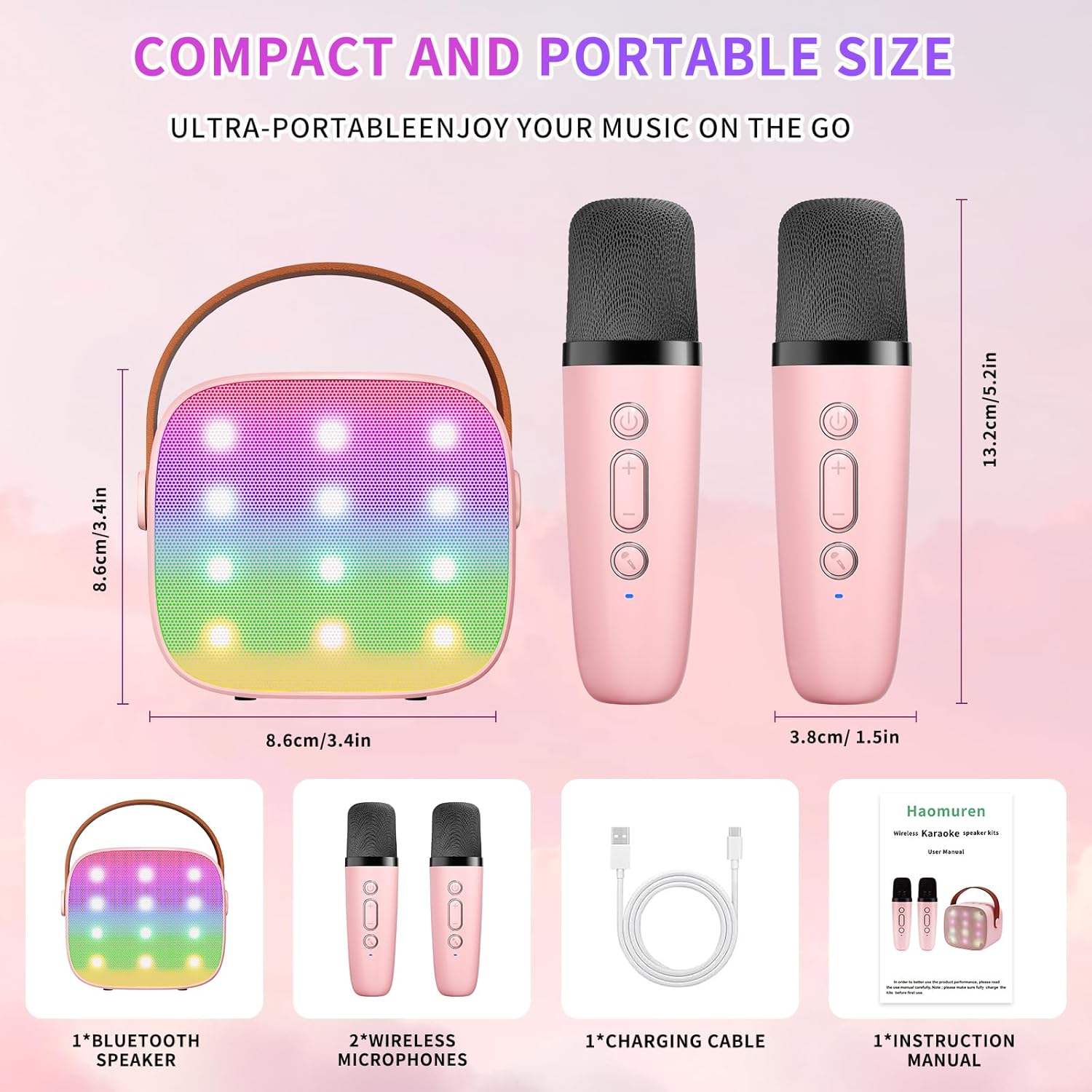
- Karaoke Machine (Speaker) x 1
- Беспроводной микрофон х 2
- Кабель для зарядки Type-C x 1
- Руководство пользователя х 1
Настраивать
1. Зарядка устройства
Before initial use, fully charge the karaoke machine and both microphones. Use the provided Type-C charging cable.
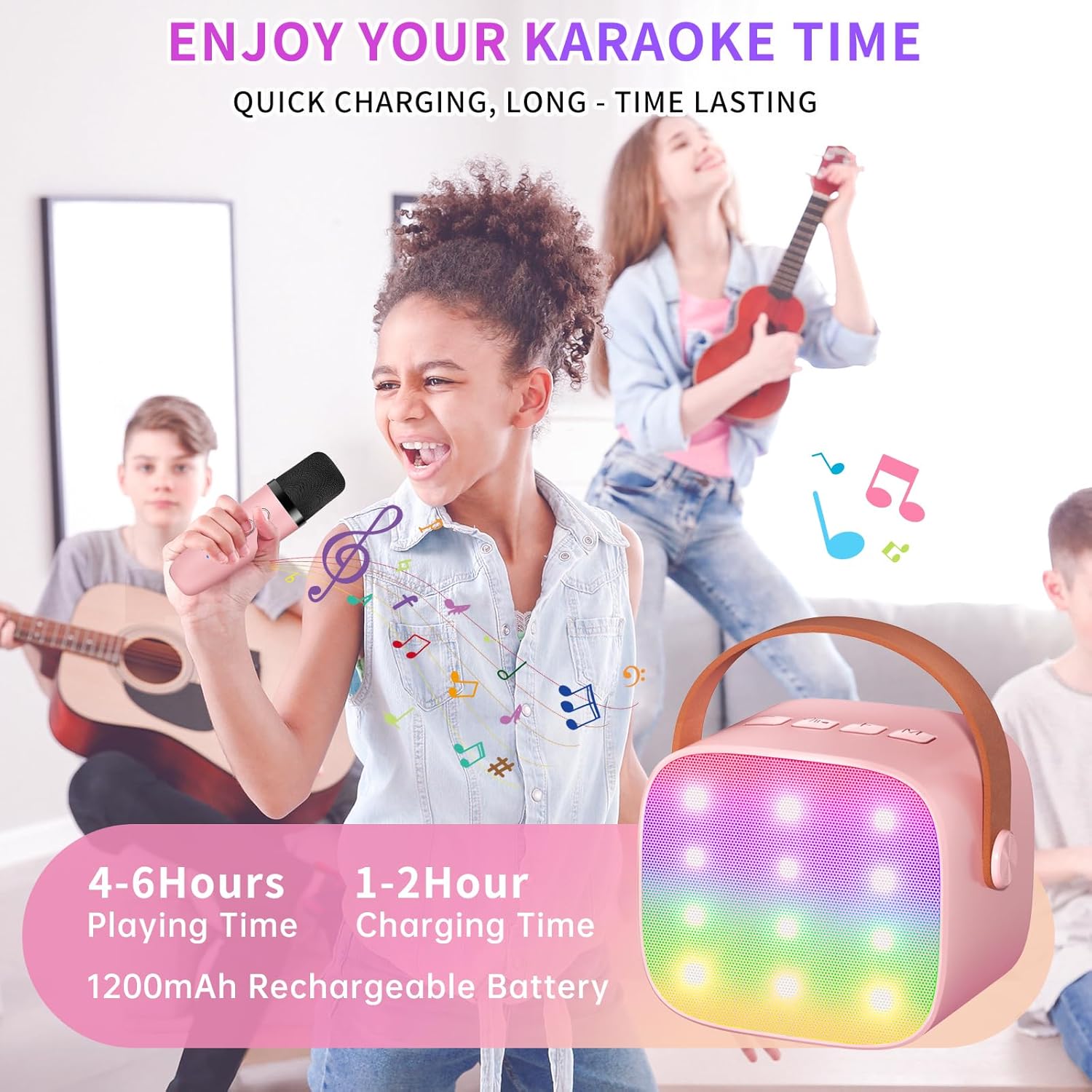
- Спикер: Connect the Type-C cable to the speaker's charging port. The speaker has an 1800mAh battery and typically charges in 1-2 hours.
- Микрофоны: Connect the Type-C cable to the charging port at the bottom of each microphone. Each microphone has a 600mAh battery.

2. Включение/выключение питания
- Спикер: Press and hold the power button on the top panel of the speaker until the LED lights illuminate.
- Микрофоны: Press and hold the power button on each microphone until the blue indicator light turns on.
3. Сопряжение по Bluetooth
The speaker and microphones are designed for instant pairing. Once both are powered on, they should automatically connect. To connect the speaker to an external device (smartphone, tablet, PC):
- Ensure the karaoke machine speaker is powered on and in Bluetooth mode (indicated by a voice prompt).
- На внешнем устройстве включите Bluetooth и выполните поиск доступных устройств.
- Select "K1" (or similar model name) from the list to pair. A confirmation sound will indicate successful pairing.

Инструкция по эксплуатации
1. Управление динамиками
На верхней панели колонки расположены интуитивно понятные кнопки:
- Звук тише (-): Уменьшает громкость динамика.
- Питание / воспроизведение / пауза: Short press to play/pause music. Long press to power on/off the speaker.
- Увеличение громкости (+): Увеличивает громкость динамика.
- Режим (М): Switches between different input modes (Bluetooth, TF Card).
- Управление светодиодной подсветкой: Short press to cycle through 6 different LED lighting modes.
- Original Vocal/Accompaniment: Press this button to remove or restore original vocals from a song, allowing you to sing along to the instrumental track.

2. Элементы управления микрофоном
Each wireless microphone has the following controls:
- Кнопка питания: Нажмите и удерживайте, чтобы включить/выключить микрофон.
- Увеличение громкости (+): Increases microphone volume.
- Звук тише (-): Decreases microphone volume.
- Кнопка смены голоса: Short press to cycle through 5 different voice effects.

3. Voice Changing Modes
The microphones offer 5 unique voice effects to enhance your karaoke experience:
- Оригинальный голос
- Женский голос
- Мужской голос
- Детский голос
- Голос монстра
4. Светодиодные фонари
The speaker features built-in LED lights with 6 dynamic modes that synchronize with the music, creating an immersive atmosphere. Use the dedicated LED Light Control button on the speaker to cycle through these modes.

5. Music Playback Options
The Haomuren K1 supports various music playback methods:
- Bluetooth: Connect wirelessly to your smartphone, tablet, or PC.
- TF-карта: Insert a TF (MicroSD) card into the designated slot on the back of the speaker to play stored music files.
- Выход для наушников: Use the 3.5mm headphone jack for private listening.
Обслуживание
- Уборка: Для очистки корпуса динамика и микрофонов используйте мягкую сухую ткань. Не используйте жидкие чистящие средства или абразивные материалы.
- Хранилище: Храните устройство в прохладном, сухом месте, вдали от прямых солнечных лучей и экстремальных температур.
- Уход батареи: Чтобы продлить срок службы батареи, избегайте частой полной разрядки устройства. Регулярно заряжайте устройство, даже если оно не используется в течение длительного времени.
Поиск неисправностей
- Нет звука из динамика:
- Убедитесь, что колонка включена и заряжена.
- Проверьте уровень громкости динамика.
- Verify that the speaker is correctly paired via Bluetooth to your device.
- If using a TF card, ensure it is inserted correctly and contains compatible audio files.
- Микрофон не работает:
- Убедитесь, что микрофон включен и заряжен.
- Check the microphone's volume level.
- Confirm the microphone is automatically paired with the speaker.
- Отключение Bluetooth:
- Убедитесь, что динамик и ваше устройство находятся в пределах эффективного радиуса действия Bluetooth (обычно 10 метров).
- Turn off and restart both the speaker and your device, then attempt to re-pair.
- Проверьте наличие помех от других беспроводных устройств.
- Искаженный звук:
- Уменьшите громкость как на динамике, так и на подключенном устройстве.
- Ensure the microphones are not too close to the speaker to avoid feedback.
- Проверьте качество звука в источнике.
Технические характеристики
| Особенность | Спецификация |
|---|---|
| Бренд | Хаомурен |
| Номер модели | K1 |
| Тип крепления | Настольный |
| Источник питания | Питание от батареи |
| Тип разъема | 3.5mm headphone, Type-C Charging |
| Материал | Акрилонитрилбутадиенстирол (АБС) |
| Вес товара | 14.9 унции |
| Количество каналов | 2 |
| Аудиовход | Беспроводные микрофоны |
| Частотная характеристика | 10 кГц |
| Размеры продукта | 3.7 x 4.1 x 4.3 дюйма |
| Аккумуляторы | Требуется 1 батарейки ААА (в комплекте) |
| Технология связи | Bluetooth, USB, беспроводное подключение |
Гарантия и поддержка
Haomuren is committed to providing high-quality audio products. Your K1 Mini Portable Bluetooth Karaoke Machine comes with the following:
- Бесплатная замена: In case of product defects.
- 365-дневная гарантия: Рассматриваются производственные дефекты и неисправности.
- Техническая поддержка: Dedicated support is available for any operational questions or issues.
For further assistance, please contact Haomuren customer service through your purchase platform or visit the official Haomuren webсайт.