Введение
The ScopeAround Digital Otoscope with IPS Screen (Model SASA160) is designed for clear, real-time visual inspection of the ear canal. This device allows users to perform ear checks instantly without the need for external connections like phones or apps. It is equipped with a high-resolution camera and integrated lighting to provide detailed views, making it suitable for personal and family ear care, including monitoring ear wax and general ear health.

Image: The ScopeAround Digital Otoscope, showing the main unit with its integrated screen, detachable lens with extension cable, various ear picks, specula, alcohol pads, Q-tips, and USB cable.
Основные характеристики
- Built-In IPS Screen: Features a clear IPS display for instant viewing without requiring a phone or app connection. Simply power on and view изображения в реальном времени.
- Камера высокого разрешения: The 720p HD camera and integrated IPS screen provide sharp, true-to-life images, allowing clear visualization of fine details within the ear canal without glare or distortion.
- Slim 3.9mm Lens with LED Lights: Designed for comfort and safety, the slim lens is gentle for all ages. Six LED lights with three brightness levels ensure optimal illumination for clear viewинж.
- Flexible Detachable Lens and Extension Cable: The lens can be detached and connected to an extended cable, offering flexibility for self-inspection or assisting others comfortably.
- Фото и видеосъемка: Capture clear photos and videos of the ear canal. Files are saved on the included 8GB memory card, useful for tracking progress or sharing with healthcare professionals.
- Удобный дизайн: Ergonomic grip and intuitive controls make the device easy to handle for both professionals and home users.

Image: Diagram highlighting the integrated screen for easy and efficient ear examinations, providing a clear and detailed view слухового прохода.
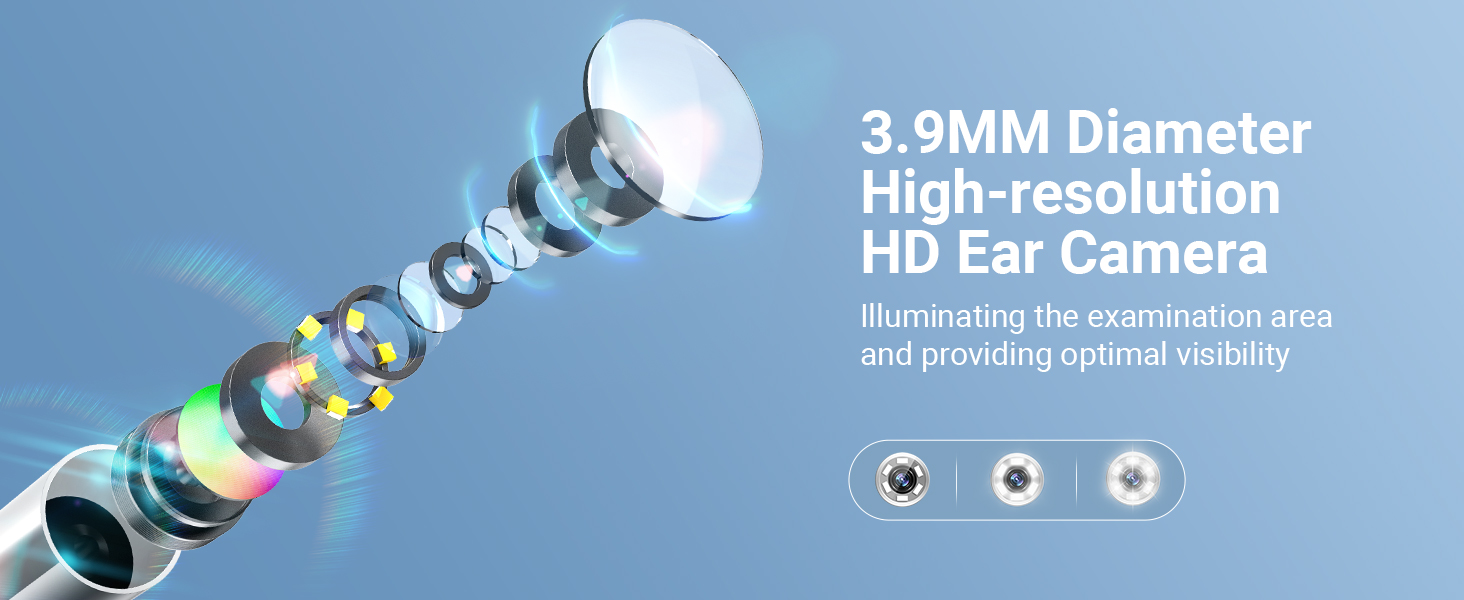
Image: Illustration of the 3.9mm diameter high-resolution HD ear camera, showing how it illuminates the examination area and provides optimal visibility.
Что в коробке?
- SA160 Digital Otoscope (Main Unit)
- Ear Picks x 4
- Specula x 5
- Alcohol Pads x 4
- 1 Pack of Q-tips
- Удлинительный кабель
- USB-кабель для зарядки
- Карта памяти на 8 ГБ (предустановлена или входит в комплект отдельно)

Image: A visual representation of all items included in the product package, such as the otoscope, various ear picks, specula, alcohol pads, Q-tips, extension cable, USB cable, and user manual.
Настраивать
- Зарядите устройство: Before first use, fully charge the otoscope using the provided USB charging cable. The charging port is located on the device.
- Вставьте карту памяти: Ensure the 8GB memory card is properly inserted into the designated slot on the otoscope. This is necessary for saving photos and videos.
- Attach Lens/Extension Cable:
- For direct use, attach the lens probe directly to the main unit.
- For self-examination or extended reach, connect the lens probe to the extension USB cable, then connect the extension cable to the main unit. Ensure connections are secure.
- Attach Specula/Ear Picks: Select an appropriate speculum or ear pick and attach it to the tip of the lens probe. Ensure it is securely fitted to prevent accidental detachment during use.
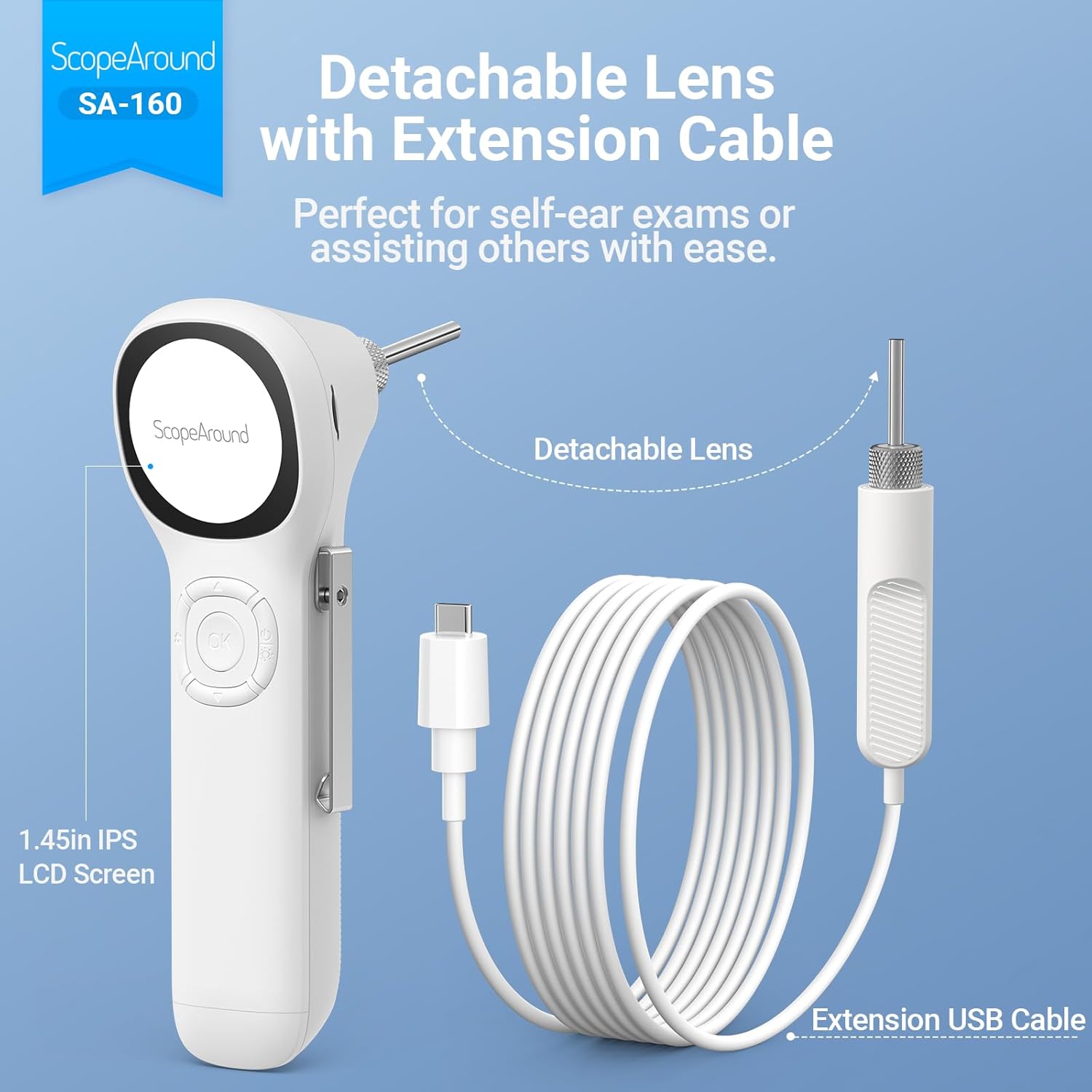
Image: The detachable lens and extension USB cable, illustrating how they connect to the main unit for flexible use, perfect for self-ear exams or assisting others.

Image: A detailed diagram labeling the various components and controls of the ScopeAround Smart Otoscope, including the 1.45-inch screen, settings button, OK button, Up/Down buttons, power button, lens module, capture button, reset, and Type-C port.
Операция
- Включение питания: Press and hold the Power Button to turn on the device. The IPS screen will activate, displaying the live view из камеры.
- Отрегулируйте яркость: Use the dedicated button (often integrated with the power button or a separate control) to cycle through the three brightness levels of the LED lights for optimal visibility.
- Perform Examination: Gently insert the speculum-covered lens into the ear canal. Observe the live feed on the IPS screen. Move the otoscope slowly and carefully to get a comprehensive view.
- Фото- и видеосъемка:
- Press the Capture Button to take a still photo.
- Press and hold the Capture Button to start recording a video. Press again to stop recording.
- Files are automatically saved to the 8GB memory card.
- Adjust Magnification/Rotation: If available, use the controls to adjust magnification (e.g., 1.0x, 1.3x, 1.5x) for more detailed views or rotate the image 180 degrees for flexible positioning.
- Review СМИ: Access saved photos and videos through the device's menu. You can transfer these files to a computer via the Type-C interface for larger screen viewing and health documentation.
- Выключение: Press and hold the Power Button to turn off the device after use.

Image: Demonstrates the two primary uses: self-ear checks using the extension cable and assisting others with direct use of the otoscope.

Image: Illustrates the adjustable magnification (1.0x, 1.3x, 1.5x) for detailed views and the 180-degree image rotation feature for flexible positioning during examinations.

Image: Shows a user transferring files from the otoscope to a laptop via the Type-C interface, emphasizing the ease of sharing ear health documentation with professionals.
Обслуживание
- Cleaning the Lens and Specula:
- After each use, especially when used on different individuals, clean the lens and specula thoroughly.
- Use the provided alcohol pads or a soft cloth dampened with isopropyl alcohol to wipe the lens and the exterior of the specula.
- Ensure the lens is free of debris or earwax before storage.
- Очистка основного блока: Wipe the main unit with a soft, dry cloth. Avoid using abrasive cleaners or submerging the device in water.
- Хранилище: Store the otoscope and its accessories in a clean, dry place, away from direct sunlight and extreme temperatures. Keep all small parts, especially ear picks and specula, organized in their case to prevent loss.
- Уход батареи: To prolong battery life, avoid fully discharging the device frequently. Charge the device regularly, even if not in constant use.

Image: Illustrates safe and dangerous methods of ear cleaning, emphasizing the importance of proper technique to avoid ear canal injury and cross-infection.

Image: Close-up of the removable and soft silicone ear pick, highlighting its design for protection and convenience during ear wax removal.
Поиск неисправностей
| Проблема | Возможная причина | Решение |
|---|---|---|
| Устройство не включается. | Низкий заряд батареи; неисправность устройства. | Полностью зарядите устройство. Если проблема не исчезнет, обратитесь в службу поддержки. |
| Изображение размытое или нечеткое. | Dirty lens; incorrect focal distance; insufficient lighting. | Clean the lens with an alcohol pad. Adjust the distance from the ear canal. Increase LED brightness. |
| Невозможно сохранить фото/видео. | Memory card full or not inserted correctly; card error. | Check if the 8GB memory card is properly inserted. Delete old files to free up space or format the card (backup important data first). |
| Устройство зависает или не отвечает. | Сбой в программном обеспечении. | Perform a soft reset (refer to user manual for specific reset instructions, usually a small reset button). |
Технические характеристики
- Название модели: Otoscope SA160
- Номер модели товара: SASA160
- Бренд: ScopeAround
- Цвет: Белый
- Материал: Пластик
- Размеры упаковки: 8.19 x 4.41 x 2.4 дюйма
- Вес товара: 9.6 унции
- Тип источника света: ВЕЛ
- Реальный угол View: 78 градусов
- Максимальное увеличение: 1.5 х
- Томtage: 3.7 Вольт (постоянный ток)
- Аккумуляторы: Требуется 1 литий-полимерный аккумулятор (входит в комплект)
- Совместимые устройства: No device needed (standalone operation)
- Первая доступная дата: 4 ноября 2024 г.

Image: Detailed specifications of the SA-160 camera, including 3.9mm HD ear camera, 6 LED lights, 3 brightness adjustments, 0.39-1.18 inch focal distance, and 78-degree field of view.
Гарантия и поддержка
For warranty information, technical support, or service inquiries, please refer to the official ScopeAround webили обратитесь в службу поддержки напрямую. Сохраните чек о покупке в качестве подтверждения покупки на случай предъявления гарантийных претензий.
ScopeAround is committed to providing high-quality products and customer satisfaction. For further assistance, please visit the ScopeAround Store on Amazon или свяжитесь с их службой поддержки.


