1. Введение
Thank you for choosing the Norwii N76 Rechargeable Wireless Presentation Remote. This device is designed to enhance your presentations with seamless slide control and a powerful green laser pointer. It offers broad compatibility across various operating systems and presentation software, ensuring a smooth and engaging experience for your audience.
Please read this manual carefully to understand the features and proper operation of your new presentation remote. Keep this manual for future reference.
2. Содержимое упаковки
Проверьте наличие всех предметов в посылке:
- Беспроводной презентер Norwii N76
- USB-приемник
- USB-кабель для зарядки
- Premium Portable Case
- Руководство пользователя

3. Продукт закончилсяview
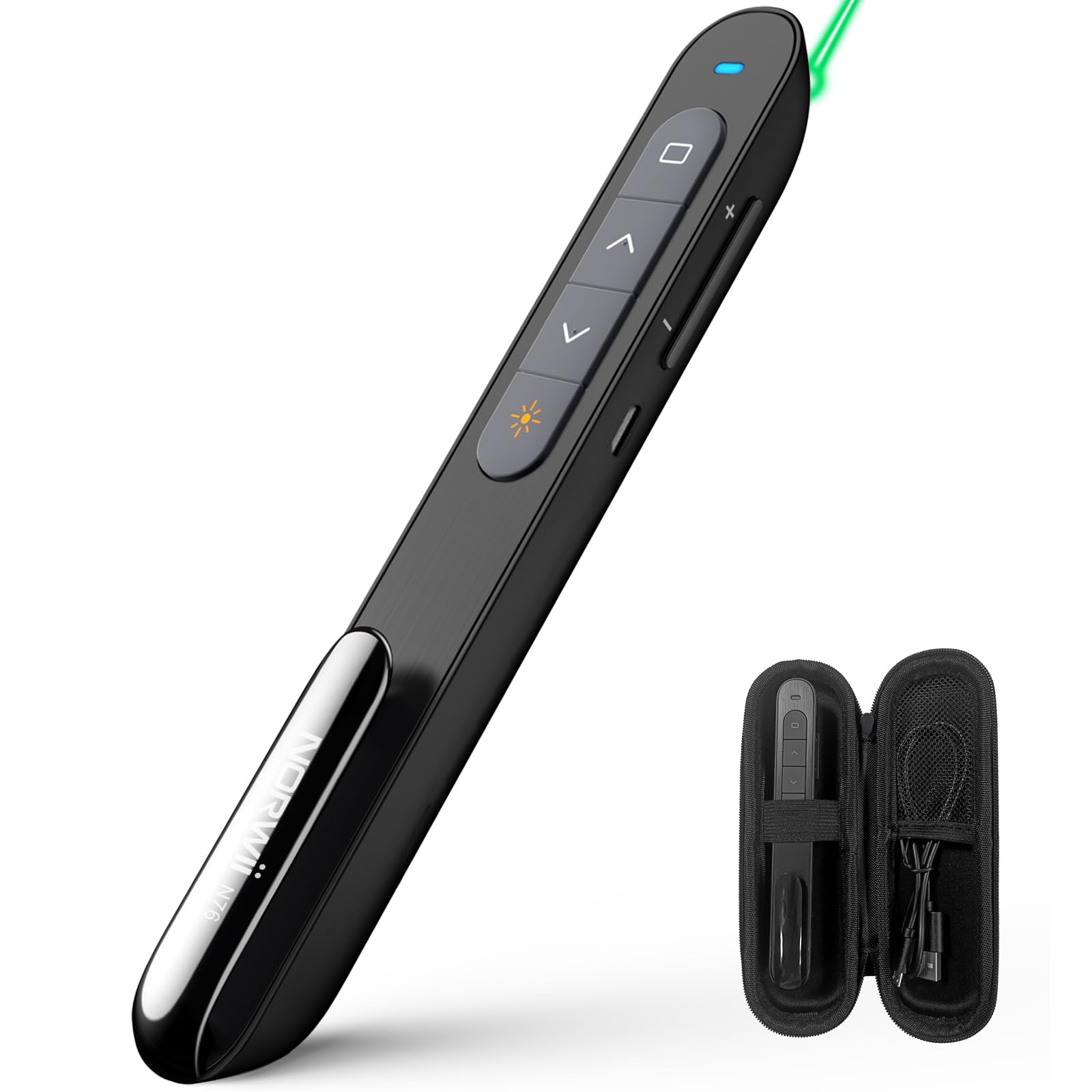
The Norwii N76 features an ergonomic design with clearly labeled, tactile buttons for intuitive control during presentations. The device includes a built-in USB-A receiver for convenient storage and connectivity.

Основные функции:
- Кнопка лазерной указки: Activates the green laser.
- Кнопки Page Up/Down: Navigates through presentation slides.
- Full Screen/Black Screen Button: Toggles full screen mode or blacks out the screen.
- Hyperlink/Switch Window Button: Allows opening hyperlinks or switching between active windows.
- Регулятор громкости: Регулирует громкость системы.
- Переключатель ВКЛ / ВЫКЛ: Located on the side for power management.

4. Настройка
4.1. Connecting the USB-A Receiver
- Locate the USB-A receiver stored inside the tail cap of the Norwii N76 presenter. Gently pull it out.
- Insert the USB-A receiver into an available USB-A port on your computer.
- The computer will automatically detect and install the necessary drivers. This is a plug-and-play device, so no manual driver installation is typically required.
- Turn on the Norwii N76 presenter using the ON/OFF switch on its side.

4.2. Зарядка устройства
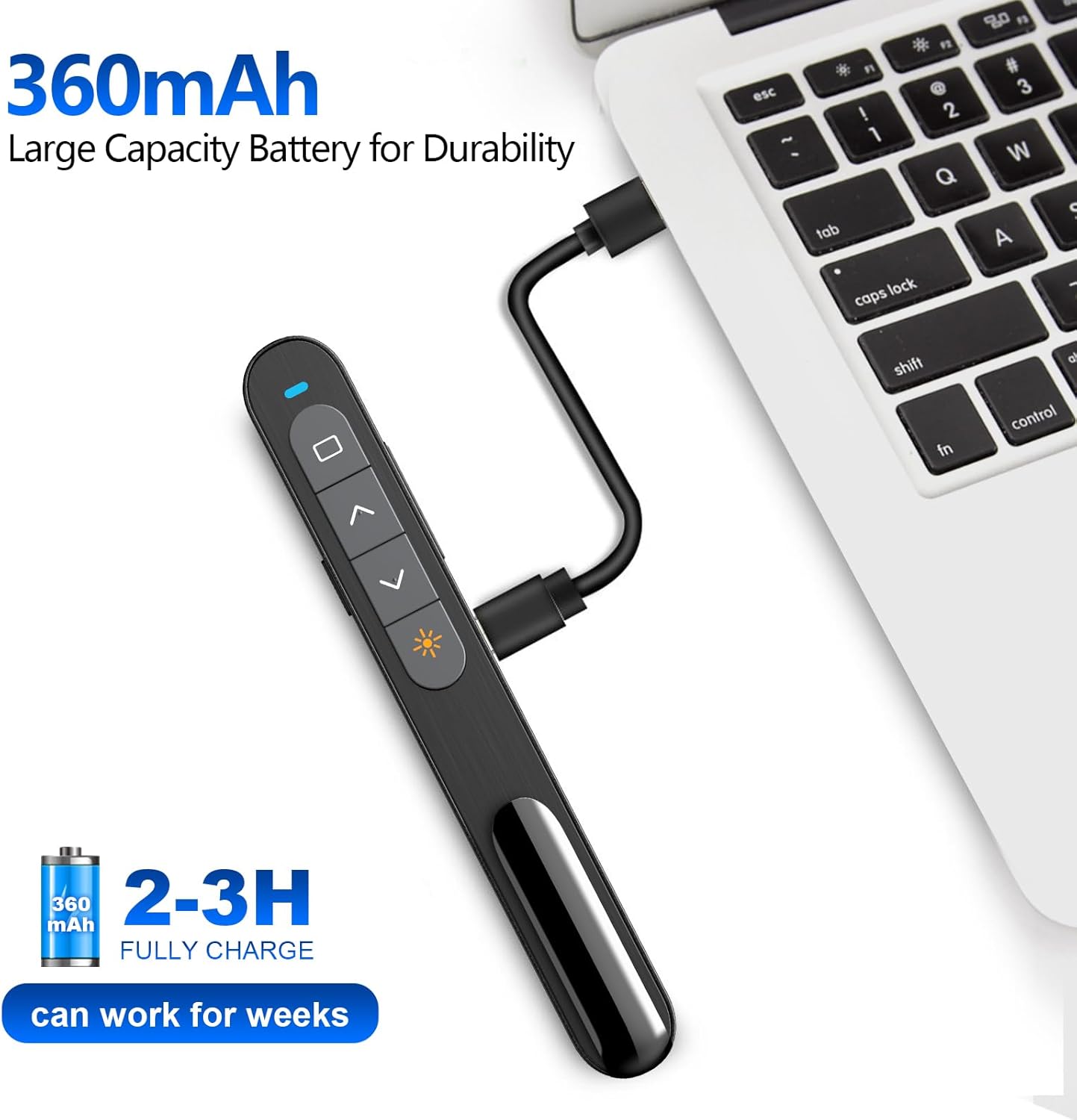
The Norwii N76 is equipped with a built-in 360mAh rechargeable Li-ion battery. To charge the device:
- Connect the provided USB charging cable to the charging port on the presenter.
- Подключите другой конец USB-кабеля для зарядки к источнику питания USB (например, USB-порту компьютера, сетевому адаптеру USB).
- Индикатор зарядки будет гореть во время зарядки и погаснет после полной зарядки.
- Полная зарядка обычно занимает 1.5-2 часа.

5. Инструкция по эксплуатации
5.1. Включение/выключение питания
Slide the ON/OFF switch located on the side of the presenter to the 'ON' position to power on the device. Slide it to 'OFF' when not in use to conserve battery life.
5.2. Basic Slide Control
- Нажмите Page Up (▲) button to move to the previous slide.
- Нажмите Page Down (▼) button to move to the next slide.
5.3. Функция лазерной указки
Нажмите и удерживайте Лазерная указка button (often marked with a sun or star icon) to activate the green laser. Release the button to turn off the laser. The green laser is 8 times brighter than a red laser, providing clear visibility on most screens. Note: The laser is not intended for use on TV screens.
5.4. Расширенные функции
- Full Screen/Black Screen: Press the dedicated button (often a square icon) to toggle between full screen mode and a black screen.
- Hyperlink/Switch Window: Use the designated button (often a chain link or window icon) to activate hyperlinks within your presentation or switch between open applications.
- Регулятор громкости: Use the volume up (+) and volume down (-) buttons on the side of the presenter to adjust the audio output of your computer.

5.5. Настраиваемые кнопки
The Norwii N76 allows for button reprogramming via the Norwii Presenter software. This software enables you to assign custom functions to buttons for a personalized workflow. Refer to the Norwii webсайт для загрузки программного обеспечения и подробных инструкций.

6. Техническое обслуживание
6.1. Уход за аккумулятором
- Полностью зарядите устройство перед первым использованием.
- Чтобы продлить срок службы батареи, избегайте её полной разрядки.
- При длительном хранении устройства заряжайте его примерно до 50% каждые несколько месяцев.
6.2. Уборка
Wipe the device with a soft, dry cloth. Do not use harsh chemicals or abrasive cleaners. Ensure no liquid enters the device openings.
7. Поиск Неисправностей
If you encounter issues with your Norwii N76, refer to the following common problems and solutions:
| Проблема | Решение |
|---|---|
| Ведущий не отвечает |
|
| Лазерная указка не работает |
|
| Ограниченный радиус действия беспроводной связи |
|
8. Технические характеристики
| Особенность | Деталь |
|---|---|
| Номер модели | Н76 |
| Связность | Беспроводная связь 2.4 ГГц (приемник USB-A) |
| Дальность беспроводной связи | До 100 метров (328 фута) |
| Тип лазера | Green Light (656 feet laser range) |
| Аккумулятор | Литий-полимерный аккумулятор емкостью 360 мАч |
| Время зарядки | 1.5-2 часа |
| Размеры продукта | 5.5 x 0.7 x 0.8 дюйма |
| Вес товара | 1.05 унции |
| Совместимая ОС | Windows, macOS, Android, Linux |
| Совместимое программное обеспечение | PowerPoint, Google Slides, WPS Office, Prezi, Keynote |
9. Информация по технике безопасности
- Лазерная безопасность: Do not point the laser beam directly at people or animals. Avoid direct eye exposure to the laser beam. Do not point the laser beam at highly reflective surfaces.
- Дети: Храните устройство в недоступном для детей месте.
- Аккумулятор: Do not attempt to replace the internal battery. Do not expose the device to extreme temperatures or direct sunlight.
- Утилизация: Утилизируйте устройство и его батарею в соответствии с местными правилами.
10. Гарантия и поддержка
Norwii products are designed for reliability and performance. For warranty information, technical support, or service inquiries, please refer to the warranty card included in your package or visit the official Norwii website. Please have your product model number (N76) and purchase details ready when contacting support.


